

Note: Property Intelligence supports early-stage qualification and preparation. It does not replace a full roof measurement or an on-site inspection when either is required.
Before you begin
- Account configuration is required. Contact the Support team to enable Property Intelligence for your account.
- The job must have a complete and valid service address. Zuper uses this address to identify the property.
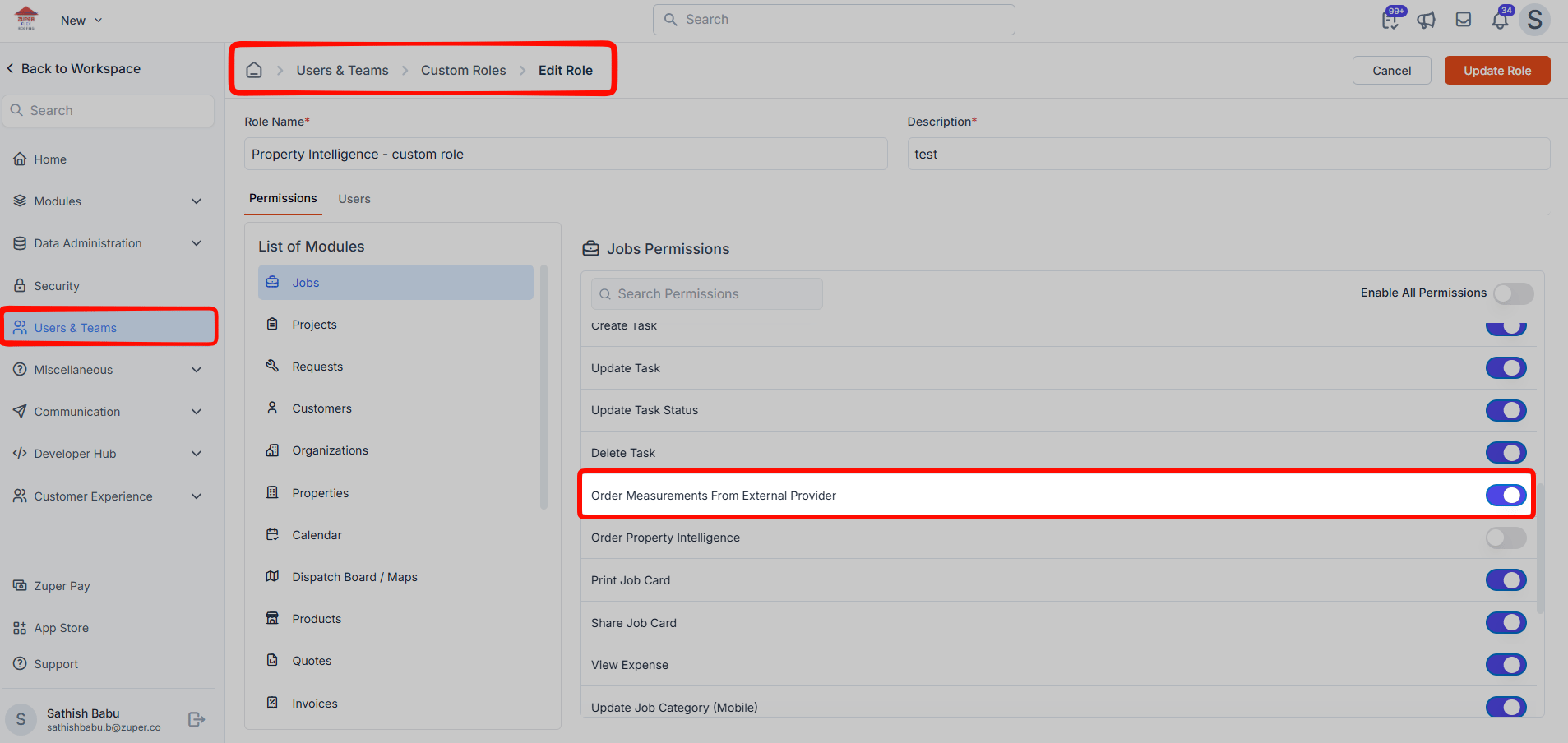
- Access: Admins can access Property Intelligence by default. To grant access to other roles, enable the Order Property Intelligence permission under Custom Roles.
When should I use Property Intelligence?
You can use Property Intelligence early in the roofing sales process when you need enough information to understand the property without ordering a comprehensive measurement report. For example, you can use it to:- Review a roof before contacting a new lead.
- Estimate the overall size and complexity of the roof.
- Identify the available roof material and shape.
- Review visible roof condition indicators.
- Prepare for an initial conversation with the homeowner.
- Decide whether a detailed roof measurement is necessary.
What Property Intelligence provide
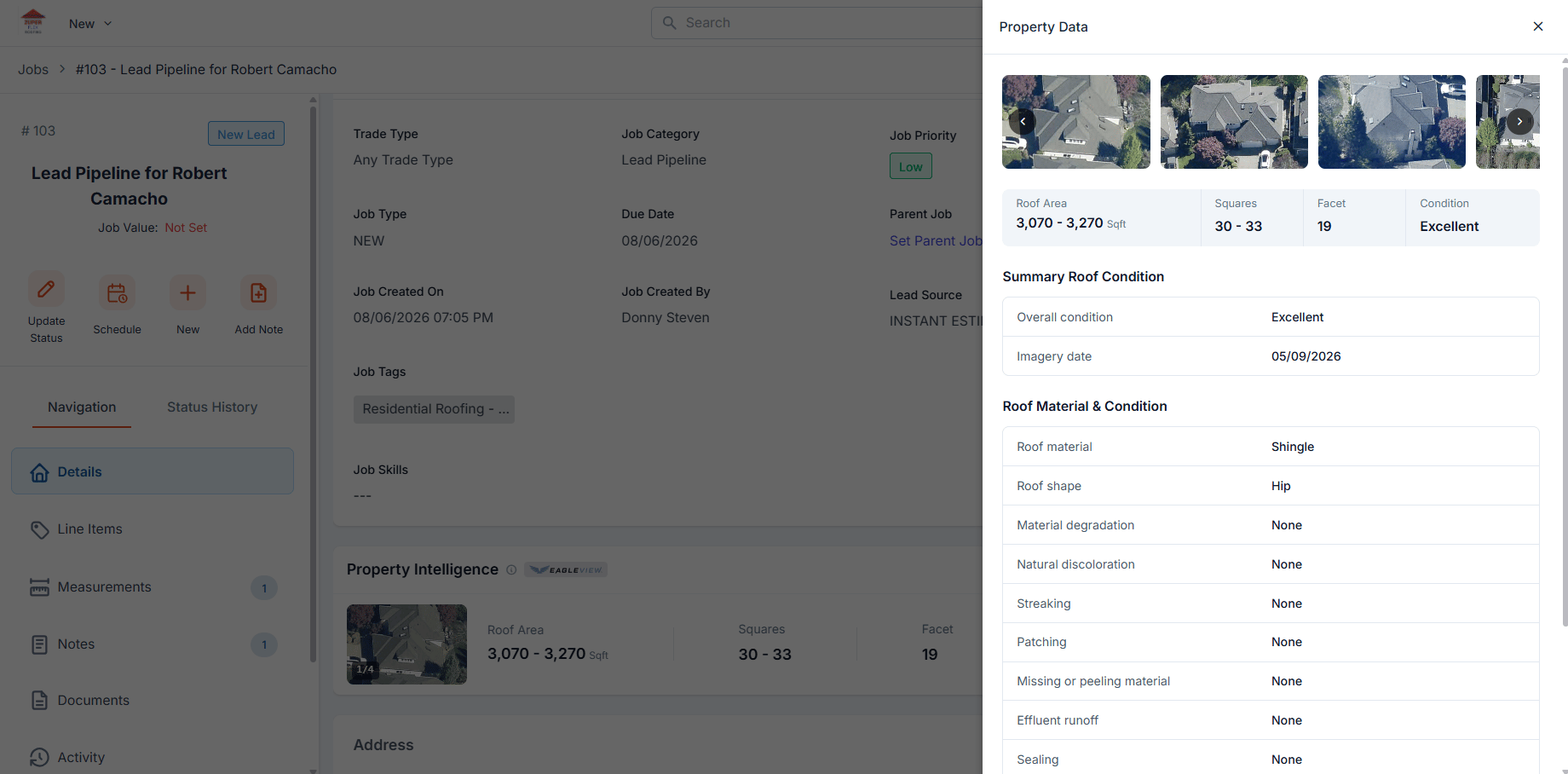
After your request, Zuper displays the available data in the Property Intelligence section of the job.
The information available can vary by property and by the imagery available through EagleView.
Click View Report to see additional roof material and condition information.
Choose between Property Intelligence and a full roof measurement
Use the comparison below to decide which option fits your needs.Request Property Intelligence for a job
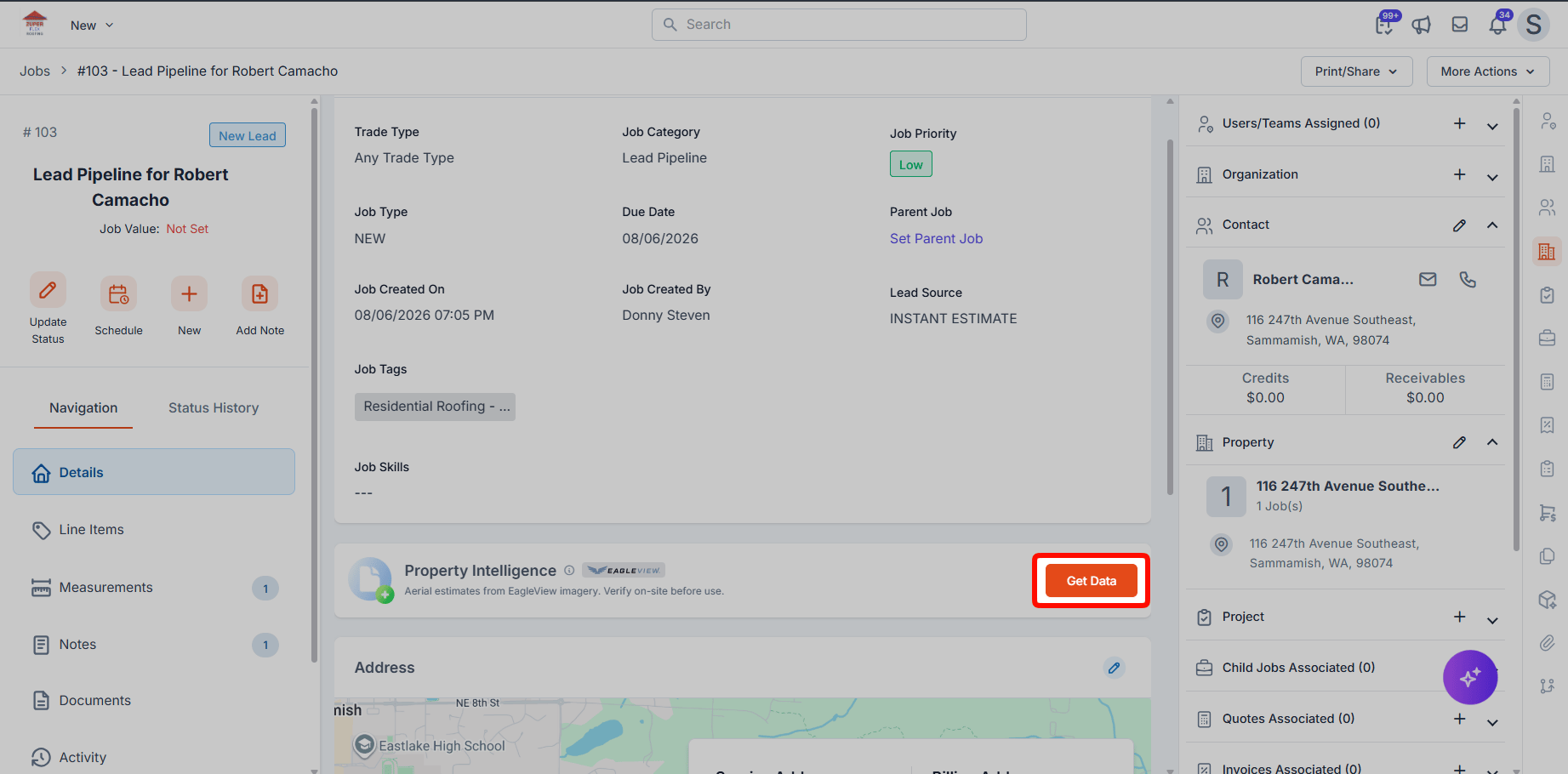
Make sure the job has a complete and valid service address before you request property data. Property Intelligence uses the service address to identify the property.- Open the required Job record.
- Select the Details tab.
- Scroll to the Property Intelligence section.
- Click Get Data.
Review the Property Intelligence report
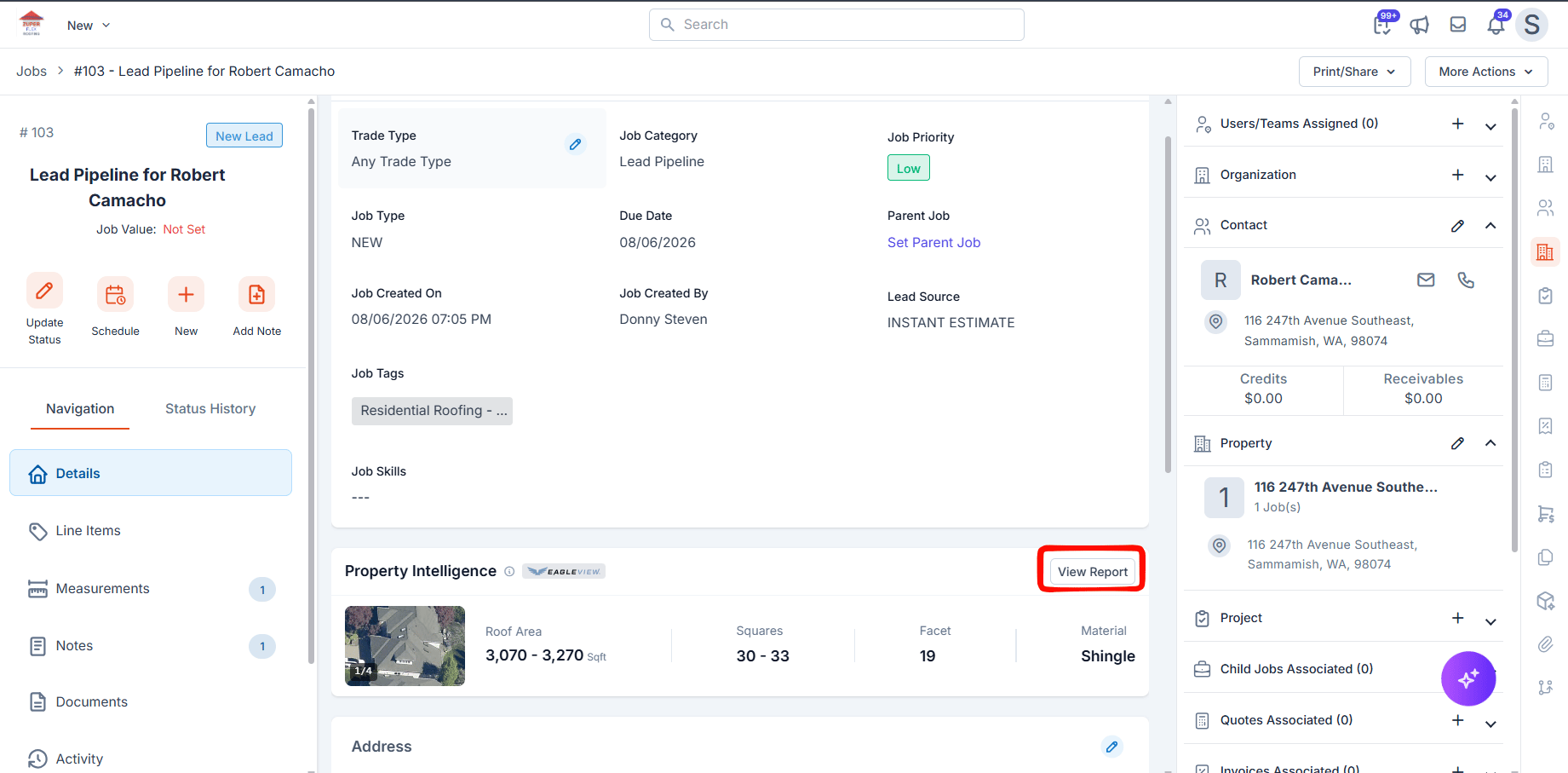
After the property data is available:- Go to the Property Intelligence section.
- Click View Report.
Review the roof condition summary
The Summary Roof Condition section can include:- Overall condition: The overall condition rating available for the roof.
- Imagery date: The date associated with the imagery used for the property data.
Roof Material and Condition
The Roof Material & Condition section provides available information about the roof’s material, shape, and visible condition. Depending on the property and available imagery, Zuper may display details such as roof material, roof shape, material degradation, natural discoloration, streaking, patching, missing or peeling material, effluent runoff, sealing, structural damage, tarp, ponding, and rusting. Not all properties include every condition attribute. Important: Property Intelligence is based on available aerial imagery. You can use the condition data as an early qualification signal rather than as a replacement for an on-site roof inspection.
Frequently asked questions
Do I need to configure an EagleView integration?
Do I need to configure an EagleView integration?
No. You do not need to configure or manage a separate measurement-provider integration to use Property Intelligence.
Is Property Intelligence a replacement for a full roof measurement?
Is Property Intelligence a replacement for a full roof measurement?
No. Property Intelligence provides key roof measurements, such as roof area, squares, and facets, along with property imagery, roof material, and roof condition information. A full roof measurement provides more comprehensive roof measurement data and should be used when detailed measurements are required.
How quickly is the property data available?
How quickly is the property data available?
Property data is typically available within a few seconds after you click Get Data. Response time can vary based on the property and data availability.
Why might Property Intelligence not return data?
Why might Property Intelligence not return data?
Property Intelligence may not return data in some cases.
- The service address is incomplete or invalid: Verify that the job has a complete and valid service address, then click Get Data again.
- Property data is not available: If the service address is valid but EagleView does not have data for the property, Property Intelligence cannot return the requested data.
Can I view Property Intelligence data from the Property module?
Can I view Property Intelligence data from the Property module?
Yes. After Property Intelligence is requested from a Job, Zuper makes the retrieved data available on the associated Property record.