

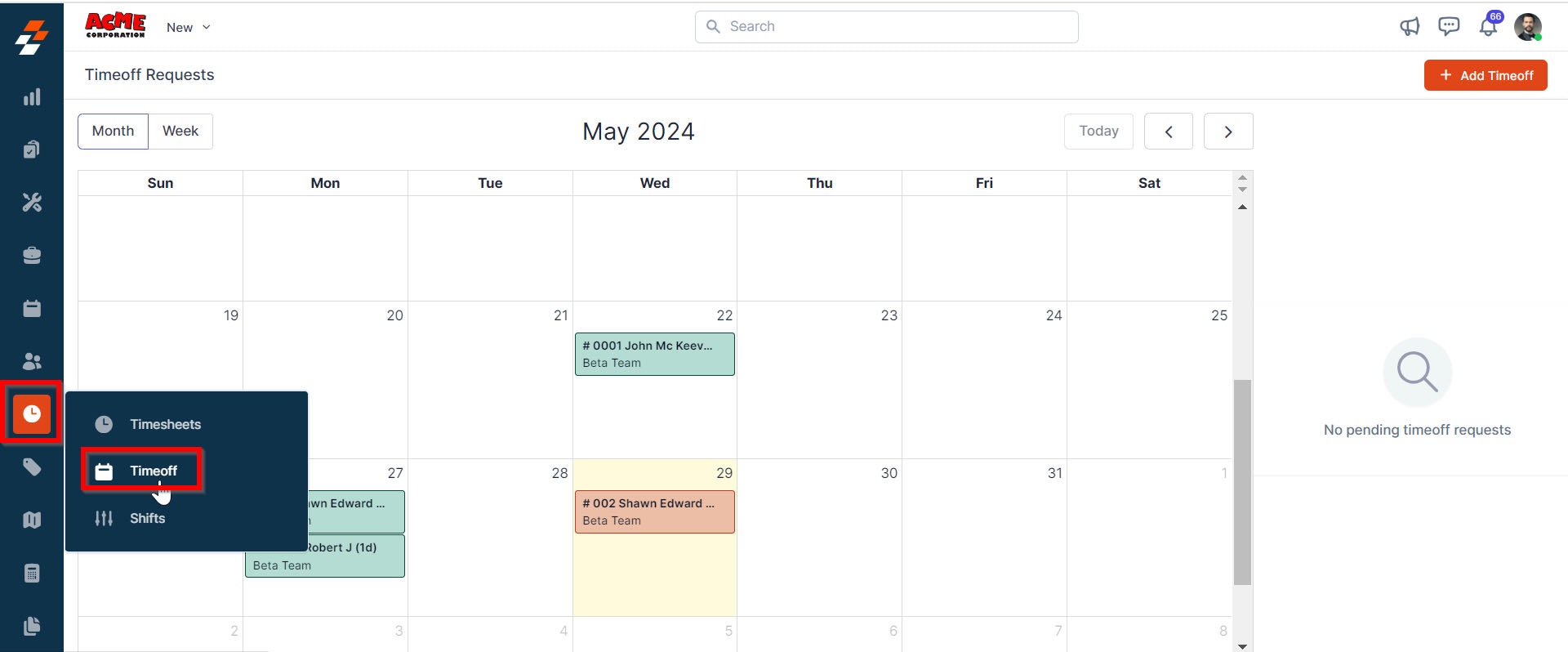
Navigation: Timesheets —> Timeoff
Viewing time-off requests
- You can access all time-off requests submitted by users. This allows you to monitor and manage employee availability, ensuring a smooth operational workflow.
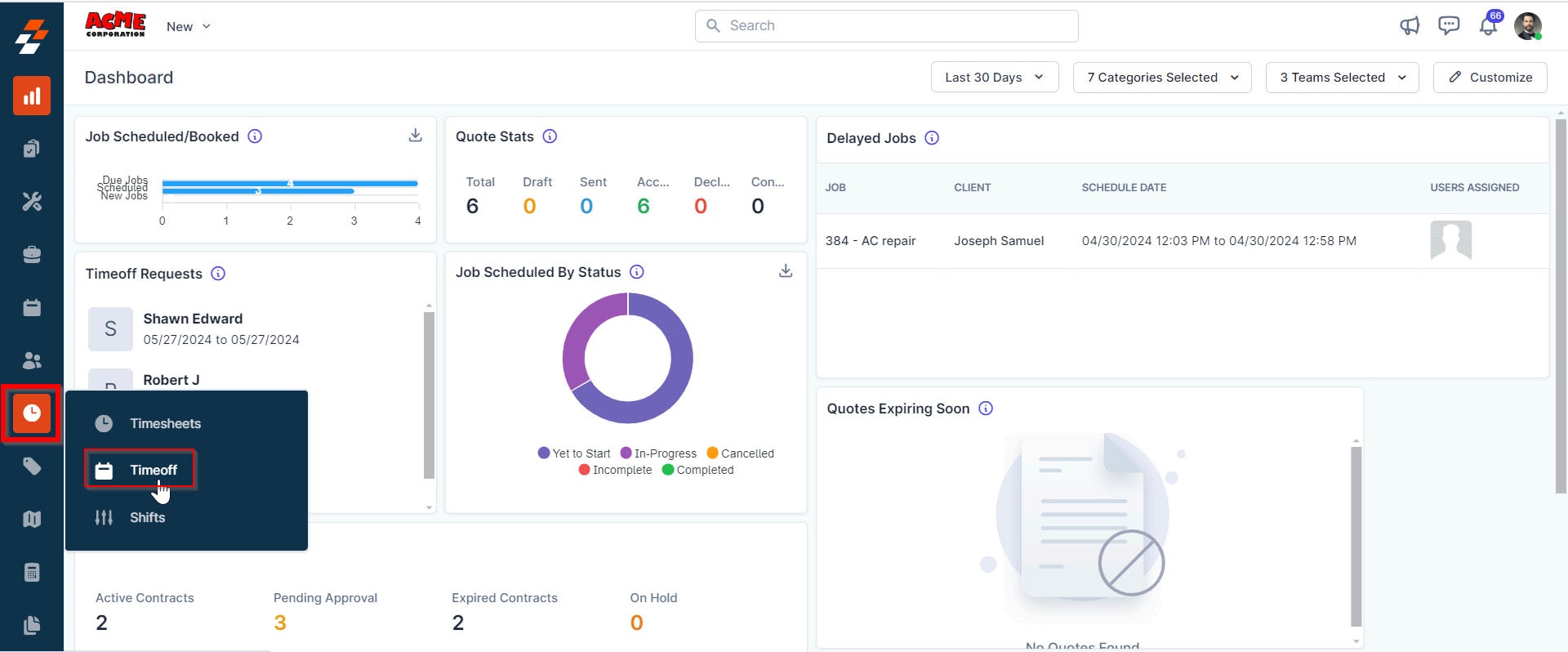
- Select the “Timesheet” module from the left navigation menu and choose “Timeoff.”
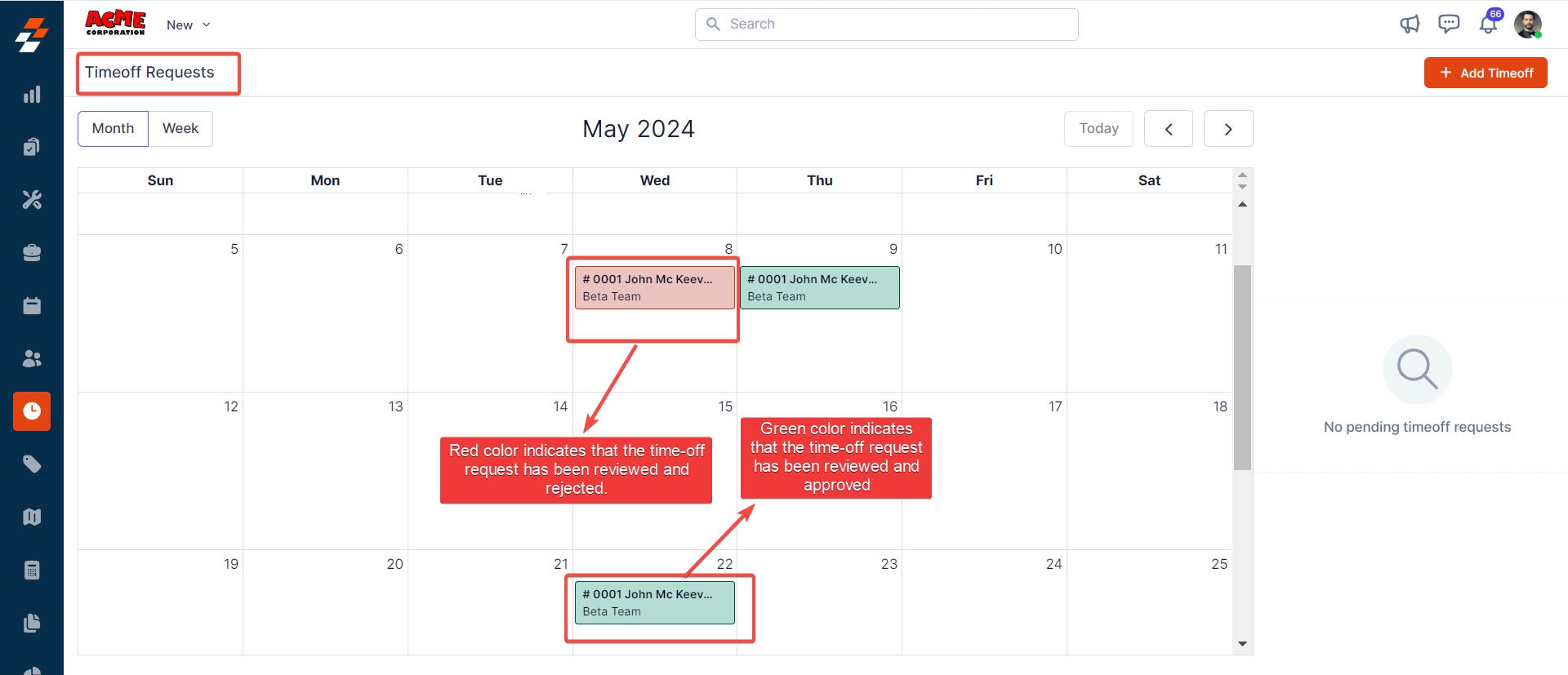
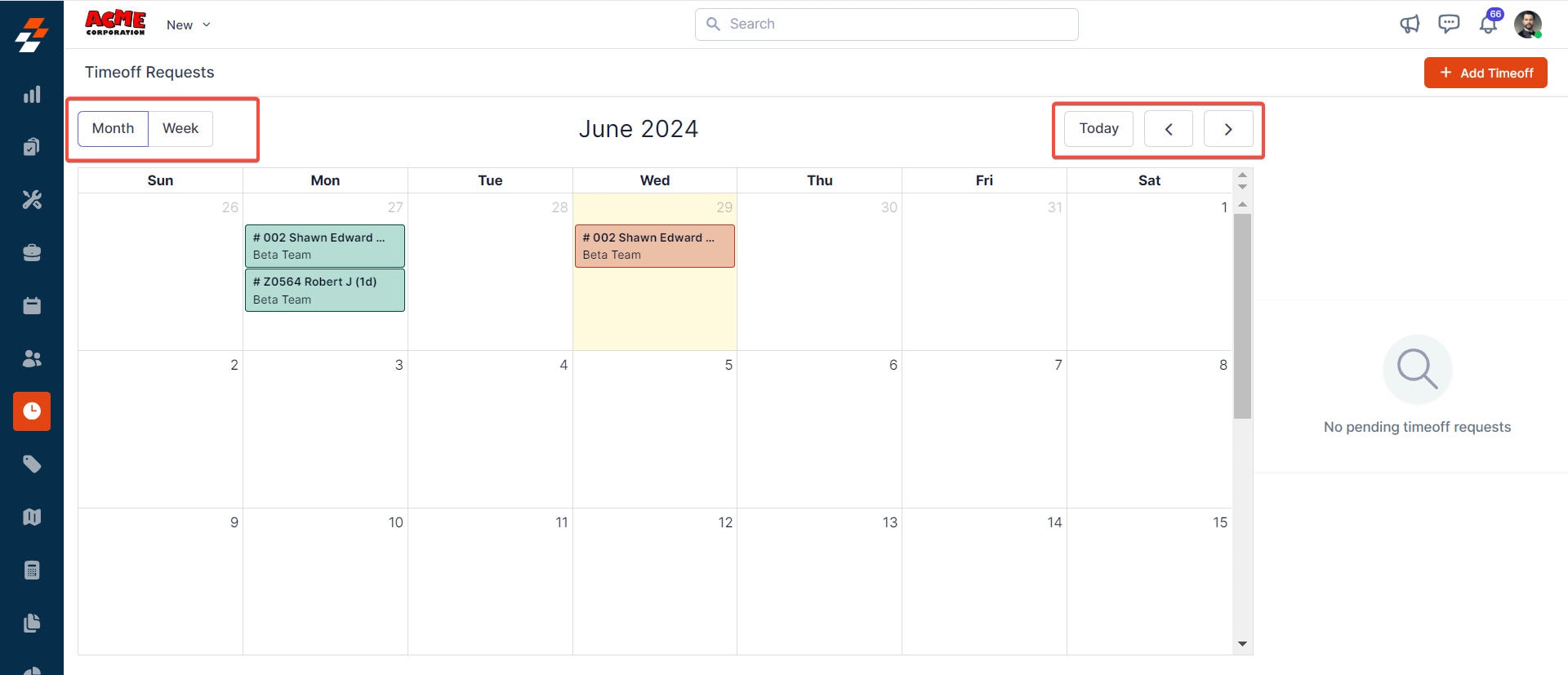
- Customize the calendar view to suit your needs better:
- Admin and Team Lead users can review submitted time-off requests. Approvals are automatic — Zuper approves requests immediately when an Admin or Team Lead submits them. Rejections are manual and require deliberate action.
- Select the Timesheets module from the left navigation menu and choose Timeoff.
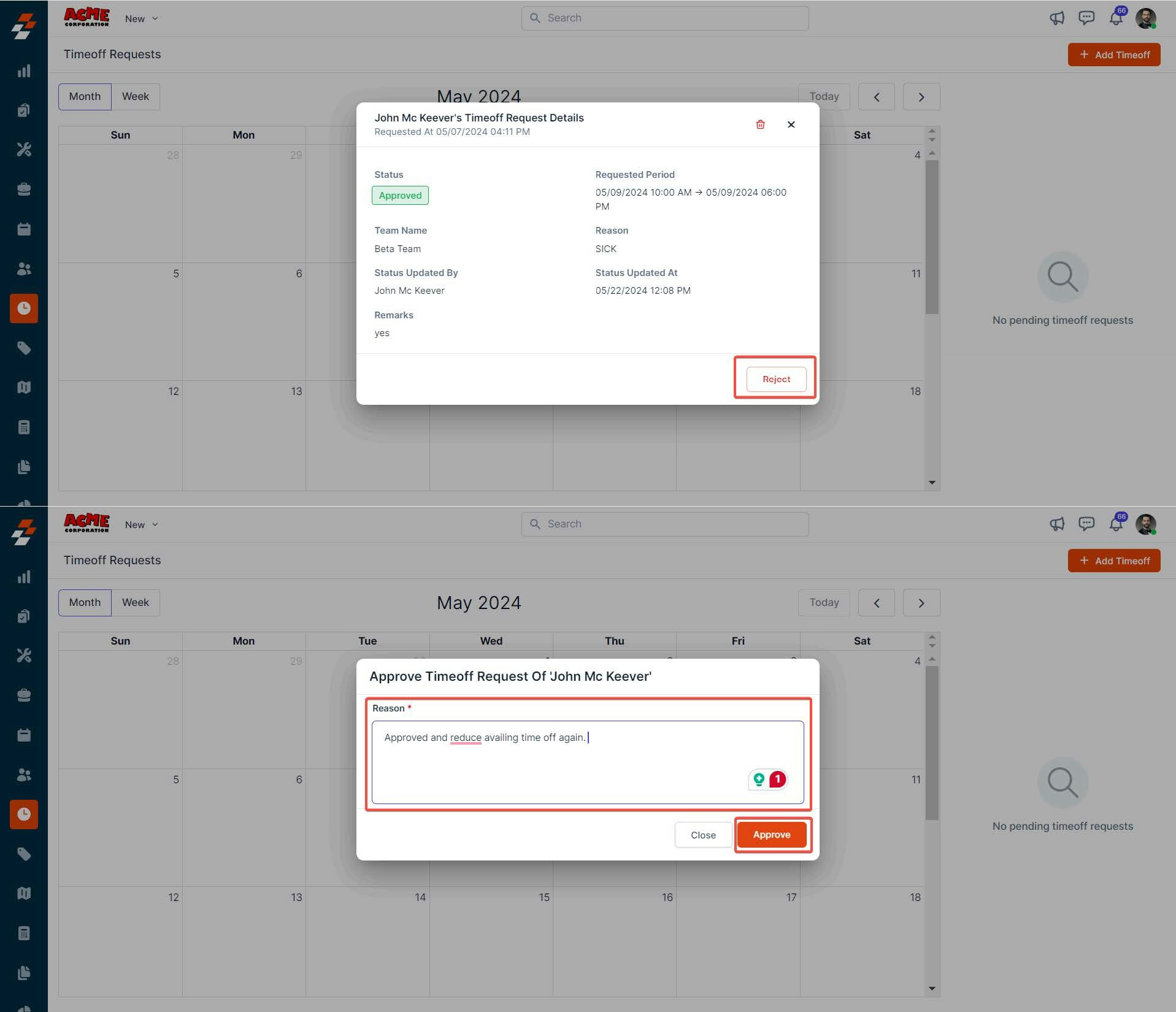
- Locate the request on the calendar and select it. The Time-Off Request Details dialog opens, showing the requested dates, reason for the time off, and any remarks the user provided.
- To reject the request, select Reject. Enter a reason for the rejection. The reason is shared with the user.
Note: Approvals do not require any action. When an Admin or Team Lead submits a time-off request — for themselves or on behalf of a user — Zuper automatically approves it. Only rejections require a manual step.
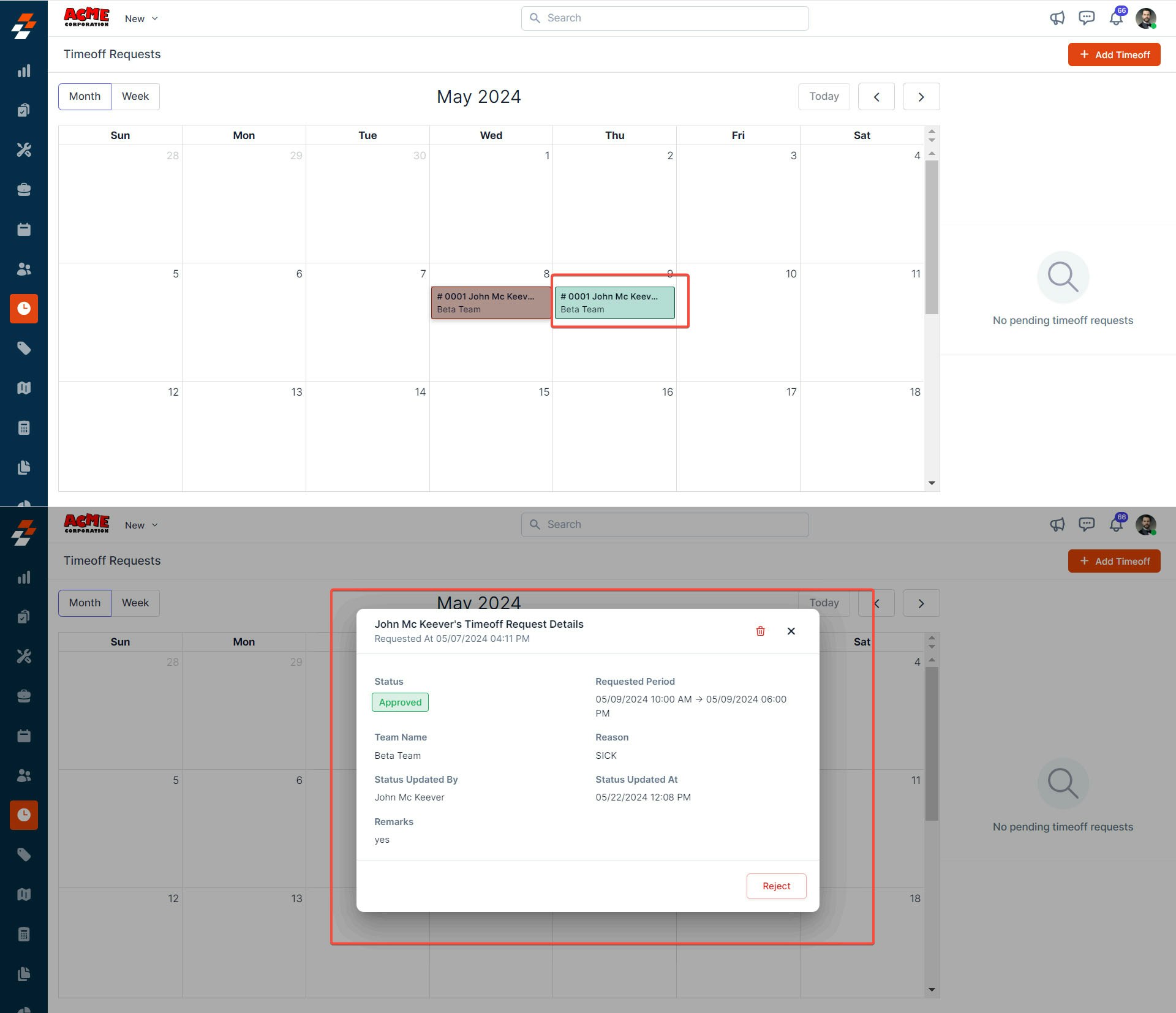
- You can approve or reject the request in the “Time-Off Request Details” dialog box.
- Adding new time-off requests. As an admin / TL in Zuper, you can manually add time-off requests on behalf of users.
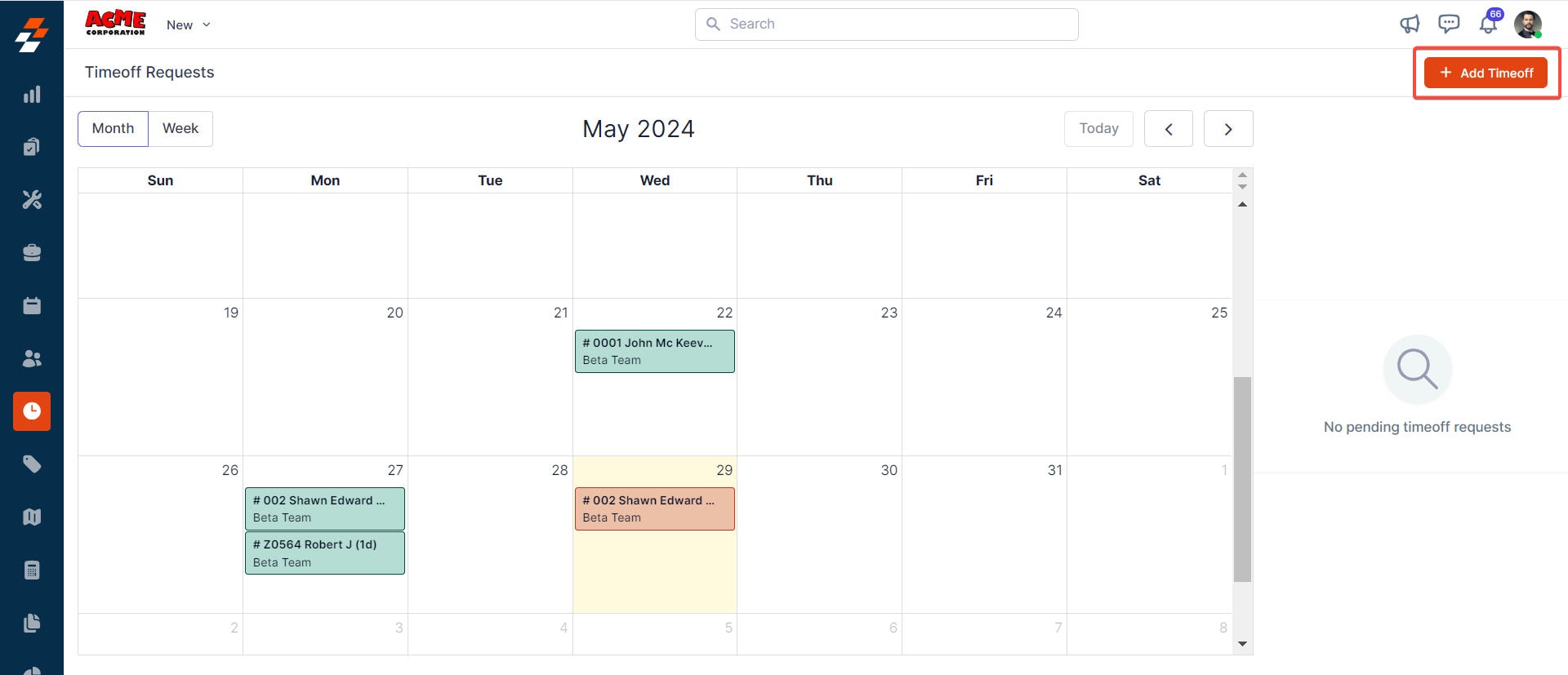
- To create a new time-off, click ”+ Add Timeoff” at the top right corner of the page.
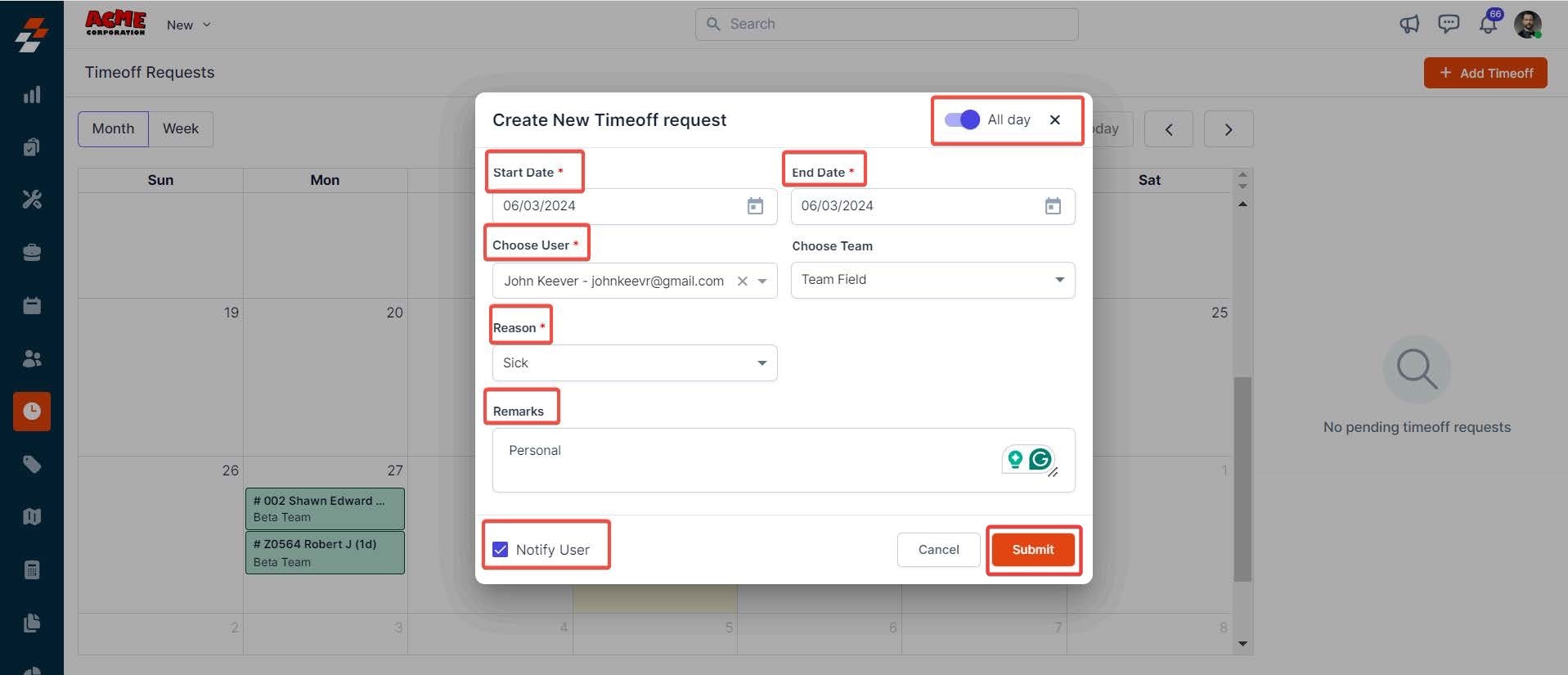
- A pop-up appears. Fill in the following details.
Vacation time tracking
Note: Zuper does not support vacation time tracking as part of its feature set. To track and manage employee vacation time, you will need to use a dedicated HRMS (Human Resource Management System) software alongside Zuper.