

Finding your team’s recordings
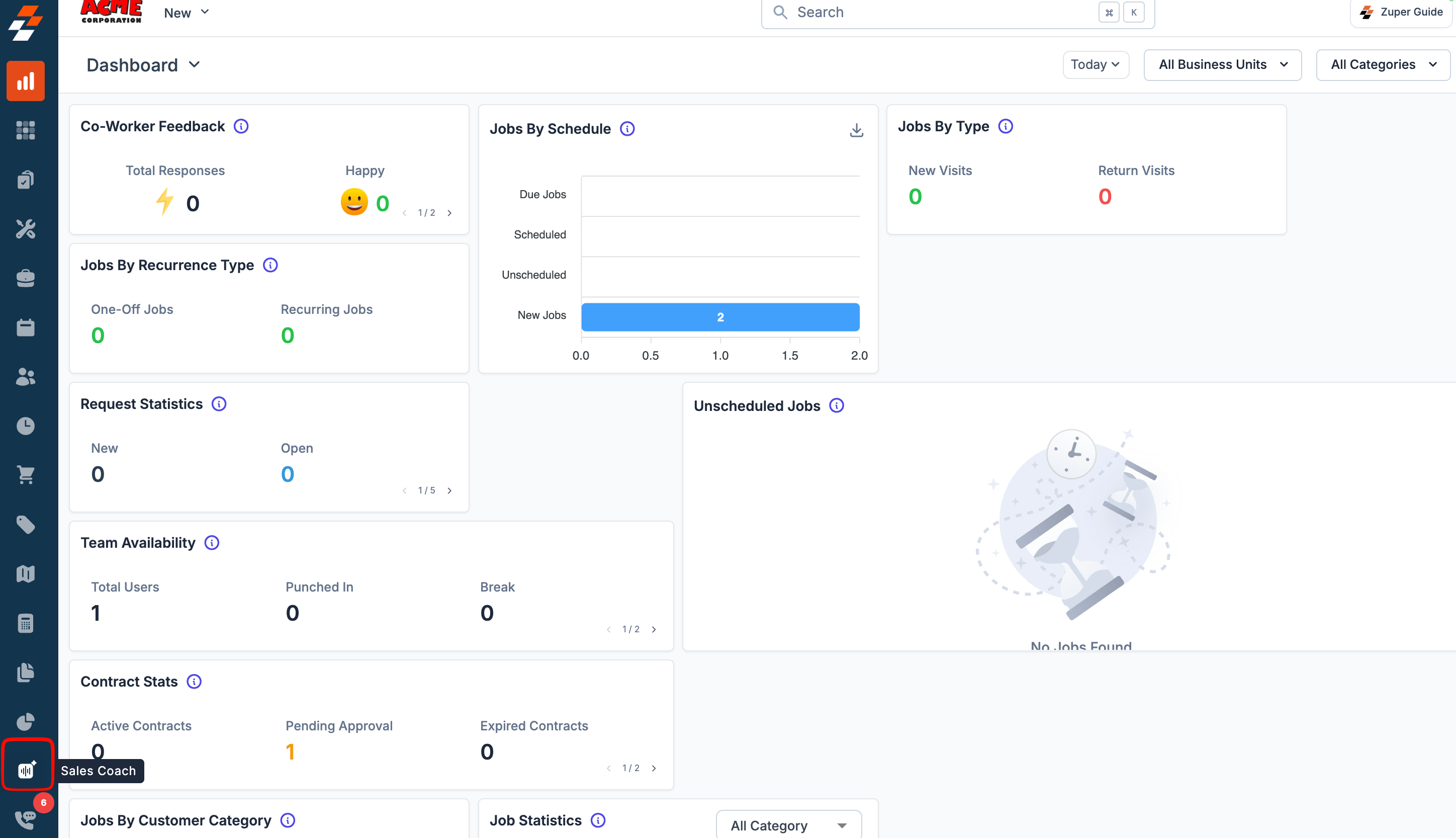
Every conversation your team records eventually lands here, scored and ready for you to review.- Click Sales Coach from the left navigation menu.
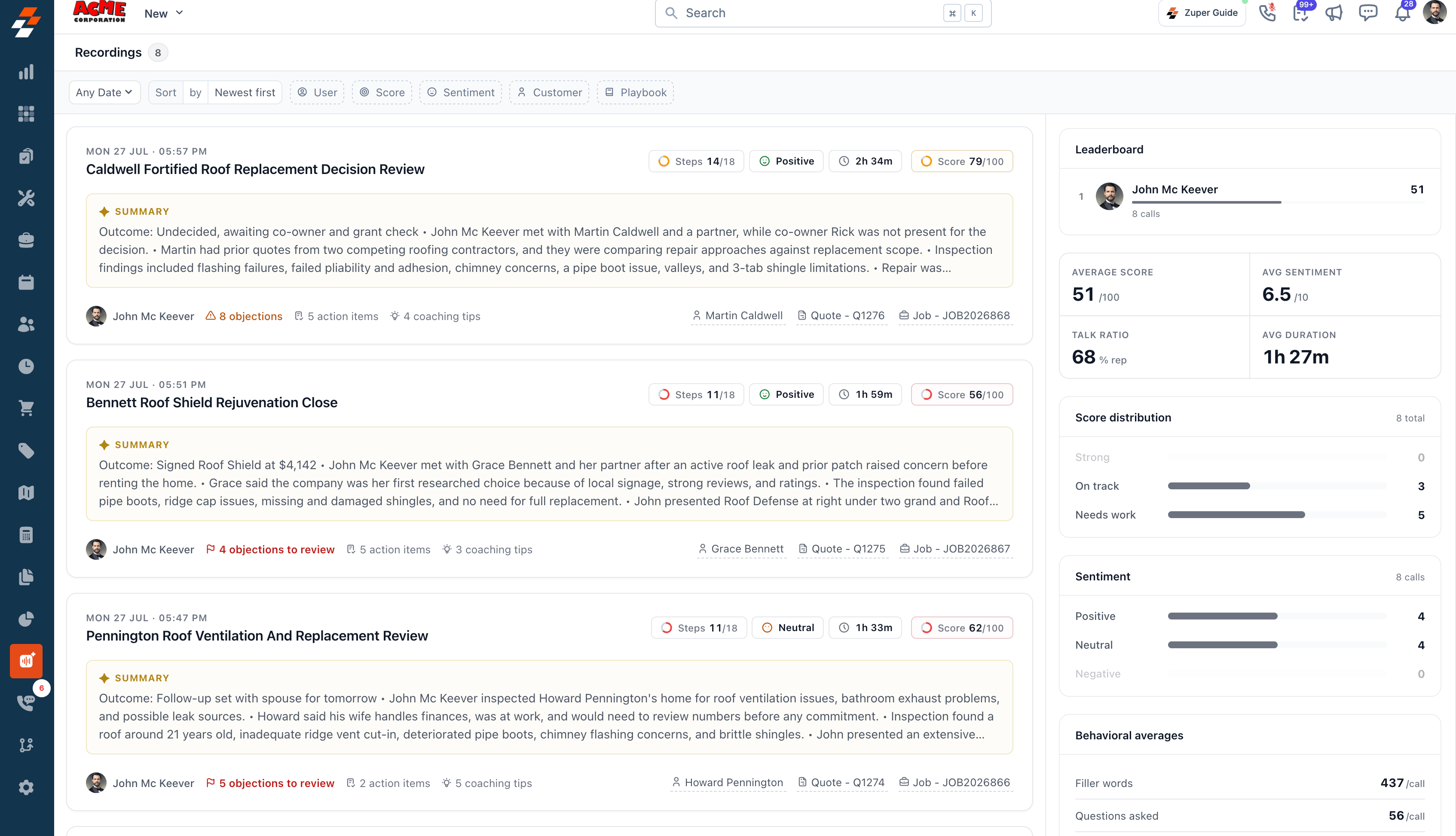
- You’ll see a list of all recordings, sorted by most recent first.
- Date, time, and title of the recording
- Steps detected out of total playbook steps (for example,
Steps 20/24) - Overall sentiment (Positive, Neutral, or Negative)
- Duration of the conversation
- Score given to the recording
- A short AI-generated summary of the conversation, including the outcome of the call, the reason for the visit, key findings, and any pricing or options discussed
- The user’s name, number of objections to review, and number of coaching tips
- The linked customer, job, or proposal reference
Filtering and sorting
Use the filter bar at the top of the Recordings page to narrow the list to exactly what you’re looking for: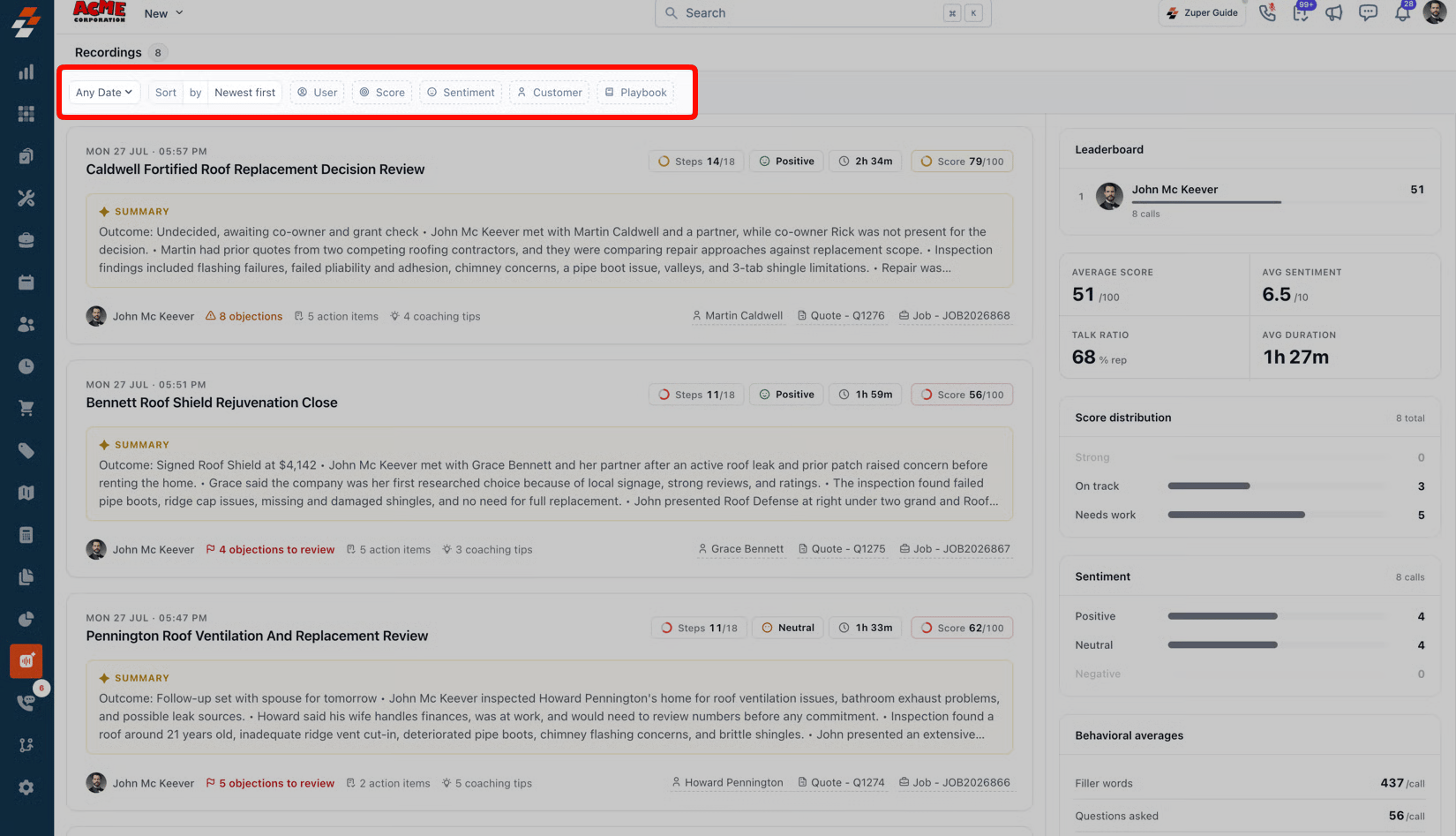
- Any Date: Filter recordings by date range.
- Sort: Choose newest first, oldest first, highest score, or lowest score.
- User: Filter by field executive.
- Score: Filter by score band (Strong, On Track, or Needs Work).
- Sentiment: Filter by Positive, Neutral, or Negative.
- Customer: Filter by customer name.
- Playbook: Filter by the playbook used to score the conversation.
Understanding the dashboard
Individual conversations tell you what happened in one visit. The dashboard shows what’s happening across your entire team. The right side of the Recordings page shows team-level insights alongside the recordings list: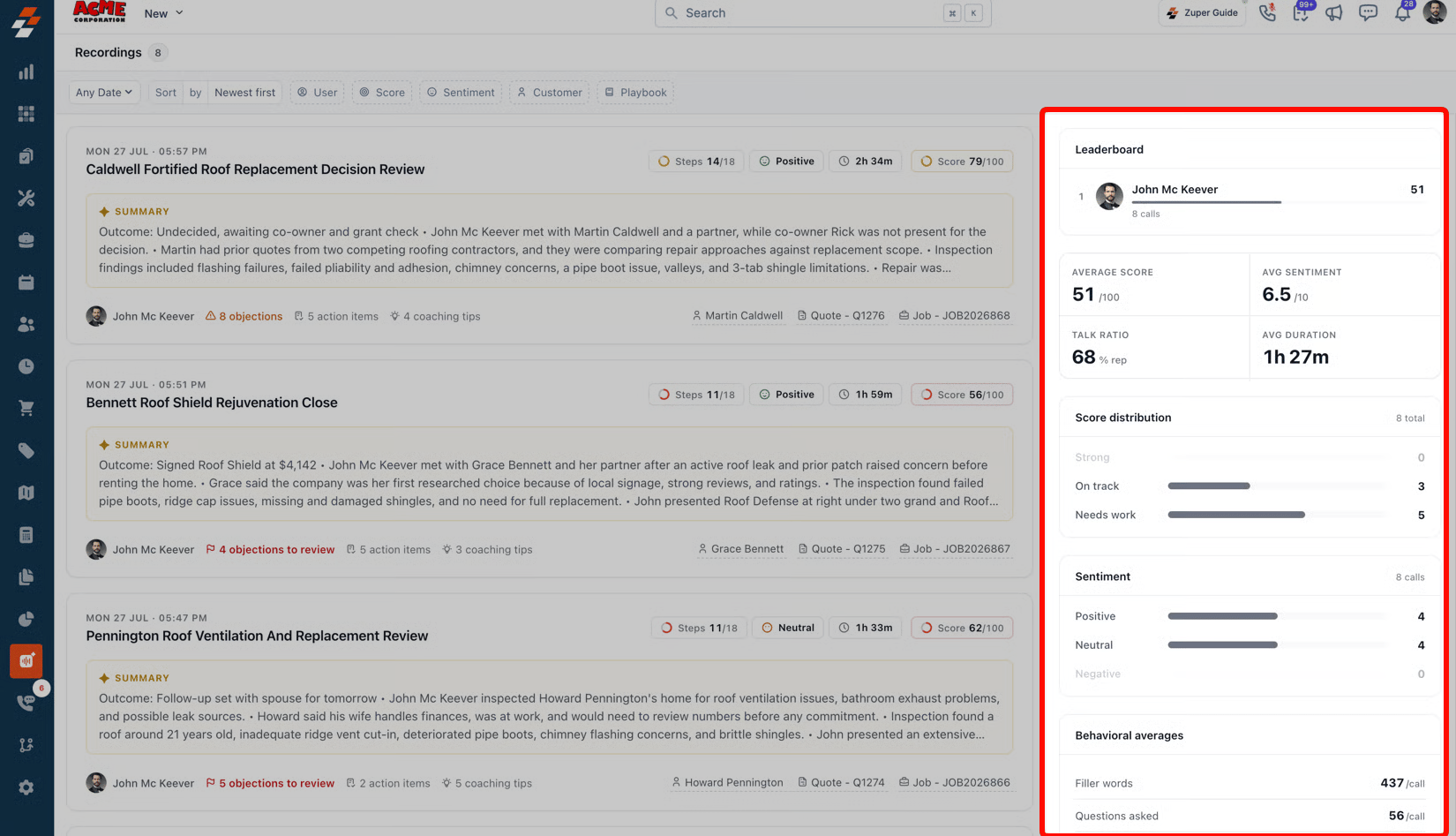
- Leaderboard: Top performers ranked by number of calls.
- Average Score and Average Sentiment across all recordings.
- Talk Ratio: Average percentage of the conversation the user spoke.
- Average Duration across all recordings.
- Score Distribution: How many recordings fall into Strong, On Track, or Needs Work.
- Sentiment: A breakdown of Positive, Neutral, and Negative recordings.
- Behavioural Averages: Team-wide averages for filler words per call, questions asked, and objections raised.
The dashboard reflects the values based on the filter applied.
How the playbook score is calculated
Every score you see is built the same way, so you can trust it’s consistent across sales representatives and across conversations. Your Overall Score reflects the overall quality of the sales conversation. The score is calculated using multiple aspects of the conversation, including:- Playbook performance: How closely the conversation aligns with the trackers in your organization’s sales playbook, which Sales Coach uses to evaluate recordings.
- Objection handling: How effectively customer concerns and objections were addressed.
- Call metrics: Conversation metrics such as participation, pacing, and other indicators are evaluated by the Sales Coach.
Opening a coaching card
This is where the conversation actually comes to life. Click any recording in the list to open its full coaching card. Refer to Coaching cards for a full walkthrough.Frequently asked questions
Why does a recording show 'Analysis couldn't complete'?
Why does a recording show 'Analysis couldn't complete'?
This usually means the recording was too short for coaching analysis. Recordings must be at least 60 seconds long to be scored. Select Retry Analysis if you believe this is an error.
Do the Insights metrics affect the playbook score?
Do the Insights metrics affect the playbook score?
No. Insights are informational only. They describe how the conversation was conducted, not whether the playbook was followed.