

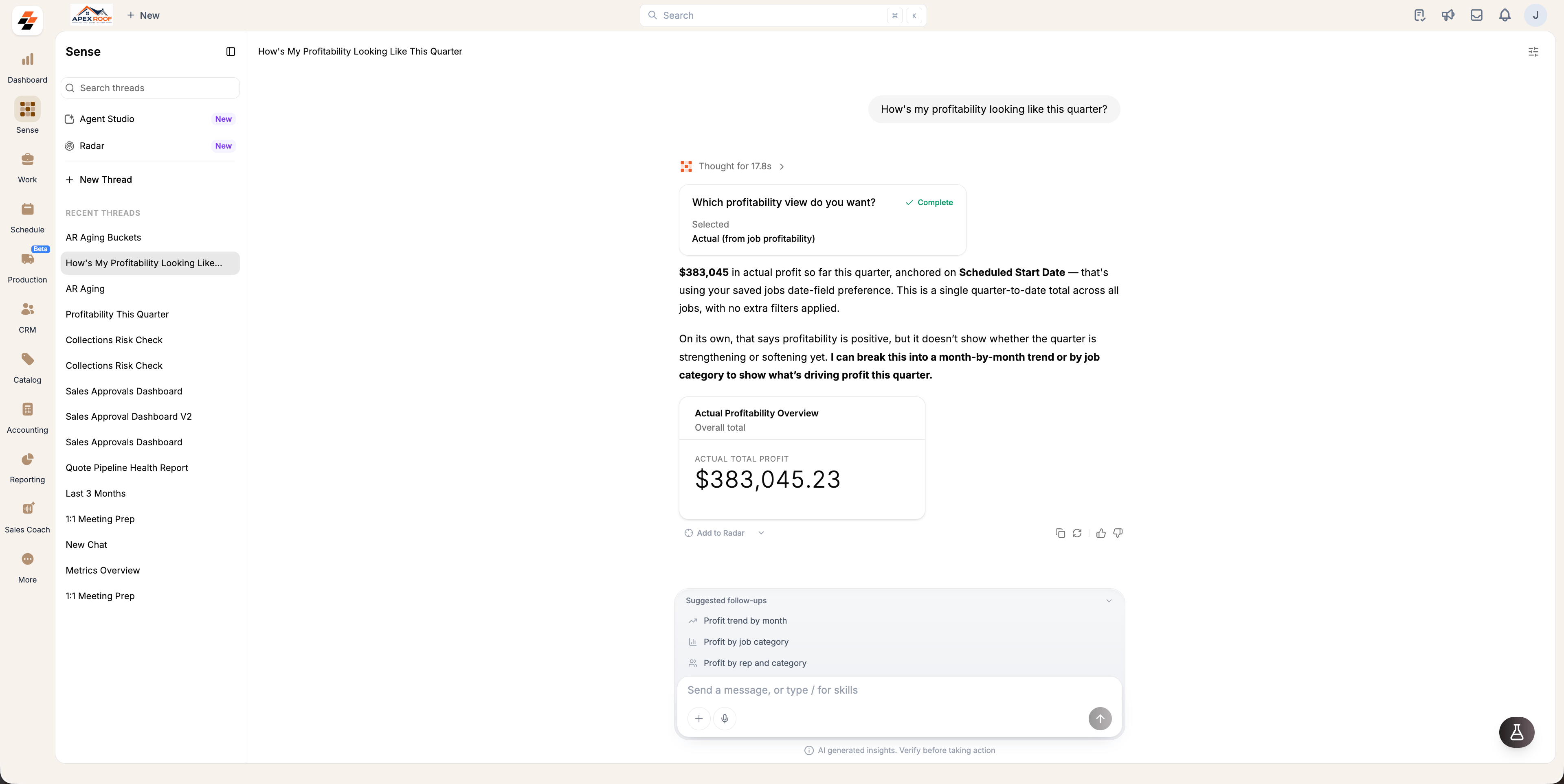
Follow-up questions
Sense offers a Suggested Follow-up that dynamically predicts what you might want to ask next based on the conversation context.- Read the response, then select a question from the Suggested follow-ups above the message box.
- To continue the conversation, choose a suggested question or enter your own.
Clarifying questions
If Sense does not have sufficient context to answer accurately, it will ask one or more clarifying questions rather than guessing. Once you answer, Sense uses that additional context to provide an accurate response.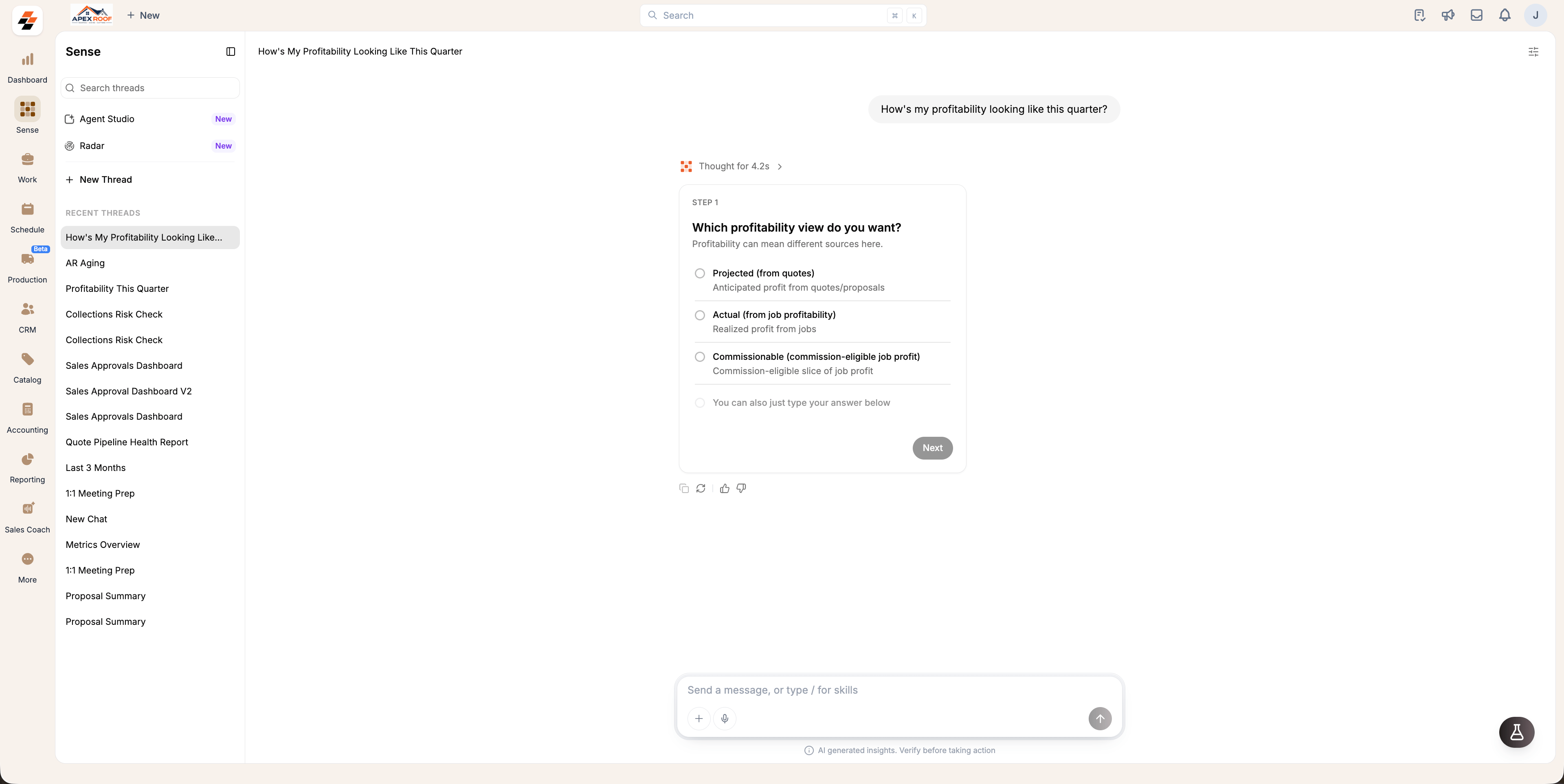
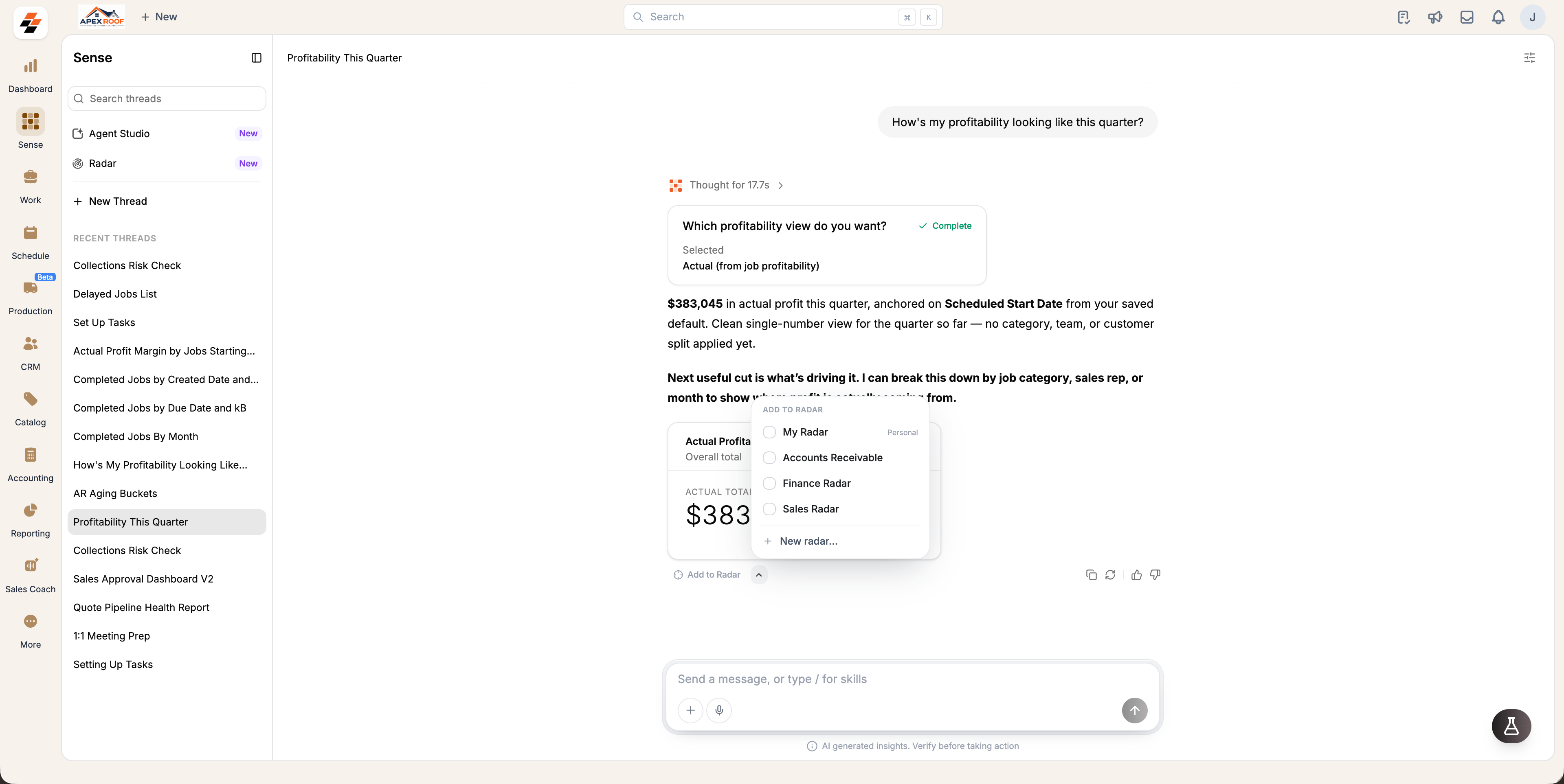
Pin an answer to a Radar
Save time on recurring KPIs by pinning answers directly to a Radar rather than repeatedly asking Sense. Pinned cards update live, keeping important metrics visible for you and your team.- Click next to Add to Radar below the answer to open Choose a radar.
- Select every Radar where you want the card to appear, or click New Radar to create a new one (changes save automatically).
- Close the selector once you are finished.
- In a standard thread: Pins directly to My Radar.
- In a board-initiated thread (via + Add KPI): Pins directly to that specific board.
Actions on an answer
Use the actions located in the bottom-right corner of any answer card to manage or refine responses:- Copy: Copy the answer.
- Rerun: Re-ask the same question and get a new response.
- Thumbs up / down: Submit feedback on the response to help us improve Sense over time.