

What you can ask
- Why was job #1234 delayed?
- Give me a financial summary of job #1234.
- Is customer ABC Roofing a payment risk?
- Does the purchase order for job #1234 match what was invoiced?
What a reasoning answer looks like
A reasoning answer starts with an explanation, then shows the records behind it. Depending on the question, this may include a status timeline, other contributing signals, and a note about how strongly the records support the explanation.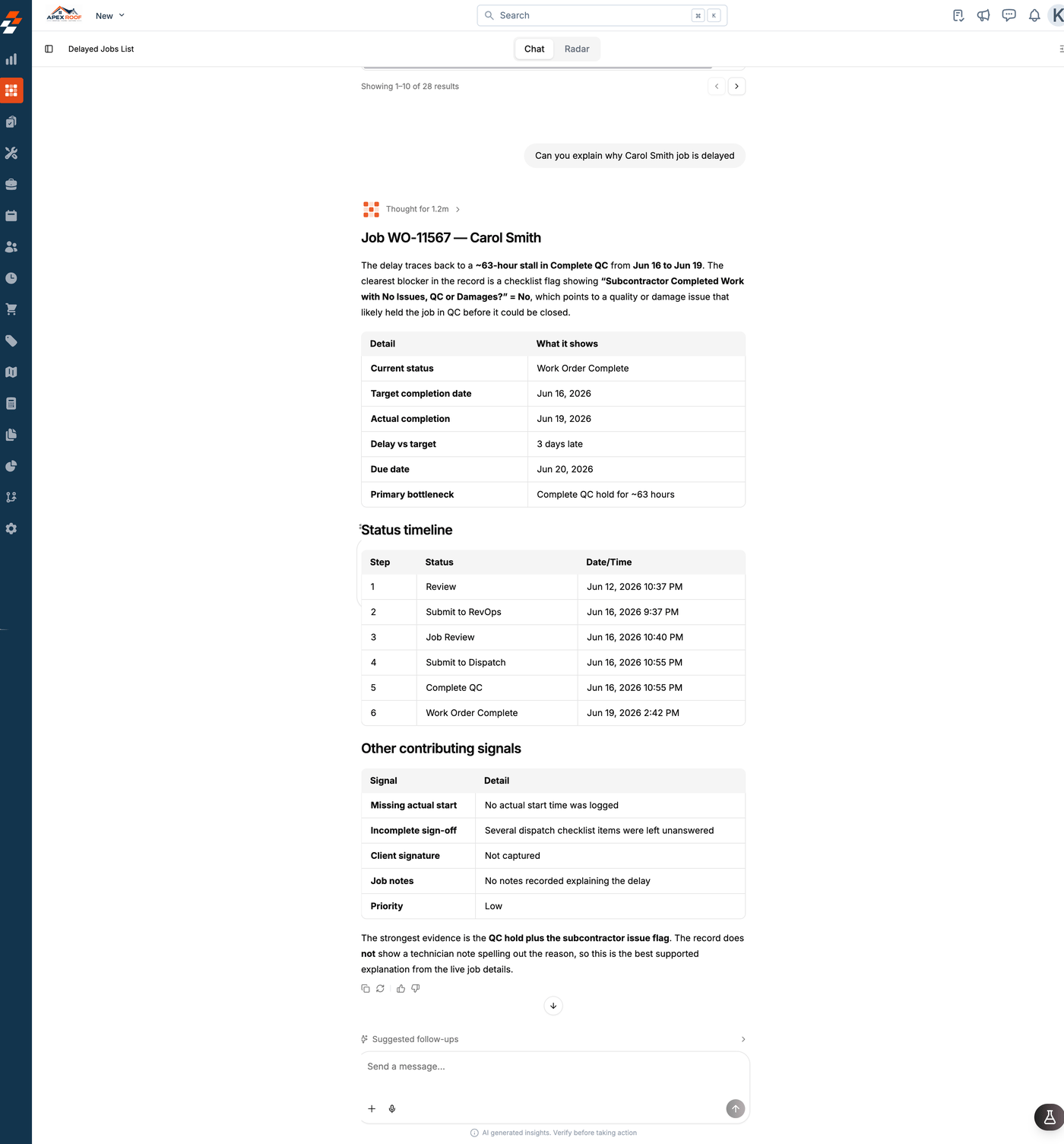
What Sense does and doesn’t claim
Sense uses the data already in your account. If a relevant record or explanation is missing, such as a purchase order or a note about a delay, Sense identifies the gap instead of guessing.Note: A reasoning answer may take longer than a straightforward data question because Sense reviews connected records. You can see its thinking time above the answer.