

Navigation: Sense -> Agent Studio
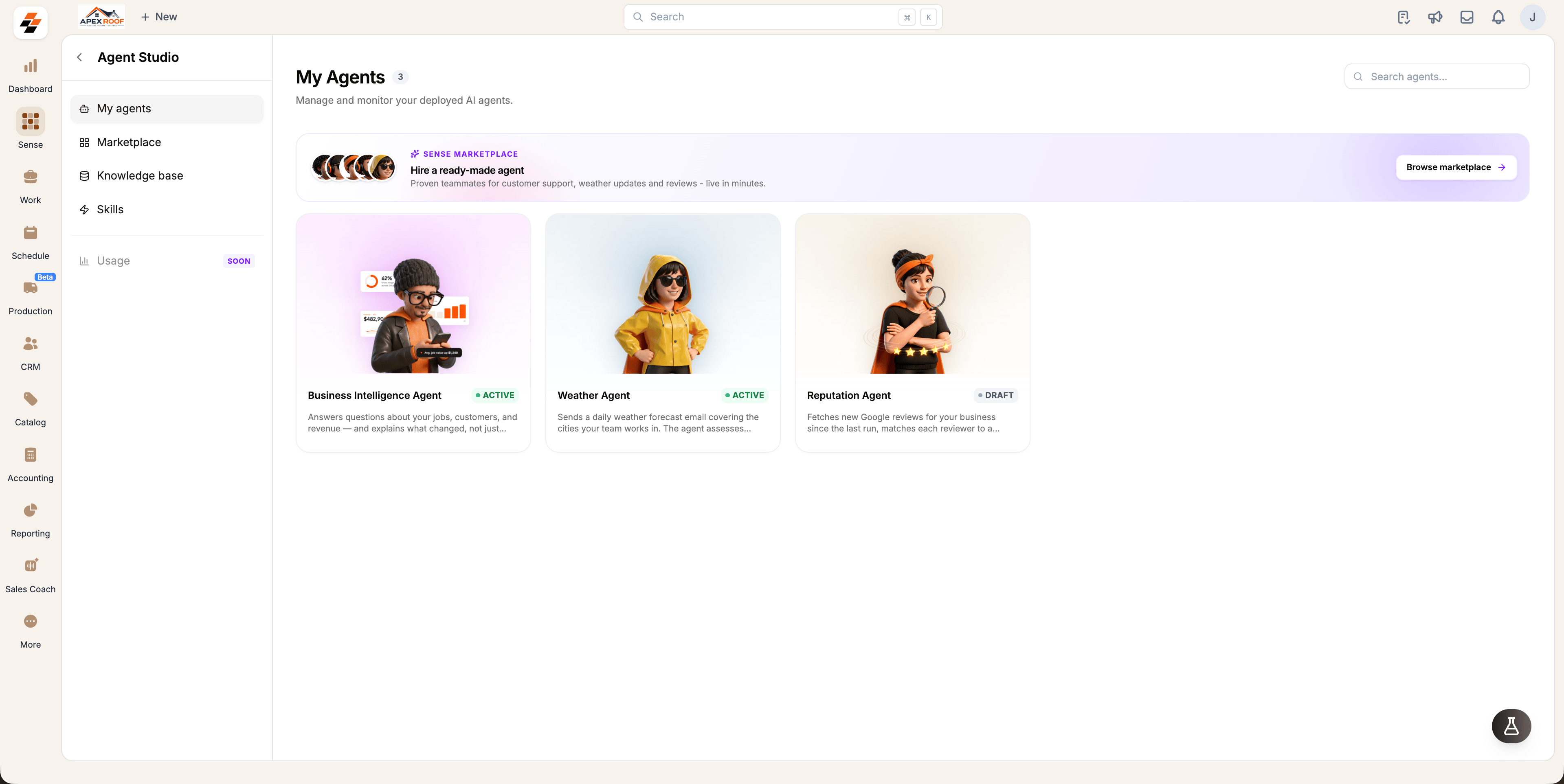
What an agent is
An agent is an automated, configured worker designed to handle specific tasks. Every agent consists of a standard set of core components, including its configuration, instructions, triggers, knowledge base, and tools. To learn more about how these components work, see Agent Anatomy.- Pre-built agents provided by Zuper that you can configure and deploy, such as the CSR, Weather or Reputation agent.
- Fully custom agents built tailored to your unique operational processes → Coming Soon
- For example, the Business Intelligence agent is the one giving insights in your questions on Sense chat.
Agent status types
The status badge on any card under My Agents indicates its current operational state:| Status | Definition |
|---|---|
| Active | Deployed and actively monitoring or responding to configured triggers. |
| Draft | Configured but not yet deployed; does not execute on triggers. |
| Paused | Previously deployed but temporarily halted; ignores triggers until manually resumed. |
Note: Agent Studio is enabled at the company level by Zuper. If Agent Studio does not appear under Sense in your navigation, contact your Zuper account manager or reach out to Support.
Getting started
To explore available agents, select Browse marketplace from the My Agents tab to view pre-built capabilities, or select any existing agent card to modify its settings and instructions.Related topics
- Marketplace: Browse the catalog of ready-to-deploy agents provided by Zuper.
- Agent Anatomy: Understand the architecture and underlying parts that power an agent.
- Setup Agents: Learn how to configure, trigger, and deploy an agent to production.
- Knowledge Base: Upload documentation, policies, and business calculation rules for your agents.
- Skills: Create reusable instruction sets and procedures to attach to agents.