

Navigation: Sense -> Agent Studio -> Marketplace
Note: Your business must be listed on Google, and only admins can set up an agent.
Set up the Reputation Agent
- Open Sense from the left navigation, then select Agent Studio.
- Select Marketplace and find Reputation Agent.
- Select Setup agent.
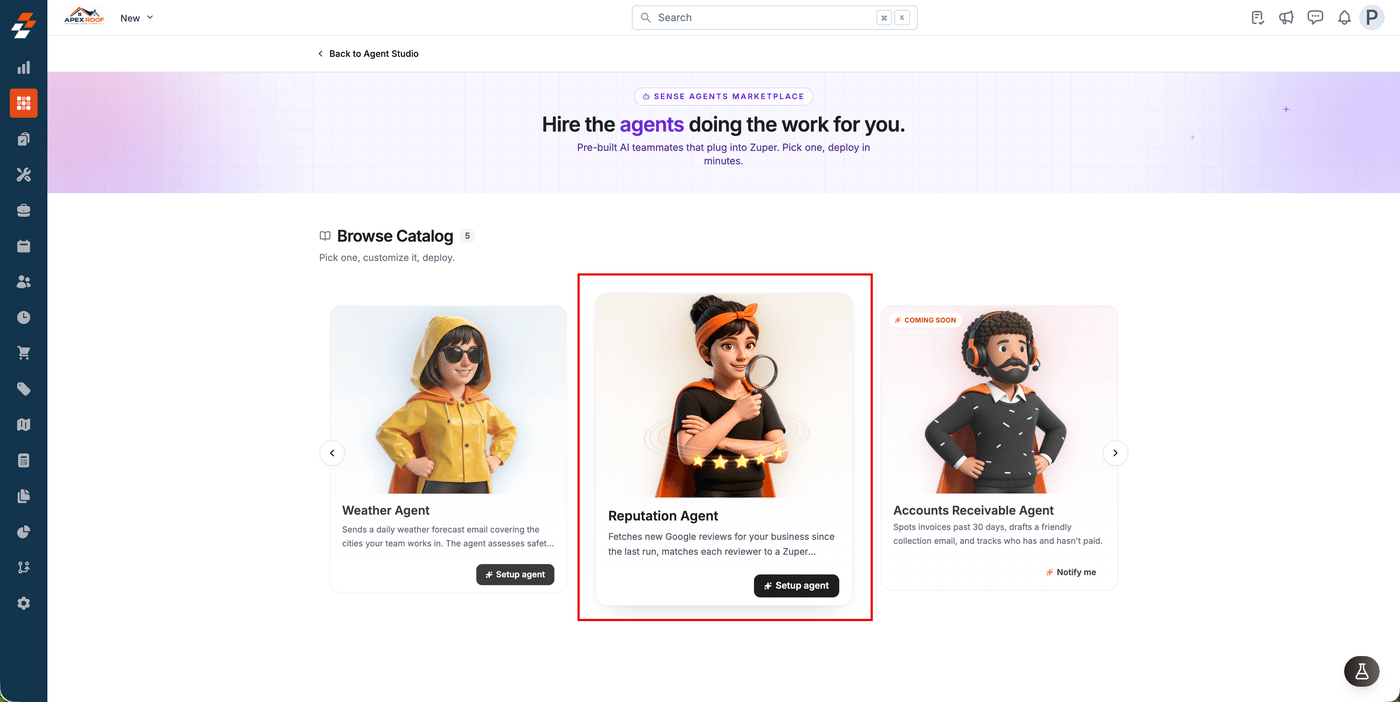
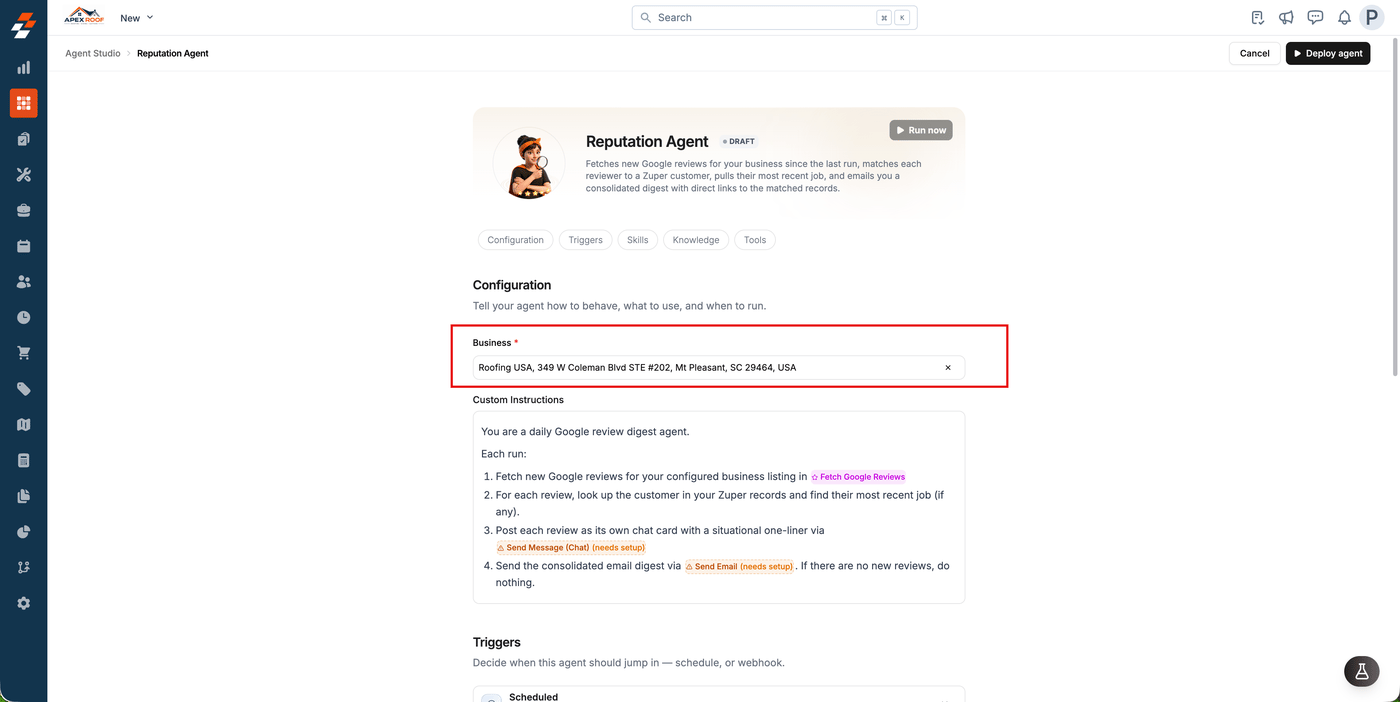
- Search for your listing under Business and select it.
- Add anything you want to change about how reviews are assessed under Custom Instructions, or leave it as it is.
Choose where reviews go
Under Tools, set one route or both:- Send Email: Select Configure and enter the address the digest goes to.
- Send Message (Chat): Select Configure, then name a new Zuper Chat channel or select Use existing channel.
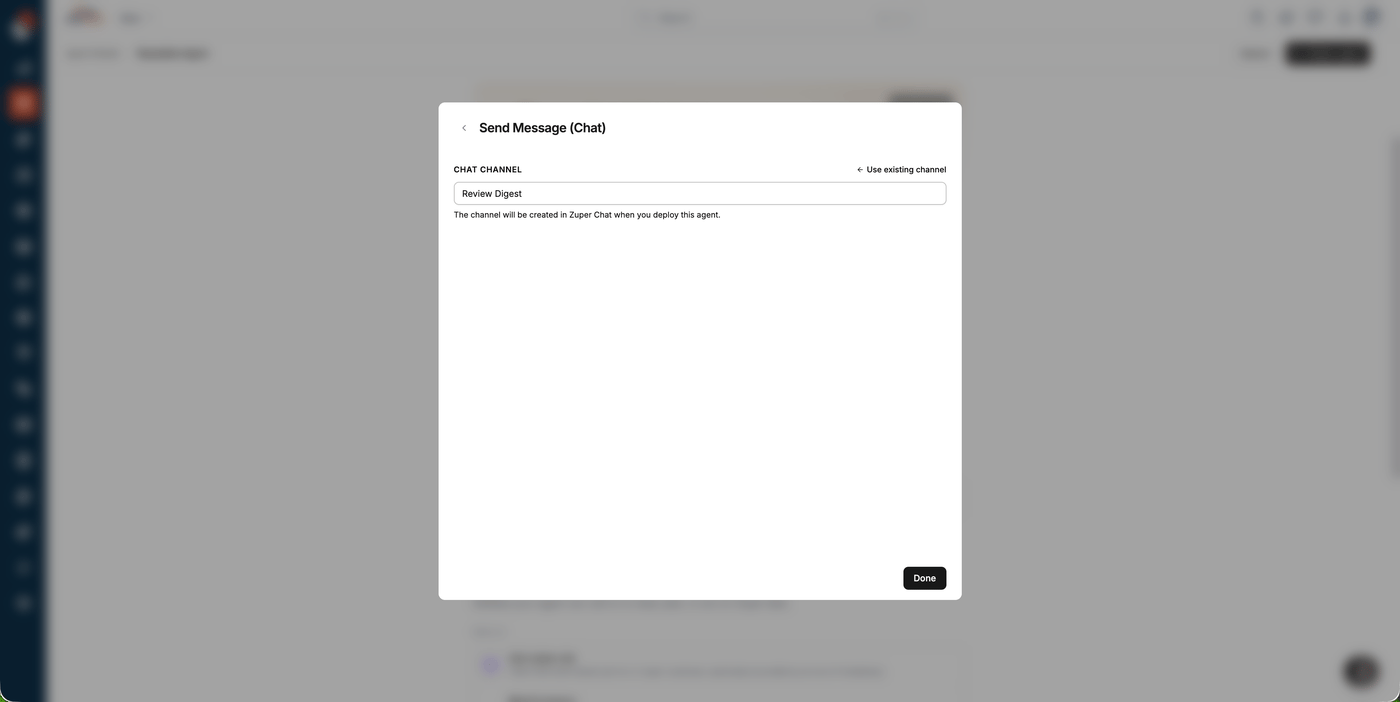
Reviews posted to Zuper Chat are available on the web app only.
Set how often it checks
- Open the Triggers section and select the Scheduled trigger.
- Choose a Frequency, for example Every hour, Every day or Custom.
- Check the timezone shown below the time, then select Done.
- Select Deploy agent.
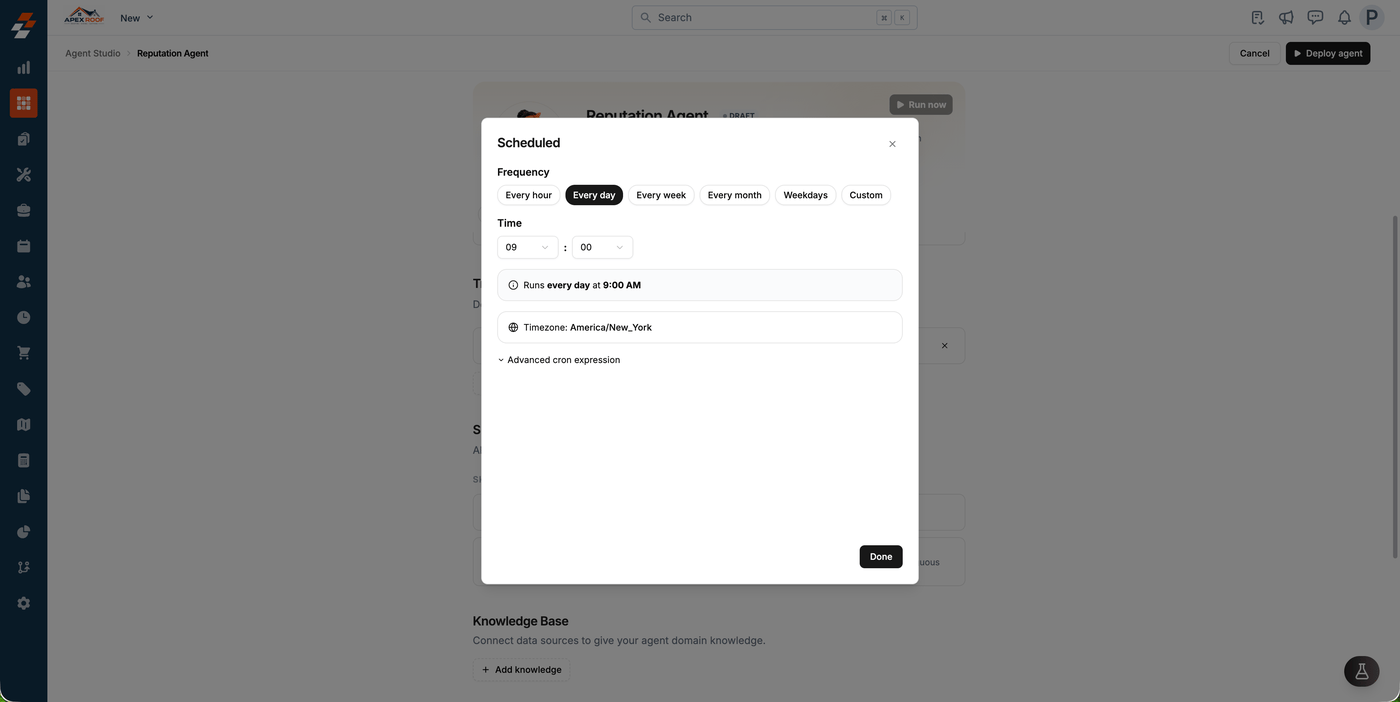
Note: Each run fetches up to 5 reviews. If your business receives reviews faster than that, set a more frequent schedule (every 3 to 4 hours, for example) so none are missed.
What your team receives
Each run checks for reviews that arrived since the last one. Every new review is posted as its own message, showing the reviewer’s name, star rating and review text, plus the matched customer, job and schedule when a match is found.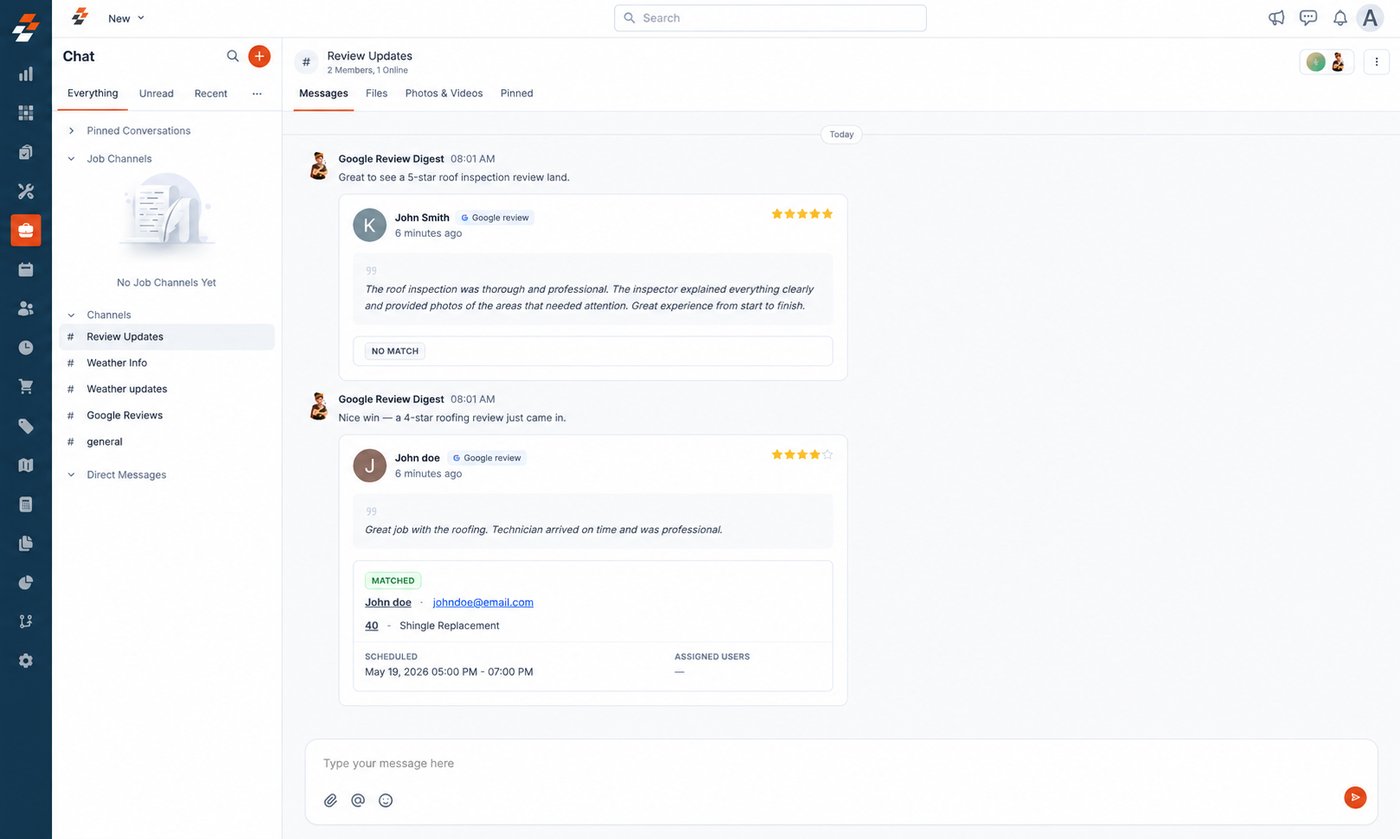
- MATCHED: The reviewer’s name matched a customer record, so the job and schedule are shown.
- NO MATCH: No customer matched the reviewer’s name, so follow up manually.
- AMBIGUOUS: More than one customer shares that first or last name, so confirm which one it is before following up
- If there are no new reviews since the last run, the agent does nothing.