Every agent in Zuper Sense is constructed using a standard set of structural components. Understanding how these components function helps you quickly identify where to adjust settings and customize agent behavior.
Navigation: Sense -> Agent Studio -> My agents
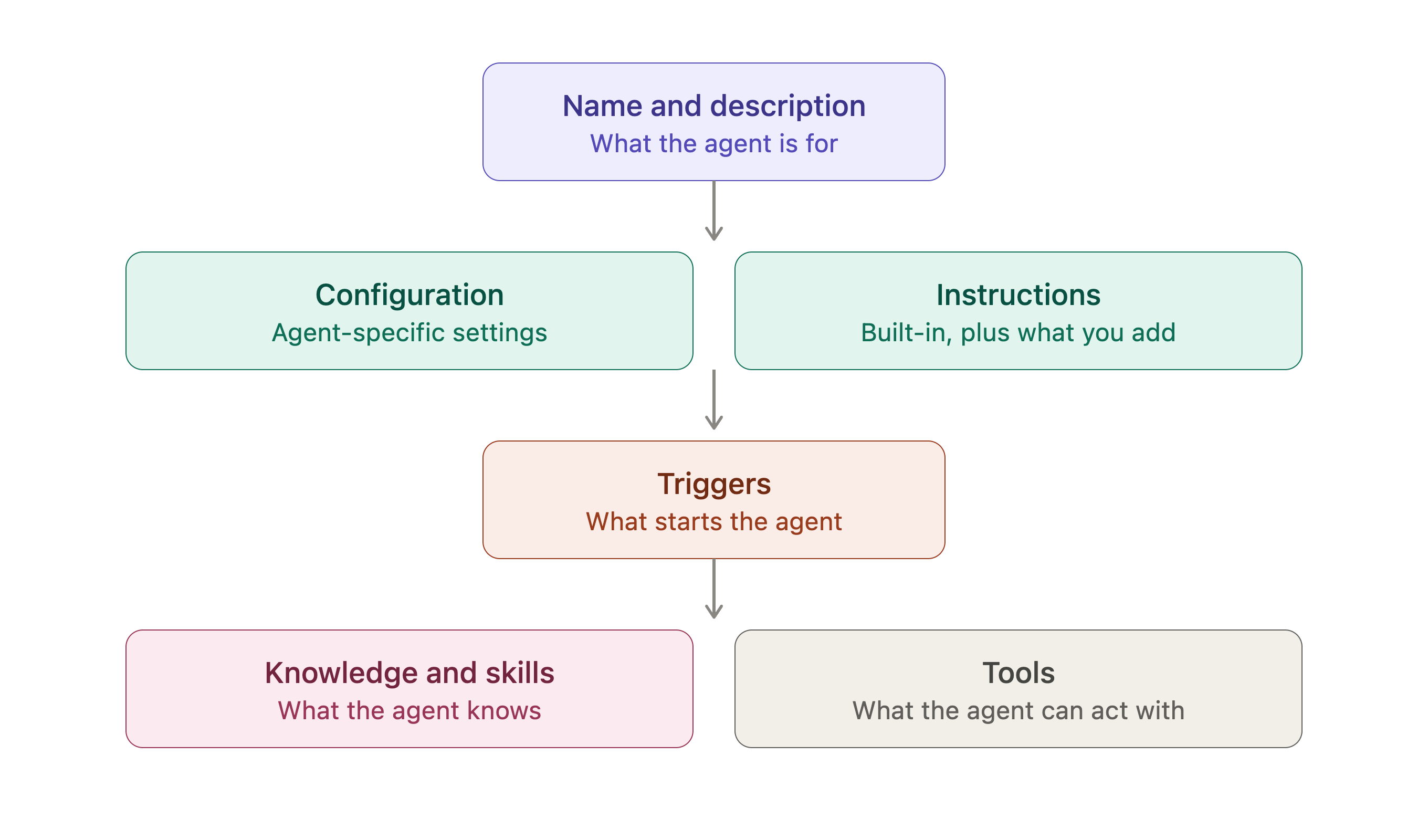
Agent Anatomy

Name and description

The name and description say what the agent is for. They are what you and your colleagues see on the My agents card and at the top of the agent’s page. Write descriptions clearly so team members can easily identify which agent suits their operational needs.

Configuration and instructions

Configuration holds the settings specific to that agent, the cities a Weather Agent forecasts and the Google listing a Reputation Agent monitors. Required fields are marked with an asterisk (*) and must be completed before deployment. Custom Instructions sits in the same section and holds two things:
  • The instructions Zuper sets, which describe the agent’s job step by step and reference the tools it uses.
  • Whatever you add, which tailors the output, tone, what to emphasise, and thresholds that matter to your business.
Note: Custom instructions are optional. Marketplace agents function out of the box once all required configuration fields are completed.

Triggers

A trigger is what starts the agent. Most Marketplace agents ship with a Scheduled trigger: pick Every hour, Every day, Every week, Every month, Weekdays or Custom, set the time, and the agent runs on that cadence in the timezone shown. Run now runs the agent once, on demand, without touching the schedule; it is available once the agent is Active.

Knowledge and Skills

Knowledge is the set of Knowledge Base entries the agent reads before it answers; your terminology, policies and calculation rules. Add entries with Add knowledge and remove them with Remove. Skills are reusable instructions for a repeatable task that you hand to an agent instead of retyping them.

Tools

Tools are what the agent can act with. Get Weather fetches a forecast, Fetch Google Reviews pulls new reviews, Send Email sends the digest, and Send Message (Chat) posts to a Zuper Chat channel. A tool that still needs setting up is flagged (needs setup) in the instructions, and Configure on the tool row is where you finish it.
Removing a tool takes away the ability it depends on. An agent whose Send Message (Chat) tool is removed stops posting to chat, even though its instructions still describe it.

Marketplace agents versus custom agents (Coming soon)