

Before you begin
Before you begin
- Make sure your status isn’t Unavailable.
- Keep the Zuper Field Service app open. Call banners aren’t displayed on your device’s lock screen or when the app runs in the background.
Rejoin a disconnected call
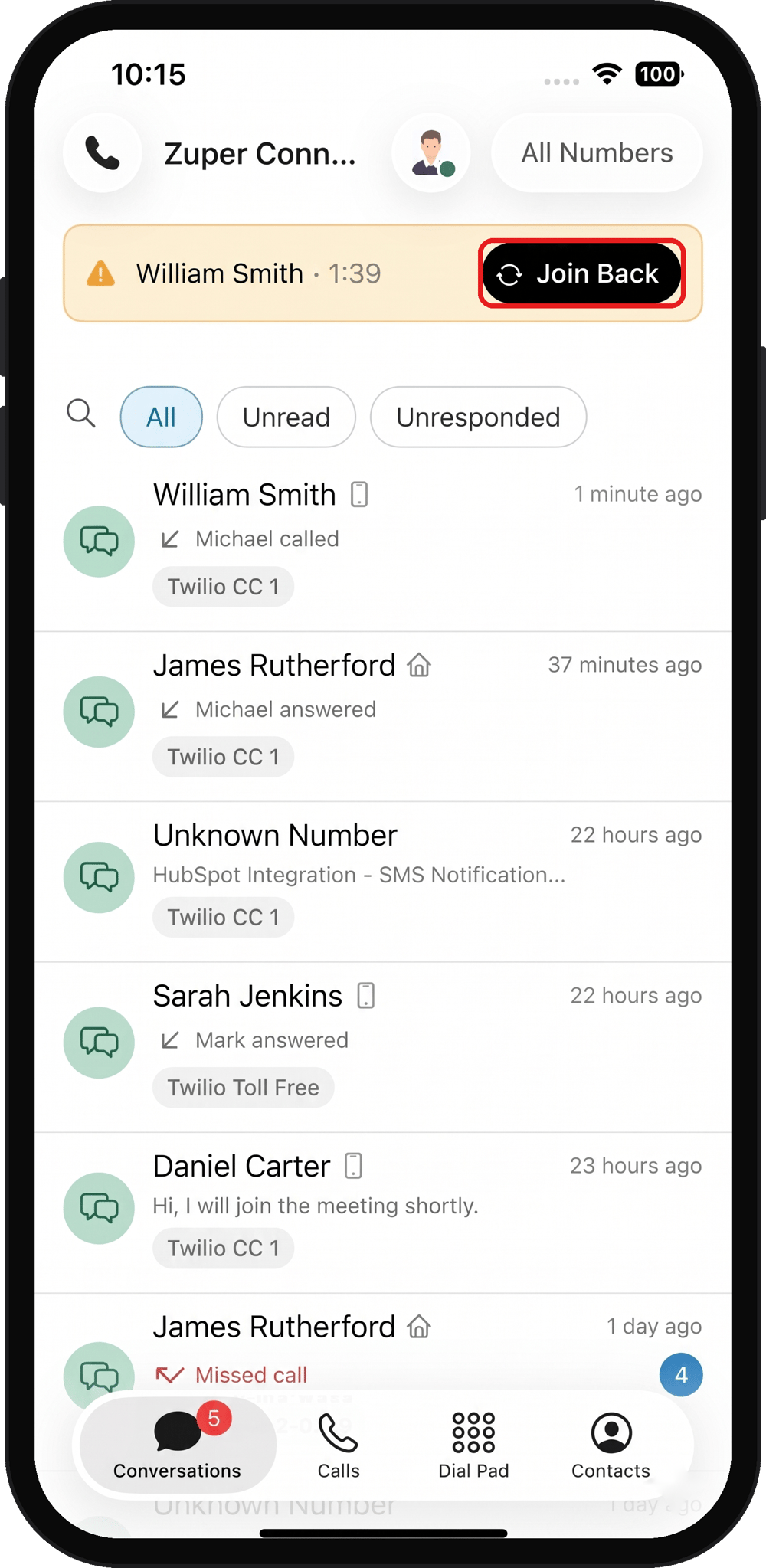
If your internet connection drops during a customer call, Zuper Connect keeps the customer on hold for up to 60 seconds while you reconnect. A yellow banner appears at the top of the Conversations screen in Zuper Connect. It displays the customer’s name and how long they’ve been waiting. To rejoin the call:- Open Zuper Connect and go to the Conversations screen.
- Tap Join Back.
- In the confirmation dialog, tap Join Back.
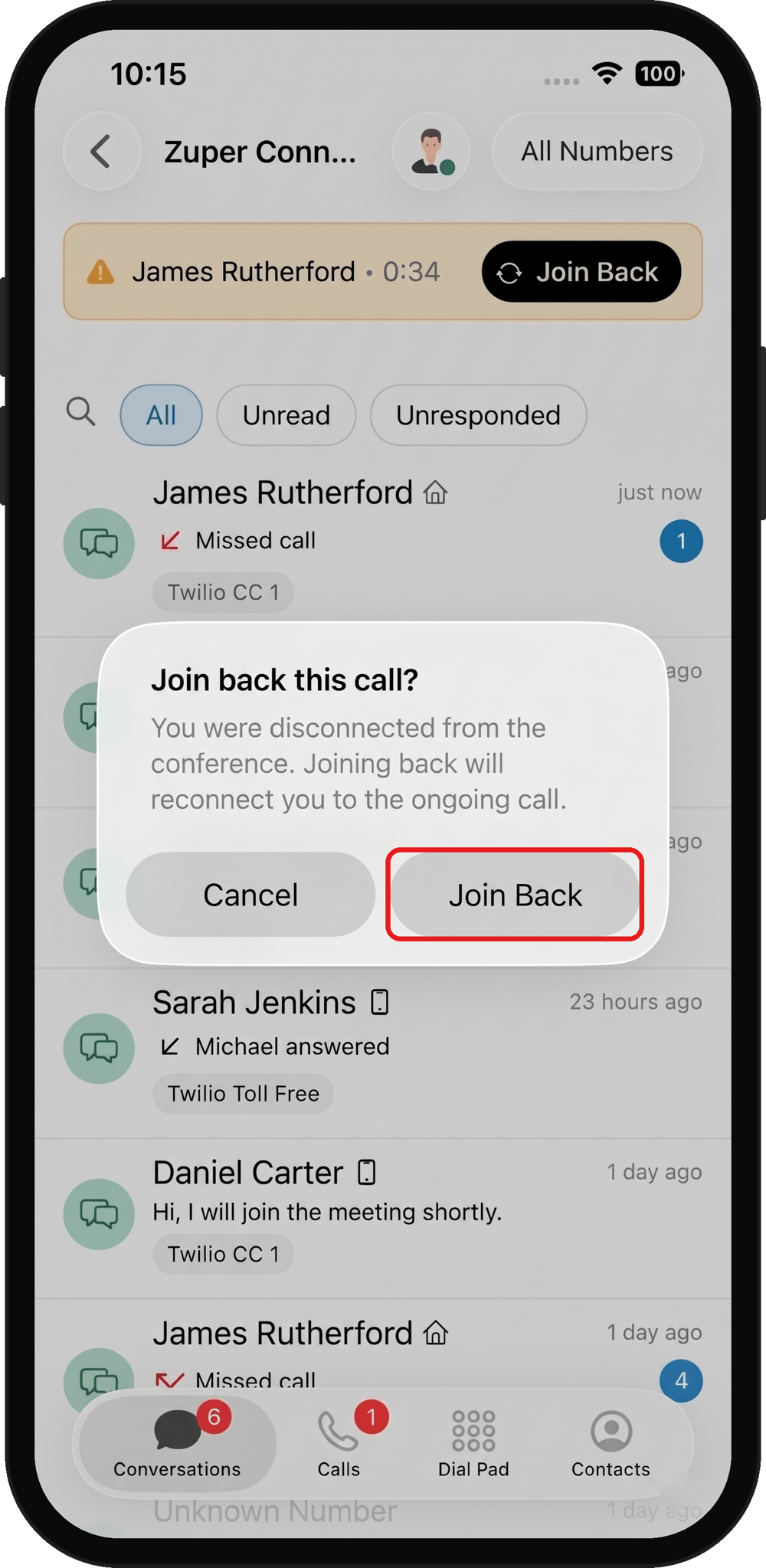
If you select Cancel in the confirmation dialog, the call ends.
Join another incoming call
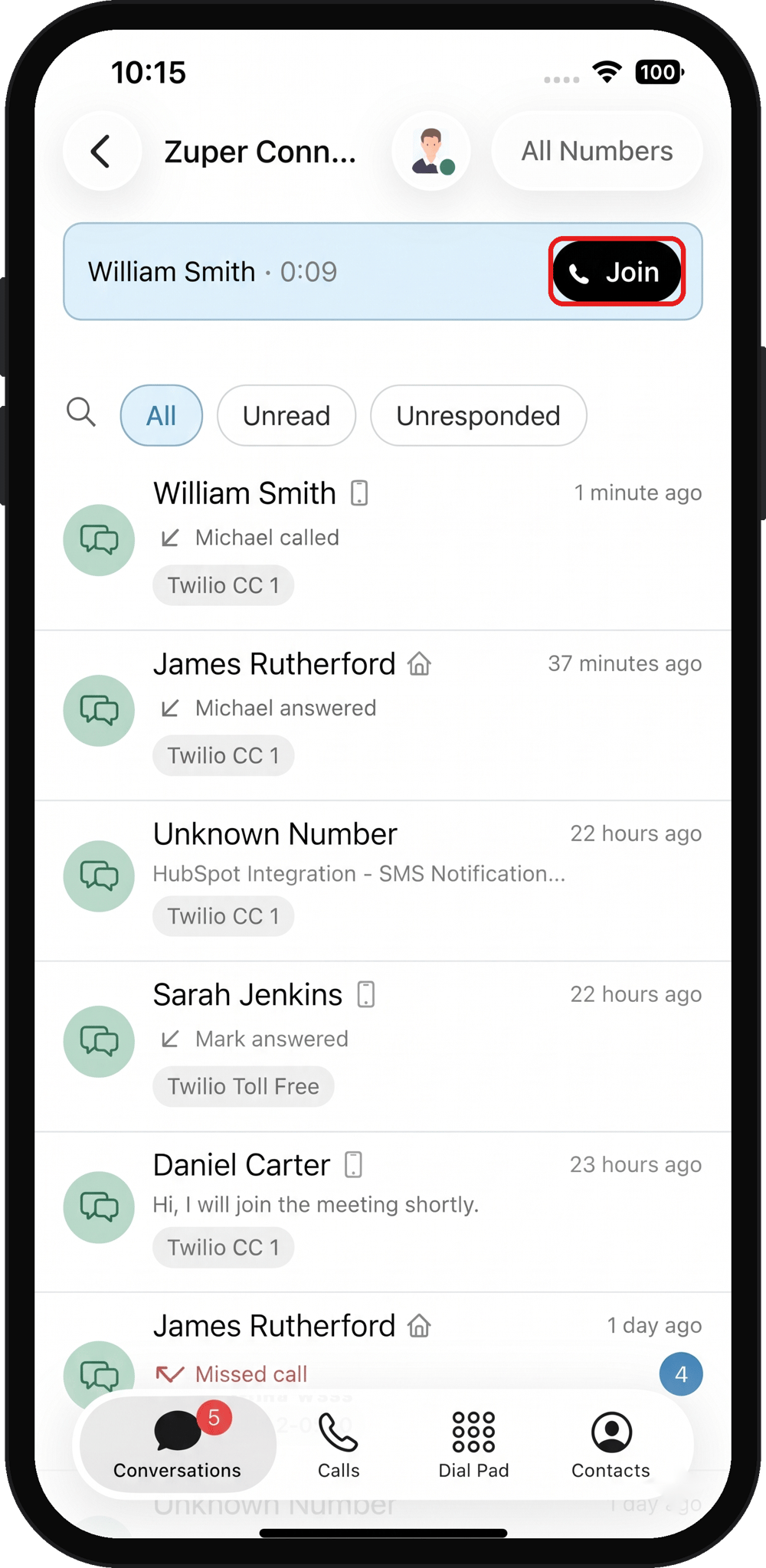
If another call comes in while you’re on a customer call, a notification appears at the top of the Conversations screen in Zuper Connect, allowing you to join the new call after finishing your current one. To join the call:- Finish your current call.
- Tap Join on the blue banner.
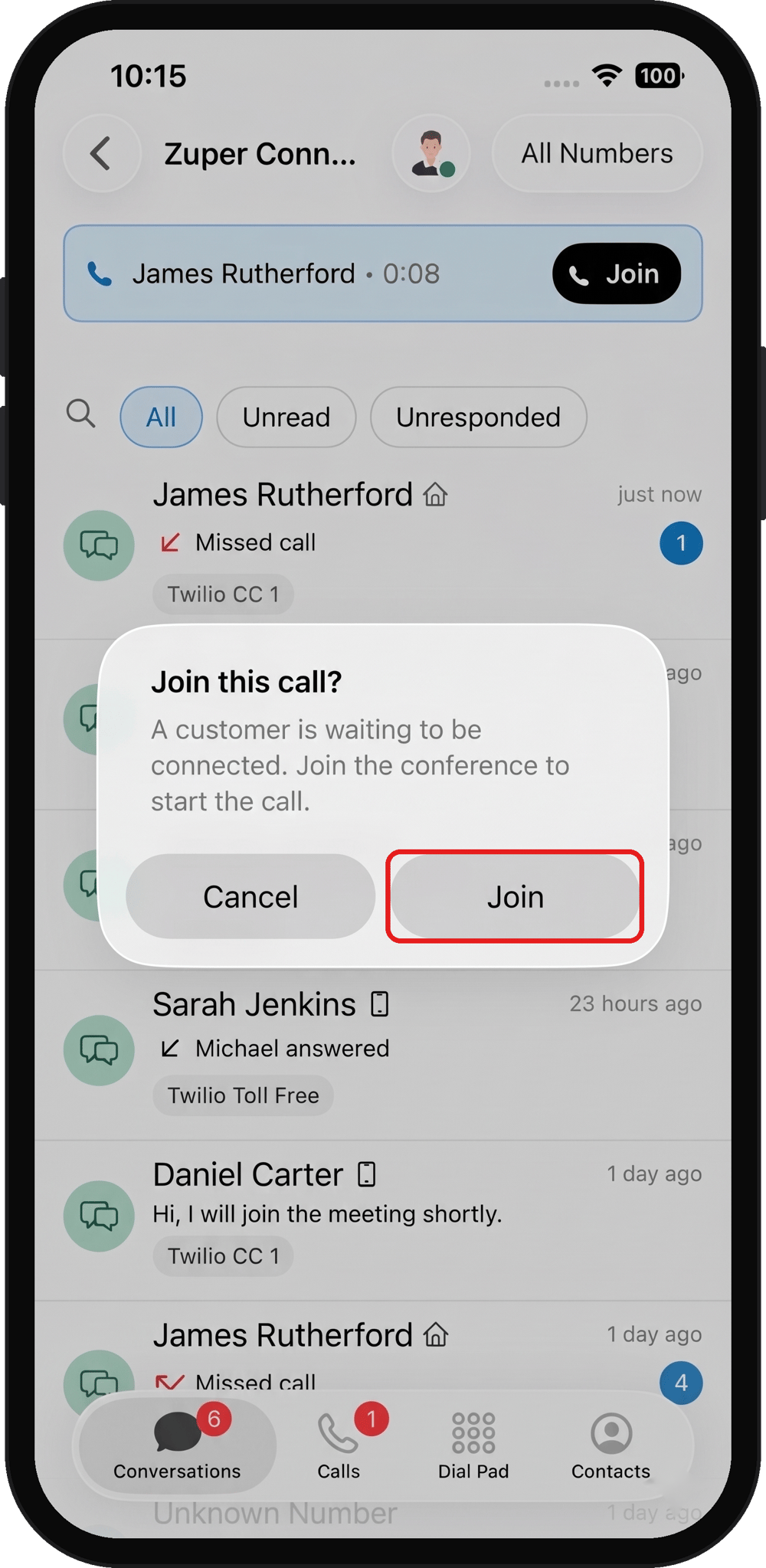
- In the confirmation dialog, tap Join.
Important limitations
- Join Back is available only after an unexpected disconnection. It doesn’t appear if you end the call using the hang-up button.
- Join is available only to eligible agents in the call group to which the call is routed.
- Neither option is available for calls handed off by the AI CSR Agent using Forward to Human.
Frequently asked questions
Why can't I see the Join option?
Why can't I see the Join option?
Check that your status isn’t Unavailable, that you’re eligible to receive calls in the routed call group, and that the incoming call is still ringing.
Can I rejoin a call if I close the app after disconnection?
Can I rejoin a call if I close the app after disconnection?
You may be able to rejoin if you reopen the Zuper Field Service app within the 60-second waiting period. Open Zuper Connect and check the Conversations screen for the Join Back banner.
Can I join or rejoin calls on the web?
Can I join or rejoin calls on the web?
Yes. Join and Join back are also available in the web dialer and the Zuper Connect Chrome extension. The banners appear in the dialer below your account header.