

Difference between warm and cold transfer
- Warm transfer (Talk First): You speak with the receiving user while the customer is on hold and hears hold music. You can give them context before you hand over the call. You can also bring everyone into a three-way call or go back to the customer.
- Cold transfer (Transfer Now): The call is sent straight to the receiving user, with no conversation beforehand. You leave the call as soon as you confirm the transfer.
Before you begin
Before you begin
- Zuper Connect must be enabled for your account, and your role must have agent access.
- The call must be a Zuper Phone call with a customer that has been answered. Calls placed with your phone’s native dialer cannot be transferred.
- You cannot transfer a call between two Zuper Connect users. The Transfer option does not appear on internal calls.
- Only available users appear as transfer targets. Users whose status is Away or Busy are not listed.
Transferring a call
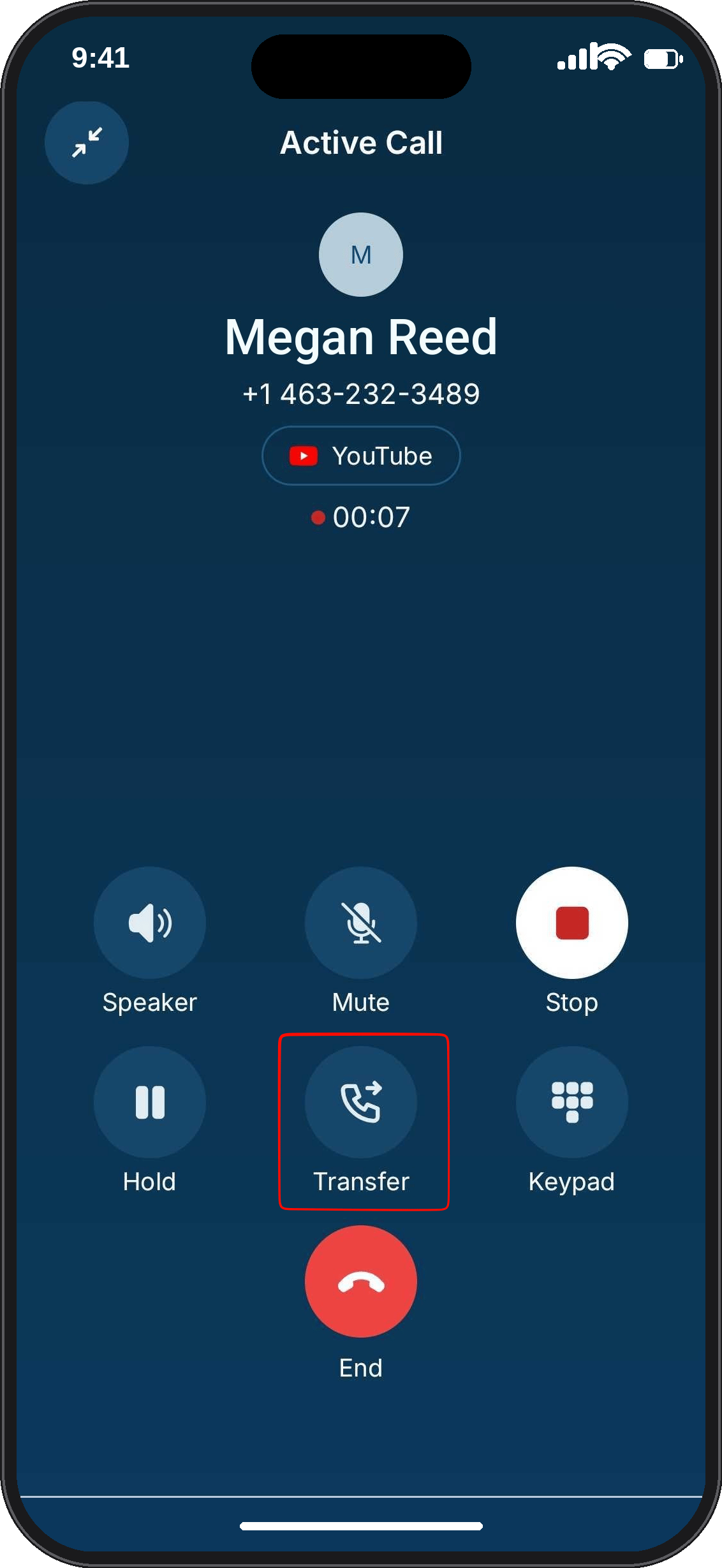
- While on the active customer call, click Transfer.
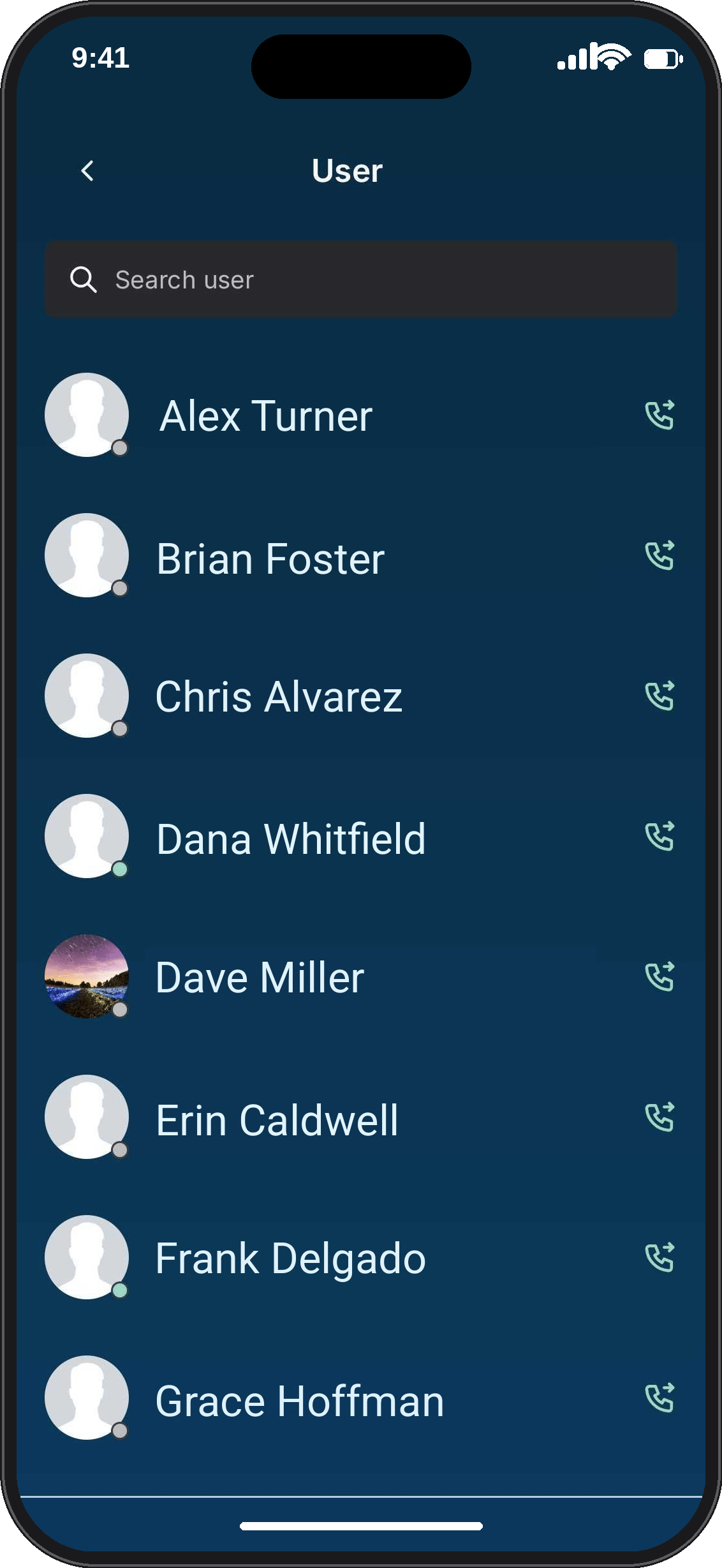
- The Available Users list opens. Find the user you want to transfer to, or type their name in the Search Users bar.
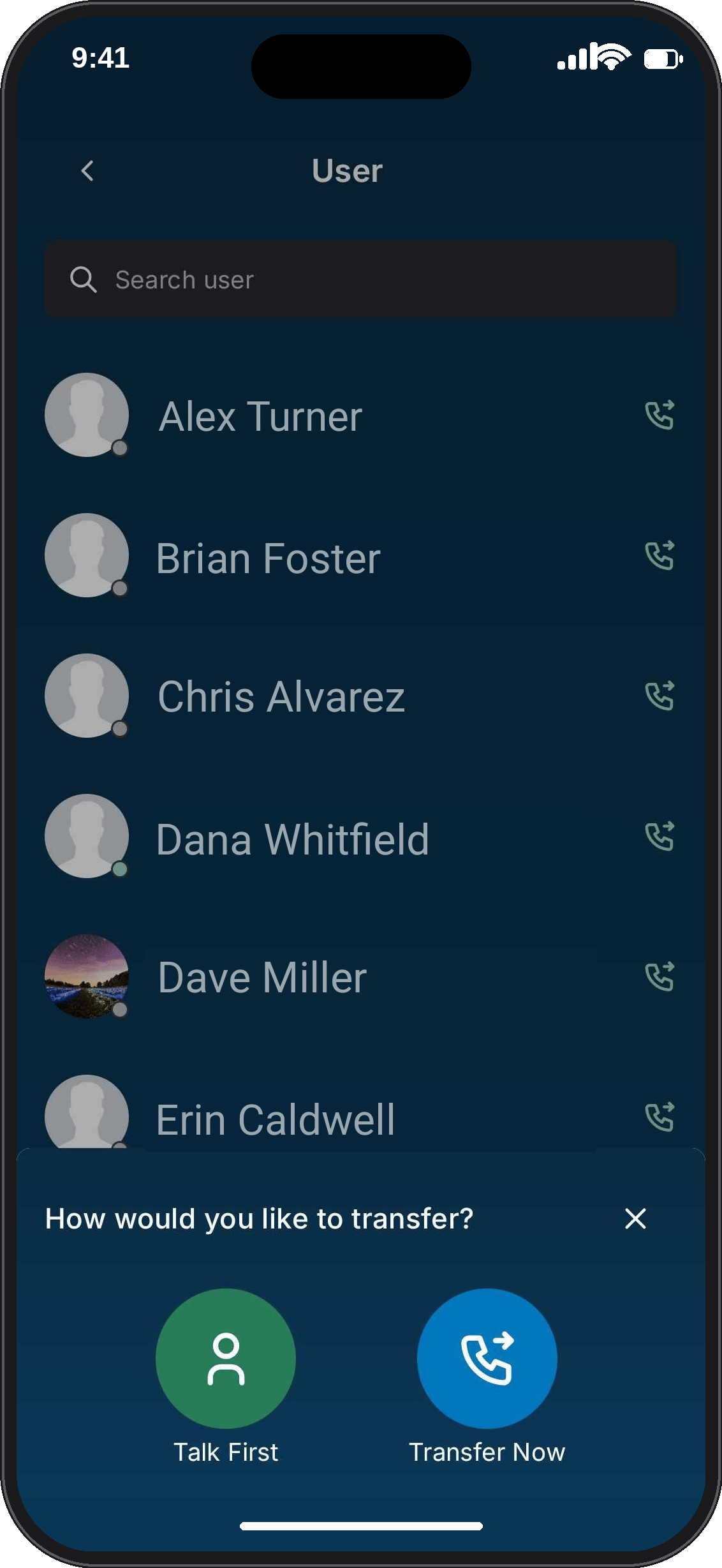
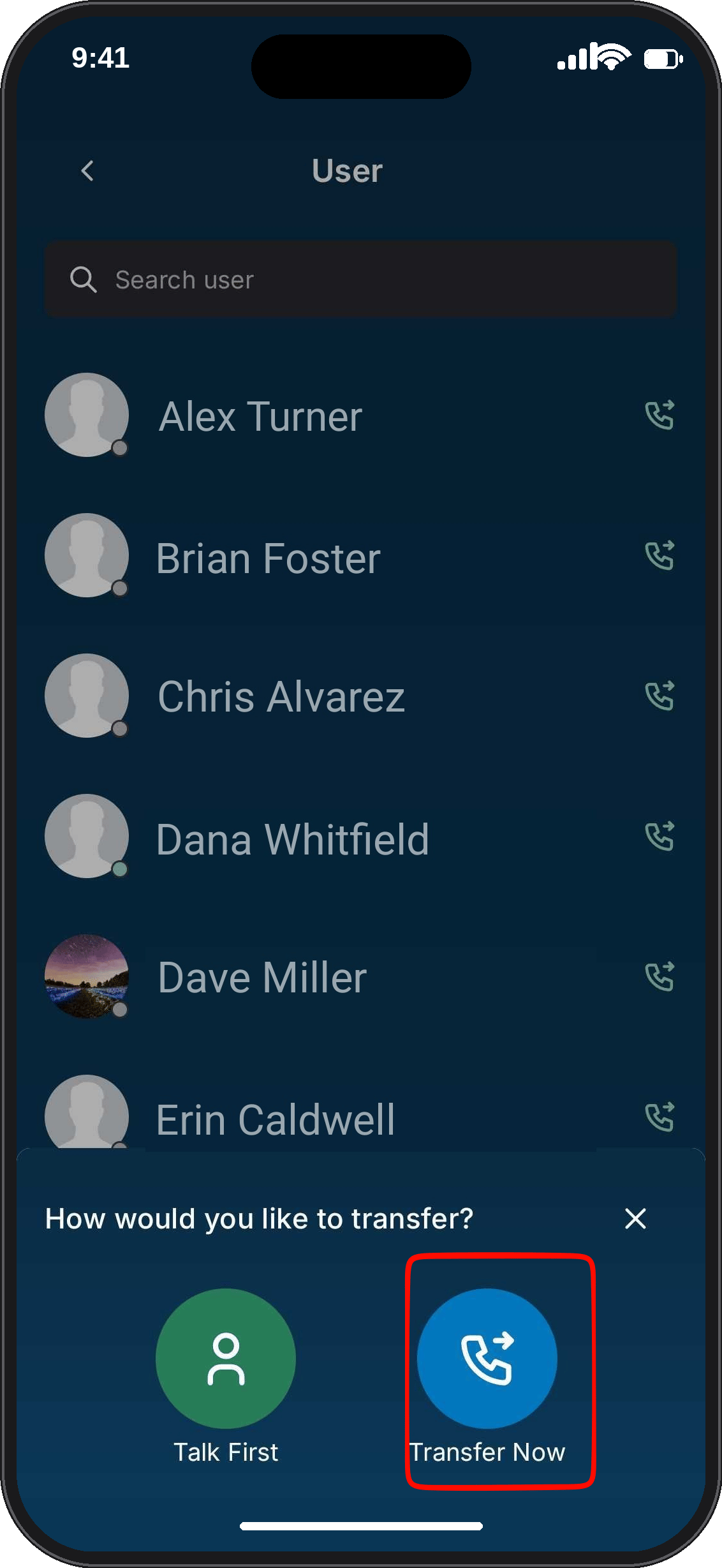
- Select the user. On the Transfer call sheet, choose a transfer type:
- Tap Talk First for a warm transfer.
- Tap Transfer Now for a cold transfer.
Make a warm transfer
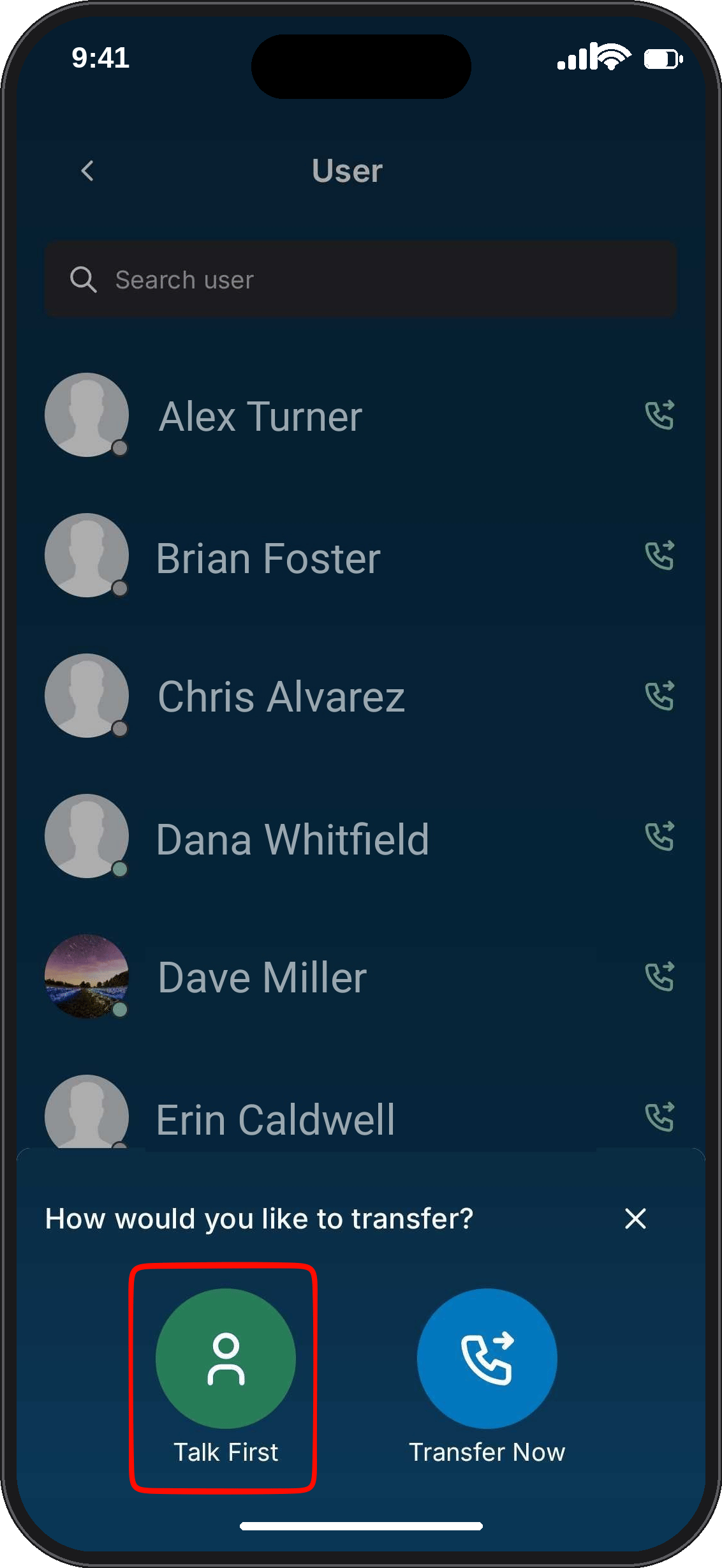
- Select the receiving user and click Talk First.
- Wait for the receiving user to answer. The customer stays on hold and hears hold music while you connect with the receiving user.
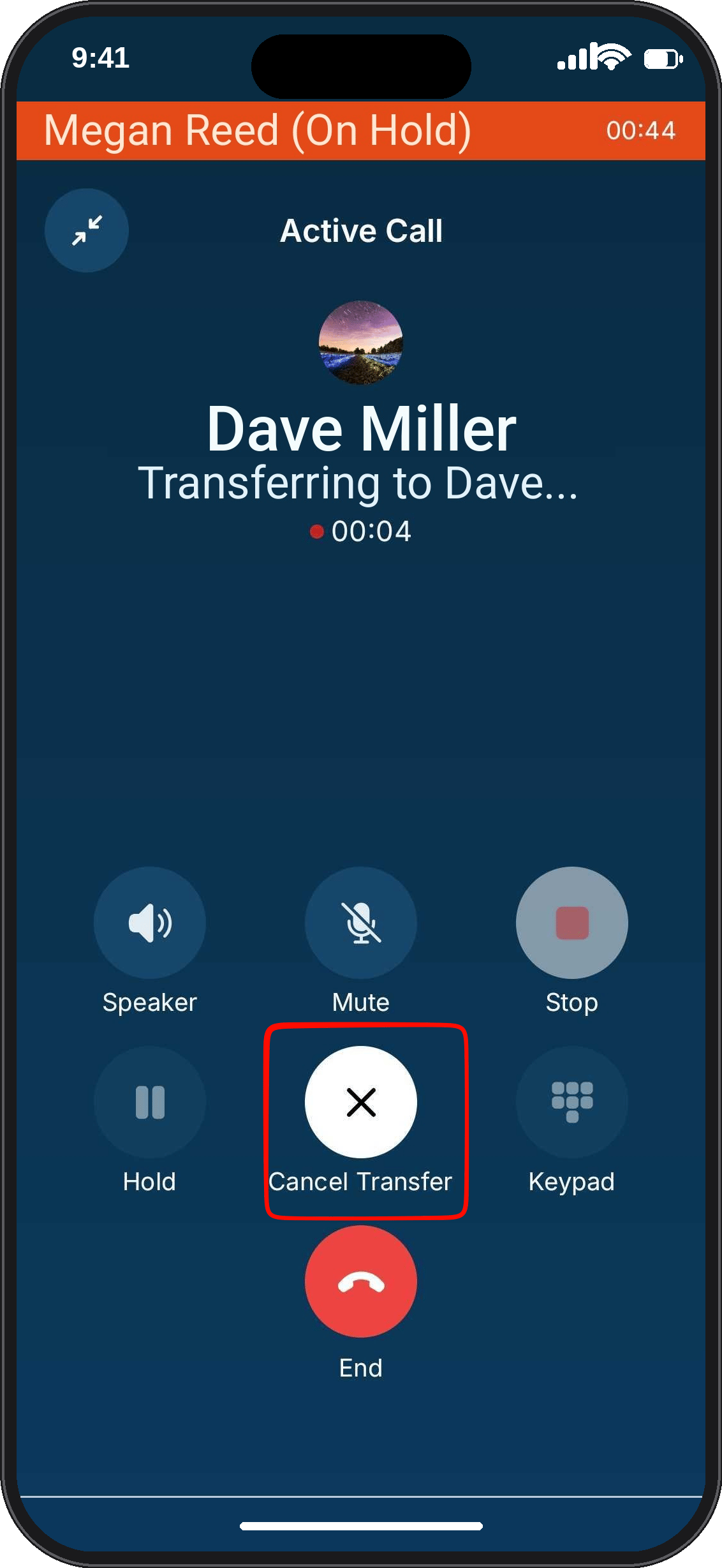
- While the receiving user’s phone is ringing, the only control you can use is Cancel Transfer.
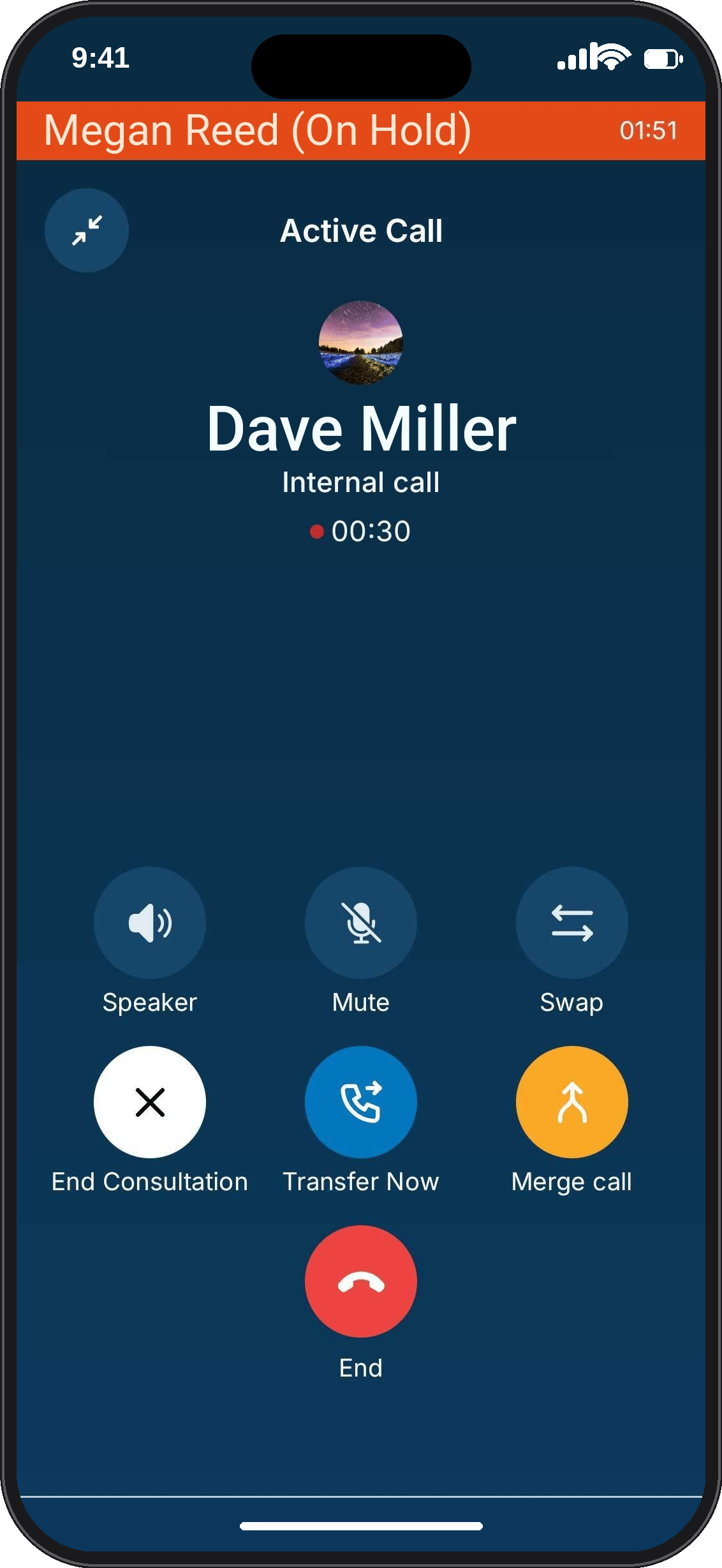
- Once the receiving user answers, choose how you want to proceed:
- Transfer the call: Click Transfer Now. In the Call Transfer dialog, click Transfer Call. The receiving user takes over the customer call, and you are disconnected.
- Start a three-way conversation: Click Merge to bring the customer, the receiving user and yourself into the same call. When you’re ready to leave, click Leave Call. Then confirm Leave this call? The call continues for the other participants.
- Switch between the two: Click Swap to move between talking to the customer and talking to the receiving user. Each time, the other party is placed on hold.
- Return to the customer: Click End Consultation. In the End Consultation? dialog, click End Consultation to drop the receiving user and return to the customer. Click Stay in Consultation to keep talking with them. End Consultation is unavailable while you are swapped to the customer.
Cancel a transfer before the receiving user answers
If the receiving user’s phone is still ringing and you want to stop the transfer:- Click Cancel Transfer.
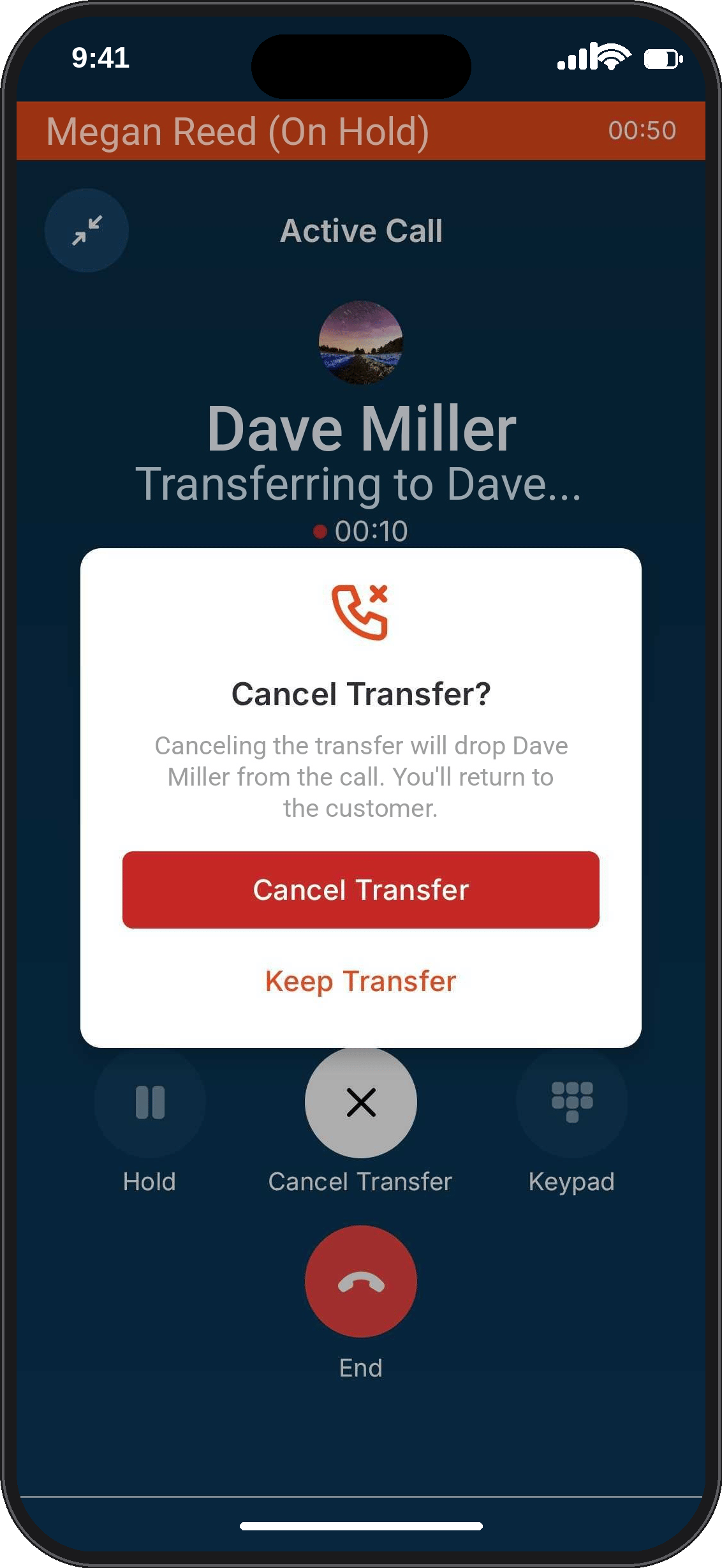
- In the Cancel Transfer? dialog, click Cancel Transfer. The receiving user is dropped from the call, and you return to the customer. To keep waiting instead, click Keep Transfer.
Make a cold transfer
- Select the receiving user and click Transfer Now.
- In the Call Transfer dialog, click Transfer Call to confirm, or Cancel to go back.
FAQs
Can I transfer an internal call to a teammate?
Can I transfer an internal call to a teammate?
No. The Transfer option appears only on customer calls. It isn’t shown on a call between two Zuper Connect users.
Can I transfer a call to someone outside my company?
Can I transfer a call to someone outside my company?
No. You can only transfer calls to Zuper Connect users in your own account.
Why isn't a teammate showing in the transfer list?
Why isn't a teammate showing in the transfer list?
Only available users are listed. Teammates whose status is Away or Busy don’t appear.
Can I transfer a call that was transferred to me?
Can I transfer a call that was transferred to me?
It depends on how it was transferred. If you received the call by cold transfer, you can transfer it again. If you received it by warm transfer, the Transfer option isn’t available.
Can I put the call on hold or record it during a warm transfer?
Can I put the call on hold or record it during a warm transfer?
No. Hold and Record are unavailable during a warm transfer.
What happens if I hang up during a cold transfer before the receiving user answers?
What happens if I hang up during a cold transfer before the receiving user answers?
The customer’s call ends. Stay on until the transfer is confirmed, or use a warm transfer.