

Prerequisite: Ensure that the Financing feature is enabled for your organization. If it is not enabled, contact our support team at support@zuper.co to have it enabled.
Adding a Financing Plan
- Navigate to the Settings module from the left navigation menu and select Module → Quotes & Invoice → Proposal Templates and Service Packages → Financing Options.
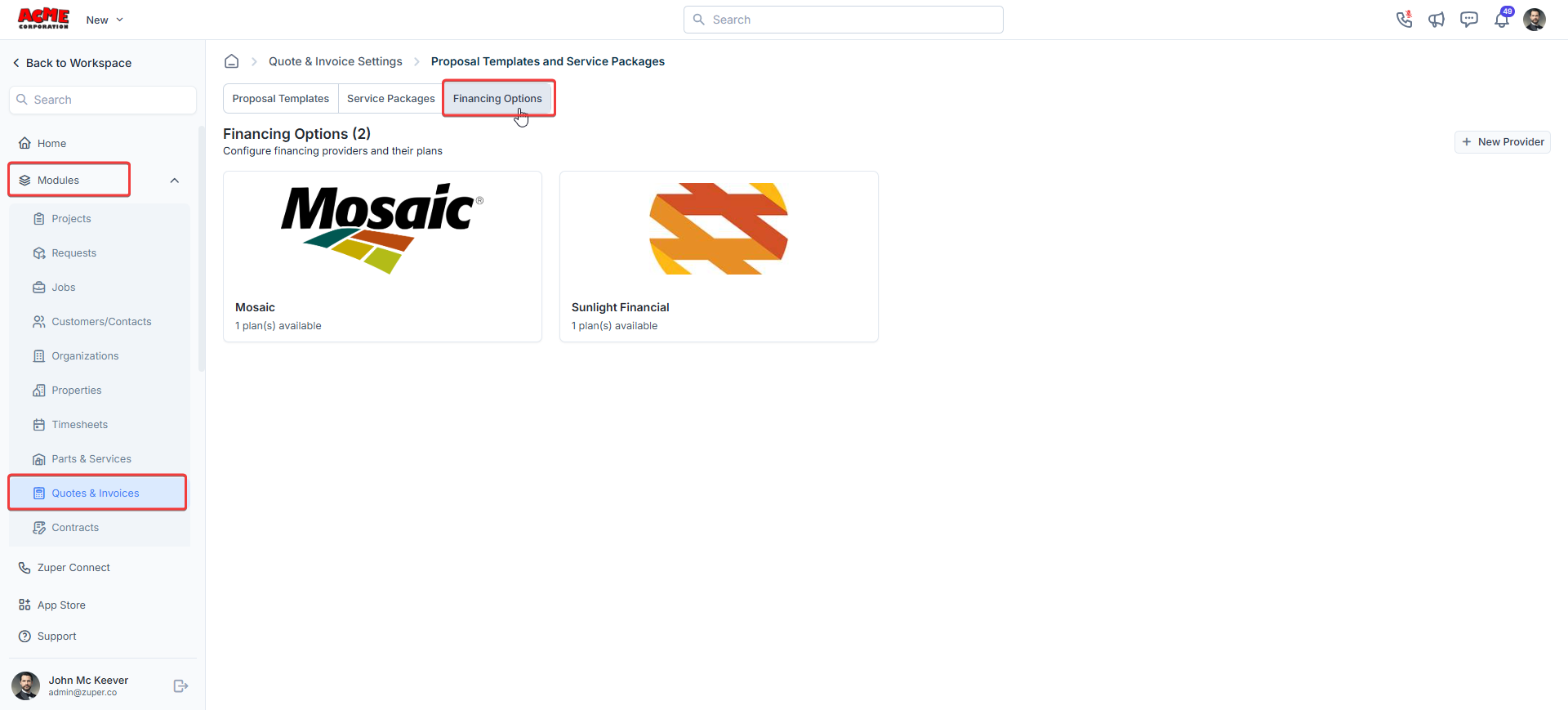
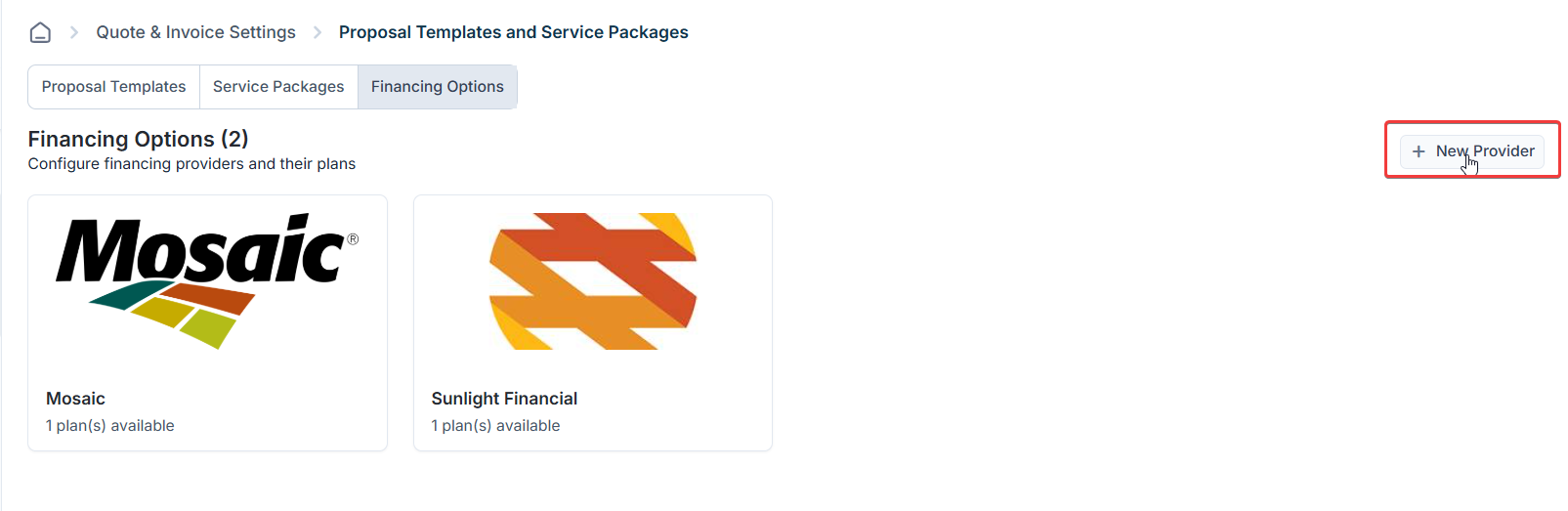
- On the Financing Options page, click New Provider.
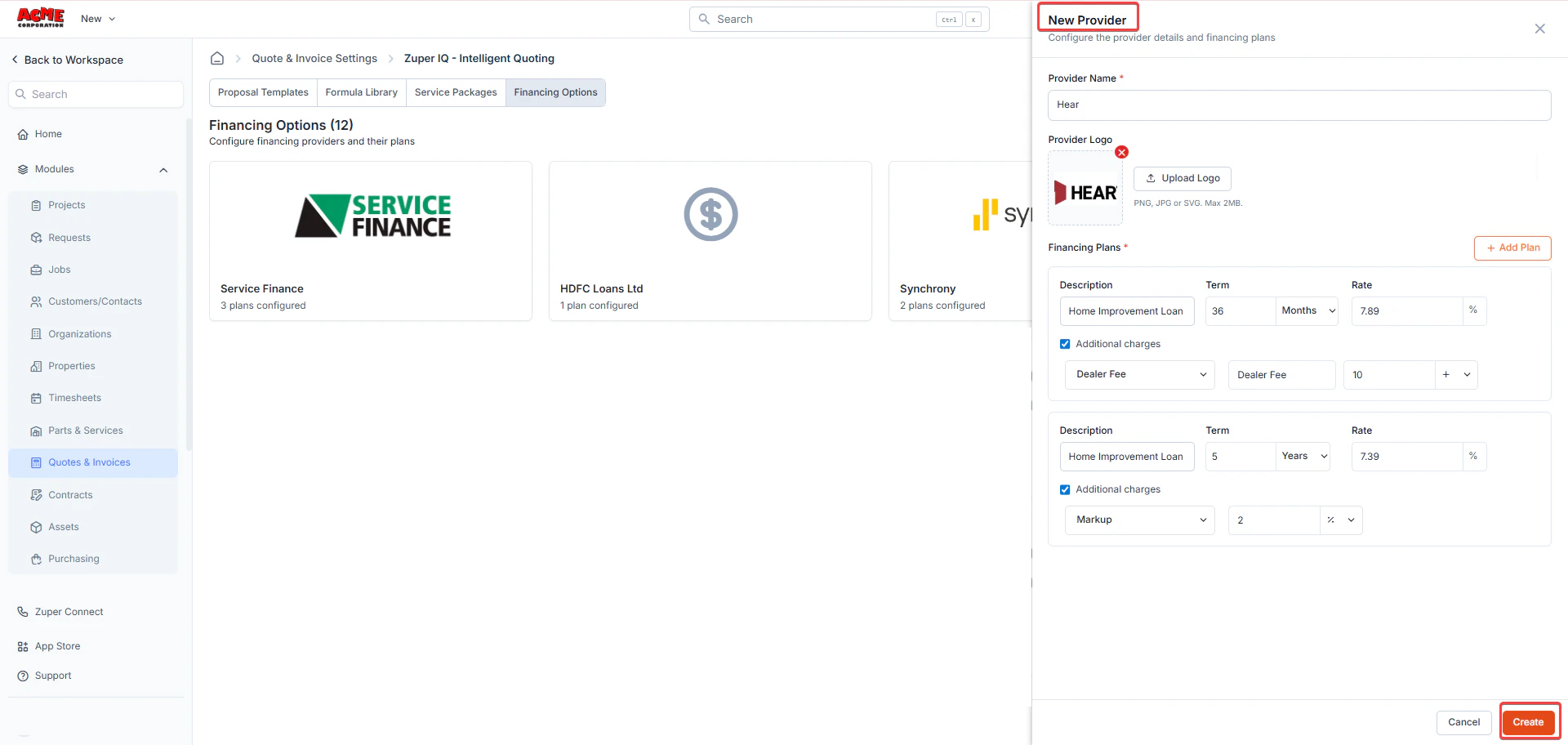
- Enter the provider details, including:
- Provider Name
- Logo (optional, recommended for branded display)
- Plans you are approved to offer through that provider
- New (Optional) Check Additional Charges if your business needs to apply an extra charge on top of the financed amount.
Once enabled, select a Charge Type from the dropdown:
- Dealer Fee: A separate, taxable charge that appears below the Sub-Total on the transaction. Customers can see this amount.
- Dealer Markup: A financing margin that is embedded into the Unit Selling Price of every line item. Customers see only the final adjusted price, not the dealer markup charge.
- Add multiple plans per provider by clicking the +Add Plan button.
- Click the copy icon to duplicate a plan and make minor changes.
- Click the red trash can icon to delete a plan from this provider.
- Once your plans are added, click Create.
How Each Charge Type Works
How Each Charge Type Works
Dealer Fee
A Dealer Fee appears as a separate line item below the Sub-Total on the transaction. It is taxable. Customers can see this charge clearly on the document.Example: If your Sub-Total is $1,000 and you apply a $50 Dealer Fee, the taxable amount becomes $1,050.Dealer Markup
A Dealer Markup embeds a financing markup directly into the Unit Selling Price of every line item. Zuper calculates the margin on top of each line item’s unit cost to arrive at the final selling price. Customers see only the adjusted selling price; the dealer markup charge is not shown to them.Example: If the unit cost of a line item is $500 and the Dealer Markup is 5%, the Unit Selling Price shown to the customer is $525.Important behaviors to know:If you update the Unit Purchase Price / Unit Cost of a line item, Zuper automatically recalculates the selling price using the new cost and the original Dealer Markup percentage. The Dealer Markup percentage remains unchanged.Editing and Managing Providers
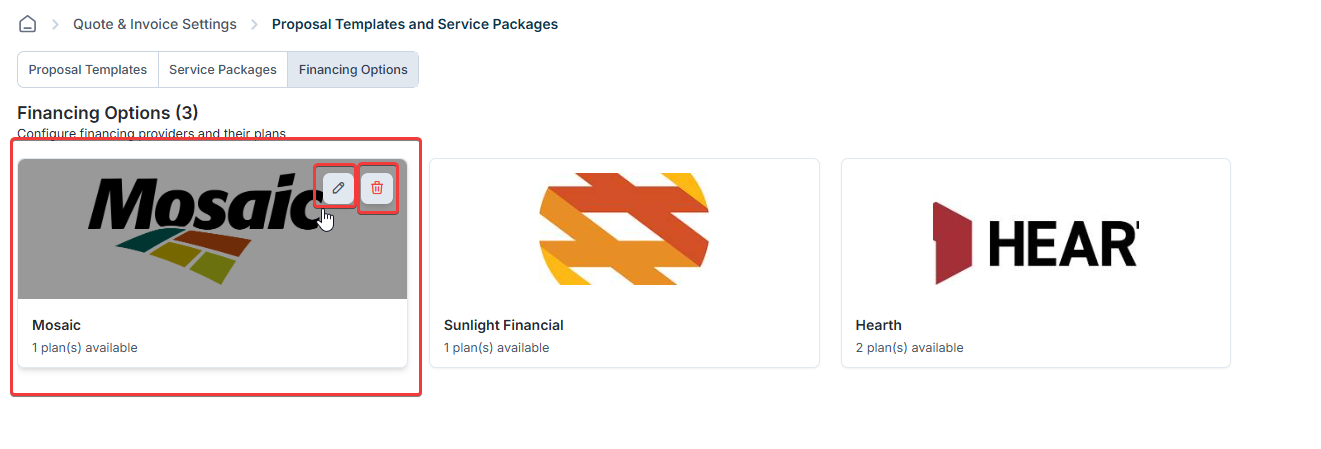
You can update or manage financing plans at any time by hovering over the plan:- Edit – Change provider name, logo, or financing terms.
- Delete – Remove inactive or expired plans.
Note: Changes apply only to newly created proposals. Existing proposals will not be updated retroactively.
Enabling Financing in Proposal Templates
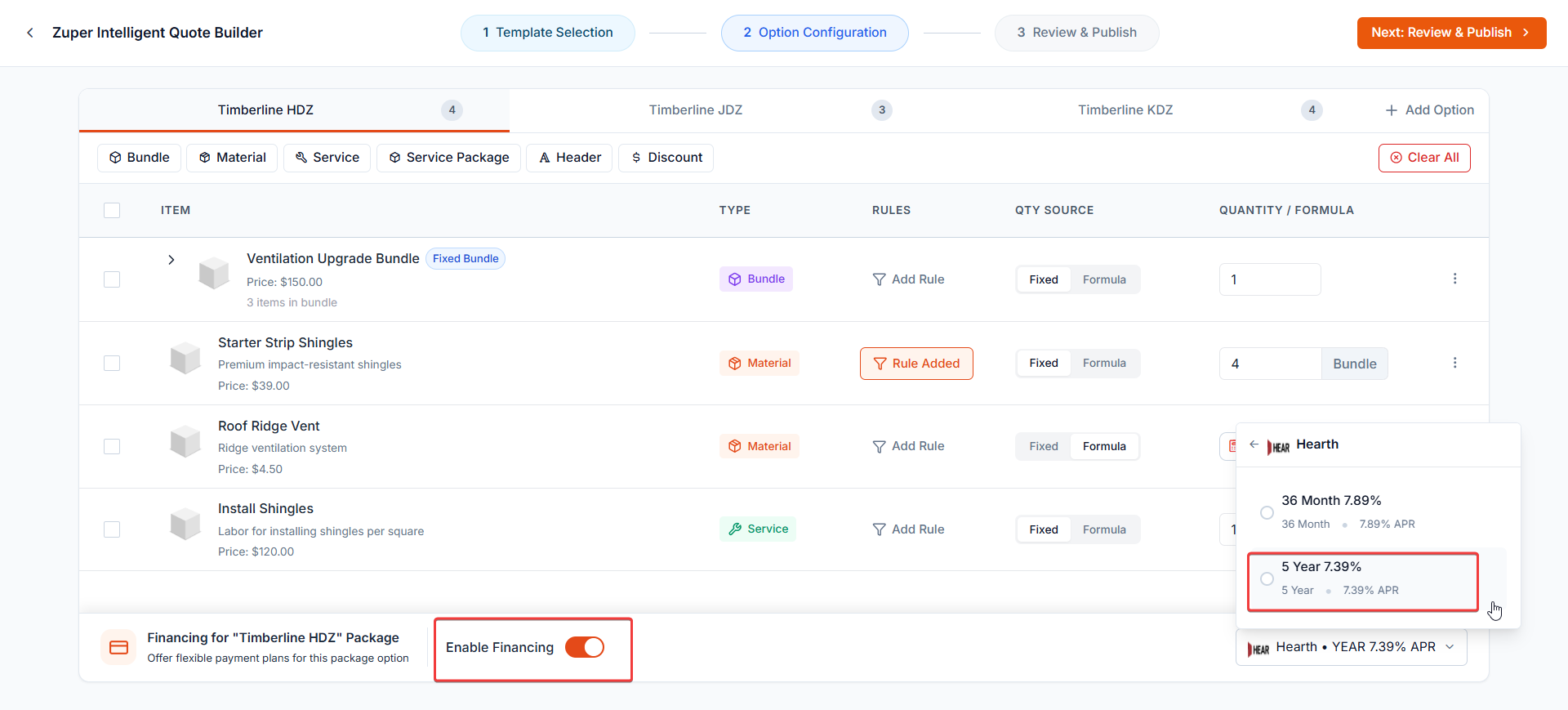
Once financing providers are configured, you can enable financing for individual package options. This allows customers to compare cash and financed payment options directly within the proposal.- Open the Proposal Template you want to edit.
- Navigate to Package Configuration.
- Select a package options tab, such as Good, Better, or Best.
- Scroll to the bottom of the page to locate the Financing section for the selected option.
- Toggle Enable Financing to ON.
- Click Select Financing to choose which provider and plan to display for this option.
Frequently asked questions
Q: How is the Financing Markup applied?
Q: How is the Financing Markup applied?
When a customer selects a financing plan where the fee is configured, Zuper automatically adds the financing margin at the line-item level. The margin is calculated on top of each line item’s unit cost to determine the final selling price. Example: If the unit cost is $500 and a 5% financing margin is configured, the selling price becomes $525.
What happens if I change the unit cost of a line item after selecting a financing plan?
What happens if I change the unit cost of a line item after selecting a financing plan?
Zuper will automatically recalculate the sell price using the new unit cost and the original financing margin percentage or multiplier. The margin value itself remains unchanged.
Where does the Dealer Fee appear in a transaction?
Where does the Dealer Fee appear in a transaction?
The Dealer Fee is shown as a separate line item below the Sub-Total. It is taxable, meaning applicable taxes are calculated on the total that includes the Dealer Fee.
Is the Additional Charge applied if the customer chooses to pay cash?
Is the Additional Charge applied if the customer chooses to pay cash?
No. Additional charges (Markup or Dealer Fee) are applied only when the customer selects a financing option.
How can an Admin or Team Lead view the Dealer Markup after a proposal is accepted?
How can an Admin or Team Lead view the Dealer Markup after a proposal is accepted?
Once the customer accepts a financing plan and the proposal or quote is converted to an invoice or Job, you can see the Dealer Markup field on the right side of the Edit Line Item dialog.
\