

Info: Rebates are for informational purposes only. They do not reduce the quote or proposal total, taxes, deposit, amount due, or the amount your business charges or collects from the customer.
How rebates work
When a rebate is added to a quote or proposal option, Zuper displays the rebate separately below the Total and calculates the value shown as Net Investment.Manufacturer Rebate: $1,000.00
Net Investment: $9,000.00 You can also add more than one rebate when multiple incentives apply. Zuper combines all rebate amounts and subtracts the total from the quote or proposal Total.
Note: Rebates are available as fixed amounts only, and the combined value of all rebates cannot exceed the Total.
Rebate rules and limitations
Rebate rules and limitations
Before you start using rebates, keep these points in mind:
- Rebates are available as fixed amounts only. Percentage-based rebates are not supported.
- You can add up to 10 rebates to a quote or proposal option.
- The combined rebate amount cannot exceed the Total.
- Rebates affect only the Net Investment value. They do not change the Total, taxes, deposit, Amount Due, or the amount your business collects.
- Rebates are available only on quotes and proposals. They are not supported on invoices.
- Rebates on a quote apply to the entire quote. Each proposal option can have its own rebates and Net Investment.
- When you convert a quote containing rebates to a proposal, Zuper adds those rebates to the first proposal option.
- Updating a rebate template does not change rebates that have already been added to existing quotes or proposals.
- You can select a saved rebate template or add a one-time rebate directly to a quote or proposal option.
Enable rebates
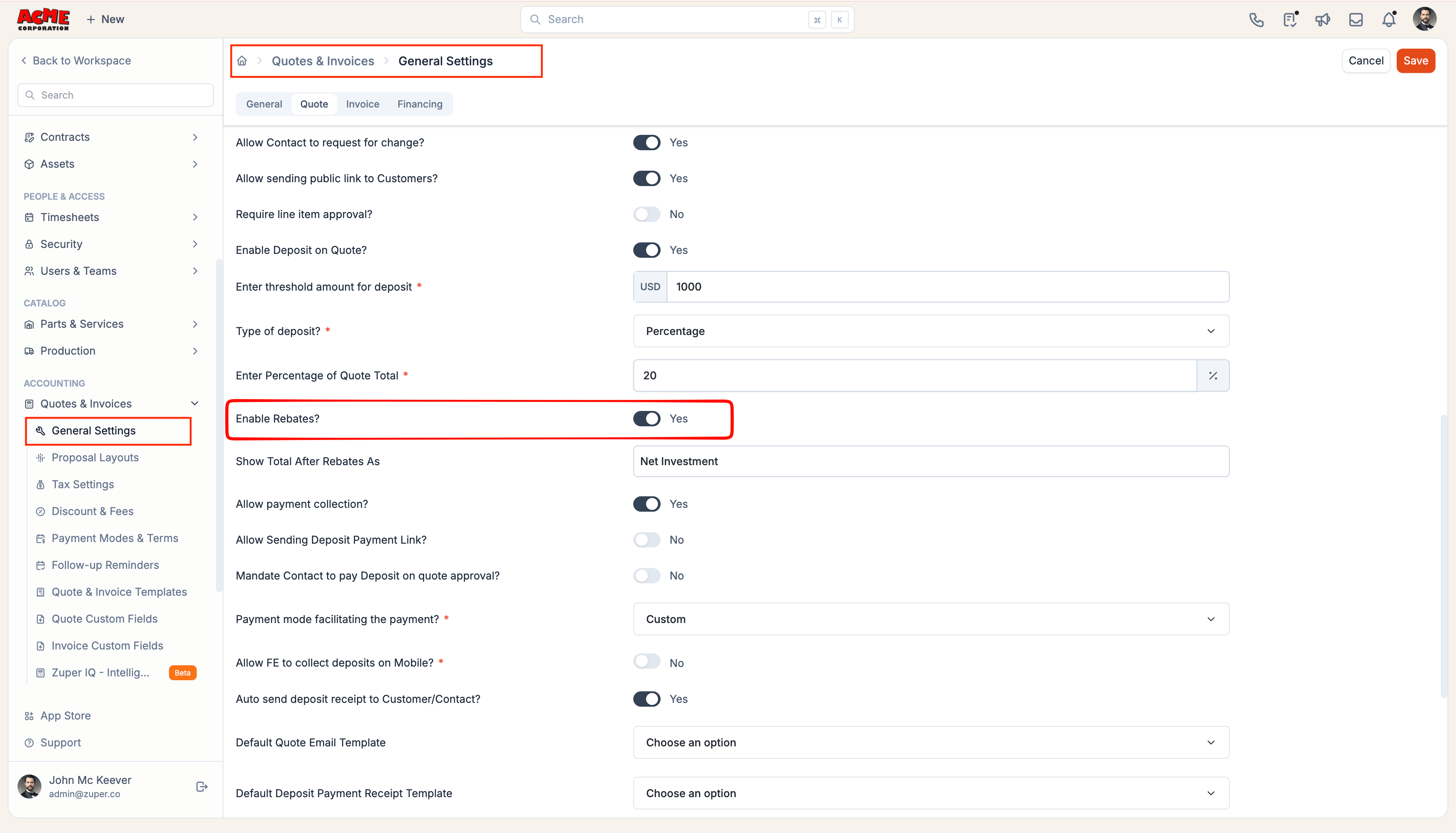
Navigation: Settings → Modules → Quotes and Invoices → Quotes and Invoices General Settings
- Open the Quote tab.
- Turn on Enable Rebates?.
- (Optional) In Show Total After Rebates As, enter a custom label for the net investment value. If you leave blank, Zuper displays Net Investment by default.
- Click Save.
Create a rebate template
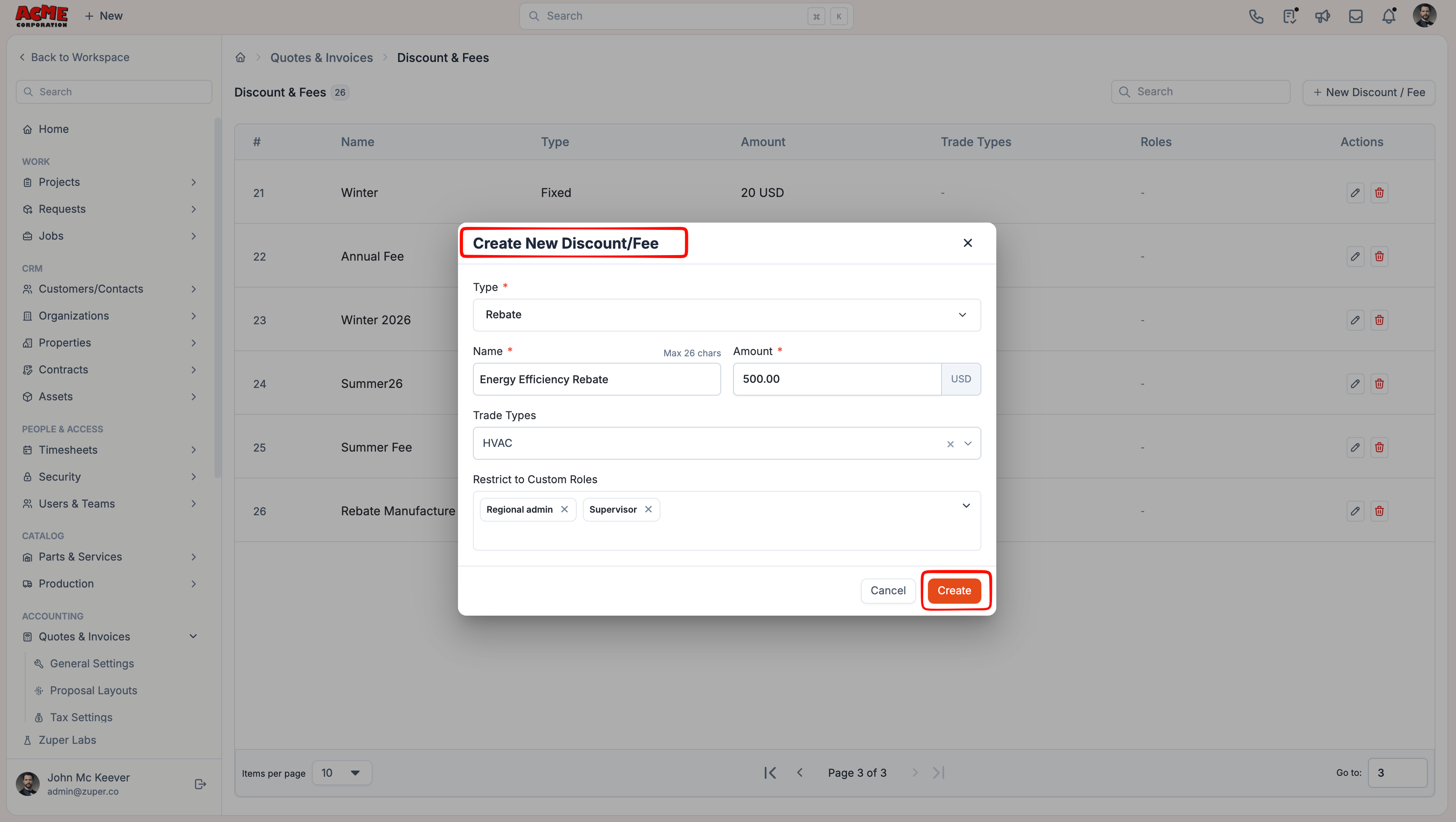
Create rebate templates for rebates your team applies frequently. Templates help users quickly apply a predefined rebate name and default amount when creating quotes or proposal options.Navigation: Settings → Modules → Quotes and Invoices → Discount & Fees
- Click + New Discount/Fee.
- In Type, select Rebate.
- Enter a Name (up to 26 characters). This name appears on the quote or proposal.
- Enter the Amount.
- (Optional) In Restrict to Custom Roles, select the custom roles that can use the rebate. If your company uses business units, you can also limit the rebate to specific business units.
- Click Create.
Add rebates to a quote or proposal
Once rebates are enabled, your team can add them from the pricing summary of a quote or proposal option.- Web
- Mobile
- Open or create the quote or proposal.
- For a proposal, open the option you want to update.
- Below Total, click Add rebate?.
- Click Add rebate?.
- Select an existing rebate template or enter a name for a one-time rebate.
- Enter or update the rebate amount.
- To add another rebate, click Add rebate? again and repeat the steps.
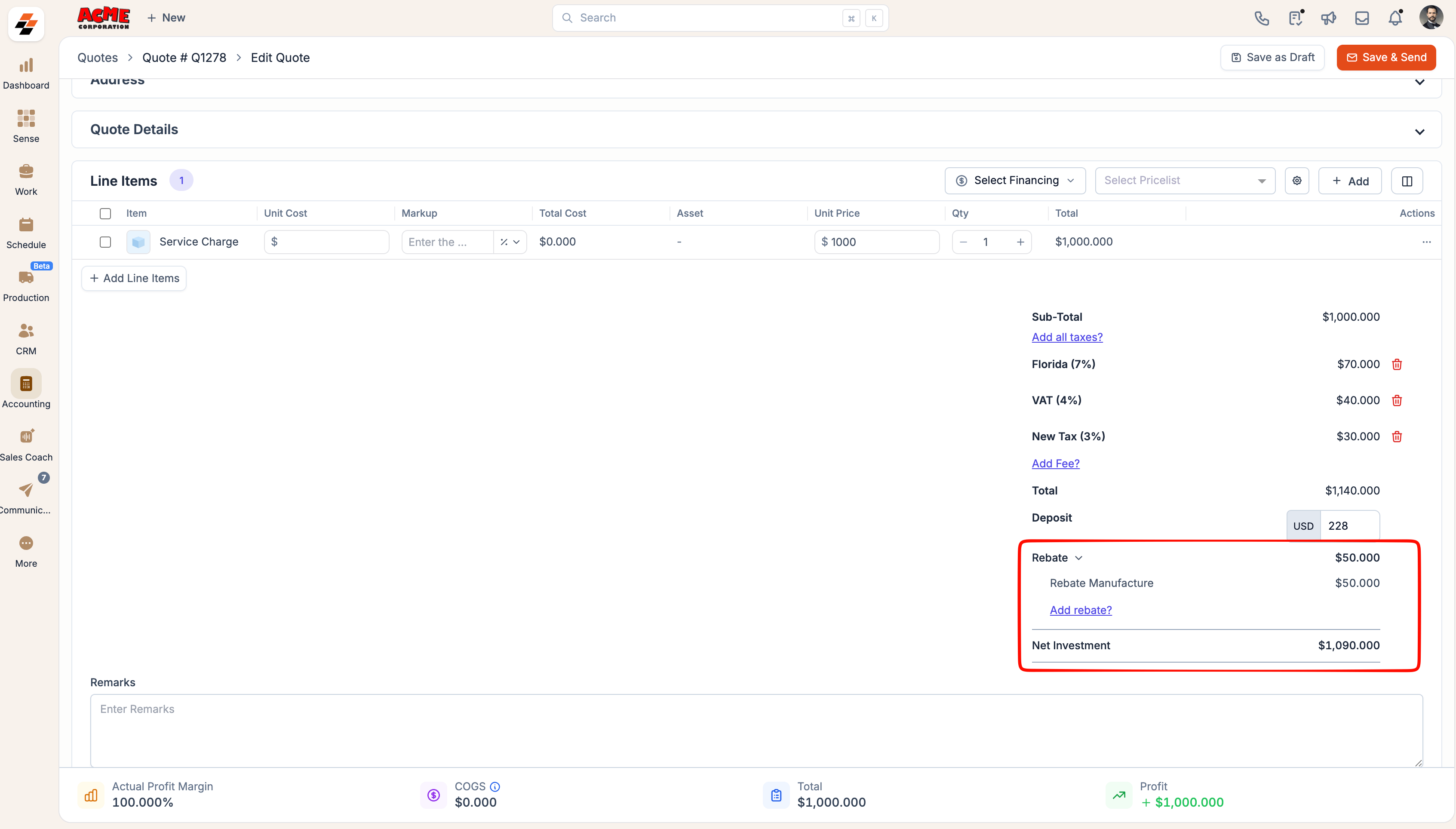
- Save the quote or update the proposal option.
Info: To edit a rebate, hover over it and click the pencil icon. To remove a rebate, click the trash icon and confirm Delete.
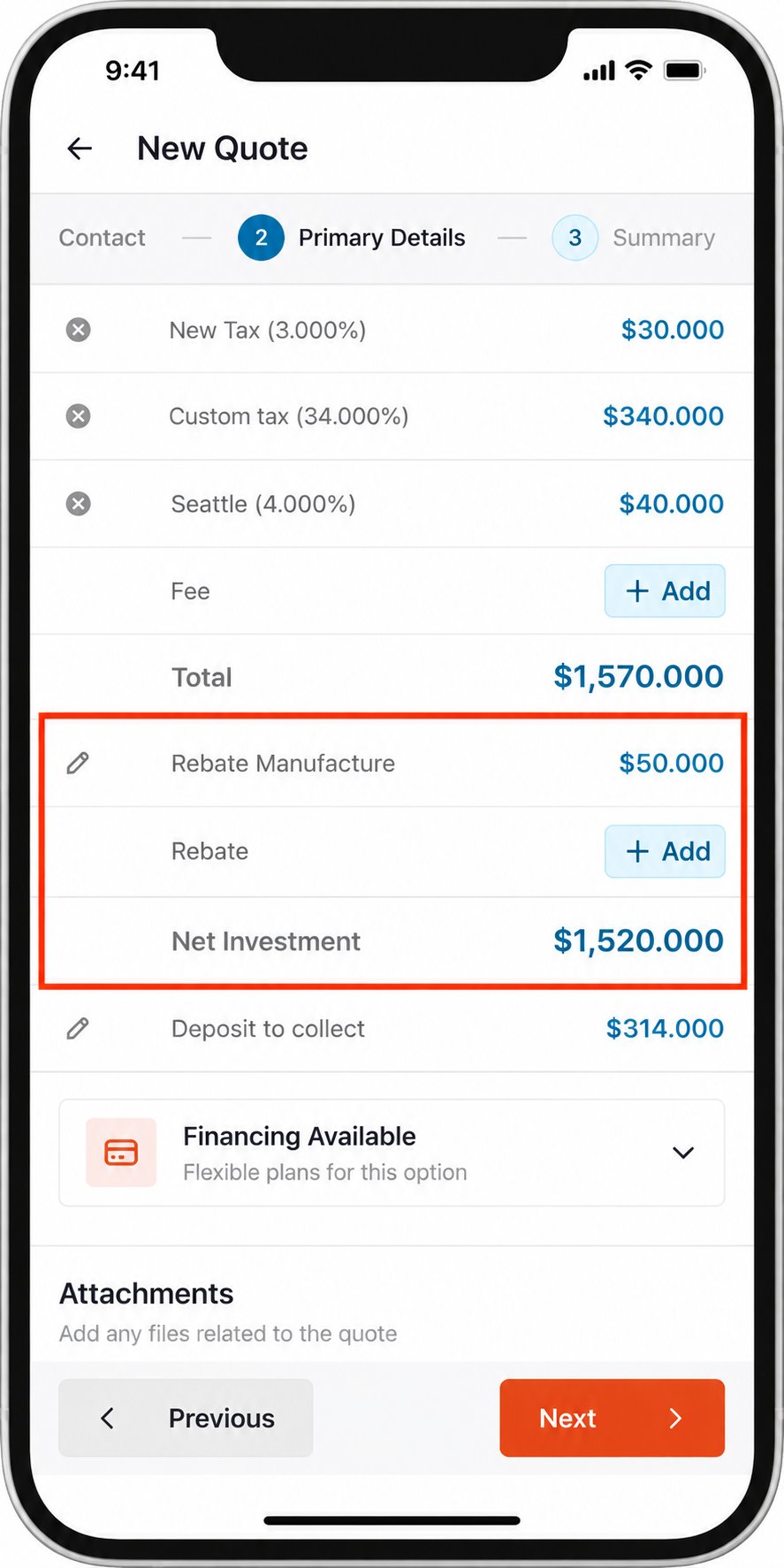
Note: On a quote, rebates apply to the entire document. On a proposal, each option can have its own rebates and Net Investment.
Frequently asked questions
Does a rebate reduce the amount the customer owes my business?
Does a rebate reduce the amount the customer owes my business?
No. Rebates affect only the customer’s Net Investment. They do not reduce the Total, taxes, deposit, Amount Due, or the amount your business collects.
Can I add more than one rebate?
Can I add more than one rebate?
Yes. You can add up to 10 rebates to a quote or proposal option. Zuper combines all rebate amounts when calculating Net Investment.
Can the combined rebate amount exceed the Total?
Can the combined rebate amount exceed the Total?
No. The combined value of all rebates cannot exceed the Total.
Can I add a percentage-based rebate?
Can I add a percentage-based rebate?
No. Rebates support fixed amounts only.
Can I change the amount of a saved rebate template?
Can I change the amount of a saved rebate template?
Yes. You can change the amount after adding the template to a quote or proposal option. The change applies only to that document and does not update the original template.
Does updating a rebate template change existing quotes or proposals?
Does updating a rebate template change existing quotes or proposals?
No. Each quote and proposal keeps its own copy of the rebate after it is added.
Can I rename Net Investment?
Can I rename Net Investment?
Yes. In Quotes and Invoices General Settings, enter a custom label in Show Total After Rebates As. Leave the field blank to use Net Investment.
Why can my team see rebates but the customer cannot?
Why can my team see rebates but the customer cannot?
Customer-facing visibility is controlled separately. Turn on Show Rebates in the applicable Proposal Layout to display rebates and Net Investment on the customer proposal page and PDF.