Capturing Photos
- Android
- iOS
- Open the Zuper mobile app.
- Navigate to the Job Details page.
- Tap Add Note. The camera will launch automatically.
- Go to the Walkthrough option.
- Switch to the camera mode at the bottom of the screen.
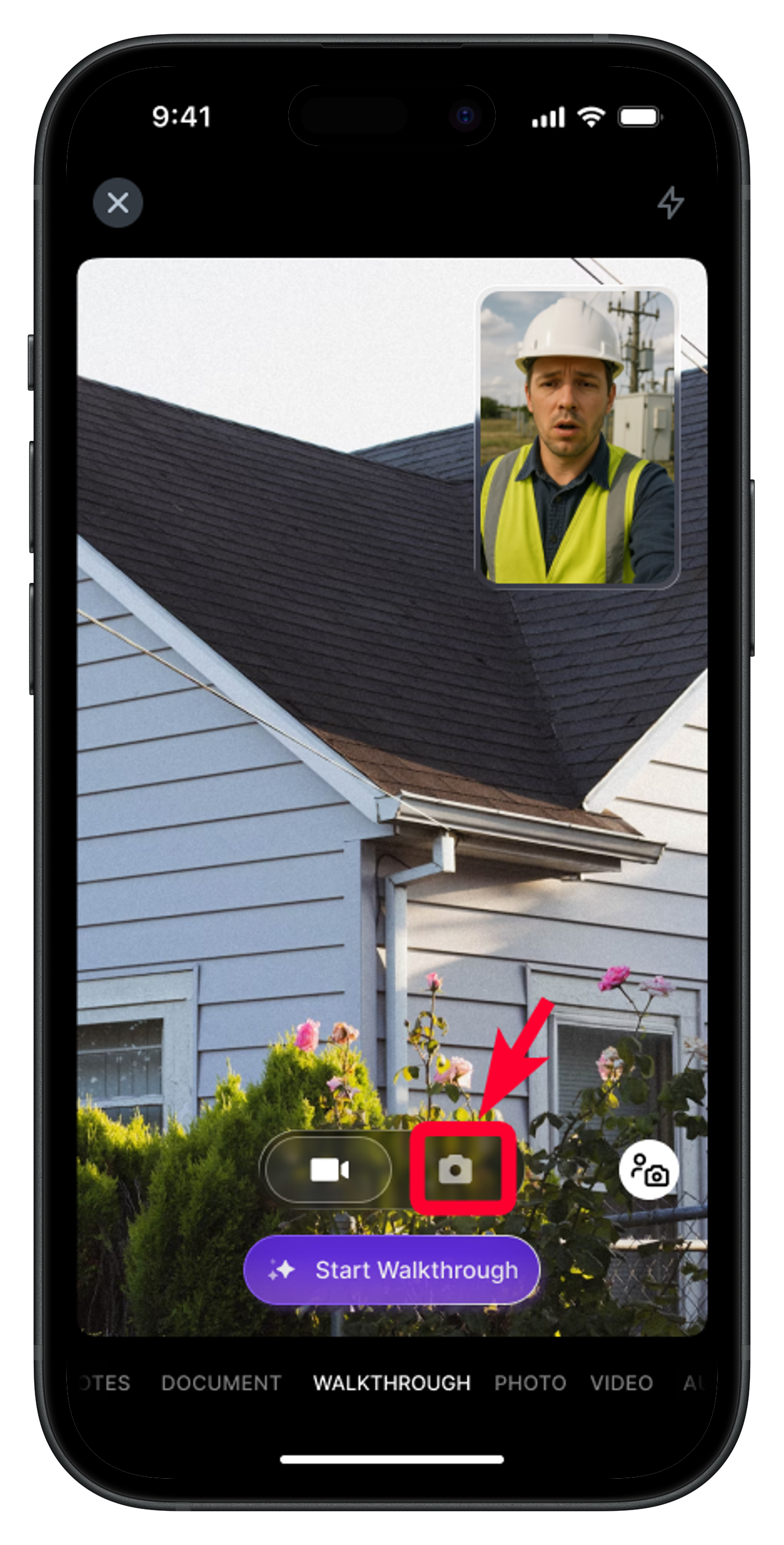
- Click “Start Walkthrough” to begin the session.
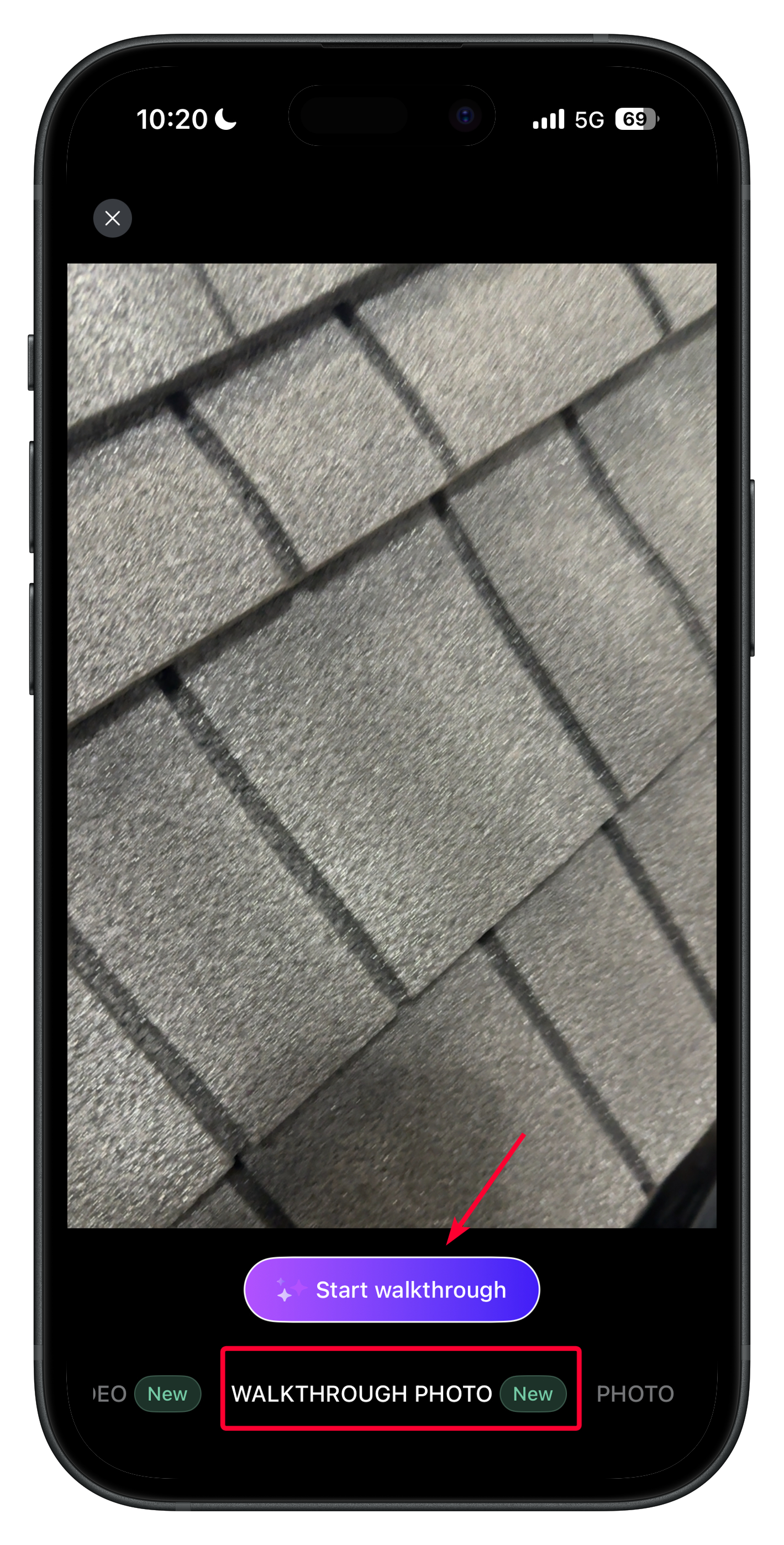
Note: You can capture multiple photos while recording audio.
- Once you’re done, your recording will be prepared for preview.
- After previewing, you’ll be directed to the Add Note page, where Zuper AI will automatically generate a summary of your recorded audio, improving clarity, spelling, and grammar.
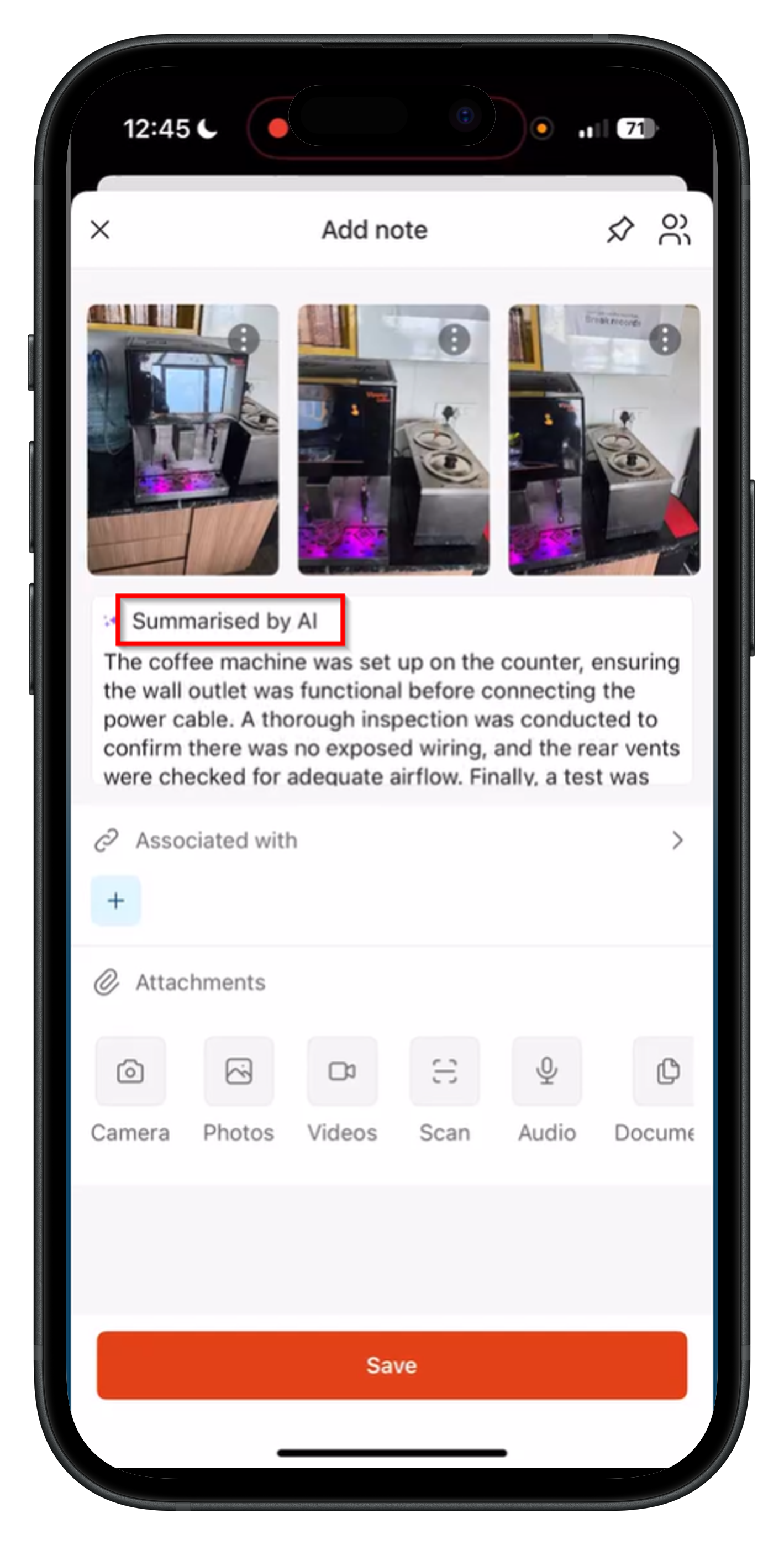
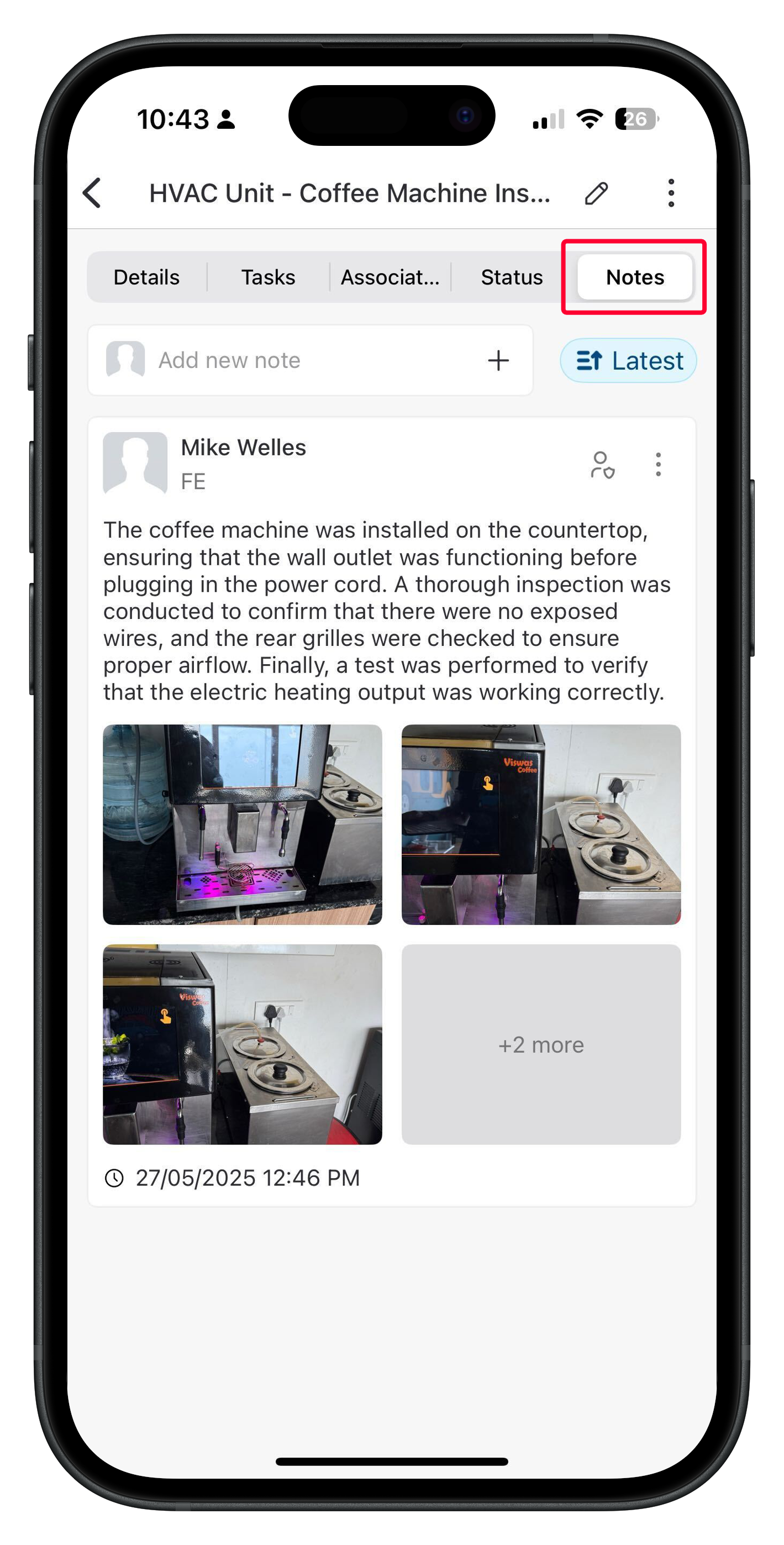
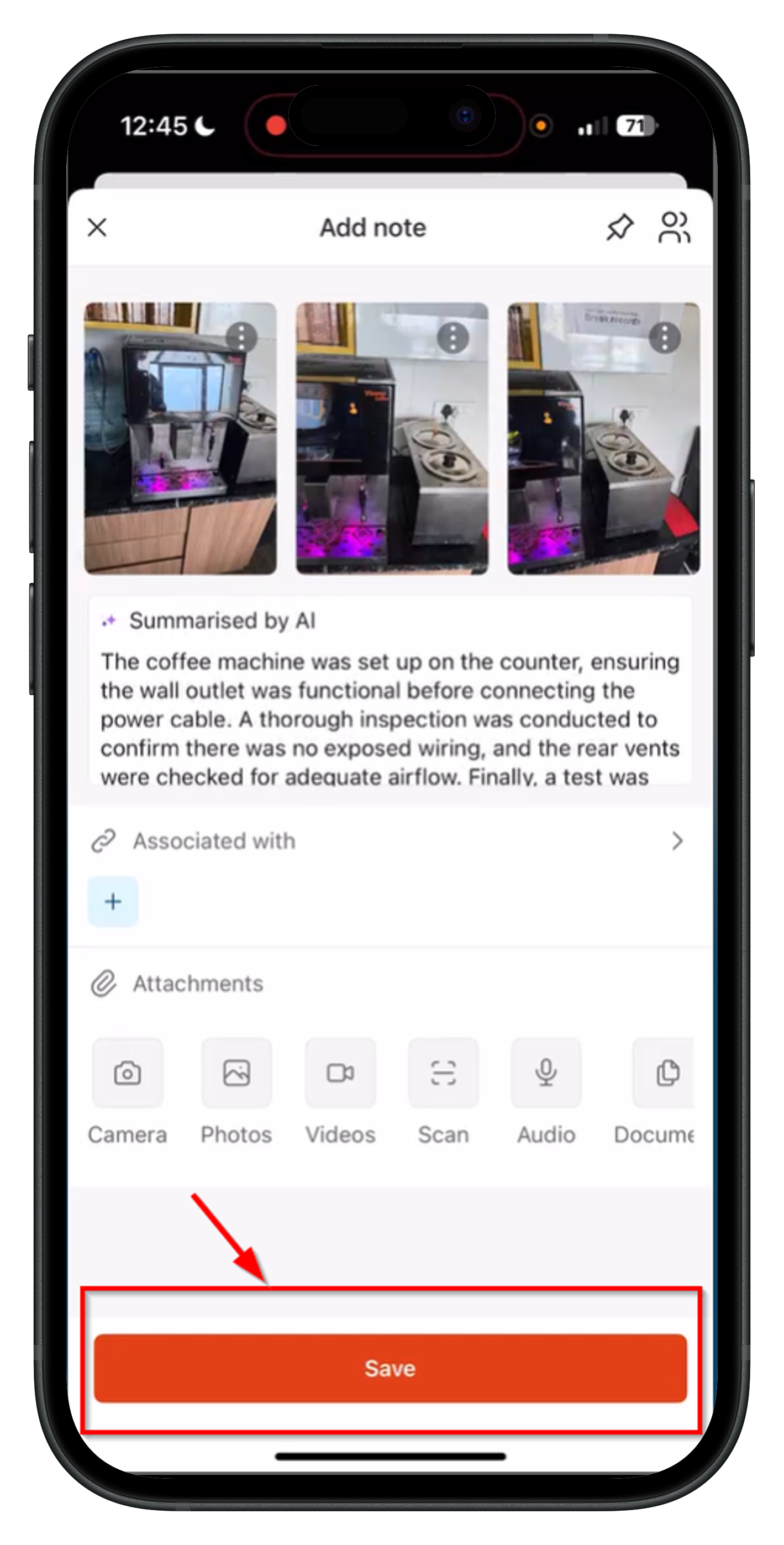
- Tap Save. The summarized note, along with the captured images, will be added to the job notes successfully.
Editing the Note (Optional)
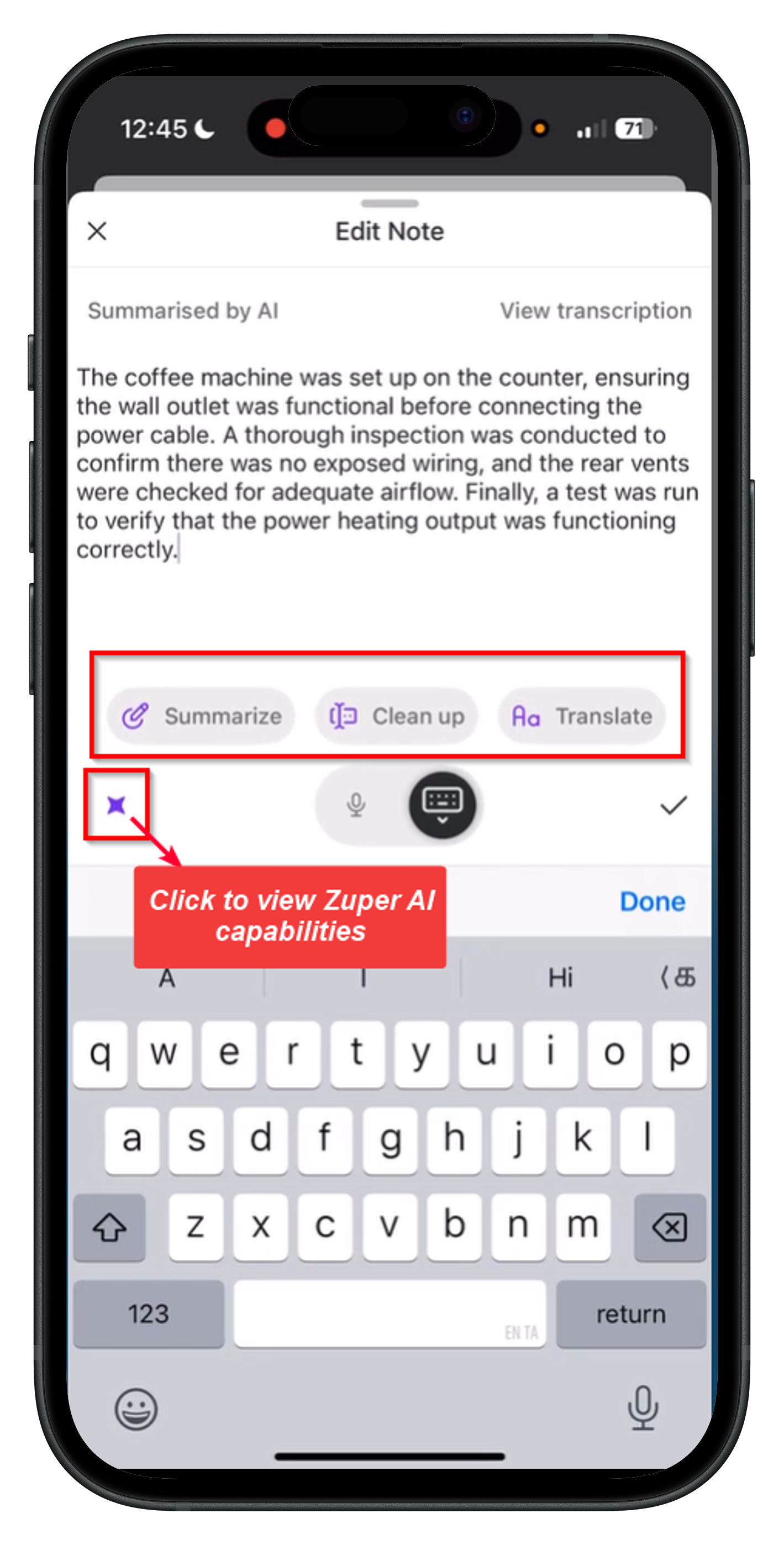
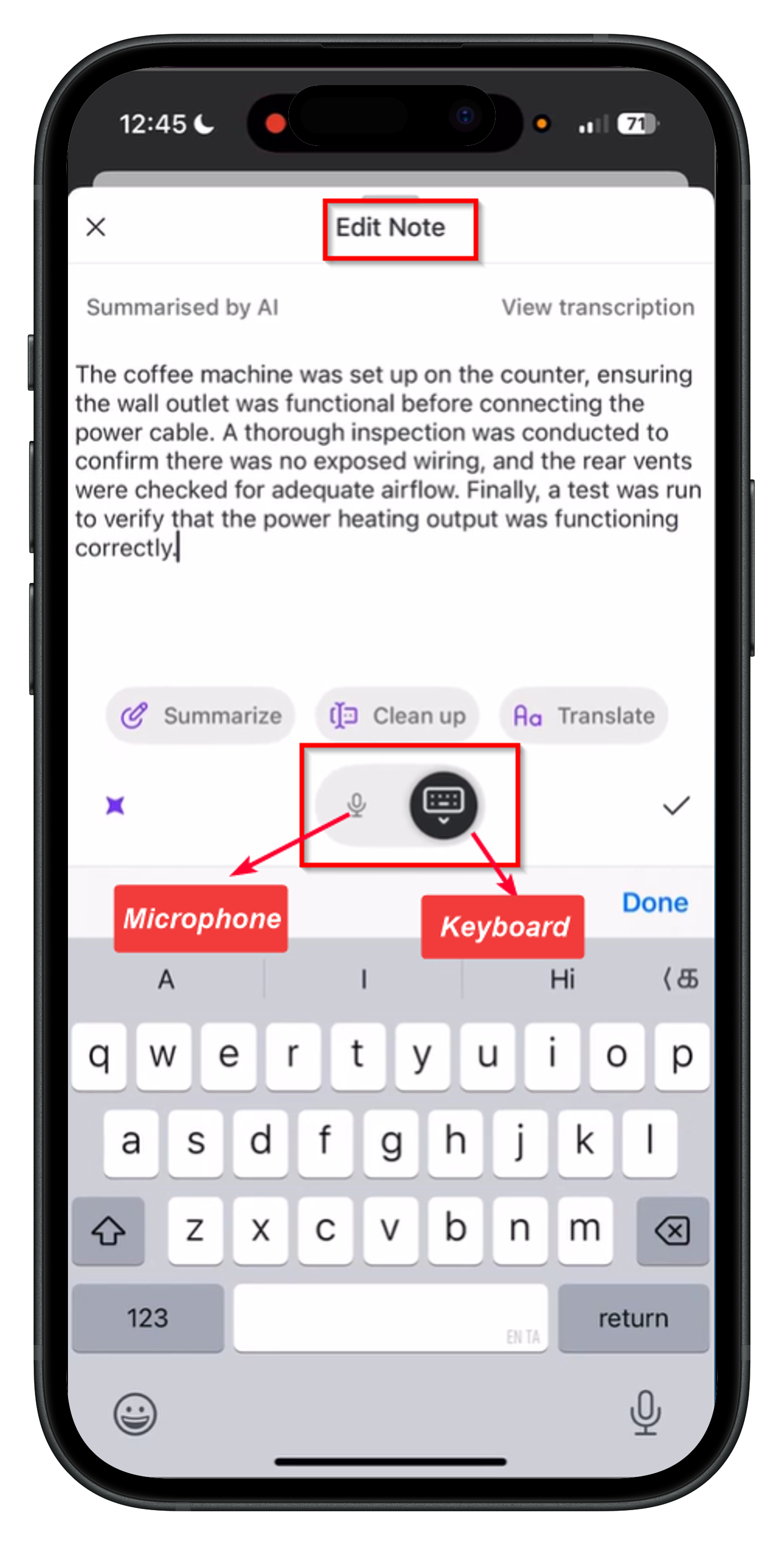
After AI generates the summarized note, you can modify it as needed:- Tap on the “Summarized by AI” section to open the Edit Note screen.
- Choose from two editing options:
- Microphone Input – Use your microphone to speak and add more details to the note.
- Manual Editing – Use the keyboard to make changes to the text manually.
Enhancing the Note with AI
After you’ve edited the note, you can further refine it using the AI capabilities listed below before saving.- Summarize – Condenses lengthy notes into clear, concise content.
- Clean up – Corrects grammar, spelling, and sentence structure.
- Translate – Convert notes into 17 different languages, including Dutch, French, Slovenian, and Spanish.