

Adding a Comment
- Web
- Mobile
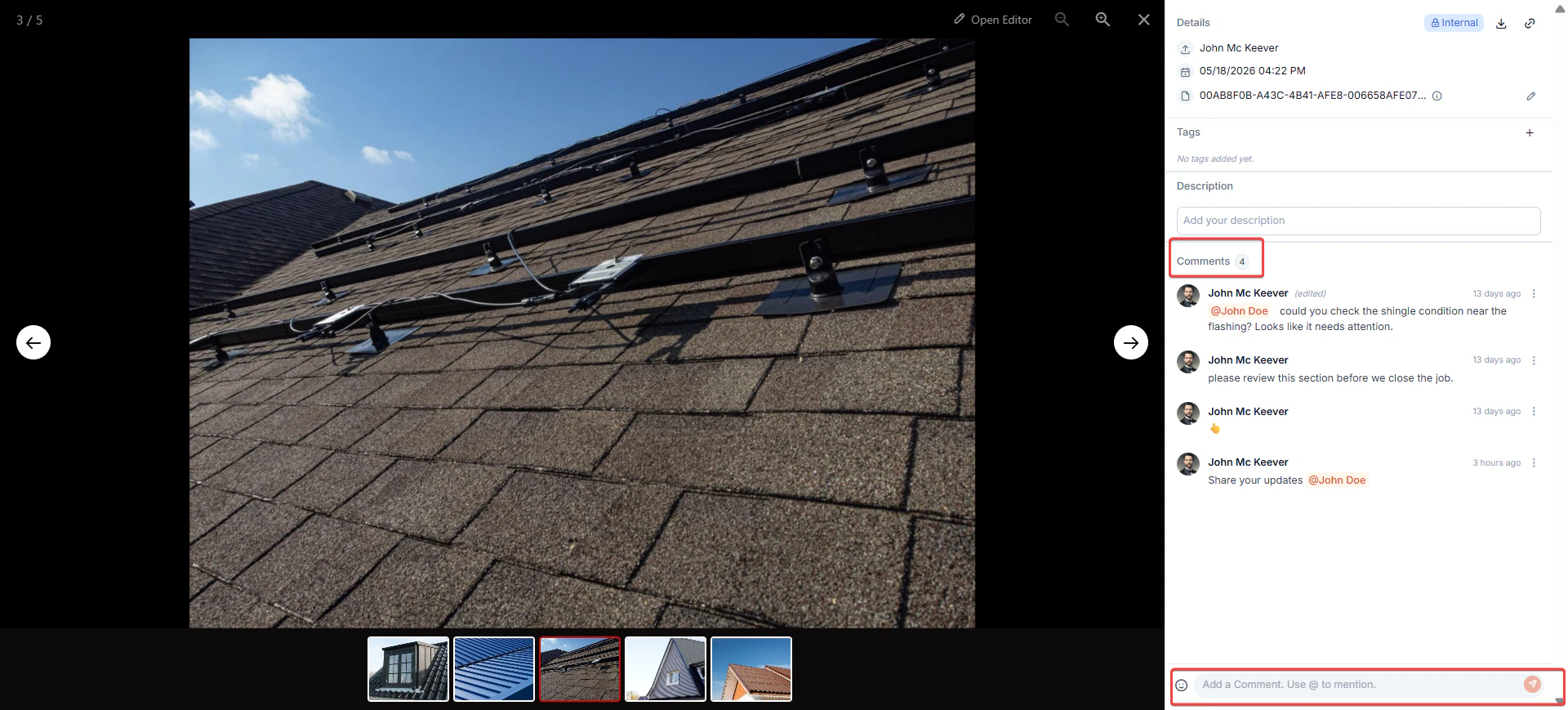
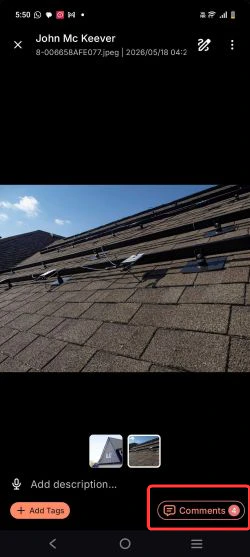
- Open any photo in Zuper. The photo opens with a Details and Comments panel on the right.
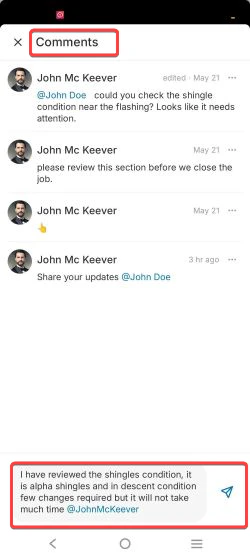
- Click the comment input field at the bottom of the panel and type your message.
- To add an emoji, click the icon in the comment toolbar and select from the picker.
- To notify a teammate, type @ and select their name from the dropdown. The photo uploader appears first, followed by all other users alphabetically.
Comments are plain text only. Rich text and file attachments are not supported.
- Click Post. Your comment appears in the thread, and the mentioned users are notified instantly.
Notifications
When you @mention a teammate in a comment, they receive an in-app notification. Tapping the notification opens the comment along with the associated photo.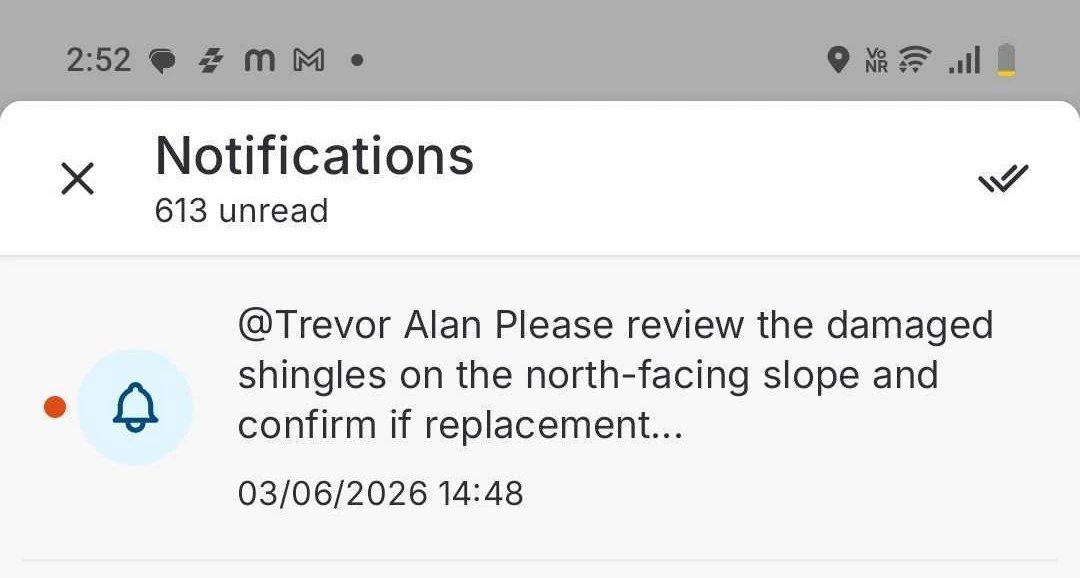
Identifying Photos with Comments
In the Gallery, photos that already have comments show a comment count badge on the thumbnail. The badge displays the total number of comments on that photo. Click the photo to open it and read the full comment thread.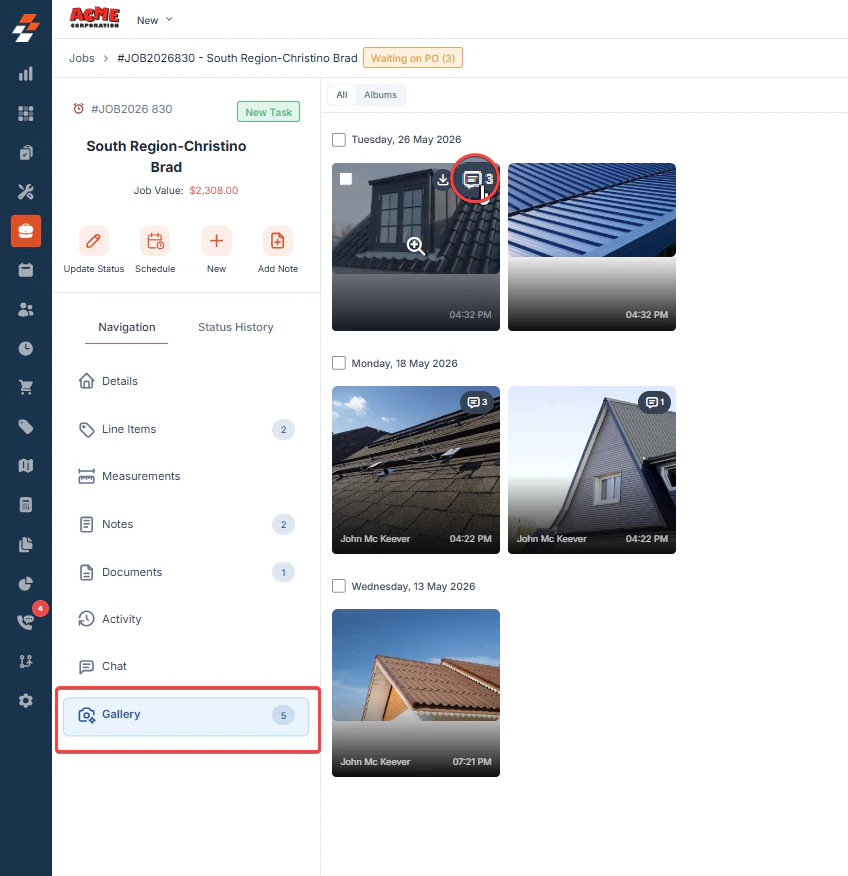
Editing or Deleting a Comment
To edit or delete a comment, click the context menu (…) next to your comment and select Edit or Delete. You can only edit or delete comments you wrote. Admins can also delete comments posted by Field Technicians.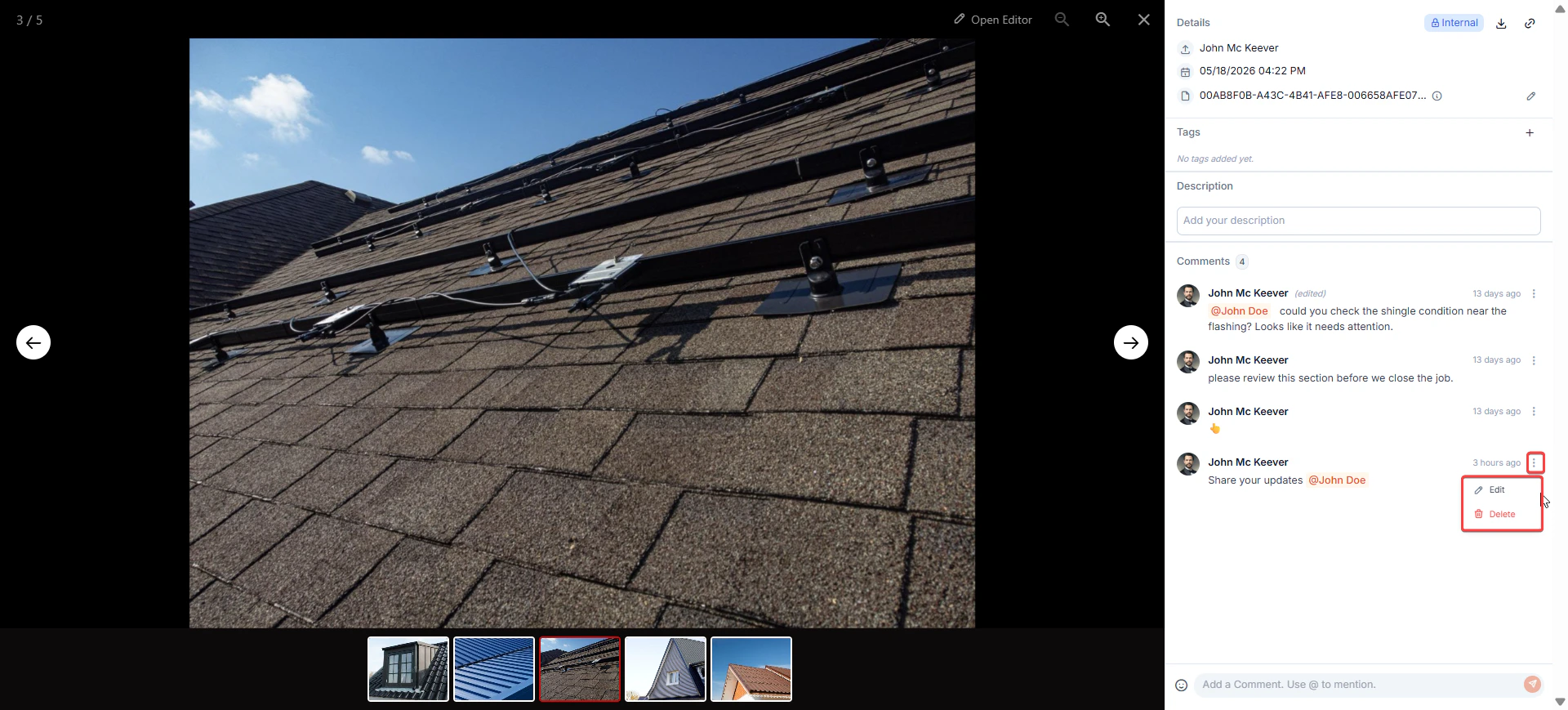
Frequently asked questions
Where can I access photo comments?
Where can I access photo comments?
You can comment on any photo in Zuper — whether it was uploaded directly to the Gallery, added via a Checklist or Note, or attached to a record.
How do I know if a photo already has comments?
How do I know if a photo already has comments?
In the Gallery, photos with comments show a comment count badge on the thumbnail. The number tells you how many comments have been posted on that photo. Click the photo to open it and read the full thread. For photos added via Checklists, Notes, or Attachments, open the photo directly to view comments.
Can I reply to a specific comment?
Can I reply to a specific comment?
Not in this version. Comments appear as a flat chronological list.