

Before you begin
- Your organization must have Zuper Pay enabled. Please contact Zuper Support for details.
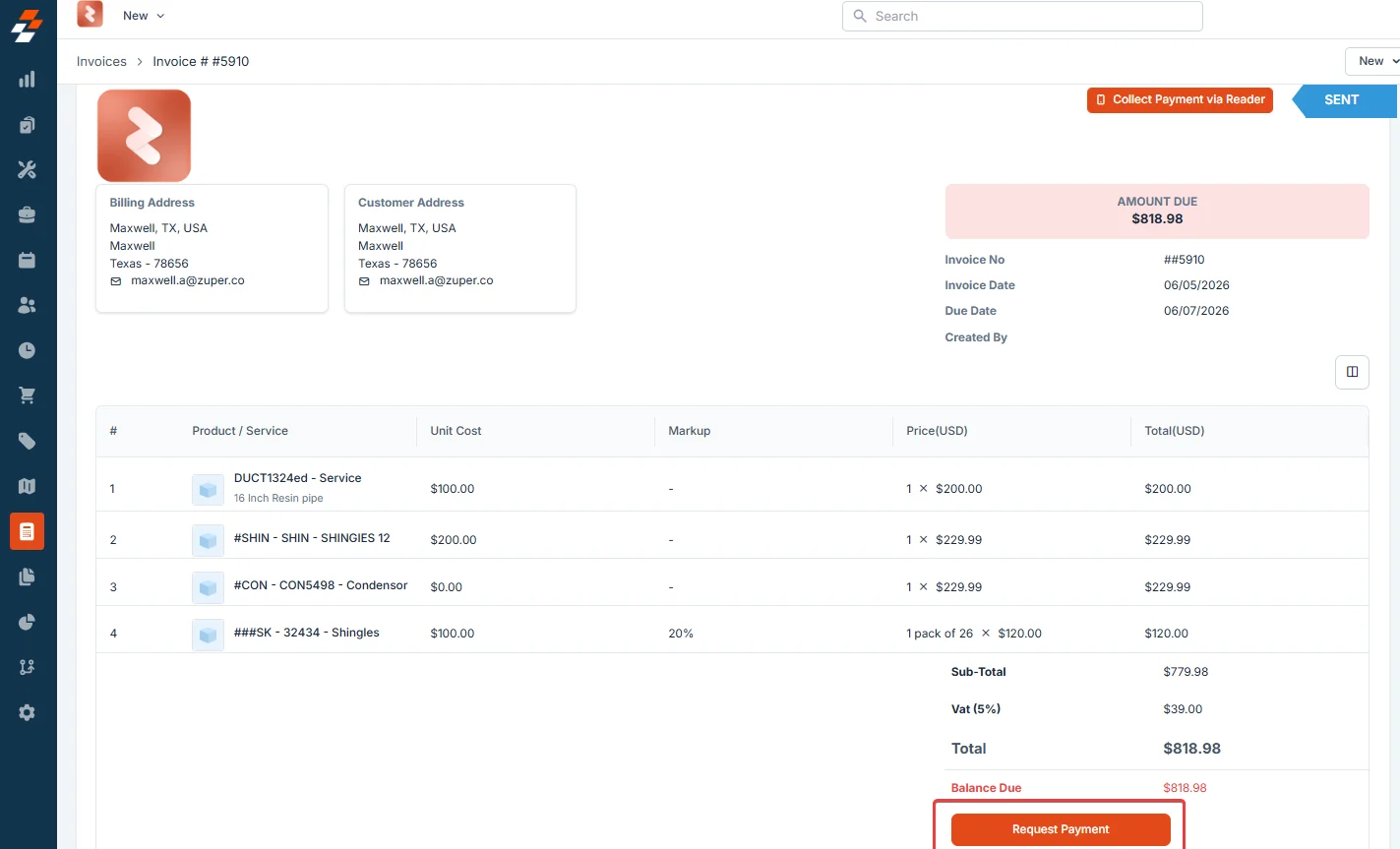
- The Request Payment button only appears on invoices in Sent status. It is not available on draft or unsent invoices.
Request a partial payment
- Select the Accounting module from the left navigation menu and choose Invoices.
- Open the invoice from the Invoices listing page.
- Click Request Payment. Click Request Payment.
The Request Payment dialog opens. Review the following fields: - From - Displays your sender email.
- To - Enter the customer’s email address. This field is required.
- Cc / Bcc - Optionally add additional recipients.
- Total Amount Due - Shows the full outstanding balance on the invoice. This is read-only.
- In the Amount Requested field, enter the partial amount you want to collect. The Remaining Due value updates automatically to show what will still be owed after this payment.
- In the Note (Optional) field, enter a short message to your customer explaining what this payment is for.
- Click Send.
Zuper sends the customer a secure payment link for the requested amount.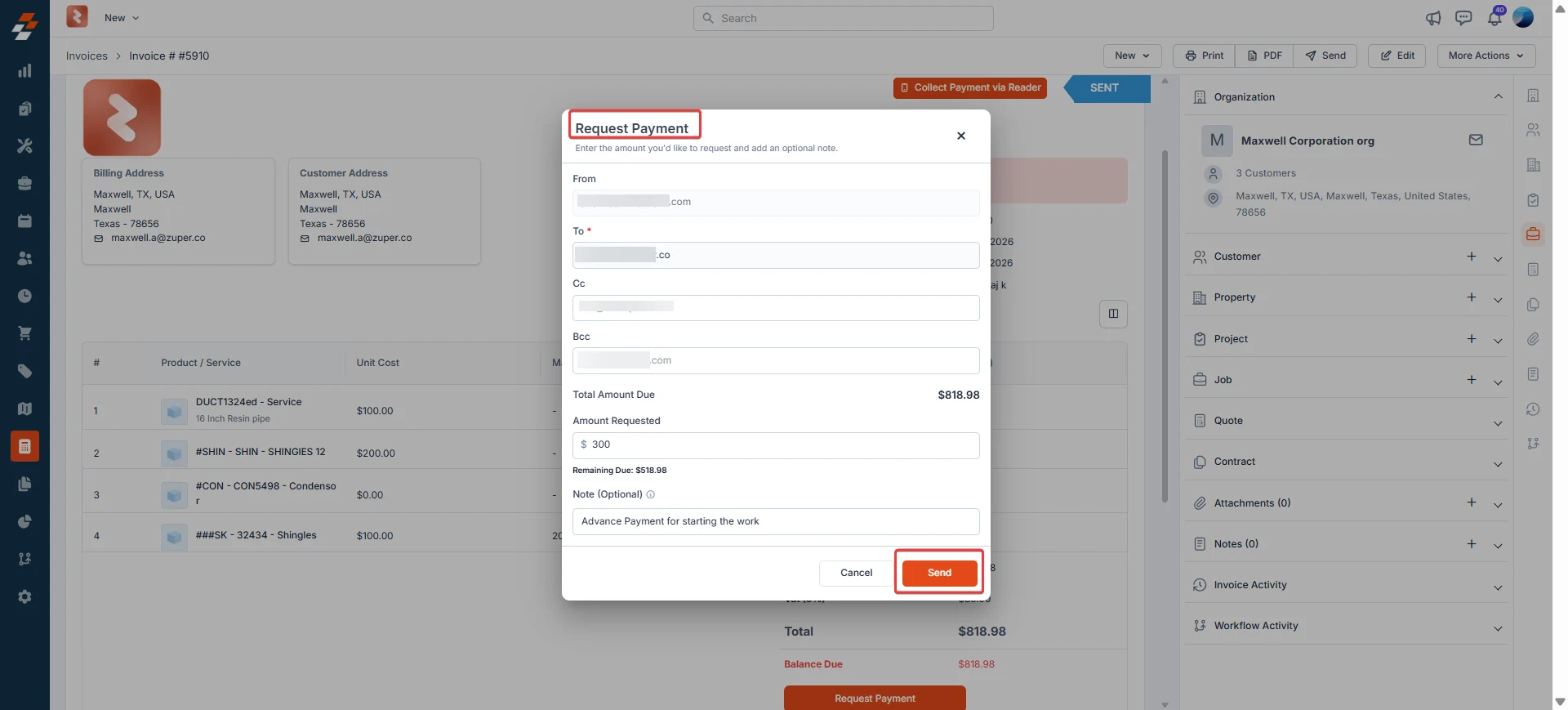
Resend or cancel a payment request
After you send a payment request, you can manage it directly from the invoice.- Click the context menu (three-dot icon) next to the Requested Amount.
- Choose one of the following actions:
- Resend Payment Link - Sends the same payment link to the customer again. Use this if the customer did not receive the original email.
- Cancel Payment Request - Cancels the active payment link immediately. The customer can no longer use the link to pay. The Requested Amount row is removed from the invoice.

Frequently asked questions
What happens if I cancel a payment request?
What happens if I cancel a payment request?
The link is deactivated immediately. Your customer can no longer use it to pay. The Requested Amount row is removed from the invoice. You can send a new payment request at any time.
Can I have more than one active payment link on an invoice at the same time?
Can I have more than one active payment link on an invoice at the same time?
No. Only one payment link can be active on an invoice at a time. Cancel the existing link before sending a new one.
What happens if the customer pays through the original invoice instead of the partial payment link?
What happens if the customer pays through the original invoice instead of the partial payment link?
If the customer clicks Pay Now on the original invoice and completes the payment, the full outstanding invoice amount is charged. Any active partial payment links are automatically cancelled once the payment is successfully processed.
What happens if I send a new payment request after cancelling the previous one?
What happens if I send a new payment request after cancelling the previous one?
A new payment request can be sent for any amount at any time, as long as the invoice is in Sent status and no other active payment link exists.
Can I make a partial payment for a quote deposit?
Can I make a partial payment for a quote deposit?
No. Partial payments are not supported for quote deposits. The deposit amount must be paid in full.