

Before you begin
- You must be an Admin in Zuper to manage Reserve with Google settings.
- Reserve with Google must already be configured on your account.
Turn off the Book online button
Turn off the button without disconnecting the integration. Use this option if you want to temporarily remove the button while retaining your existing configuration.- Go to Settings → Customer Experience → Website Widget.
- Select the Reserve with Google tab.
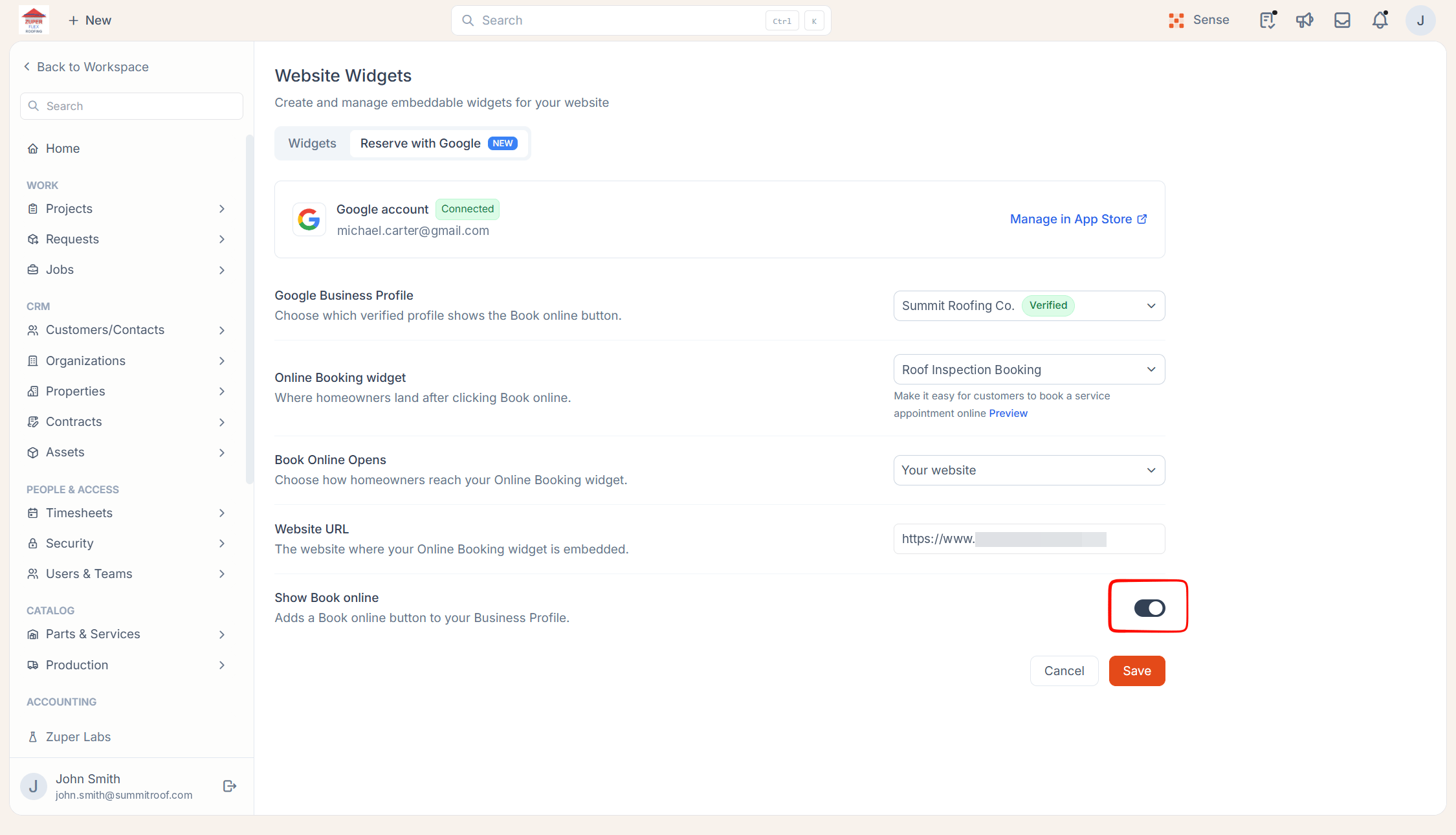
- Turn off Show Book online.
- In the confirmation dialog, select Confirm.
- Zuper immediately stops sharing your booking details with Google.
- Google typically removes the Book online button from your Business Profile within 48 hours.
- Your connected Google account, Business Profile, and widget selections remain saved.
- You can turn Show Book online back on whenever you want.
Disconnect Reserve with Google
Disconnect the integration to remove the button and clear your saved Reserve with Google configuration.- Go to App Store → Reserve with Google.
- Select Disconnect.
- In the confirmation dialog, select Confirm.
- Show Book online is turned off.
- Your connected Google account, Business Profile, and widget selections are cleared.
- Google typically removes the Book online button from your Business Profile within 48 hours.
- Your Online Booking widget continues to work on your website and through other sharing methods.
Note: To display the Book online button again after disconnecting, reconnect your Google account and complete the Reserve with Google setup.
Frequently asked questions
Will this affect my Google Business Profile or reviews?
Will this affect my Google Business Profile or reviews?
No. Your Google Business Profile, reviews, and other profile details remain unchanged. Only the Book online button provided by Zuper is affected.
What happens if my Zuper account becomes inactive?
What happens if my Zuper account becomes inactive?
When your Zuper account becomes inactive, the Reserve with Google integration is disconnected. To display the Book online button again, you may need to reactivate your account and reconnect the integration.
Who can I contact for help?
Who can I contact for help?
Contact Zuper Support at support@zuper.co. Include your business name and Google Business Profile link to help the team assist you.