> ## Documentation Index
> Fetch the complete documentation index at: https://docs.zuper.co/llms.txt
> Use this file to discover all available pages before exploring further.
# Overview
> Learn what Zuper Sense is, what you can do with it, and where to find it in Zuper.
Zuper Sense is the intelligent command center built into Zuper. Instead of navigating through multiple screens to find information, complete tasks, or understand what's happening, simply ask a question in plain language and get answers, insights, and actions in one place.
 ## What Sense can do
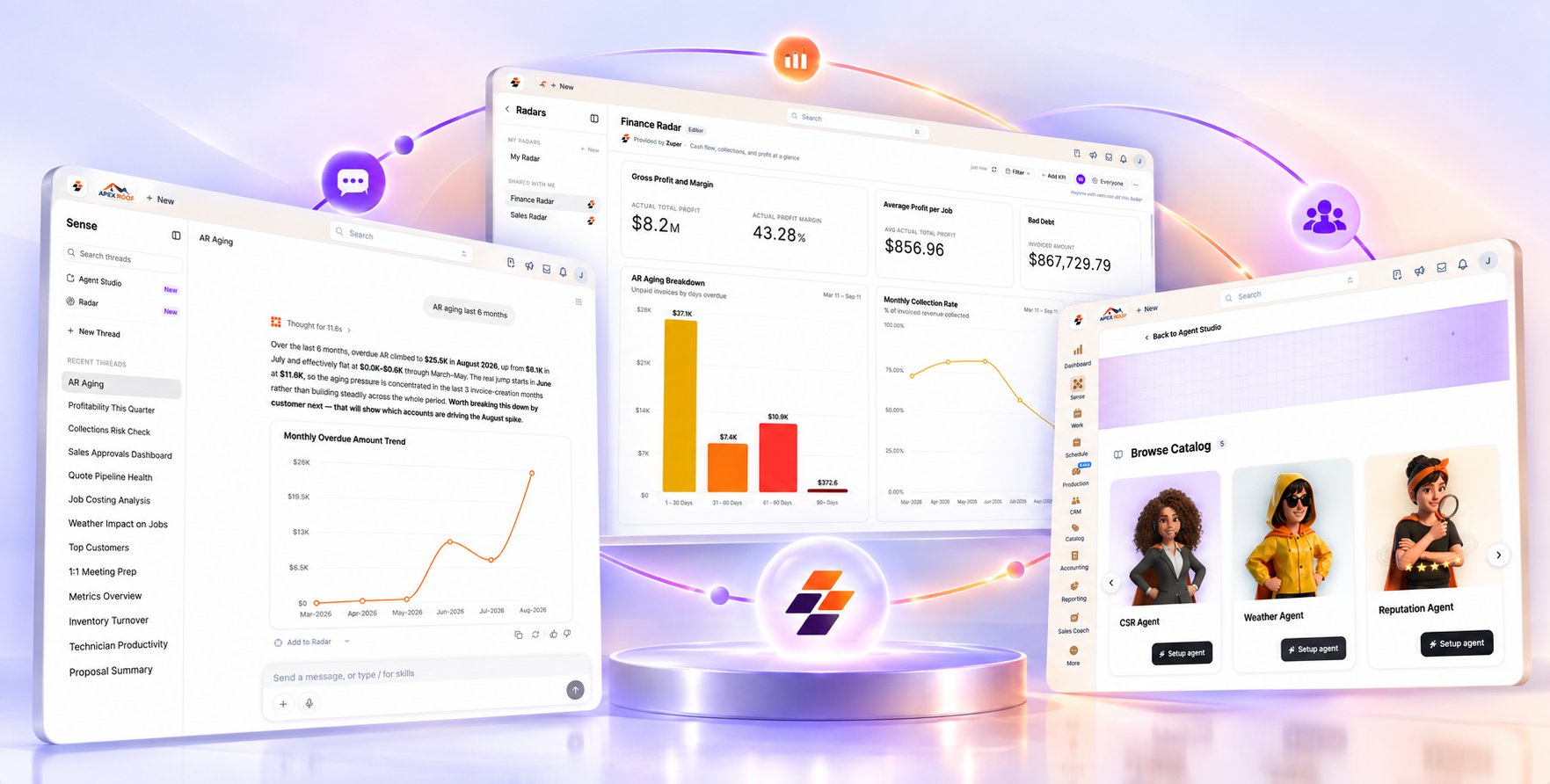
* **Get answers about your business.** Ask questions about jobs, customers, invoices, revenue, and more without navigating through multiple screens.
* **Understand what happened and why.** Investigate issues such as delayed jobs or unpaid invoices. Sense reviews the relevant records and surfaces the factors that contributed to the outcome.
* **Monitor key metrics with Radar.** Pin the KPIs that matter most or start with a ready-made [**Radar**](/Zuper_Sense/Radar/Overview), such as Sales or Finance. You can share it with your team so everyone works from the same live data.
* **Put agents to work in the background.** Choose a pre-built agent from the Marketplace, such as **Weather** or **Reputation**, and configure it using the [**Knowledge Base**](/Zuper_Sense/Agent_Studio/Knowledge_Base) to align with your business processes and rules.
## Where Sense gets its information
* **Your Zuper data:** Sense uses your jobs, customers, invoices, revenue, and other records to answer questions about your business.
* **Memory:** Sense can use what it has learned from past conversations, including your preferences and how you like answers presented.
* **[Knowledge Base](/Zuper_Sense/Agent_Studio/Knowledge_Base):** Agents use the rules and terminology you provide, such as how your business defines a “completed job,” to work according to your instructions.
## Where to find it
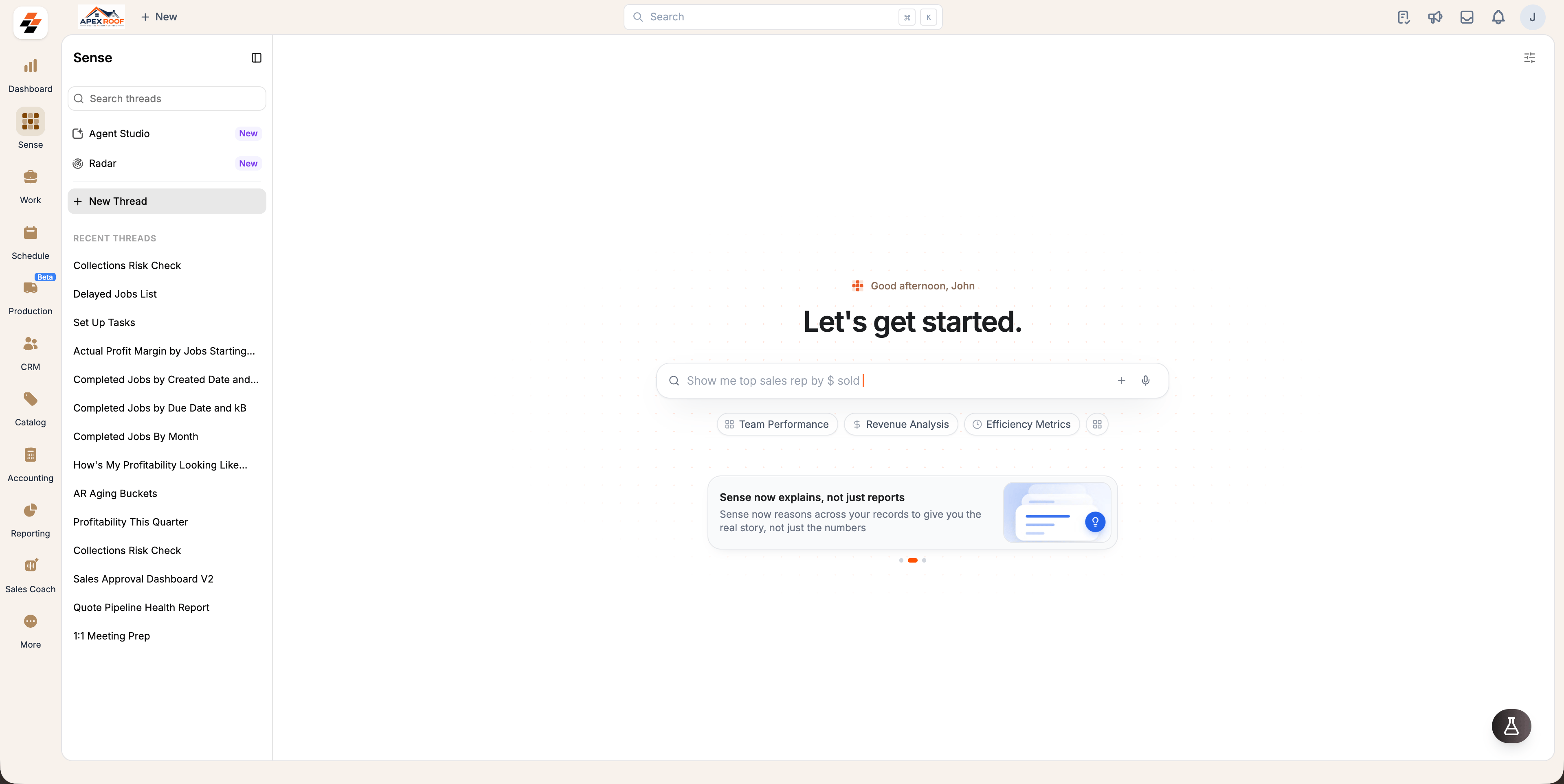
Sense has a dedicated workspace in Zuper. To access it, click the **Sense** module in the navigation menu. The **Chat** page opens by default.
## What Sense can do
* **Get answers about your business.** Ask questions about jobs, customers, invoices, revenue, and more without navigating through multiple screens.
* **Understand what happened and why.** Investigate issues such as delayed jobs or unpaid invoices. Sense reviews the relevant records and surfaces the factors that contributed to the outcome.
* **Monitor key metrics with Radar.** Pin the KPIs that matter most or start with a ready-made [**Radar**](/Zuper_Sense/Radar/Overview), such as Sales or Finance. You can share it with your team so everyone works from the same live data.
* **Put agents to work in the background.** Choose a pre-built agent from the Marketplace, such as **Weather** or **Reputation**, and configure it using the [**Knowledge Base**](/Zuper_Sense/Agent_Studio/Knowledge_Base) to align with your business processes and rules.
## Where Sense gets its information
* **Your Zuper data:** Sense uses your jobs, customers, invoices, revenue, and other records to answer questions about your business.
* **Memory:** Sense can use what it has learned from past conversations, including your preferences and how you like answers presented.
* **[Knowledge Base](/Zuper_Sense/Agent_Studio/Knowledge_Base):** Agents use the rules and terminology you provide, such as how your business defines a “completed job,” to work according to your instructions.
## Where to find it
Sense has a dedicated workspace in Zuper. To access it, click the **Sense** module in the navigation menu. The **Chat** page opens by default.
 **Tip**: Try asking a question you already know the answer to, such as “*Which jobs are delayed this week*?” This helps you see how Sense responds.
**Prerequisite**: Sense must be enabled for your organization by Zuper. If you do not see the **Sense** module in the left navigation menu, contact your account manager or [Support](mailto:support@zuper.co).
## Where to go next
* [**Insights**](/Zuper_Sense/Ask_Sense/Insights): Ask questions about your Zuper data and get charts, tables and stat cards back.
* [**How Answers Work**](/Zuper_Sense/Ask_Sense/How_Answers_Work): Learn what you can do with an answer.
* [**Radar**](/Zuper_Sense/Radar/Overview): Keep the numbers you check often on a live board.
* [**Agent Studio**](/Zuper_Sense/Agent_Studio/Overview): Set up agents that work in the background.
* **[Supported Modules](/Zuper_Sense/Reference/Supported_Modules):** See which parts of Zuper Sense can answer questions about.
**Tip**: Try asking a question you already know the answer to, such as “*Which jobs are delayed this week*?” This helps you see how Sense responds.
**Prerequisite**: Sense must be enabled for your organization by Zuper. If you do not see the **Sense** module in the left navigation menu, contact your account manager or [Support](mailto:support@zuper.co).
## Where to go next
* [**Insights**](/Zuper_Sense/Ask_Sense/Insights): Ask questions about your Zuper data and get charts, tables and stat cards back.
* [**How Answers Work**](/Zuper_Sense/Ask_Sense/How_Answers_Work): Learn what you can do with an answer.
* [**Radar**](/Zuper_Sense/Radar/Overview): Keep the numbers you check often on a live board.
* [**Agent Studio**](/Zuper_Sense/Agent_Studio/Overview): Set up agents that work in the background.
* **[Supported Modules](/Zuper_Sense/Reference/Supported_Modules):** See which parts of Zuper Sense can answer questions about.