> ## Documentation Index
> Fetch the complete documentation index at: https://docs.zuper.co/llms.txt
> Use this file to discover all available pages before exploring further.
# Managing your threads
> Start, rename, archive and search your Zuper Sense threads.
Every conversation with Zuper Sense is stored as a thread. Threads maintain their context, allowing you to return days later and seamlessly pick up where you left off.
## Start a thread
1. Open **Sense** from the left navigation.
2. Select **New Thread** in the left panel.
3. Type your question, or pick a suggested prompt below the message box.
**Note:** Sense automatically titles the thread based on your first prompt. Your latest conversations appear under **Recent Threads** in the left panel.
## Rename or archive a thread
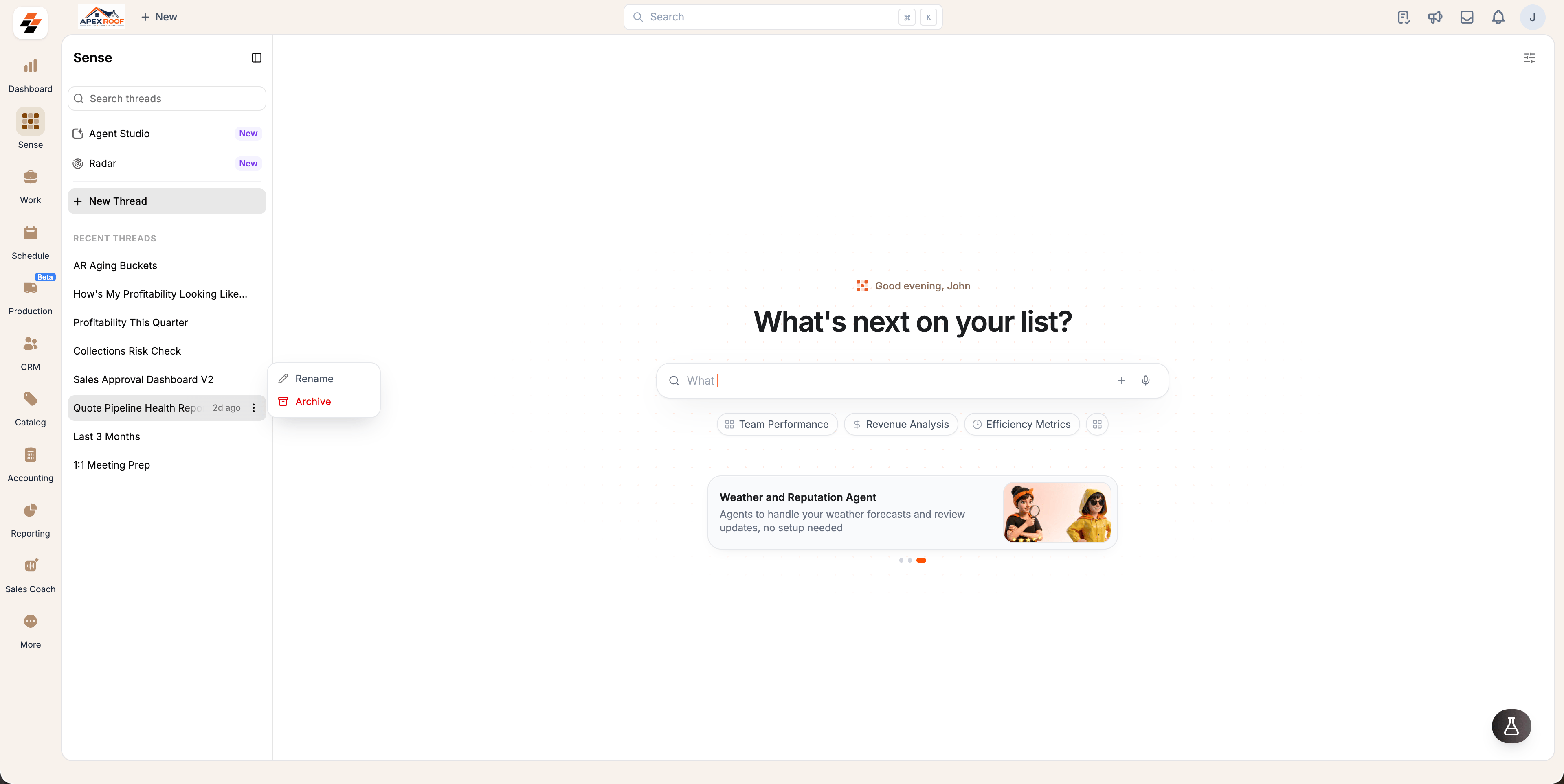
1. Hover over a conversation under **Recent Threads**.
2. Select the context menu next to the thread name.
3. Select **Rename** to customize the title, or **Archive** to remove it from your active list.
 Archiving removes the thread from your active list. Archive a thread only if you no longer need quick access to it.
## Browse all threads
**Recent Threads** displays your most recent conversations. To view your full history:
1. Select **View all** at the top of the thread list.
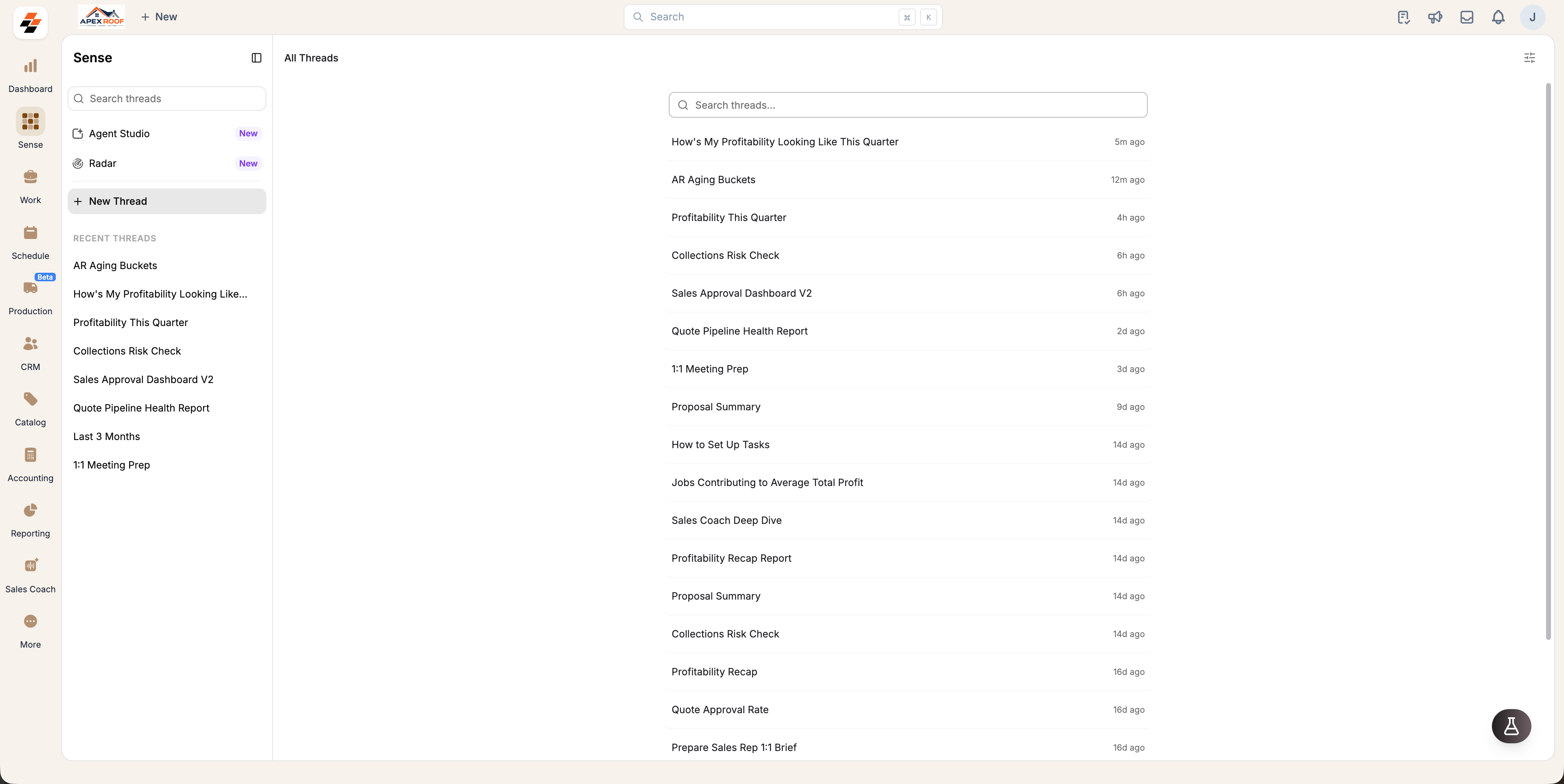
2. The **All Threads** page will display all past threads sorted by newest first, along with the timestamp of the last message.
Archiving removes the thread from your active list. Archive a thread only if you no longer need quick access to it.
## Browse all threads
**Recent Threads** displays your most recent conversations. To view your full history:
1. Select **View all** at the top of the thread list.
2. The **All Threads** page will display all past threads sorted by newest first, along with the timestamp of the last message.
 ## Find an older thread
You can quickly locate past conversations using either of the following methods:
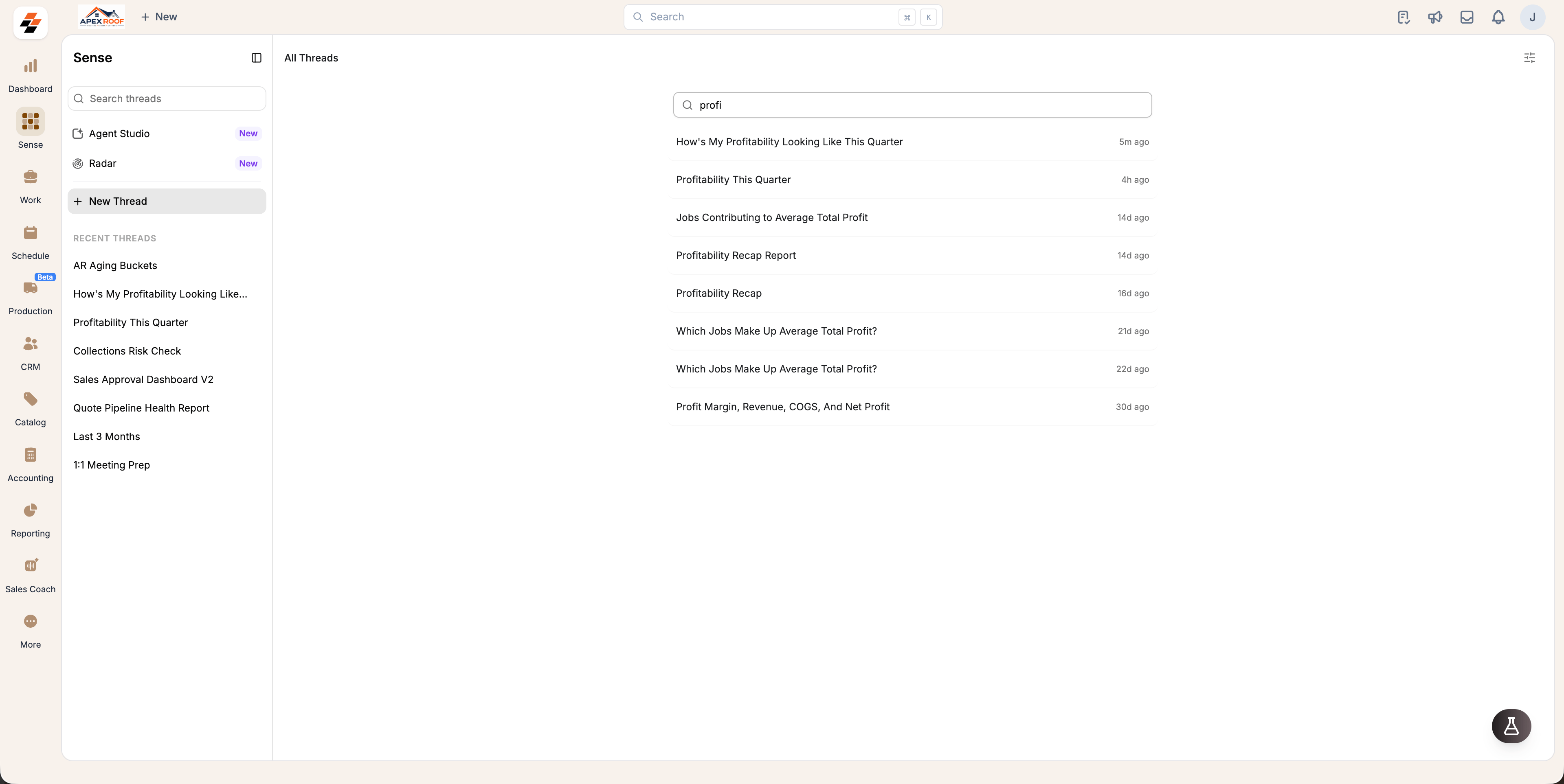
* **From the All Threads page:** Open **All Threads**, then type a keyword into the main search box to filter your list.
* **From anywhere in Sense:** Use the **Search threads** at the top of the left panel to filter past conversations without navigating away from your active thread.
## Find an older thread
You can quickly locate past conversations using either of the following methods:
* **From the All Threads page:** Open **All Threads**, then type a keyword into the main search box to filter your list.
* **From anywhere in Sense:** Use the **Search threads** at the top of the left panel to filter past conversations without navigating away from your active thread.