> ## Documentation Index
> Fetch the complete documentation index at: https://docs.zuper.co/llms.txt
> Use this file to discover all available pages before exploring further.
# How answers work
> What you can do with a Zuper Sense answer: follow-ups, clarifications, pinning to a Radar, and the answer actions.
Every answer Zuper Sense gives you behaves the same way, whether you ask about your account data, why something happened, or how to do something in Zuper. This page covers what you can do with an answer once you have it.
## Follow-up questions
Sense offers a **Suggested Follow-up** that dynamically predicts what you might want to ask next based on the conversation context.
1. Read the response, then select a question from the **Suggested follow-ups** above the message box.
2. To continue the conversation, choose a suggested question or enter your own.
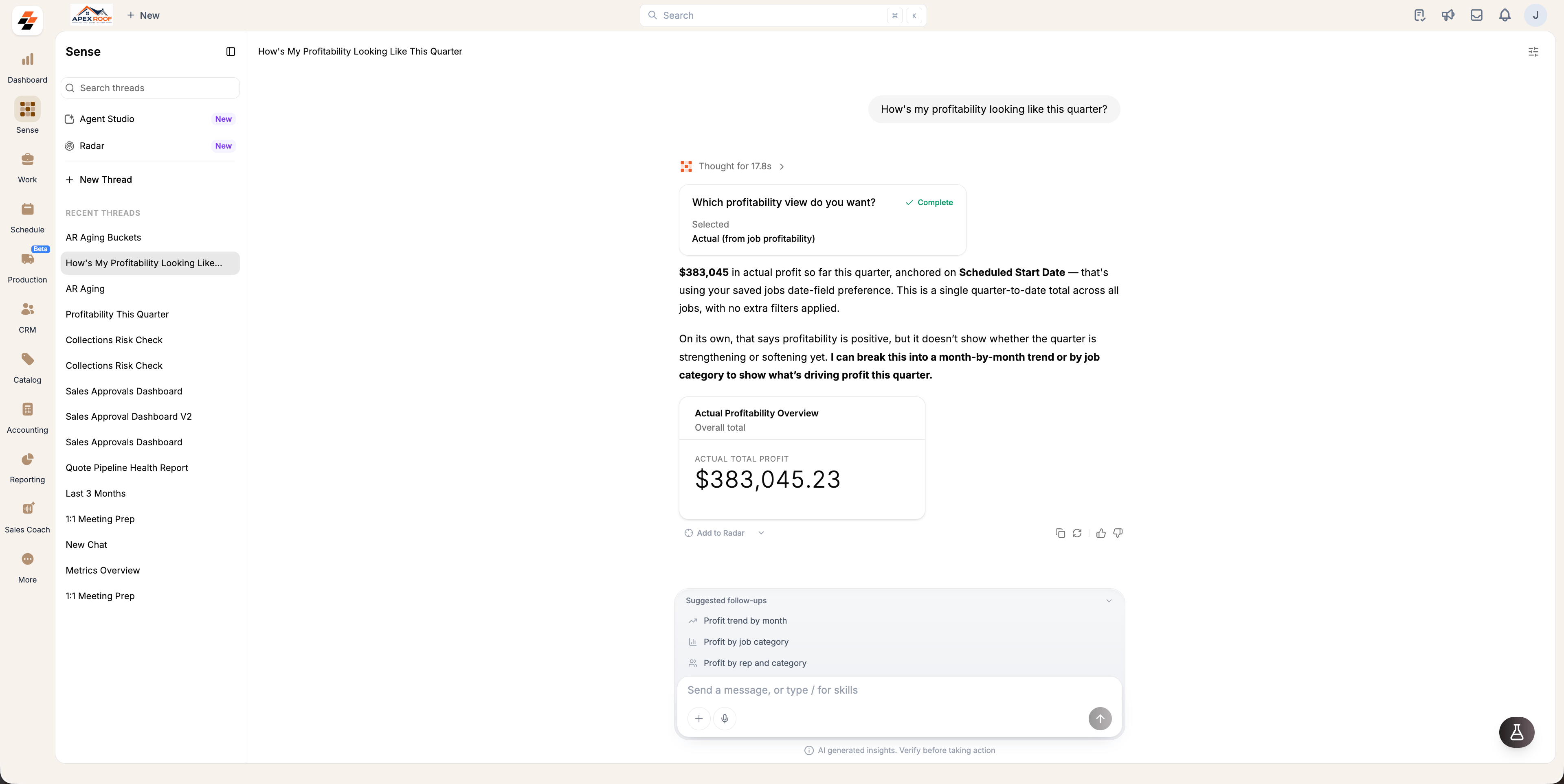 Follow-up questions remain within the same thread, allowing Sense to retain the context of previous questions and responses. This helps you explore a topic further without having to repeat information.
## Clarifying questions
If Sense does not have sufficient context to answer accurately, it will ask one or more clarifying questions rather than guessing. Once you answer, Sense uses that additional context to provide an accurate response.
Follow-up questions remain within the same thread, allowing Sense to retain the context of previous questions and responses. This helps you explore a topic further without having to repeat information.
## Clarifying questions
If Sense does not have sufficient context to answer accurately, it will ask one or more clarifying questions rather than guessing. Once you answer, Sense uses that additional context to provide an accurate response.
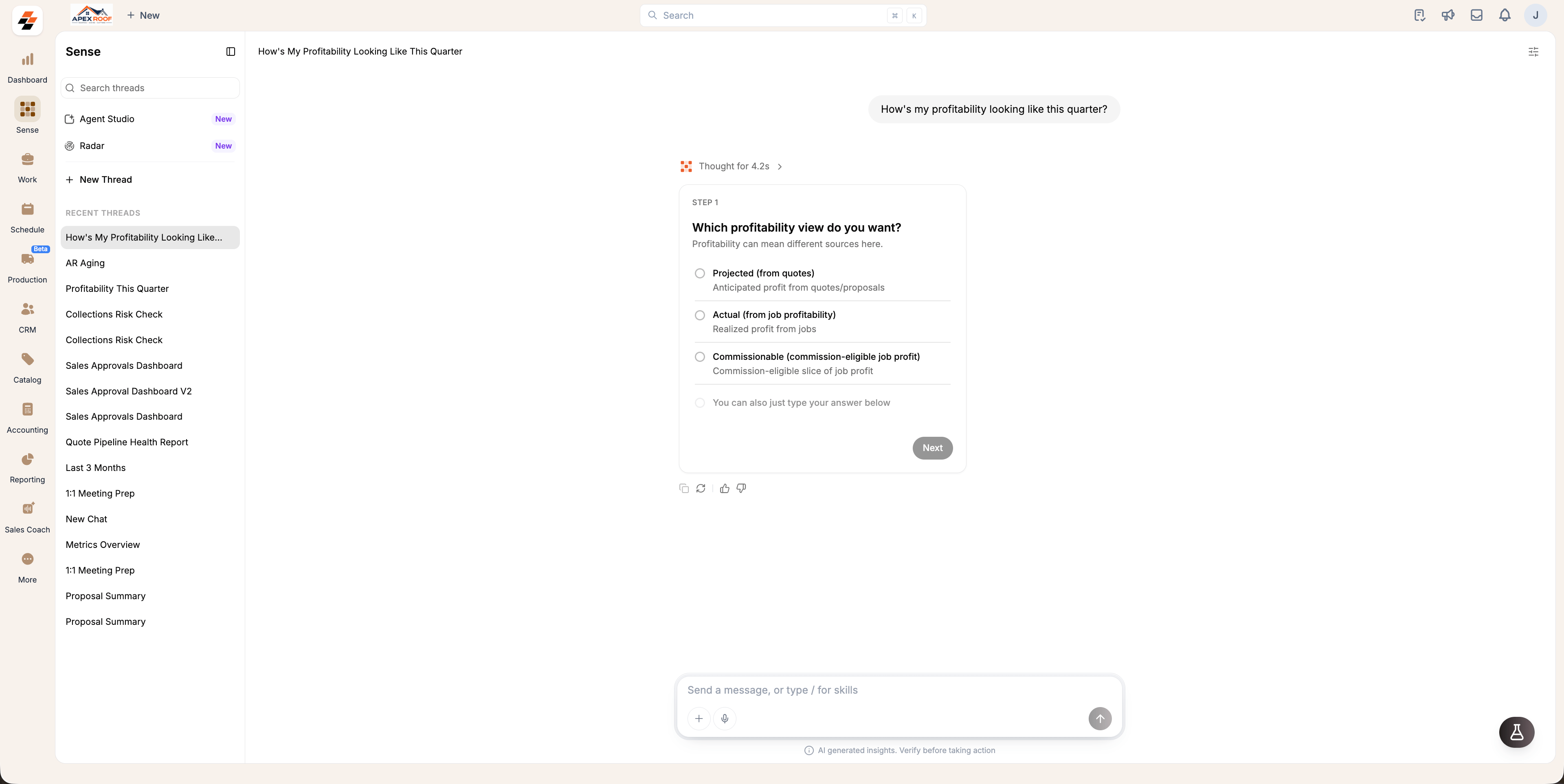 Select one of the options and click **Next**, or enter your answer in the message box instead.
## Pin an answer to a Radar
Save time on recurring KPIs by pinning answers directly to a [**Radar**](/Zuper_Sense/Radar/Overview) rather than repeatedly asking Sense. Pinned cards update live, keeping important metrics visible for you and your team.
1. Click next to **Add to Radar** below the answer to open **Choose a radar**.
2. Select every Radar where you want the card to appear, or click **New Radar** to create a new one (changes save automatically).
3. Close the selector once you are finished.
Select one of the options and click **Next**, or enter your answer in the message box instead.
## Pin an answer to a Radar
Save time on recurring KPIs by pinning answers directly to a [**Radar**](/Zuper_Sense/Radar/Overview) rather than repeatedly asking Sense. Pinned cards update live, keeping important metrics visible for you and your team.
1. Click next to **Add to Radar** below the answer to open **Choose a radar**.
2. Select every Radar where you want the card to appear, or click **New Radar** to create a new one (changes save automatically).
3. Close the selector once you are finished.
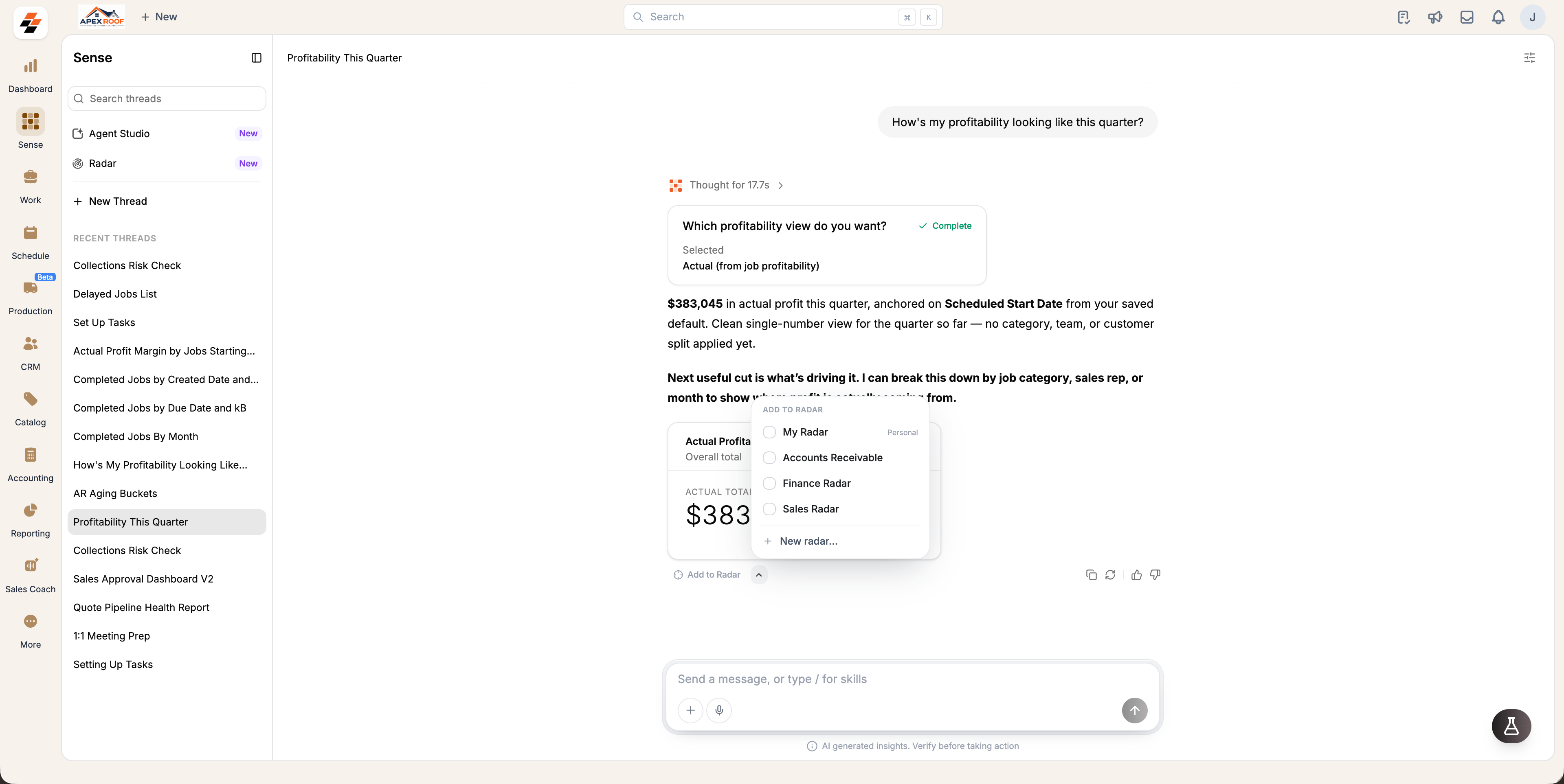 Selecting **Add to Radar** immediately pins the answer in one click and opens the picker so you can add it to additional boards:
* **In a standard thread:** Pins directly to **My Radar**.
* **In a board-initiated thread (via + Add KPI):** Pins directly to that specific board.
Once pinned, the button changes to **View in Radar**, which takes you directly to the card on its board when selected.
## Actions on an answer
Use the actions located in the bottom-right corner of any answer card to manage or refine responses:
* **Copy**: Copy the answer.
* **Rerun**: Re-ask the same question and get a new response.
* **Thumbs up / down:** Submit feedback on the response to help us improve Sense over time.
## Check the sources
When an answer relies on your [**Knowledge Base**](/Zuper_Sense/Agent_Studio/Knowledge_Base) or on Zuper's help documentation, the underlying materials are listed under Sources. Click any source to view the original entry or article. Always check Sources or drill into a Radar card to verify numbers before acting on them.
Selecting **Add to Radar** immediately pins the answer in one click and opens the picker so you can add it to additional boards:
* **In a standard thread:** Pins directly to **My Radar**.
* **In a board-initiated thread (via + Add KPI):** Pins directly to that specific board.
Once pinned, the button changes to **View in Radar**, which takes you directly to the card on its board when selected.
## Actions on an answer
Use the actions located in the bottom-right corner of any answer card to manage or refine responses:
* **Copy**: Copy the answer.
* **Rerun**: Re-ask the same question and get a new response.
* **Thumbs up / down:** Submit feedback on the response to help us improve Sense over time.
## Check the sources
When an answer relies on your [**Knowledge Base**](/Zuper_Sense/Agent_Studio/Knowledge_Base) or on Zuper's help documentation, the underlying materials are listed under Sources. Click any source to view the original entry or article. Always check Sources or drill into a Radar card to verify numbers before acting on them.