> ## Documentation Index
> Fetch the complete documentation index at: https://docs.zuper.co/llms.txt
> Use this file to discover all available pages before exploring further.
# Marketplace agents
> The catalog of agents Zuper builds, from small single-purpose ones to full customer-facing agents.
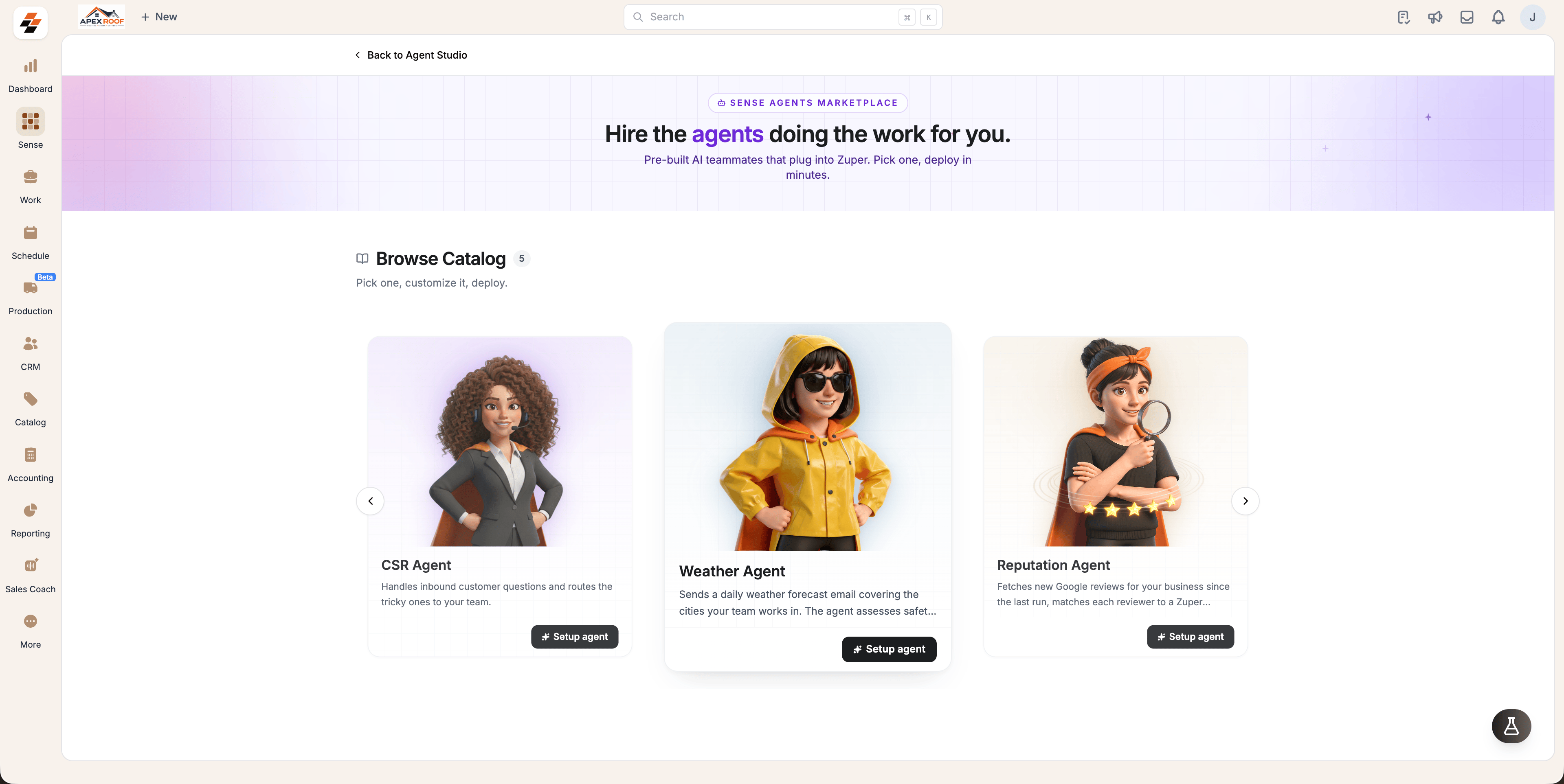
The Marketplace is the library of agents Zuper builds for you. They range from small, single-purpose agents like Weather and Reputation to larger ones like CSR that handle a whole customer conversation.
**Navigation**: *Sense -> Agent Studio -> Marketplace*
## Browse the catalog
1. Open **Sense** from the left navigation, then select **Agent Studio**.
2. Select **Marketplace** in the left panel, or **Browse marketplace** on the **My agents** page.
3. Use **Search agents** or the carousel arrows to move through **Browse Catalog**.
 ## What a catalog card tells you
Each card carries the agent's name, what it does, and a **What it comes with** breakdown of its **Skills**, **Tools**, **Triggers** and **Knowledge**. Select the card to read the full description before you commit to anything.
The button on the card tells you what you can do next:
* **Setup agent** — the agent is available on your plan; start configuring it.
* **Contact us** — the agent is released but not on your plan; our team will get in touch.
* **Notify me** — the agent is marked **COMING SOON** and not built yet.
Setting up an agent is limited to admins.
## Agents available today
| Agent | What it does | Help |
| - | - | - |
| Weather Agent | Sends a weather digest for the cities your crews work in, with safety and work-impact assessments | [**Weather Agent**](/Zuper_Sense/Marketplace_Agents/Weather_Agent) |
| Reputation Agent | Fetches new Google reviews, matches each reviewer to a customer and job, and posts them to chat or email | [**Reputation Agent**](/Zuper_Sense/Marketplace_Agents/Reputation_Agent) |
| CSR Agent | Answers inbound customer calls, handles the request end to end, and routes the tricky ones to your team | [**AI CSR Agent**](/Zuper_Connect/CSR-Agent#ai-csr-agent) |
## After you set one up
An agent you set up appears on **My agents** and is yours to change: everything is editable after setup. Open it there to adjust its configuration, instructions, triggers, knowledge and tools, then select **Save changes**.
After you deploy an agent, select **Run now** to see its output straight away rather than waiting for its first scheduled run.
## What a catalog card tells you
Each card carries the agent's name, what it does, and a **What it comes with** breakdown of its **Skills**, **Tools**, **Triggers** and **Knowledge**. Select the card to read the full description before you commit to anything.
The button on the card tells you what you can do next:
* **Setup agent** — the agent is available on your plan; start configuring it.
* **Contact us** — the agent is released but not on your plan; our team will get in touch.
* **Notify me** — the agent is marked **COMING SOON** and not built yet.
Setting up an agent is limited to admins.
## Agents available today
| Agent | What it does | Help |
| - | - | - |
| Weather Agent | Sends a weather digest for the cities your crews work in, with safety and work-impact assessments | [**Weather Agent**](/Zuper_Sense/Marketplace_Agents/Weather_Agent) |
| Reputation Agent | Fetches new Google reviews, matches each reviewer to a customer and job, and posts them to chat or email | [**Reputation Agent**](/Zuper_Sense/Marketplace_Agents/Reputation_Agent) |
| CSR Agent | Answers inbound customer calls, handles the request end to end, and routes the tricky ones to your team | [**AI CSR Agent**](/Zuper_Connect/CSR-Agent#ai-csr-agent) |
## After you set one up
An agent you set up appears on **My agents** and is yours to change: everything is editable after setup. Open it there to adjust its configuration, instructions, triggers, knowledge and tools, then select **Save changes**.
After you deploy an agent, select **Run now** to see its output straight away rather than waiting for its first scheduled run.