> ## Documentation Index
> Fetch the complete documentation index at: https://docs.zuper.co/llms.txt
> Use this file to discover all available pages before exploring further.
# Workflow Builder Nodes
The Zuper Workflow Builder provides a robust set of nodes to create flexible and automated workflows for managing business processes. This article outlines the available nodes, their descriptions, input/output details, use cases, error handling behaviors, and practical examples to help users effectively utilize the Workflow Builder.
# **Zuper Nodes**
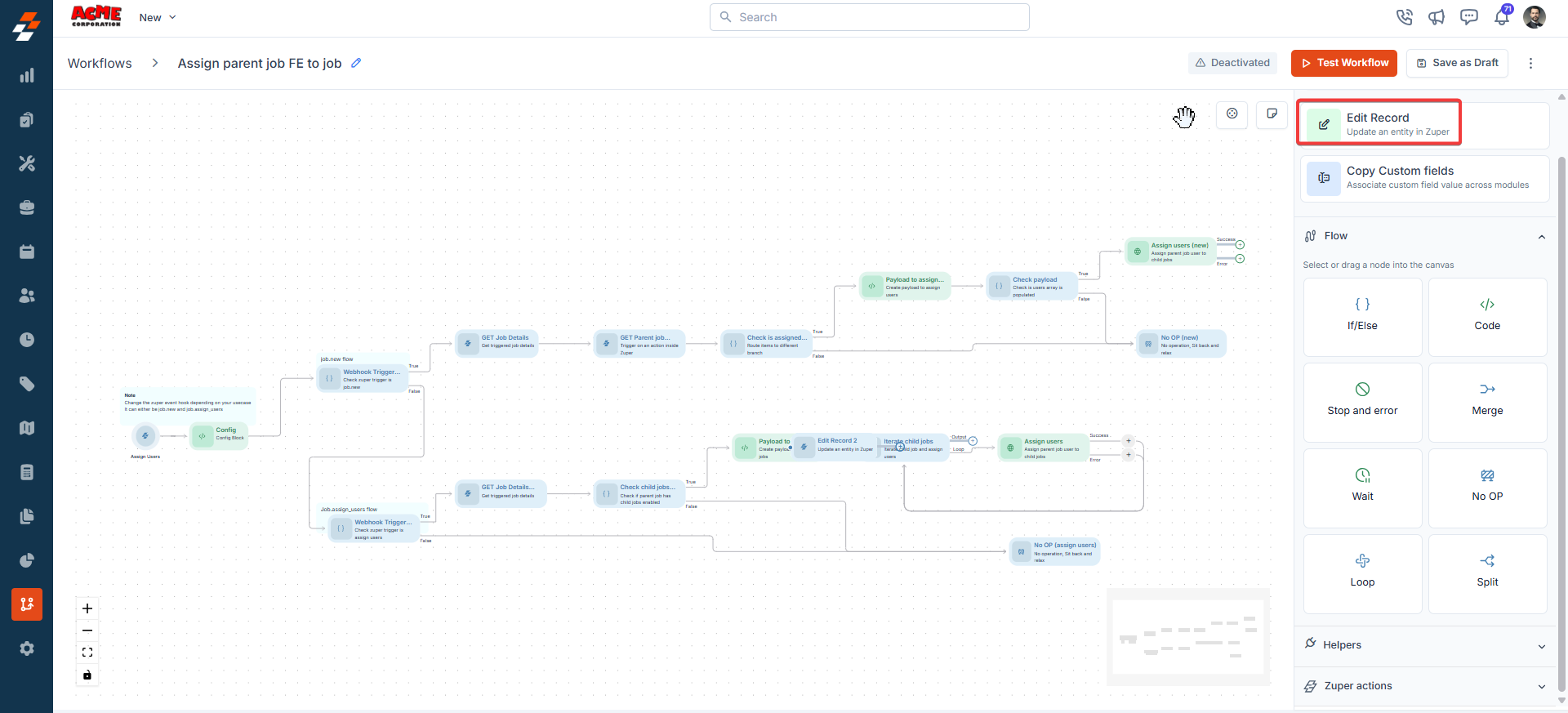
## **1. Edit Record**
**Description**:\
The Edit Record node enables users to modify existing records within various Zuper modules, such as updating job statuses, assigning users, or modifying job schedules.
You can also edit various records.
**Input/Output Details**:
* **Input**: Record ID: The Reference Method (referencing a previous node in the workflow, e.g., Get Job) or the Expression Method can be mapped. Configuration parameters depend on the selected action.
* **Output**: Updated record details, accessible to subsequent nodes.
**Use Cases**:
* Update the status of a job when it progresses to a new stage.
* Modify job schedules dynamically based on customer requests.
* Add service tasks to jobs for additional work requirements.
**Error Handling Behavior**:
* Fails if the record ID is invalid or inaccessible.
* Logs specific error messages for troubleshooting.
**Example**:\
A workflow triggers when a job is created. The Edit Record node is configured to:
* **Action**: Update Job Status.
**Input**: Taking the case of Job, reference the job ID from a "**Get Job**" node and set the status to "In Progress." Alternatively, we can choose the trigger node from a dropdown menu. Modules with a trigger node, get record node, or edit record node can be conveniently selected from the dropdown.
**Output**: The job status is updated, and subsequent nodes can use the updated job data.
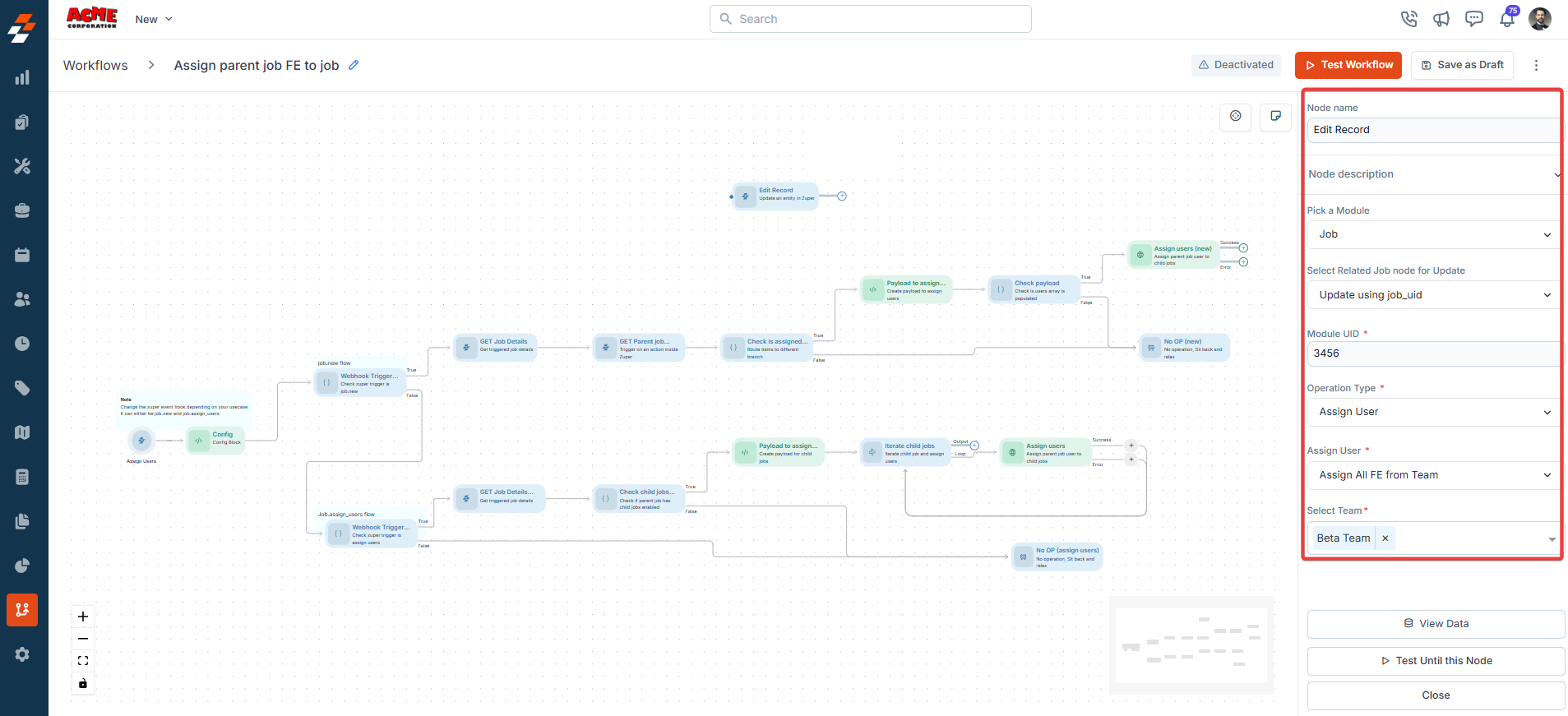
 **Node Name**
A unique identifier for the node in the workflow. Use a descriptive name (e.g., "Assign Parent Job") to easily identify the node's purpose easily.
**Node Description**
A brief explanation of the node's function, such as "**Assigns a parent job to the current job**," helps users understand its role in the workflow.
**Pick a Module**
Select the module this node belongs to. Available modules:
* Job
* Project
* Customer/Contact
* Quotes
* Invoice
* Property
* Contract
* Request
* Asset
**Select Related Job Node for Update**
Choose a job node in the workflow that this node will update. For example, selecting "**Parent Job**" links the current node to a parent job for modification.
**Module UID**
A unique identifier for the module, such as "**3456**". This UID ensures the system correctly references the selected module.
**Operation Type**
Defines the action the node performs, such as "**Update**". Other types might include "**Create**" or "**Delete**", depending on the module.
**Assign User**
Specify the user responsible for the action. For example, "**Assign User**" can assign a job to a specific team member.
**Select Team**
Choose the team responsible for the task, such as "**Beta Team**". This assigns the node's action to all members of the selected team.
**Node Name**
A unique identifier for the node in the workflow. Use a descriptive name (e.g., "Assign Parent Job") to easily identify the node's purpose easily.
**Node Description**
A brief explanation of the node's function, such as "**Assigns a parent job to the current job**," helps users understand its role in the workflow.
**Pick a Module**
Select the module this node belongs to. Available modules:
* Job
* Project
* Customer/Contact
* Quotes
* Invoice
* Property
* Contract
* Request
* Asset
**Select Related Job Node for Update**
Choose a job node in the workflow that this node will update. For example, selecting "**Parent Job**" links the current node to a parent job for modification.
**Module UID**
A unique identifier for the module, such as "**3456**". This UID ensures the system correctly references the selected module.
**Operation Type**
Defines the action the node performs, such as "**Update**". Other types might include "**Create**" or "**Delete**", depending on the module.
**Assign User**
Specify the user responsible for the action. For example, "**Assign User**" can assign a job to a specific team member.
**Select Team**
Choose the team responsible for the task, such as "**Beta Team**". This assigns the node's action to all members of the selected team.
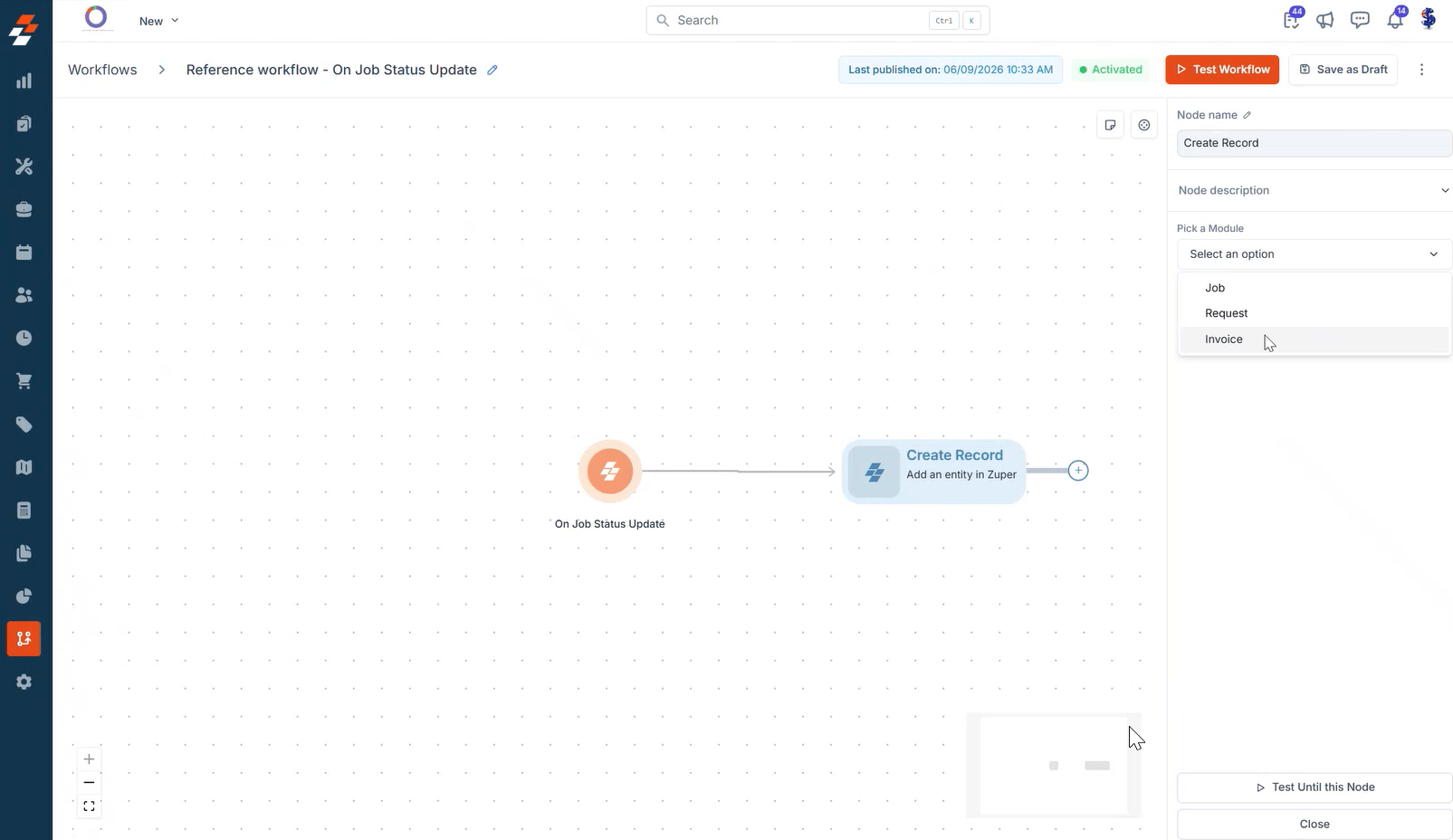
 ## **2. Create Record**
**Description**:\
The Create Record node enables users to add new records within various Zuper modules, such as creating an invoice, a request, or another record type directly from a workflow.
**Input/Output Details**:
* **Input**: Module: The module for the new record, selected from the **Pick a Module** dropdown. Field values for the new record are mapped using the Reference Method or Expression Method.
* **Output**: Newly created record details, accessible to subsequent nodes.
**Use Cases**:
* Create an invoice automatically when a job reaches a specific status.
* Create a follow-up request after a job is completed.
* Add a new asset record when equipment is installed on a job.
**Error Handling Behavior**:
* Fails if required fields for the selected module are missing or invalid.
* Logs specific error messages for troubleshooting.
**Example**:\
A workflow triggers when a job status changes to "Completed." The Create Record node is configured to:
* **Action**: Create Invoice.
**Input**: Module = Invoice; map the job ID and job total from the trigger node to the new invoice.
**Output**: A new invoice record is created, and subsequent nodes can use the invoice details.
**Node Name**
A unique identifier for the node in the workflow. Use a descriptive name to easily identify the node's purpose.
**Node Description**
A brief explanation of the node's function, helping users understand its role in the workflow.
**Pick a Module**
Select the module for the new record. Available modules:
* Job
* Project
* Customer/Contact
* Quotes
* Invoice
* Property
* Contract
* Request
* Asset
## **2. Create Record**
**Description**:\
The Create Record node enables users to add new records within various Zuper modules, such as creating an invoice, a request, or another record type directly from a workflow.
**Input/Output Details**:
* **Input**: Module: The module for the new record, selected from the **Pick a Module** dropdown. Field values for the new record are mapped using the Reference Method or Expression Method.
* **Output**: Newly created record details, accessible to subsequent nodes.
**Use Cases**:
* Create an invoice automatically when a job reaches a specific status.
* Create a follow-up request after a job is completed.
* Add a new asset record when equipment is installed on a job.
**Error Handling Behavior**:
* Fails if required fields for the selected module are missing or invalid.
* Logs specific error messages for troubleshooting.
**Example**:\
A workflow triggers when a job status changes to "Completed." The Create Record node is configured to:
* **Action**: Create Invoice.
**Input**: Module = Invoice; map the job ID and job total from the trigger node to the new invoice.
**Output**: A new invoice record is created, and subsequent nodes can use the invoice details.
**Node Name**
A unique identifier for the node in the workflow. Use a descriptive name to easily identify the node's purpose.
**Node Description**
A brief explanation of the node's function, helping users understand its role in the workflow.
**Pick a Module**
Select the module for the new record. Available modules:
* Job
* Project
* Customer/Contact
* Quotes
* Invoice
* Property
* Contract
* Request
* Asset
 ## **3. Get Record**
**Description**:\
The Get Record node retrieves existing record details from a Zuper module, based on the module UID, and makes that data available to subsequent nodes.
**Input/Output Details**:
* **Input**: Source Module: The module to fetch data from, selected from the **Pick a Source Module** dropdown. Module UID: the unique identifier used to fetch the specific record.
* **Output**: Retrieved record details, accessible to subsequent nodes.
**Use Cases**:
* Retrieve job details to personalize a customer notification.
* Fetch customer contact information before creating a related invoice.
* Pull property details to confirm the service address before dispatching a technician.
**Error Handling Behavior**:
* Fails if the module UID is invalid or the record is inaccessible.
* Logs specific error messages for troubleshooting.
**Example**:\
A workflow triggers when a job status changes. The Get Record node is configured to:
* **Action**: Get Job.
**Input**: Source Module = Jobs; Select Related Jobs Node = Update using module uid.
**Output**: The job record data is fetched and available for subsequent nodes.
**Node Name**
A unique identifier for the node in the workflow. Use a descriptive name to easily identify the node's purpose.
**Node Description**
A brief explanation of the node's function, helping users understand its role in the workflow.
**Pick a Source Module**
Select the module to fetch data from. Available modules:
* Job
* Project
* Customer/Contact
* Quotes
* Invoice
* Property
* Contract
* Request
* Asset
**Select Related \[Module] Node**
Choose how the record is fetched. Selecting **Update using module uid** fetches the record based on the module UID rather than referencing a previous node.
# Zuper Actions
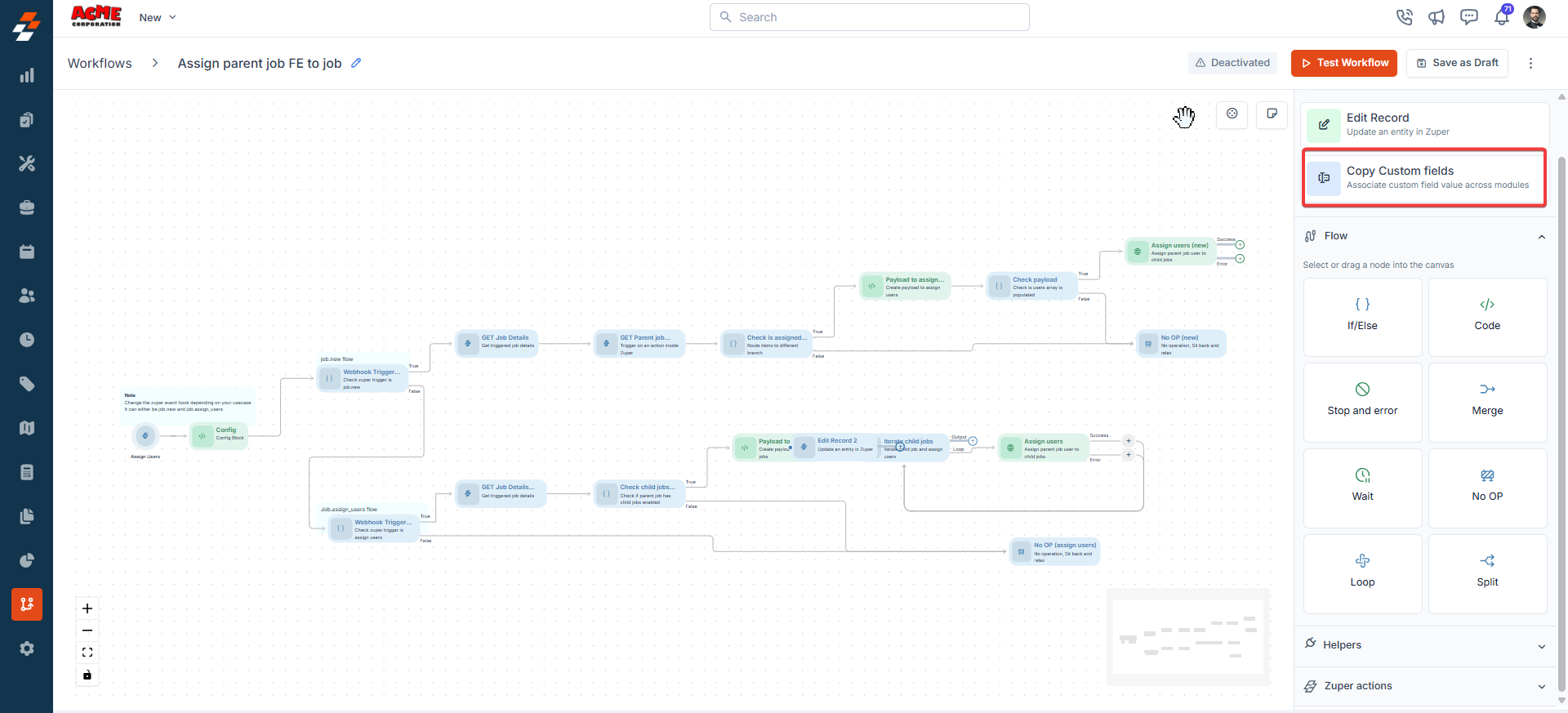
## **1. Copy Custom Fields**
**Description**:\
The Copy Custom Fields node copies field values from one Zuper module to another, enabling data synchronization between modules.
**Input/Output Details**:
* **Input**:
* Source module and record ID (mapped via Reference or Expression Method).
* Destination module and record ID.
* Field mapping strategy: Manual (map fields one by one) or Automatic (copy fields with exact name matches).
* **Output**: The destination module’s updated record with copied field values.
**Use Cases**:
* Copy customer contact details from a Customer module to a Job module.
* Sync custom field data between related records for reporting purposes.
**Error Handling Behavior**:
* Fails if source or destination record IDs are invalid.
* **Example**:\
A workflow copies customer details to a new job:
* **Input**: Source = Customer module (Reference Method, customer ID from a previous node); Destination = Job module; Field Mapping = Automatic (copy "**Customer Name**" and "**Phone Number**").
* **Output**: The job record is updated with the customer’s name and phone number.
## **3. Get Record**
**Description**:\
The Get Record node retrieves existing record details from a Zuper module, based on the module UID, and makes that data available to subsequent nodes.
**Input/Output Details**:
* **Input**: Source Module: The module to fetch data from, selected from the **Pick a Source Module** dropdown. Module UID: the unique identifier used to fetch the specific record.
* **Output**: Retrieved record details, accessible to subsequent nodes.
**Use Cases**:
* Retrieve job details to personalize a customer notification.
* Fetch customer contact information before creating a related invoice.
* Pull property details to confirm the service address before dispatching a technician.
**Error Handling Behavior**:
* Fails if the module UID is invalid or the record is inaccessible.
* Logs specific error messages for troubleshooting.
**Example**:\
A workflow triggers when a job status changes. The Get Record node is configured to:
* **Action**: Get Job.
**Input**: Source Module = Jobs; Select Related Jobs Node = Update using module uid.
**Output**: The job record data is fetched and available for subsequent nodes.
**Node Name**
A unique identifier for the node in the workflow. Use a descriptive name to easily identify the node's purpose.
**Node Description**
A brief explanation of the node's function, helping users understand its role in the workflow.
**Pick a Source Module**
Select the module to fetch data from. Available modules:
* Job
* Project
* Customer/Contact
* Quotes
* Invoice
* Property
* Contract
* Request
* Asset
**Select Related \[Module] Node**
Choose how the record is fetched. Selecting **Update using module uid** fetches the record based on the module UID rather than referencing a previous node.
# Zuper Actions
## **1. Copy Custom Fields**
**Description**:\
The Copy Custom Fields node copies field values from one Zuper module to another, enabling data synchronization between modules.
**Input/Output Details**:
* **Input**:
* Source module and record ID (mapped via Reference or Expression Method).
* Destination module and record ID.
* Field mapping strategy: Manual (map fields one by one) or Automatic (copy fields with exact name matches).
* **Output**: The destination module’s updated record with copied field values.
**Use Cases**:
* Copy customer contact details from a Customer module to a Job module.
* Sync custom field data between related records for reporting purposes.
**Error Handling Behavior**:
* Fails if source or destination record IDs are invalid.
* **Example**:\
A workflow copies customer details to a new job:
* **Input**: Source = Customer module (Reference Method, customer ID from a previous node); Destination = Job module; Field Mapping = Automatic (copy "**Customer Name**" and "**Phone Number**").
* **Output**: The job record is updated with the customer’s name and phone number.
 ## 2. Link Records
**Description**:\
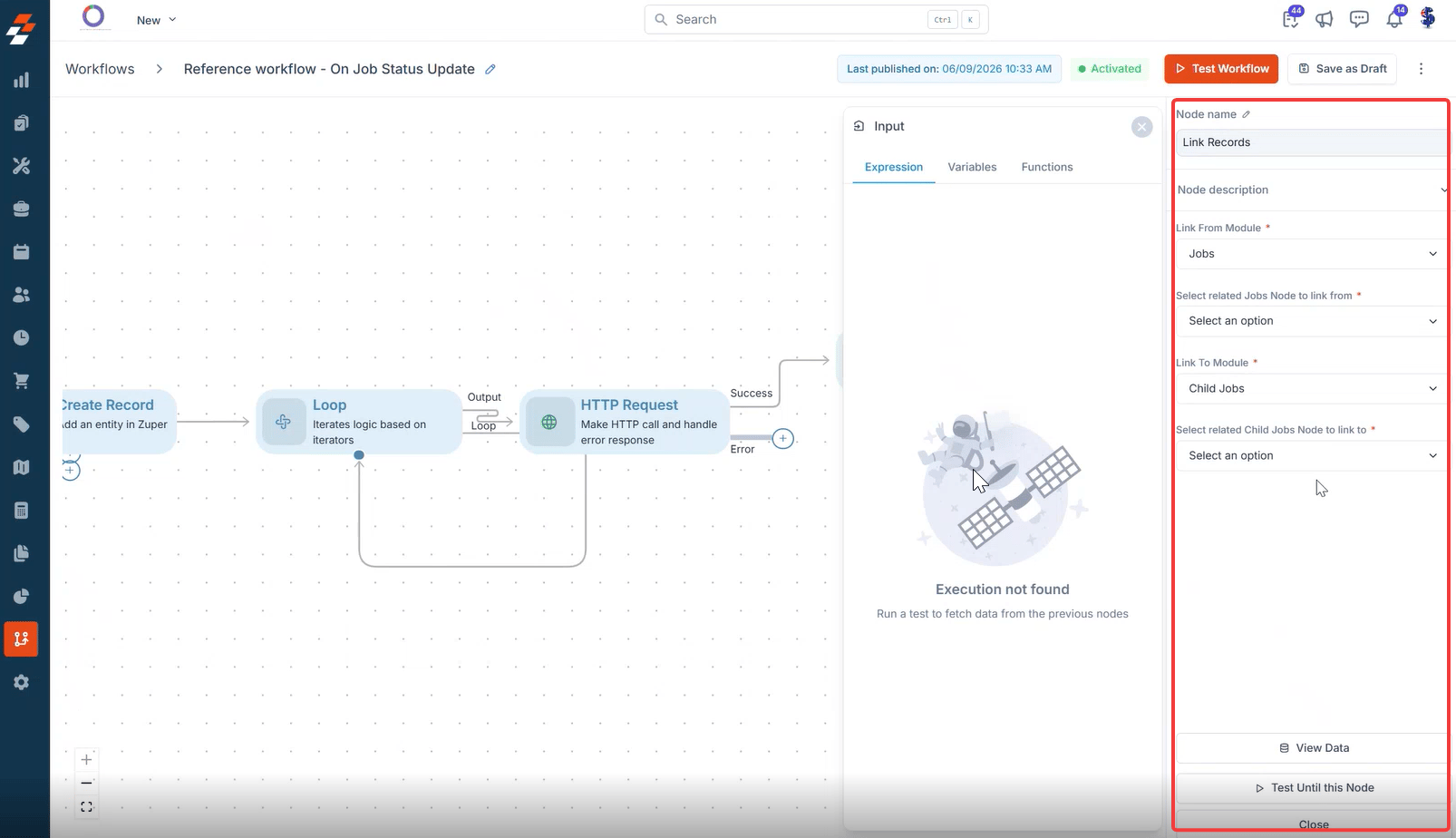
The Link Records node connects a record in one Zuper module to a related record in another module, establishing a relationship between the two, such as linking a child job to its parent job.
**Input/Output Details**:
* **Input**:
* Link From Module: The source module for the relationship (e.g., Jobs).
* Select related \[Module] Node to link from: The node in the workflow that provides the source record.
* Link To Module: The target module for the relationship (e.g., Child Jobs).
* Select related \[Module] Node to link to: The node in the workflow that provides the target record.
* **Output**: Confirmation that the two records are linked, accessible to subsequent nodes.
**Use Cases**:
* Link a newly created child job to its parent job after the child job is created.
* Associate a request with the job it originated from.
* Connect a customer record to a related property record.
**Error Handling Behavior**:
* Fails if either the source or the target record cannot be found.
* Logs specific error messages for troubleshooting.
**Example**:\
A workflow creates a child job, then links it to its parent job:
* **Input**: Link From Module = Jobs; Select related Jobs Node to link from = Get Parent Job; Link To Module = Child Jobs; Select related Child Jobs Node to link to = Create Record.
* **Output**: The child job is linked to the parent job, and subsequent nodes can reference the relationship.
**Node Name**
A unique identifier for the node in the workflow. Use a descriptive name to easily identify the node's purpose.
**Node Description**
A brief explanation of the node's function, helping users understand its role in the workflow.
**Link From Module**
Select the source module for the relationship, such as **Jobs**. This field is mandatory.
**Select related \[Module] Node to link from**
Choose the workflow node that provides the source record. This field is mandatory.
**Link To Module**
Select the target module for the relationship, such as **Child Jobs**. This field is mandatory.
**Select related \[Module] Node to link to**
Choose the workflow node that provides the target record. This field is mandatory.
## 2. Link Records
**Description**:\
The Link Records node connects a record in one Zuper module to a related record in another module, establishing a relationship between the two, such as linking a child job to its parent job.
**Input/Output Details**:
* **Input**:
* Link From Module: The source module for the relationship (e.g., Jobs).
* Select related \[Module] Node to link from: The node in the workflow that provides the source record.
* Link To Module: The target module for the relationship (e.g., Child Jobs).
* Select related \[Module] Node to link to: The node in the workflow that provides the target record.
* **Output**: Confirmation that the two records are linked, accessible to subsequent nodes.
**Use Cases**:
* Link a newly created child job to its parent job after the child job is created.
* Associate a request with the job it originated from.
* Connect a customer record to a related property record.
**Error Handling Behavior**:
* Fails if either the source or the target record cannot be found.
* Logs specific error messages for troubleshooting.
**Example**:\
A workflow creates a child job, then links it to its parent job:
* **Input**: Link From Module = Jobs; Select related Jobs Node to link from = Get Parent Job; Link To Module = Child Jobs; Select related Child Jobs Node to link to = Create Record.
* **Output**: The child job is linked to the parent job, and subsequent nodes can reference the relationship.
**Node Name**
A unique identifier for the node in the workflow. Use a descriptive name to easily identify the node's purpose.
**Node Description**
A brief explanation of the node's function, helping users understand its role in the workflow.
**Link From Module**
Select the source module for the relationship, such as **Jobs**. This field is mandatory.
**Select related \[Module] Node to link from**
Choose the workflow node that provides the source record. This field is mandatory.
**Link To Module**
Select the target module for the relationship, such as **Child Jobs**. This field is mandatory.
**Select related \[Module] Node to link to**
Choose the workflow node that provides the target record. This field is mandatory.
 ## Flows
### **1. IF/Else**
**Description**:\
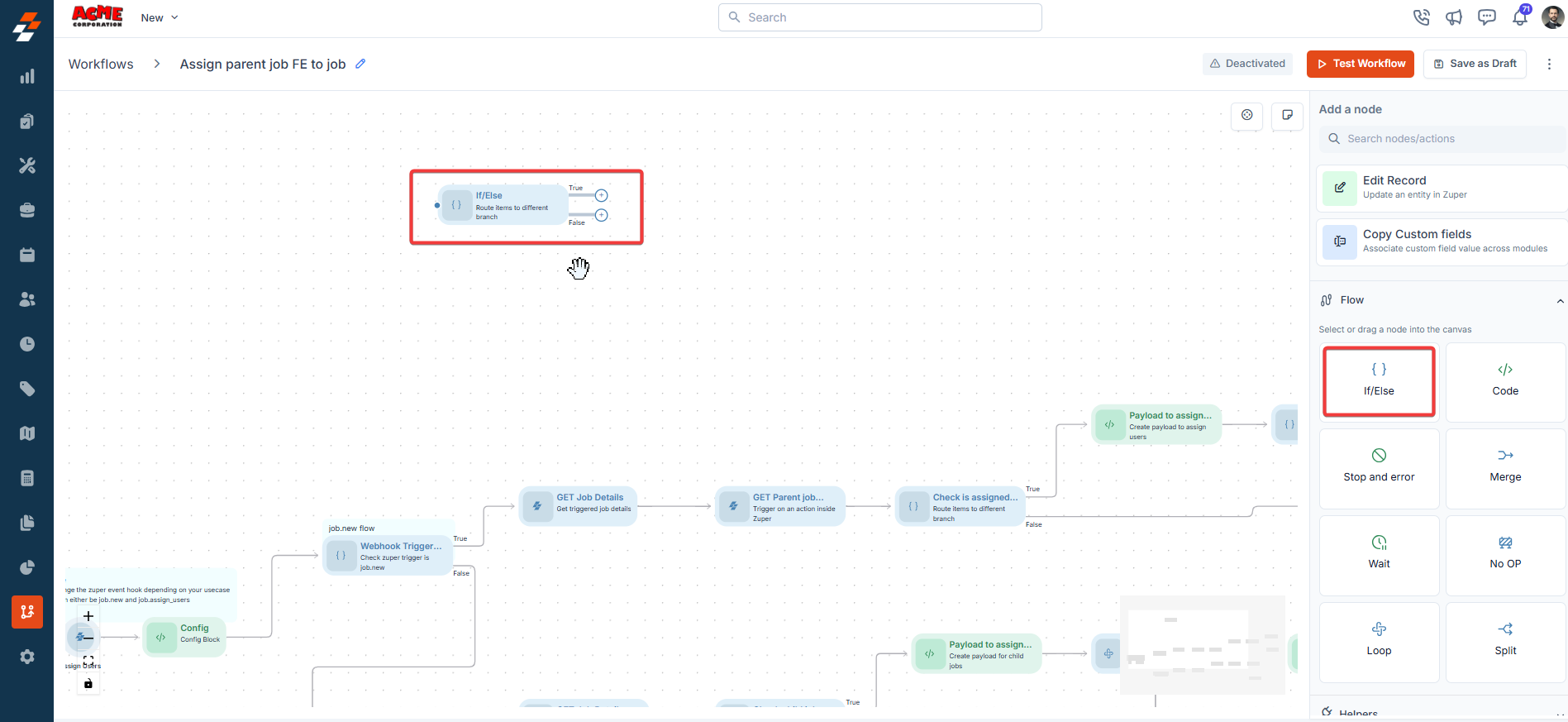
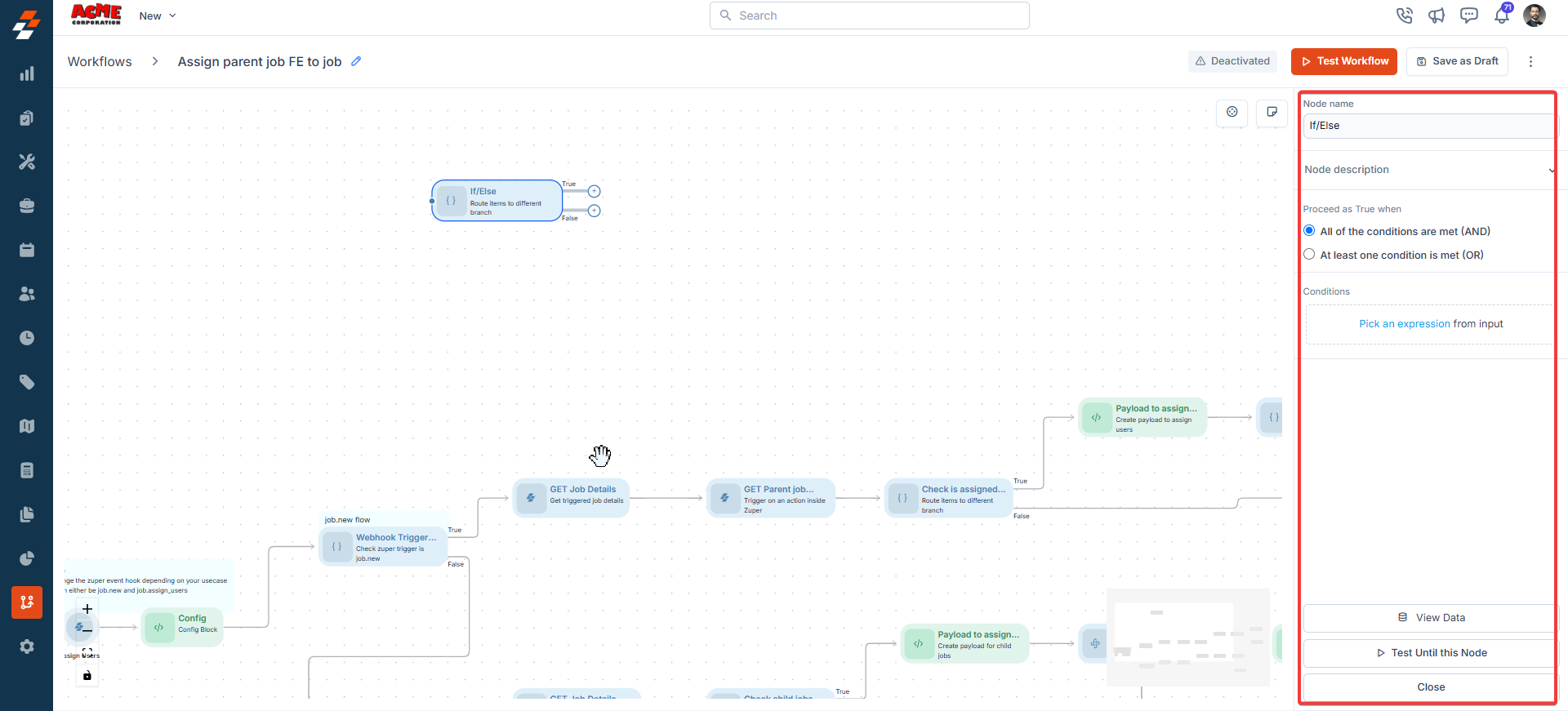
The IF/Else node creates branching logic in workflows based on conditions, allowing different paths for true or false outcomes.
**Input/Output Details**:
* **Input**:
* Conditions are defined using the expression picker to compare values from previous nodes.
* Logical operators (AND/OR) for multiple conditions.
* Connections to "**true**" and "**false**" paths.
* **Output**: The workflow follows the "true" or "false" path based on condition evaluation.
**Use Cases**:
* Route a job to a senior technician if the job priority is "**High**."
* Skip the notification steps if a job has already been completed.
**Error Handling Behavior**:
* Fails if conditions are improperly configured (e.g., invalid expressions).
* **Example**:\
A workflow checks if a job’s priority is "**High**":
* **Input**: Condition = "Job.Priority == 'High'" (using expression picker); Operator = AND; True Path = Assign Senior Technician; False Path = Assign Regular Technician.
* **Output**: The workflow follows the appropriate path based on the job’s priority.
## Flows
### **1. IF/Else**
**Description**:\
The IF/Else node creates branching logic in workflows based on conditions, allowing different paths for true or false outcomes.
**Input/Output Details**:
* **Input**:
* Conditions are defined using the expression picker to compare values from previous nodes.
* Logical operators (AND/OR) for multiple conditions.
* Connections to "**true**" and "**false**" paths.
* **Output**: The workflow follows the "true" or "false" path based on condition evaluation.
**Use Cases**:
* Route a job to a senior technician if the job priority is "**High**."
* Skip the notification steps if a job has already been completed.
**Error Handling Behavior**:
* Fails if conditions are improperly configured (e.g., invalid expressions).
* **Example**:\
A workflow checks if a job’s priority is "**High**":
* **Input**: Condition = "Job.Priority == 'High'" (using expression picker); Operator = AND; True Path = Assign Senior Technician; False Path = Assign Regular Technician.
* **Output**: The workflow follows the appropriate path based on the job’s priority.
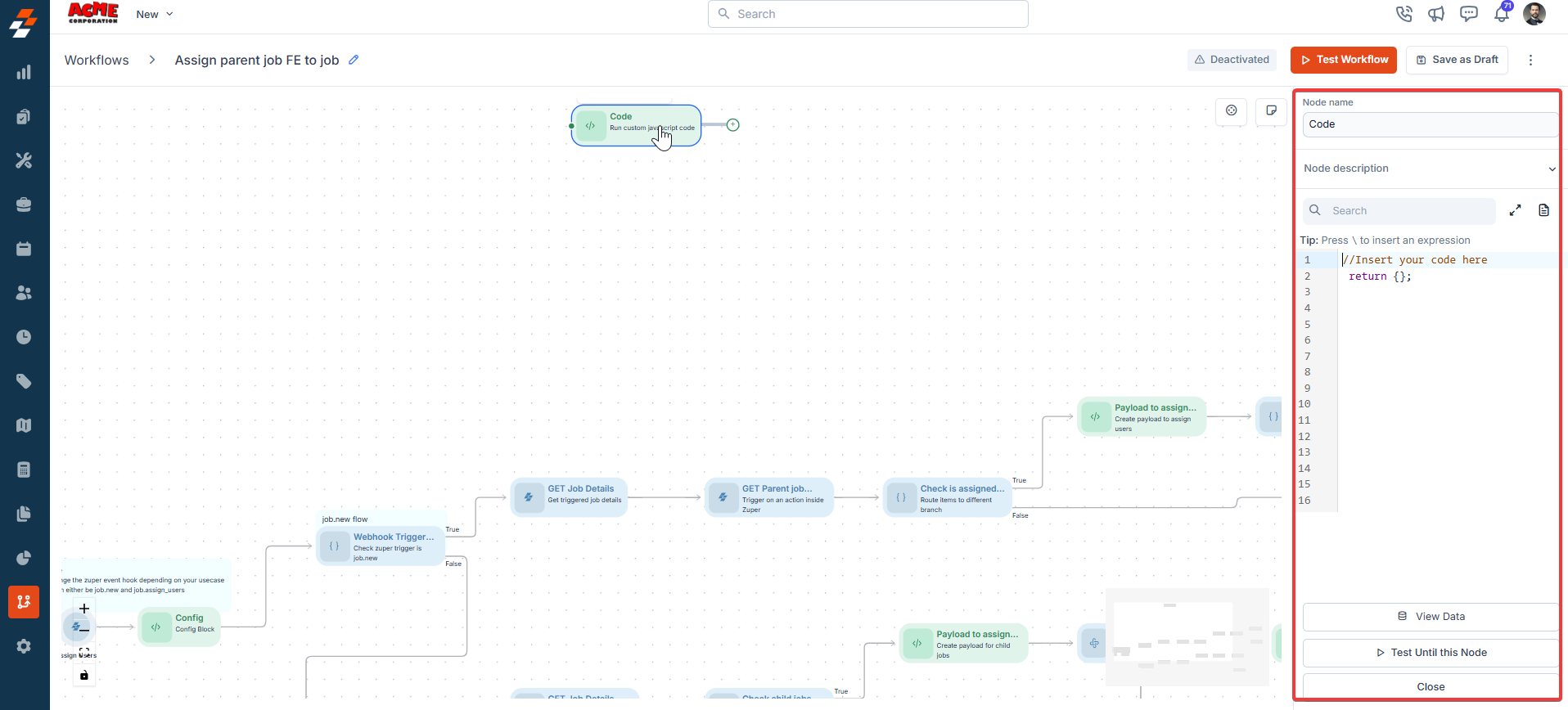
 ### **2. Code**
**Description**:\
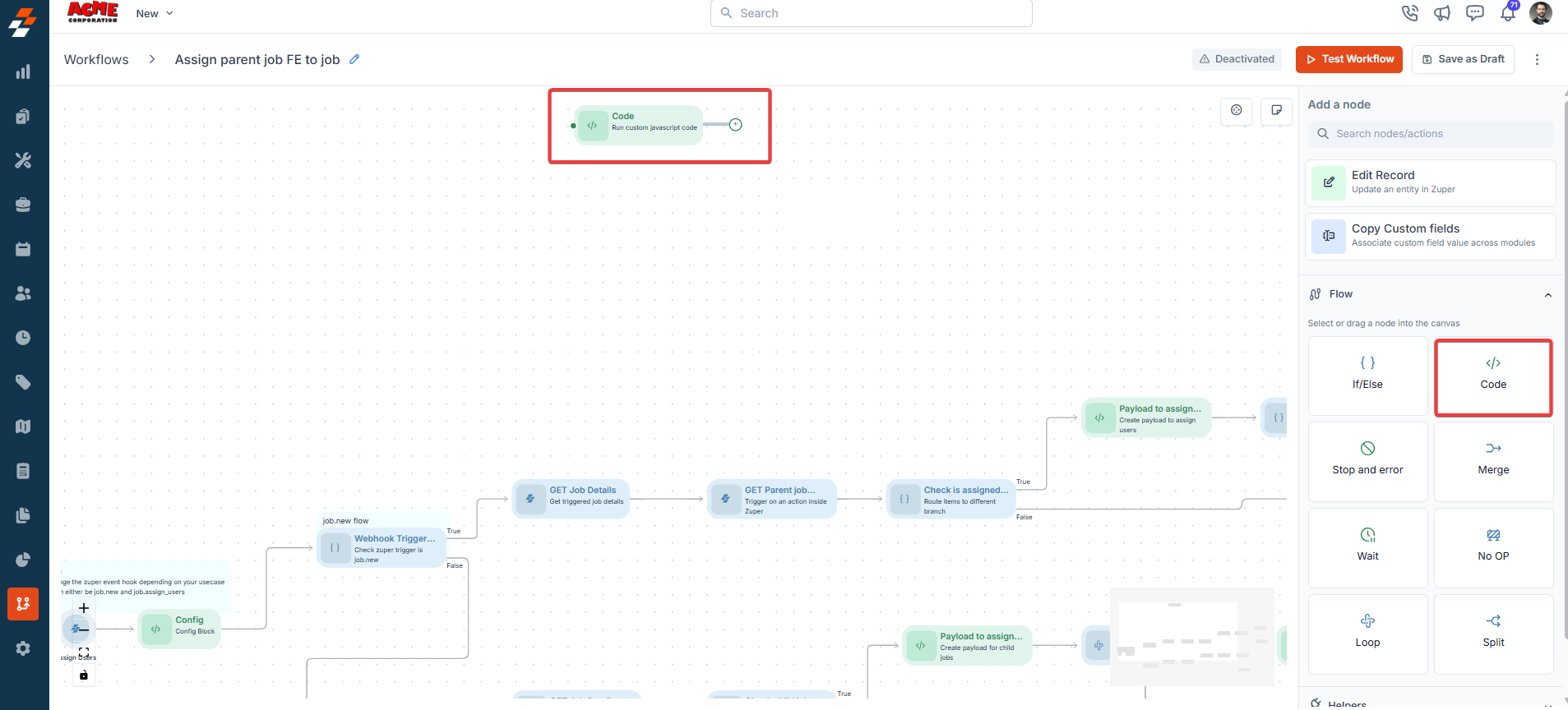
The Code node executes custom JavaScript logic, supporting 15 pre-installed libraries.
**Supported Libraries:**
1. Axios
2. Underscore
3. Geolib
4. Zuper-sdk
5. Lodash
6. Async
7. Moment-range
8. Moment-timezone
9. Crypto-js
10. Form-data
11. Xlsx
12. Googleapis
13. MySql
14. Dayjs
15. Moment
16. Xmldom
17. Xml-js
18. Parse5
19. Jsrsasign
20. Number-to-words
21. Jsonwebtoken
**Input/Output Details**:
* **Input**: JavaScript code with references to variables from previous nodes.
* **Output**: Results specified in the code’s return statement, accessible to subsequent nodes.
**Use Cases**:
* Perform complex calculations (e.g., calculate job cost based on hours and rates).
* Transform data formats for integration with external systems.
**Error Handling Behavior**:
* Fails if the code contains syntax errors or runtime exceptions.
* Logs specific JavaScript errors (e.g., "ReferenceError: variable undefined").
**Example**:\
// Input: Retrieve hours worked from previous node data
Input Fields
Hours Worked: 10
Hourly Rate: 50
Action
Multiply Hours Worked by Hourly Rate
Formula
Total Cost = Hours Worked × Hourly Rate
Output
Cost = 500
### **2. Code**
**Description**:\
The Code node executes custom JavaScript logic, supporting 15 pre-installed libraries.
**Supported Libraries:**
1. Axios
2. Underscore
3. Geolib
4. Zuper-sdk
5. Lodash
6. Async
7. Moment-range
8. Moment-timezone
9. Crypto-js
10. Form-data
11. Xlsx
12. Googleapis
13. MySql
14. Dayjs
15. Moment
16. Xmldom
17. Xml-js
18. Parse5
19. Jsrsasign
20. Number-to-words
21. Jsonwebtoken
**Input/Output Details**:
* **Input**: JavaScript code with references to variables from previous nodes.
* **Output**: Results specified in the code’s return statement, accessible to subsequent nodes.
**Use Cases**:
* Perform complex calculations (e.g., calculate job cost based on hours and rates).
* Transform data formats for integration with external systems.
**Error Handling Behavior**:
* Fails if the code contains syntax errors or runtime exceptions.
* Logs specific JavaScript errors (e.g., "ReferenceError: variable undefined").
**Example**:\
// Input: Retrieve hours worked from previous node data
Input Fields
Hours Worked: 10
Hourly Rate: 50
Action
Multiply Hours Worked by Hourly Rate
Formula
Total Cost = Hours Worked × Hourly Rate
Output
Cost = 500
 ### **3. Stop and Error**
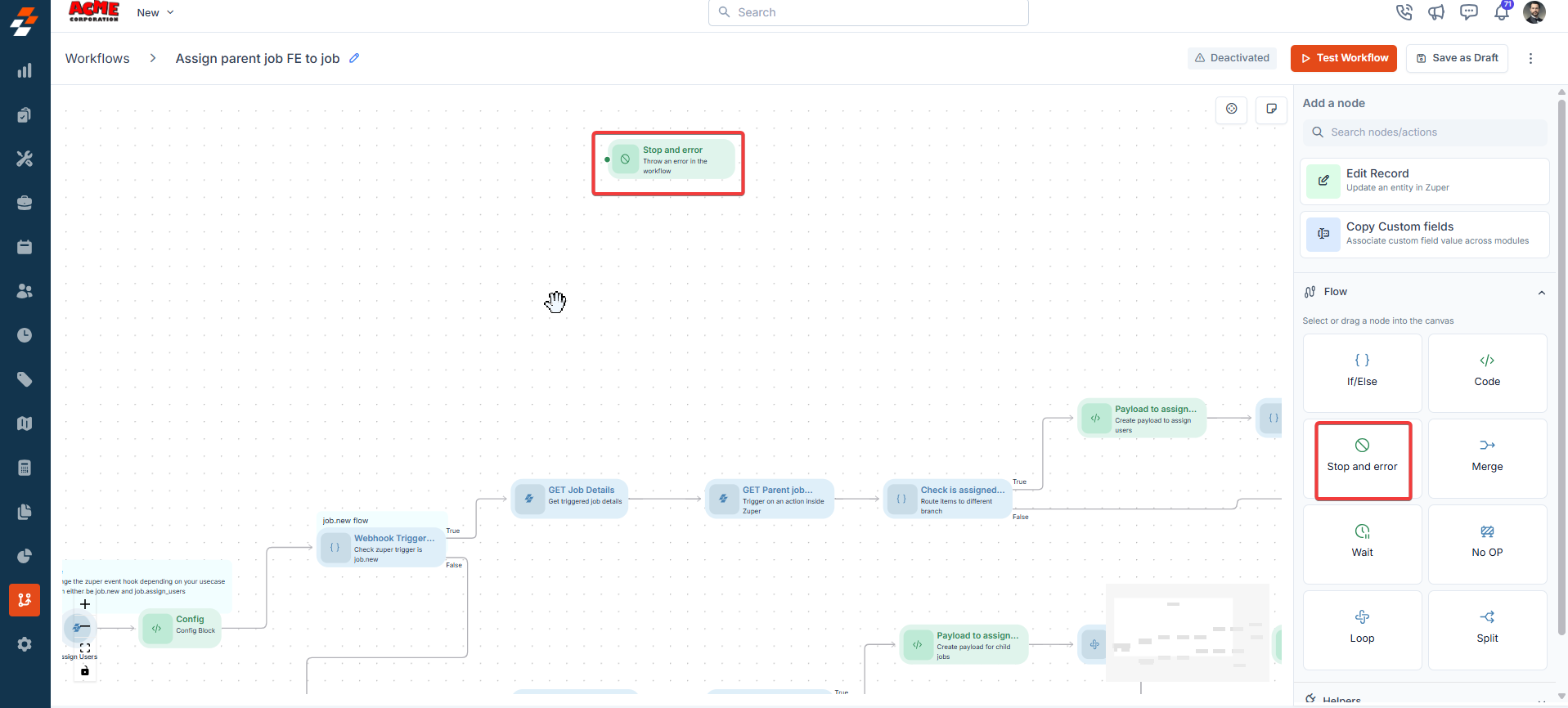
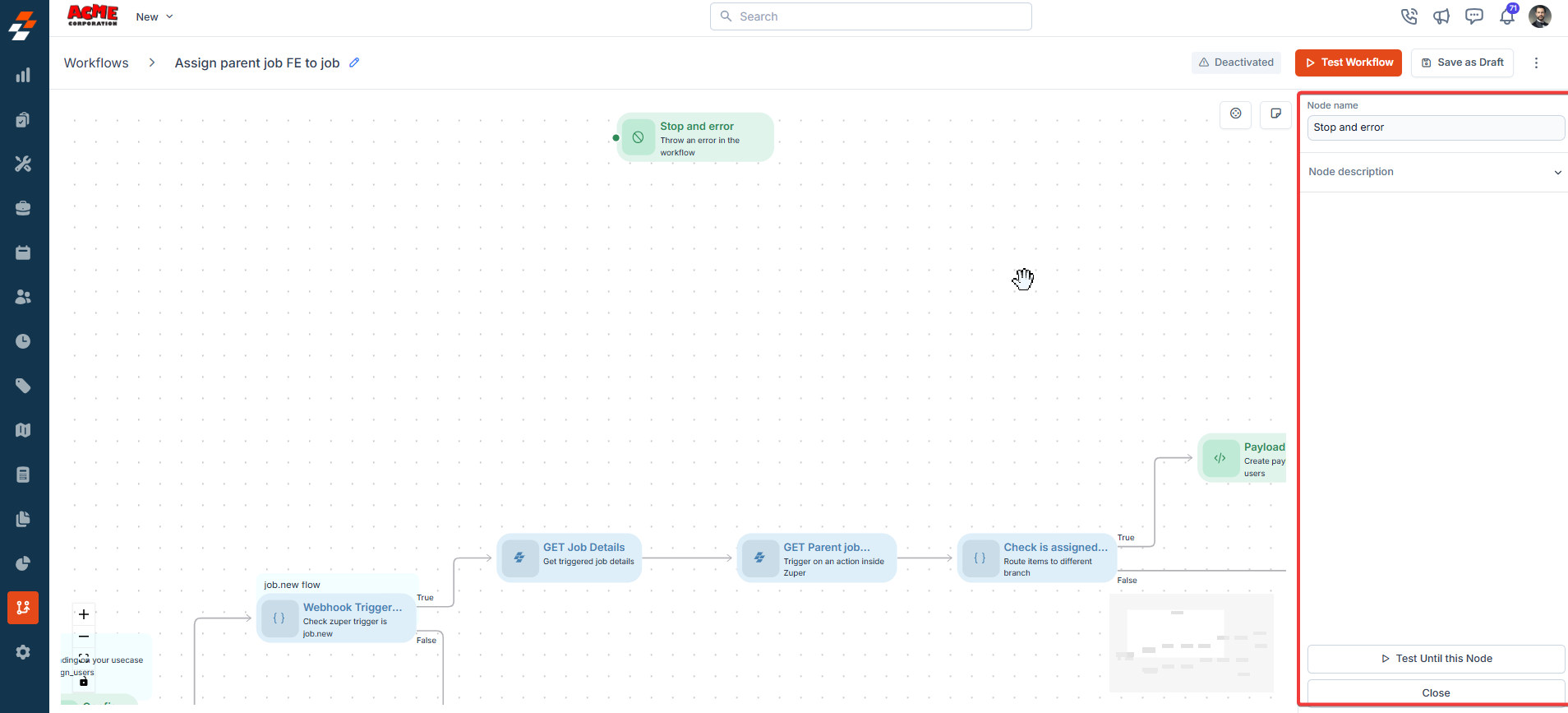
**Description**:\
The Stop and Error node halts workflow execution and marks it as failed. It is typically used in error-handling branches.
**Input/Output Details**:
* **Input**: Optional error message or reason.
* **Output**: None (workflow terminates).
**Use Cases**:
* Stop a workflow if an API call fails.
* Mark a workflow as failed if critical conditions are not met.
**Error Handling Behavior**:
* Always marks the workflow as failed.
**Example**:\
A workflow stops if a job cannot be assigned:
* **Input**: Error Message = "**No available technicians**."
* **Output**: Workflow terminates, and the error message is logged.
### **3. Stop and Error**
**Description**:\
The Stop and Error node halts workflow execution and marks it as failed. It is typically used in error-handling branches.
**Input/Output Details**:
* **Input**: Optional error message or reason.
* **Output**: None (workflow terminates).
**Use Cases**:
* Stop a workflow if an API call fails.
* Mark a workflow as failed if critical conditions are not met.
**Error Handling Behavior**:
* Always marks the workflow as failed.
**Example**:\
A workflow stops if a job cannot be assigned:
* **Input**: Error Message = "**No available technicians**."
* **Output**: Workflow terminates, and the error message is logged.
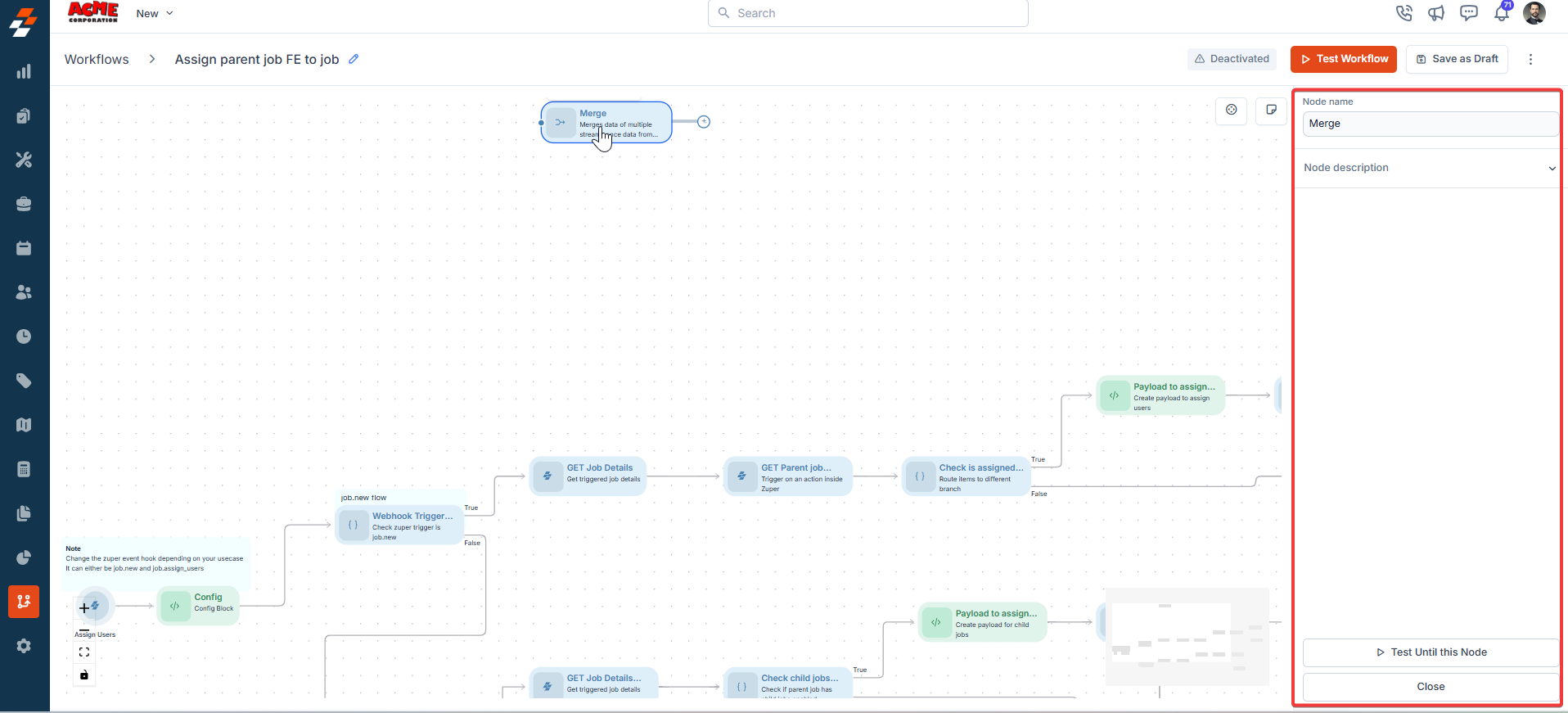
 ### **4. Merge**
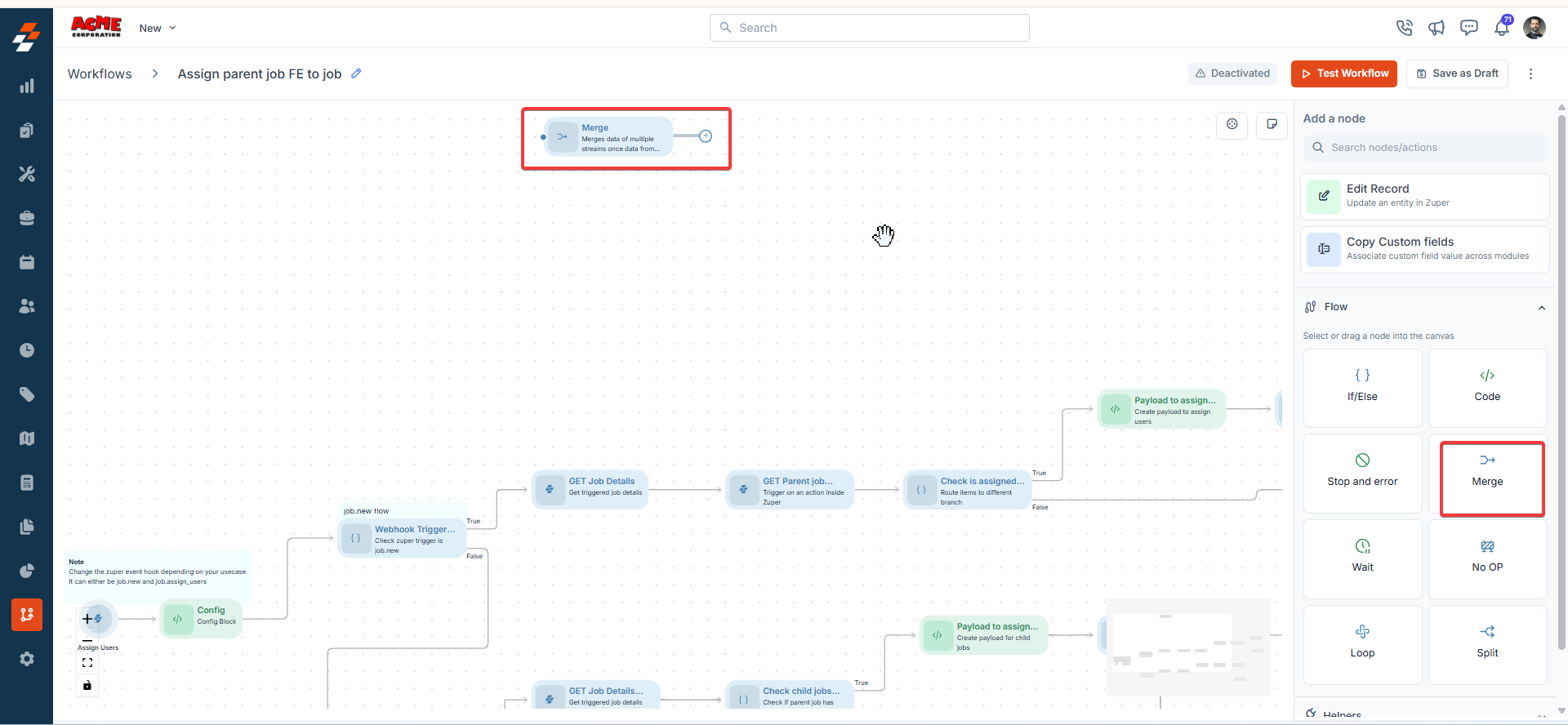
**Description**:\
The Merge node combines multiple workflow paths into one path and continues execution even when one or more connected branches were never executed.
**Input/Output Details**:
* **Input**: Multiple incoming workflow branches, whether or not each branch executed.
* **Output**: Continues to the next node once a connected branch completes, regardless of any unexecuted branches.
**Use Cases**:
* Combine parallel processing paths after updating multiple job fields.
* Reconnect branching paths from an If/Else node, such as Approved and Rejected outcomes, before a final step.
**Error Handling Behavior**:
* Continues execution even if one or more connected branches were never executed.
**Example**:\
An approval workflow follows either the Approved or Rejected path. Both branches reconnect to a Merge node before sending a final notification.
* **Input**: Connect both the Approved and Rejected branches to the Merge node.
* **Output**: The workflow continues to the final notification regardless of which path executed.
### **4. Merge**
**Description**:\
The Merge node combines multiple workflow paths into one path and continues execution even when one or more connected branches were never executed.
**Input/Output Details**:
* **Input**: Multiple incoming workflow branches, whether or not each branch executed.
* **Output**: Continues to the next node once a connected branch completes, regardless of any unexecuted branches.
**Use Cases**:
* Combine parallel processing paths after updating multiple job fields.
* Reconnect branching paths from an If/Else node, such as Approved and Rejected outcomes, before a final step.
**Error Handling Behavior**:
* Continues execution even if one or more connected branches were never executed.
**Example**:\
An approval workflow follows either the Approved or Rejected path. Both branches reconnect to a Merge node before sending a final notification.
* **Input**: Connect both the Approved and Rejected branches to the Merge node.
* **Output**: The workflow continues to the final notification regardless of which path executed.
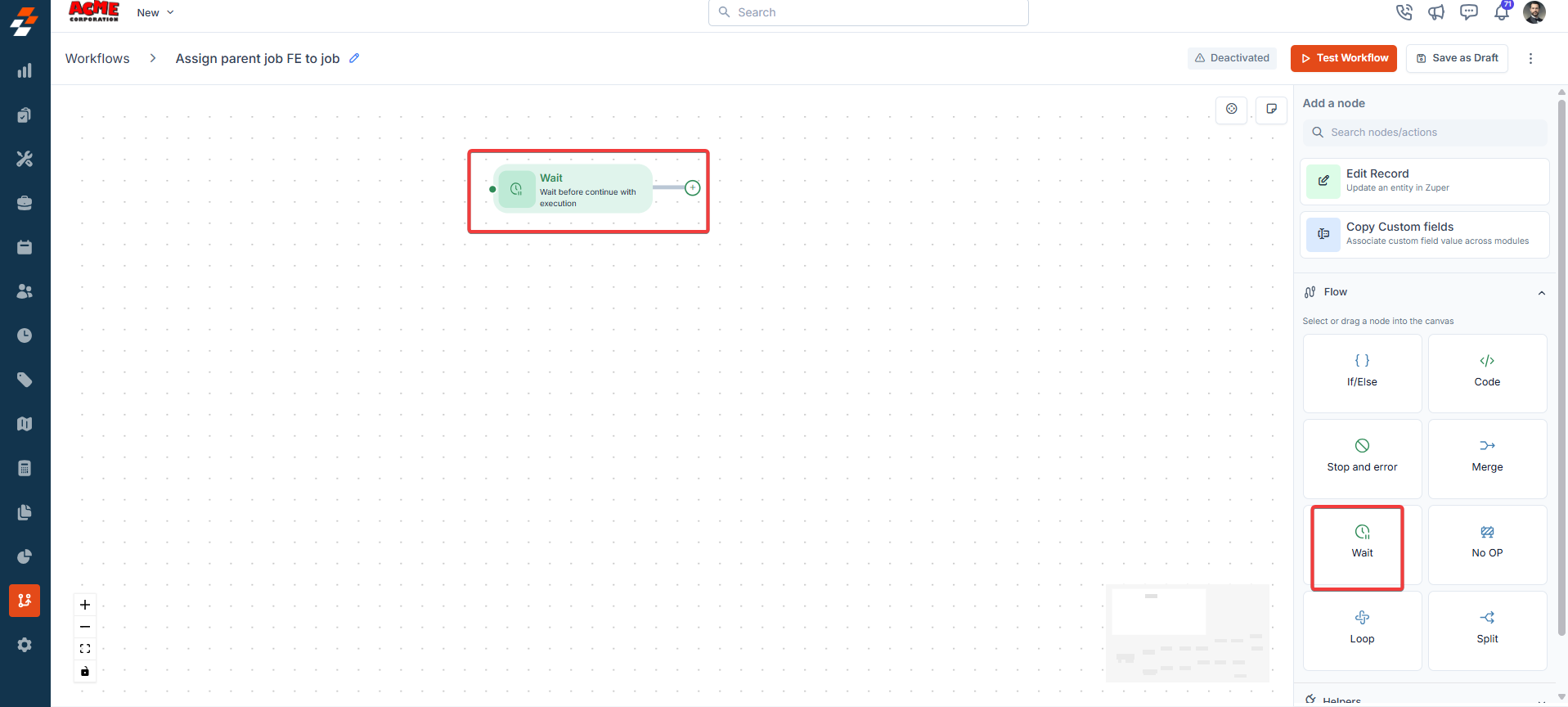
 ### **5. Wait**
**Description**:\
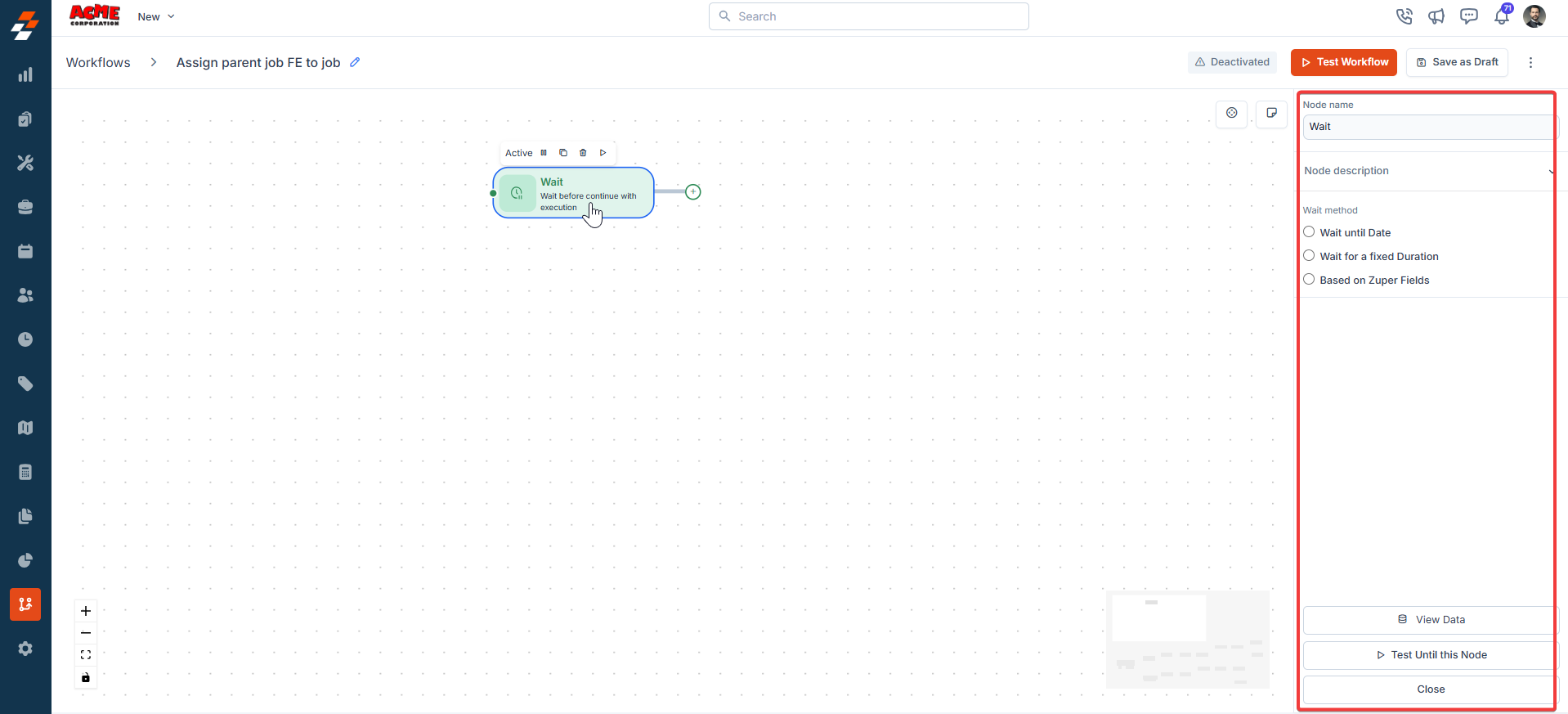
The Wait node pauses workflow execution for a specified duration or until a specific date/time, capturing updates to mapped date fields.
**Input/Output Details**:
* **Input**: Wait duration or specific date/time; option only to capture Zuper field updates.
* **Output**: Updated field values (if configured) and continuation to the next node.
**Use Cases**:
* Pause a workflow until a scheduled job start time.
**Error Handling Behavior**:
* Fails if the wait duration is invalid (e.g., negative duration).
* Logs errors like "**Invalid value of Date and Time**."
**Example**:\
A workflow pauses for 24 hours:
* **Input**: Wait Duration = 24 hours; Capture Updates = Job Schedule Date.
* **Output**: Workflow pauses, captures any schedule changes, and proceeds.
### **5. Wait**
**Description**:\
The Wait node pauses workflow execution for a specified duration or until a specific date/time, capturing updates to mapped date fields.
**Input/Output Details**:
* **Input**: Wait duration or specific date/time; option only to capture Zuper field updates.
* **Output**: Updated field values (if configured) and continuation to the next node.
**Use Cases**:
* Pause a workflow until a scheduled job start time.
**Error Handling Behavior**:
* Fails if the wait duration is invalid (e.g., negative duration).
* Logs errors like "**Invalid value of Date and Time**."
**Example**:\
A workflow pauses for 24 hours:
* **Input**: Wait Duration = 24 hours; Capture Updates = Job Schedule Date.
* **Output**: Workflow pauses, captures any schedule changes, and proceeds.
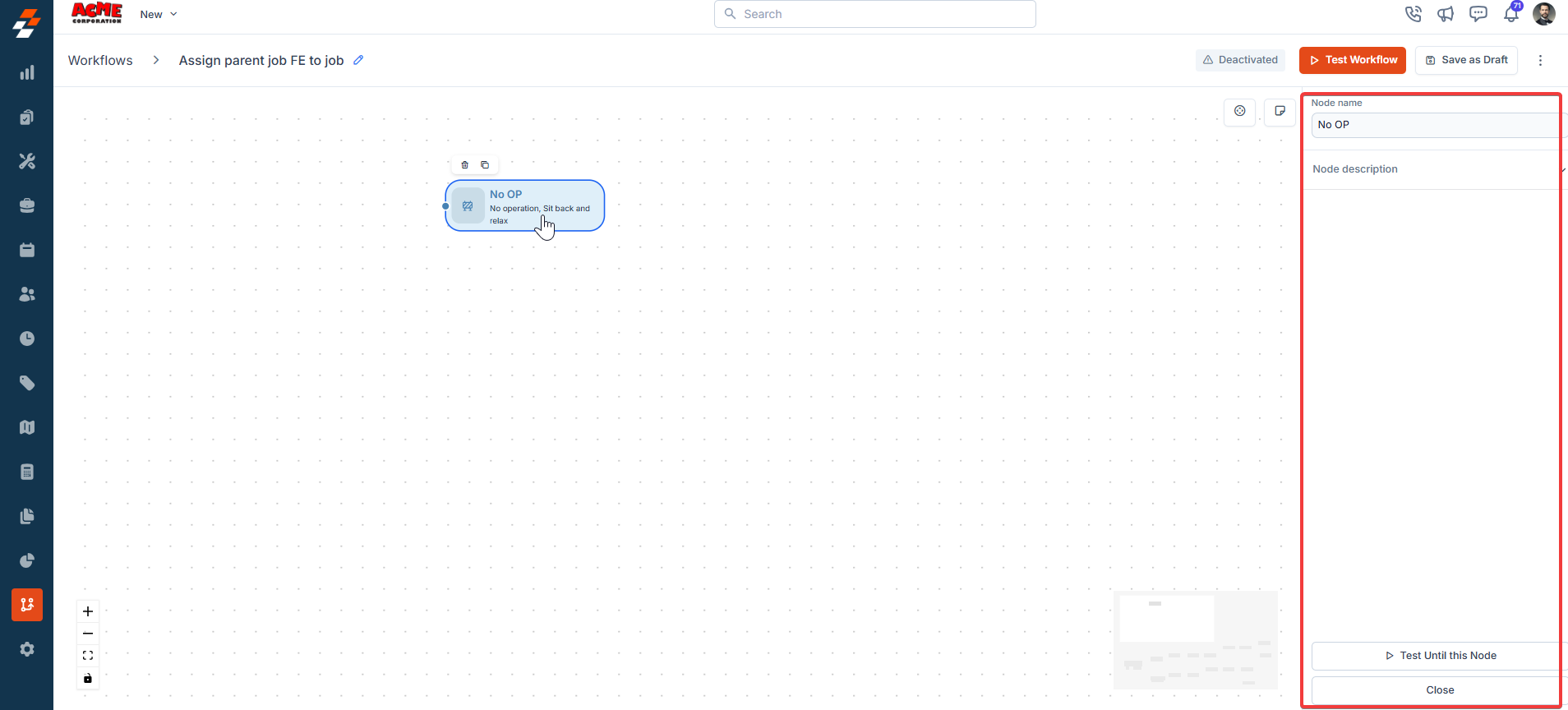
 ### **6. No Op**
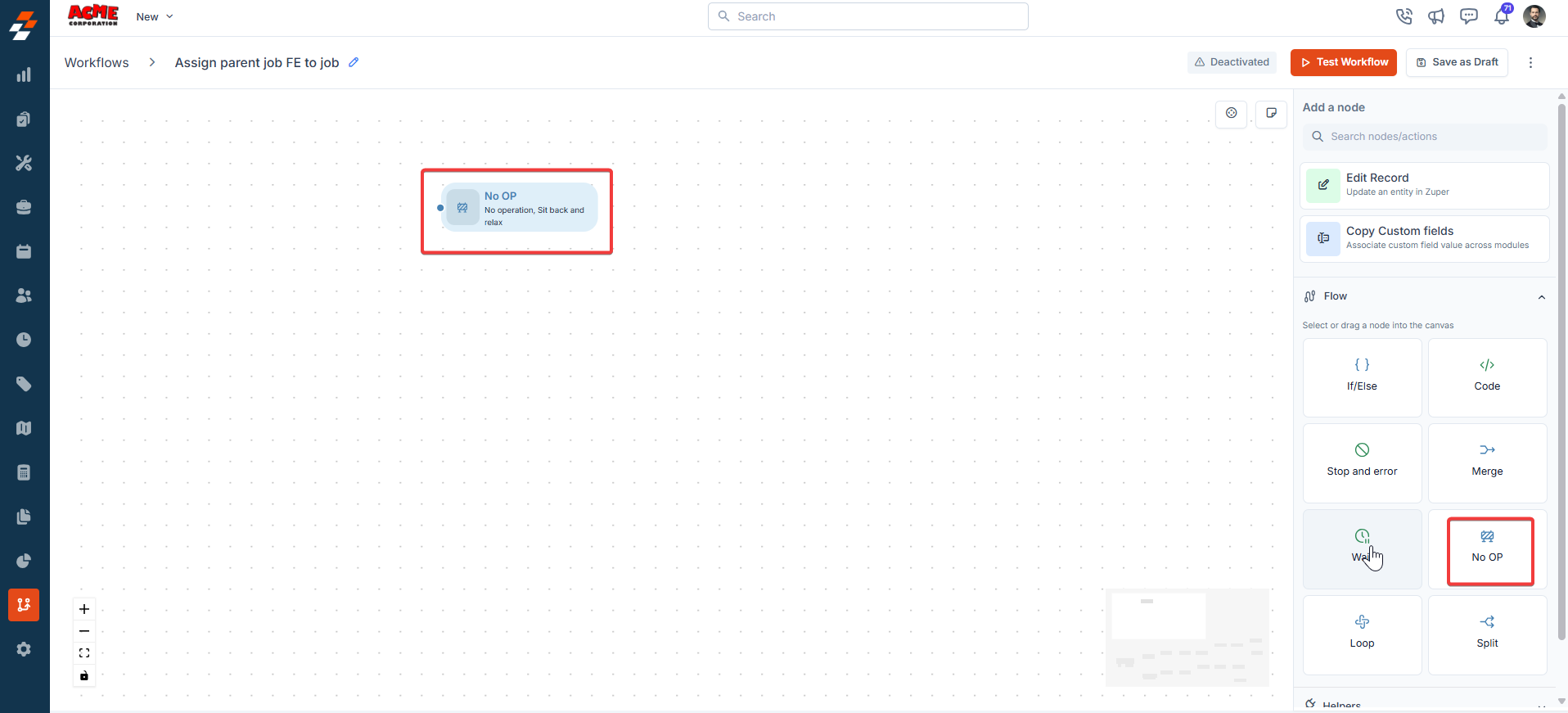
**Description**:\
The No Op node stops the workflow without performing any actions or triggering errors.
**Input/Output Details**:
* **Input**: None.
* **Output**: None (workflow terminates).
**Use Cases**:
* Halts the workflow branch completely.
**Error Handling Behavior**:
* Does not generate errors; simply stops execution.
**Example**:\
A workflow stops a test branch:
* **Input**: None.
* **Output**: Workflow terminates without action.
### **6. No Op**
**Description**:\
The No Op node stops the workflow without performing any actions or triggering errors.
**Input/Output Details**:
* **Input**: None.
* **Output**: None (workflow terminates).
**Use Cases**:
* Halts the workflow branch completely.
**Error Handling Behavior**:
* Does not generate errors; simply stops execution.
**Example**:\
A workflow stops a test branch:
* **Input**: None.
* **Output**: Workflow terminates without action.
 ### **7. Loop**
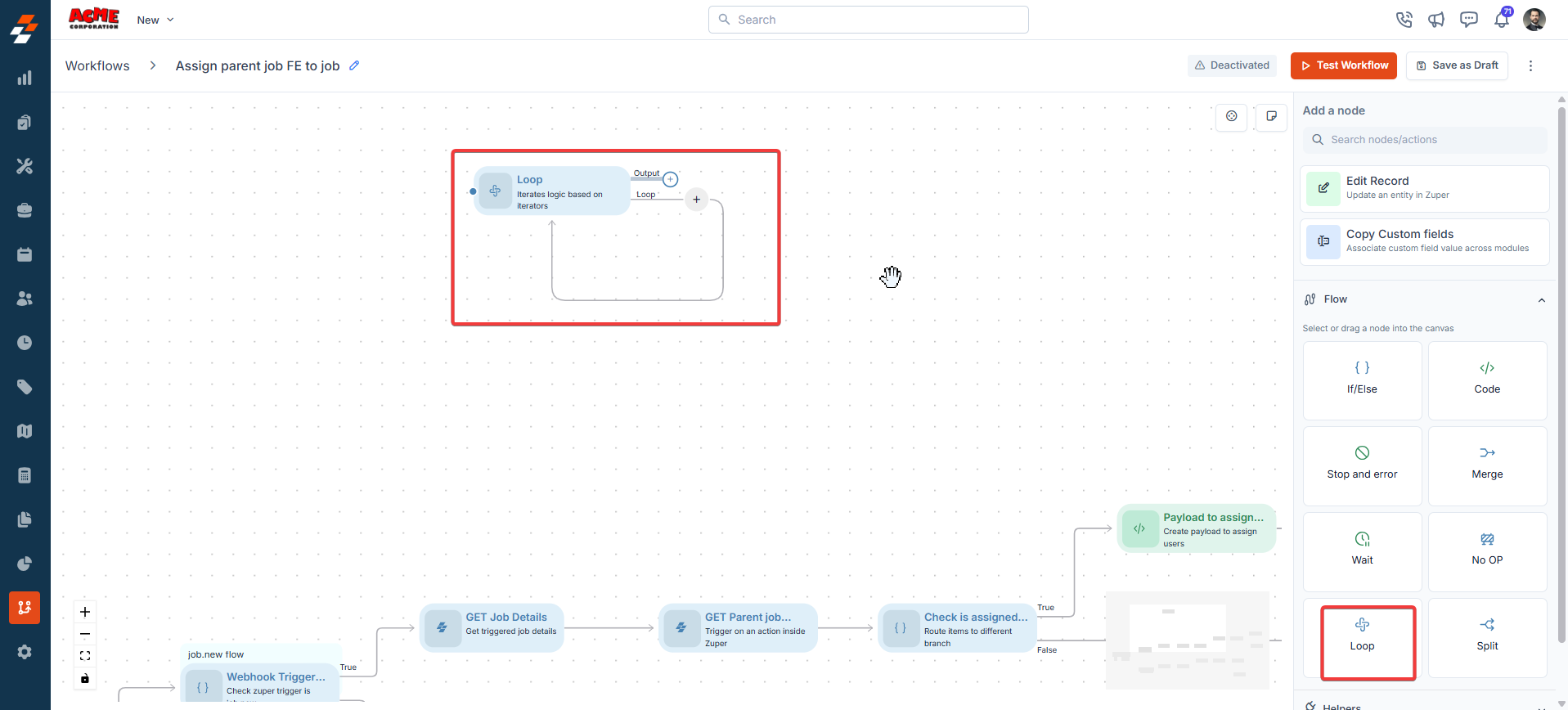
**Description**:\
The Loop node iterates through an array, performing actions on each item and collecting results.
**Input/Output Details**:
* **Input**: An array expression, selected using the **Expression**, **Variables**, or **Functions** picker; actions to perform on each item.
* **Output**: Collective results from all iterations.
**Use Cases**:
* Process a list of tasks within a job.
* Send notifications to multiple users in a list.
**Error Handling Behavior**:
* Fails if the input is not an array.
* Logs errors like "Invalid input: Array expected."
**Example**:\
A workflow processes a list of tasks:
* **Input**: Array = List of task IDs, selected using **Pick an array expression from input**; Action = Update Task Status to "Completed."
* **Output**: All tasks are updated, and results are returned as an array.
**Node Name**
A unique identifier for the node in the workflow. Use a descriptive name to easily identify the node's purpose.
**Node Description**
A brief explanation of the node's function, helping users understand its role in the workflow.
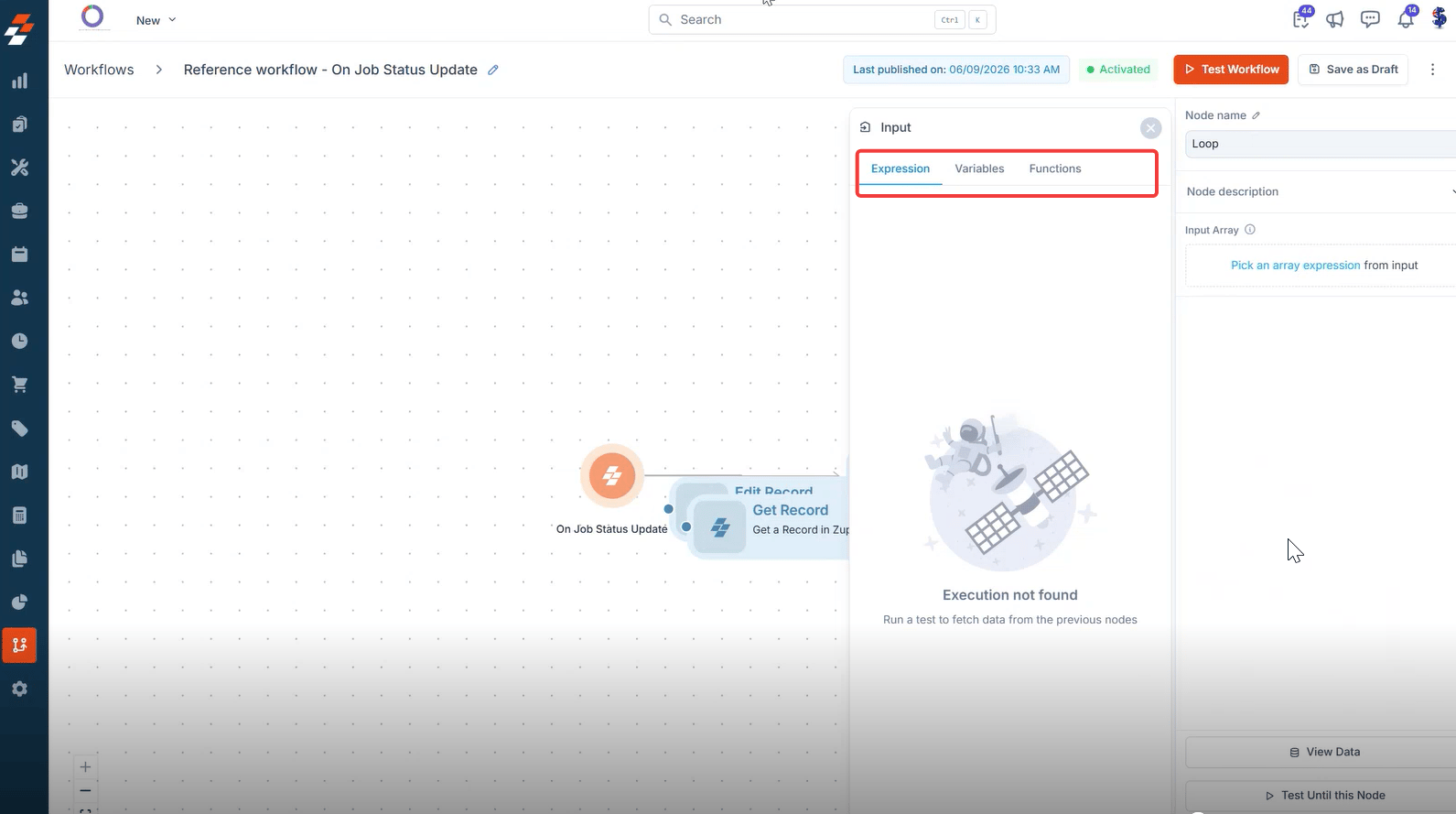
**Input Array**
Select **Pick an array expression from input** to choose the array the Loop node processes. Use the **Expression** tab to select array data from a previous node, the **Variables** tab for a defined variable, or the **Functions** tab for a function-based array.
### **7. Loop**
**Description**:\
The Loop node iterates through an array, performing actions on each item and collecting results.
**Input/Output Details**:
* **Input**: An array expression, selected using the **Expression**, **Variables**, or **Functions** picker; actions to perform on each item.
* **Output**: Collective results from all iterations.
**Use Cases**:
* Process a list of tasks within a job.
* Send notifications to multiple users in a list.
**Error Handling Behavior**:
* Fails if the input is not an array.
* Logs errors like "Invalid input: Array expected."
**Example**:\
A workflow processes a list of tasks:
* **Input**: Array = List of task IDs, selected using **Pick an array expression from input**; Action = Update Task Status to "Completed."
* **Output**: All tasks are updated, and results are returned as an array.
**Node Name**
A unique identifier for the node in the workflow. Use a descriptive name to easily identify the node's purpose.
**Node Description**
A brief explanation of the node's function, helping users understand its role in the workflow.
**Input Array**
Select **Pick an array expression from input** to choose the array the Loop node processes. Use the **Expression** tab to select array data from a previous node, the **Variables** tab for a defined variable, or the **Functions** tab for a function-based array.
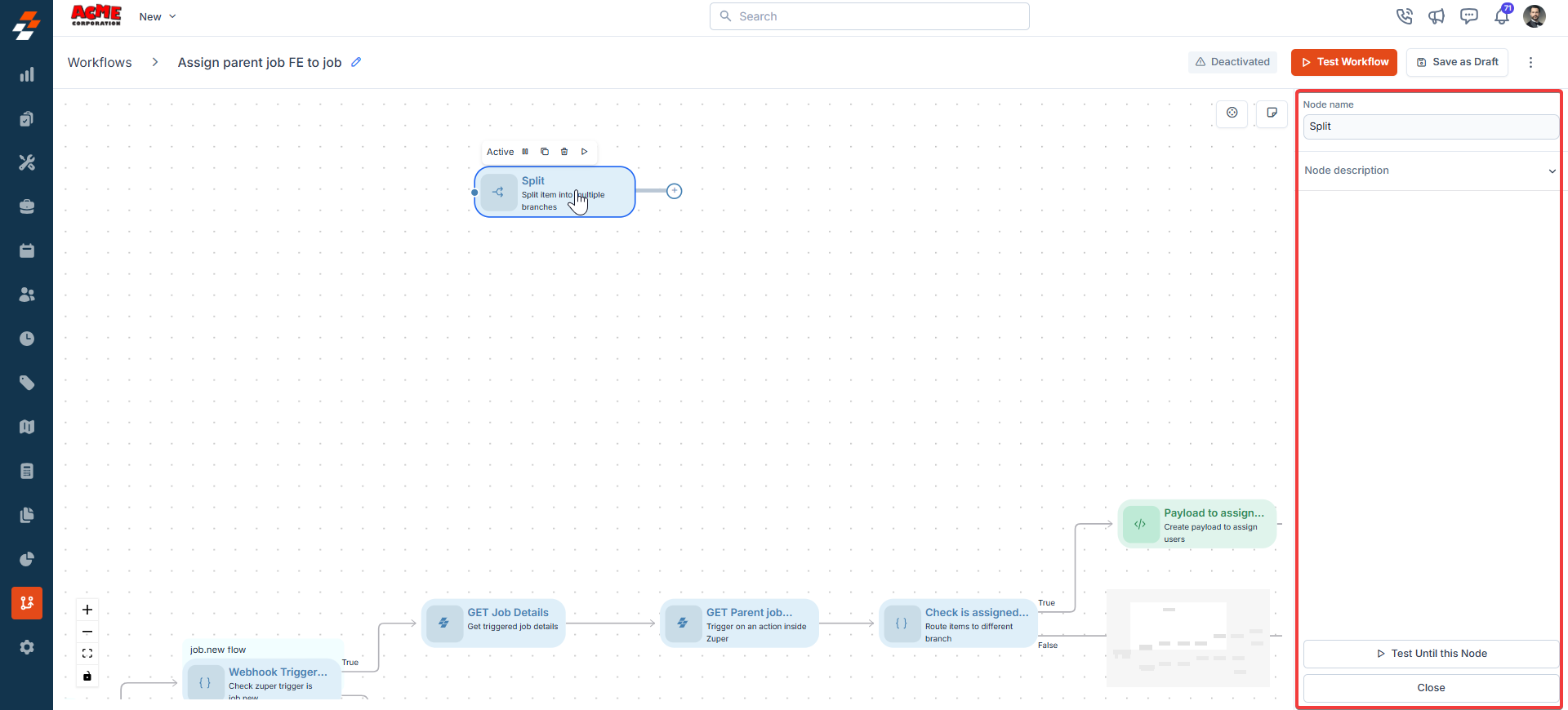
 ### **8. Split**
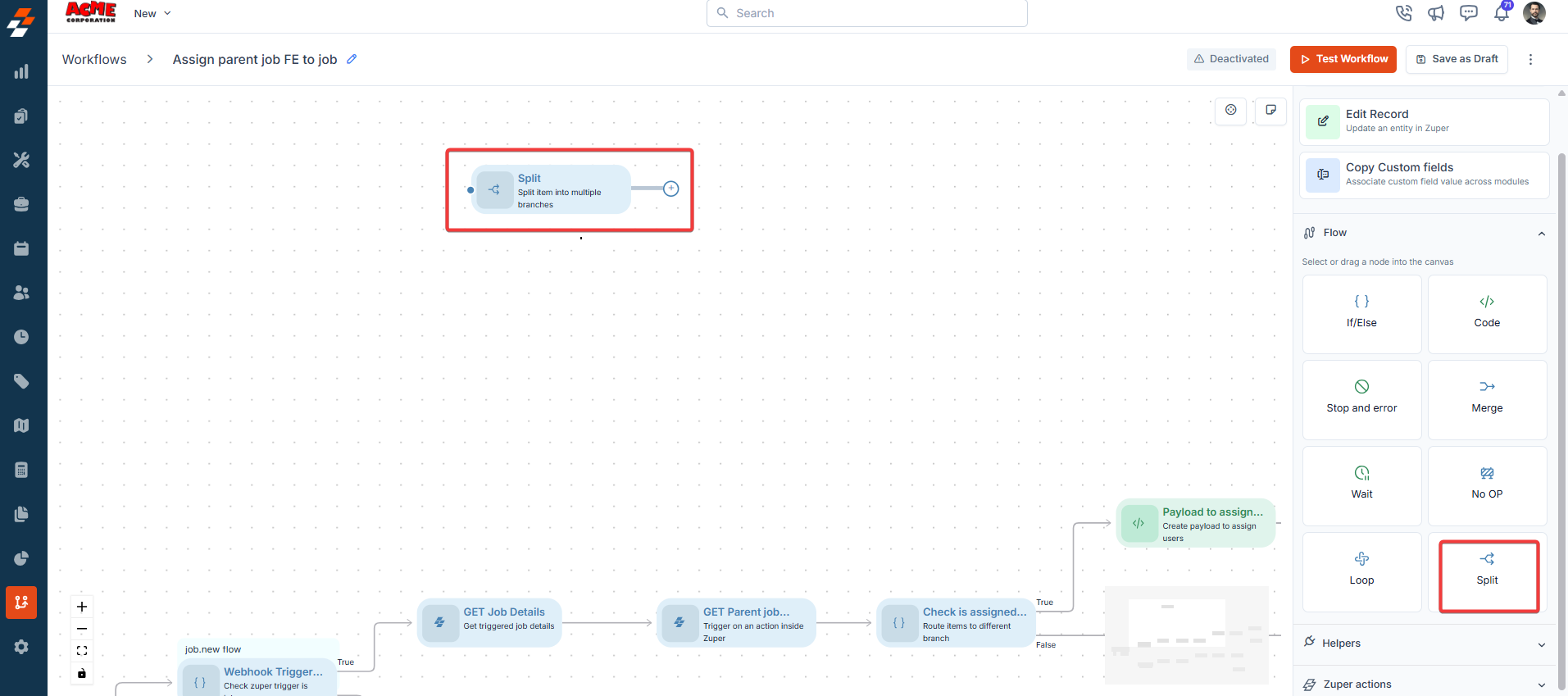
**Description**:\
The Split node divides a workflow into multiple parallel branches for simultaneous execution.
**Input/Output Details**:
* **Input**: Single incoming node; connections to multiple subsequent nodes.
* **Output**: Workflow continues along all connected branches.
**Use Cases**:
* Process different job aspects (e.g., status update and user assignment) in parallel.
* Handle multiple notifications simultaneously.
**Error Handling Behavior**:
* Each branch handles errors independently; no central error handling at the Split node.
**Example**:\
A workflow splits to update the job status and send a notification:
* **Input**: Connect to two nodes (Edit Record and Send Email).
* **Output**: Both branches execute simultaneously.
### **8. Split**
**Description**:\
The Split node divides a workflow into multiple parallel branches for simultaneous execution.
**Input/Output Details**:
* **Input**: Single incoming node; connections to multiple subsequent nodes.
* **Output**: Workflow continues along all connected branches.
**Use Cases**:
* Process different job aspects (e.g., status update and user assignment) in parallel.
* Handle multiple notifications simultaneously.
**Error Handling Behavior**:
* Each branch handles errors independently; no central error handling at the Split node.
**Example**:\
A workflow splits to update the job status and send a notification:
* **Input**: Connect to two nodes (Edit Record and Send Email).
* **Output**: Both branches execute simultaneously.
 ## **Helpers**
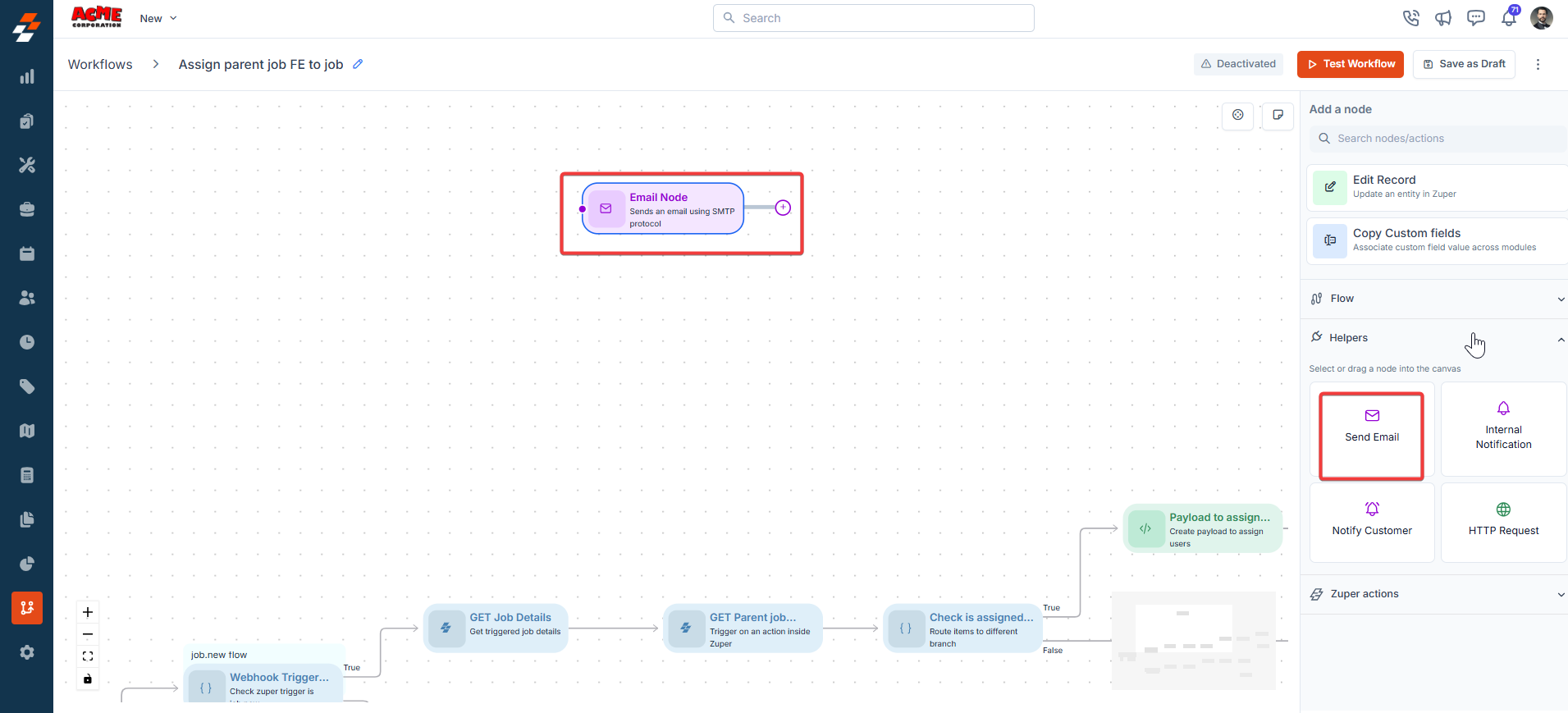
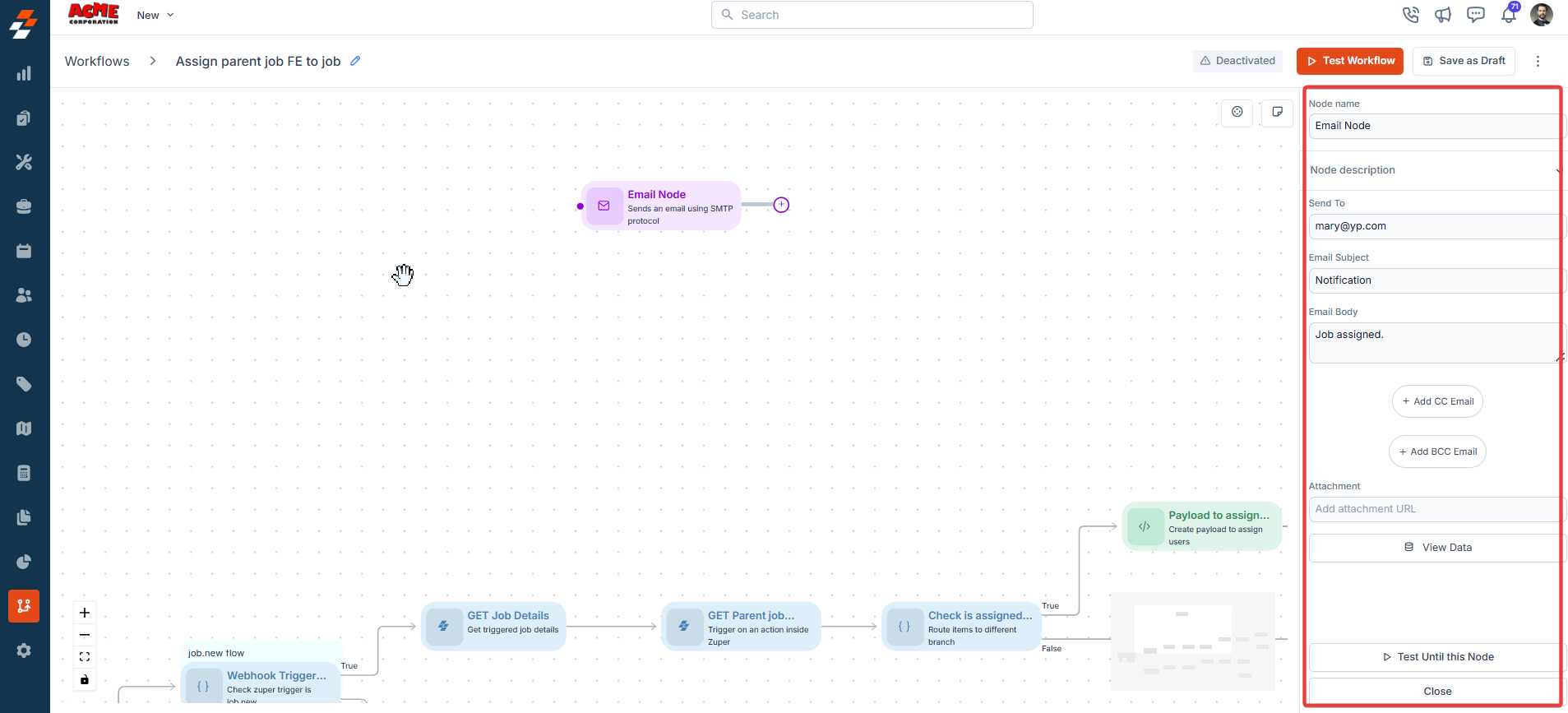
### **1. Send Email**
**Description**:\
The Send Email node sends emails based on the parameters.
**Input/Output Details**:
* **Input**: Recipients, subject, content.
* **Output**: Confirmation of email sent (if successful).
**Use Cases**:
* Notify a customer about job completion.
* Send reminders to technicians about upcoming jobs.
**Error Handling Behavior**:
* Fails if the recipient email is invalid or the recipient mail box is full or bounce due to their security settings.
* Logs errors like "Invalid email address."
**Example**:\
A workflow sends a job completion email:
* **Input**: Recipient = Customer Email; Subject = "**Job Completed**"; Content = "**Your job is complete**."
* **Output**: Email is sent to the customer.
## **Helpers**
### **1. Send Email**
**Description**:\
The Send Email node sends emails based on the parameters.
**Input/Output Details**:
* **Input**: Recipients, subject, content.
* **Output**: Confirmation of email sent (if successful).
**Use Cases**:
* Notify a customer about job completion.
* Send reminders to technicians about upcoming jobs.
**Error Handling Behavior**:
* Fails if the recipient email is invalid or the recipient mail box is full or bounce due to their security settings.
* Logs errors like "Invalid email address."
**Example**:\
A workflow sends a job completion email:
* **Input**: Recipient = Customer Email; Subject = "**Job Completed**"; Content = "**Your job is complete**."
* **Output**: Email is sent to the customer.
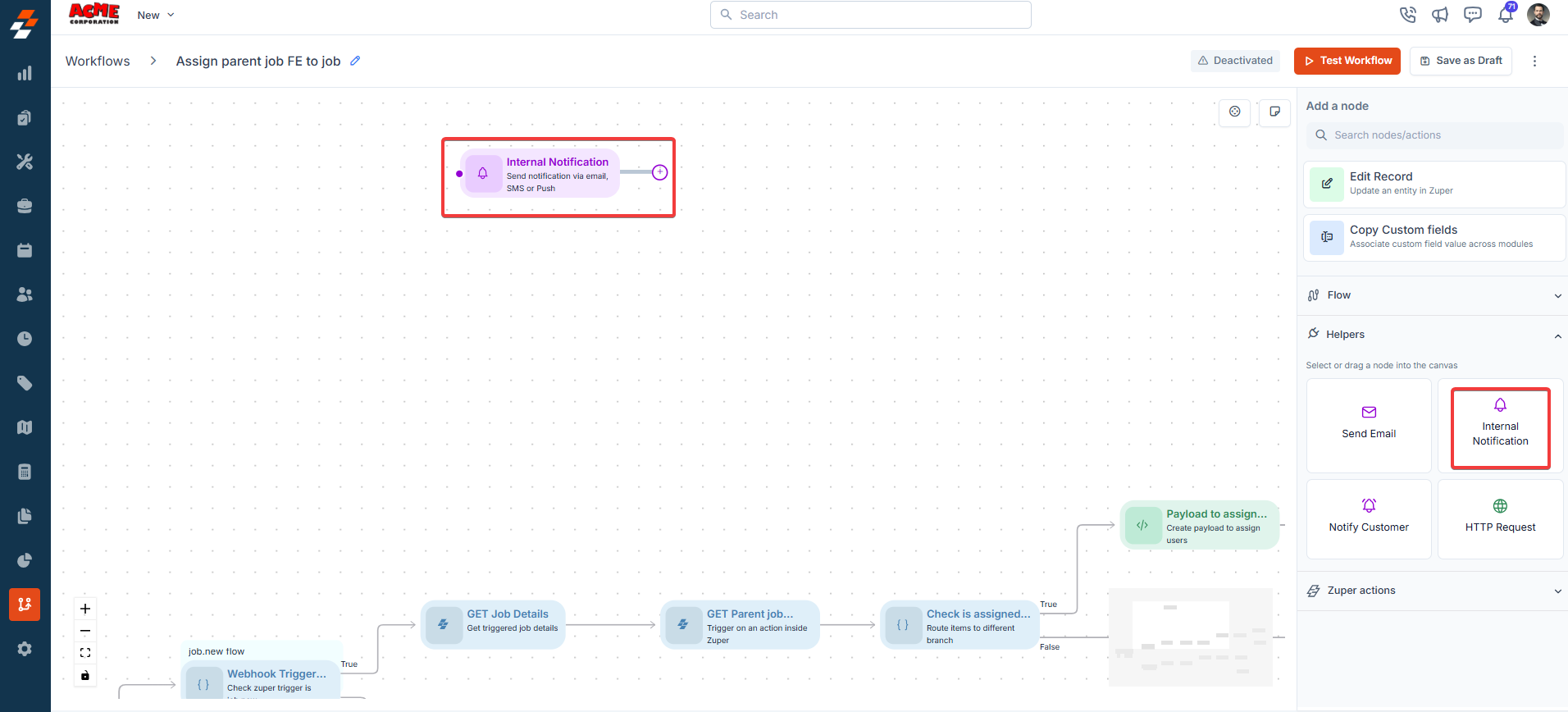
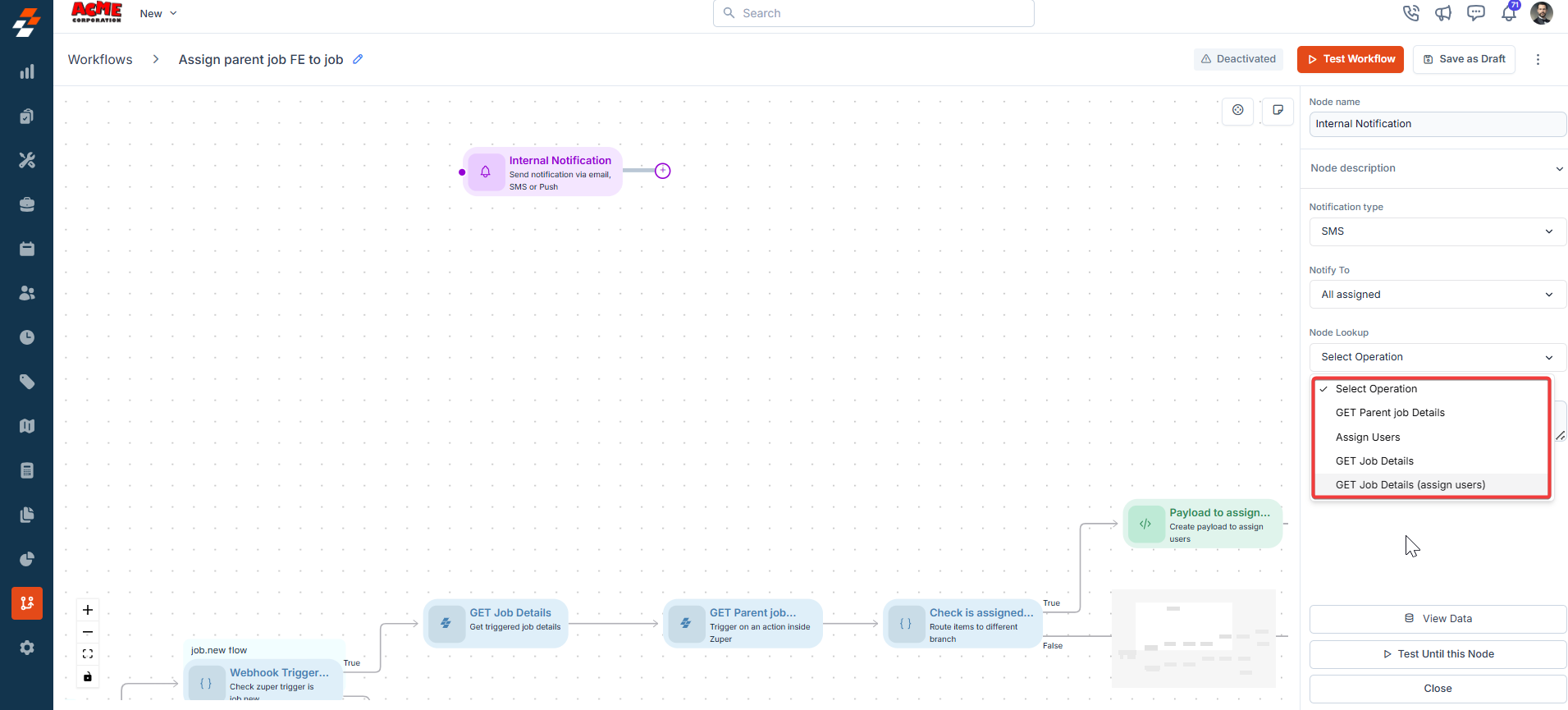
 ### **2. Internal Notification**
**Description**:\
The Internal Notification node sends notifications to internal users.
**Input/Output Details**:
* **Input**: Recipients, content, and delivery method.
* **Output**: Confirmation of notification sent.
**Use Cases**:
* Alert a manager about a high-priority job.
* Notify the team about schedule changes.
**Error Handling Behavior**:
* Fails if the recipient or delivery method is invalid.
* Logs errors like "**Invalid recipient ID**."
**Example**:\
A workflow notifies a manager:
* **Input**: Recipient = Manager ID; Content = "**New high-priority job assigned**"; .
* **Output**: Notification is sent to the manager.
### **2. Internal Notification**
**Description**:\
The Internal Notification node sends notifications to internal users.
**Input/Output Details**:
* **Input**: Recipients, content, and delivery method.
* **Output**: Confirmation of notification sent.
**Use Cases**:
* Alert a manager about a high-priority job.
* Notify the team about schedule changes.
**Error Handling Behavior**:
* Fails if the recipient or delivery method is invalid.
* Logs errors like "**Invalid recipient ID**."
**Example**:\
A workflow notifies a manager:
* **Input**: Recipient = Manager ID; Content = "**New high-priority job assigned**"; .
* **Output**: Notification is sent to the manager.
 ### **3. Customer Notification**
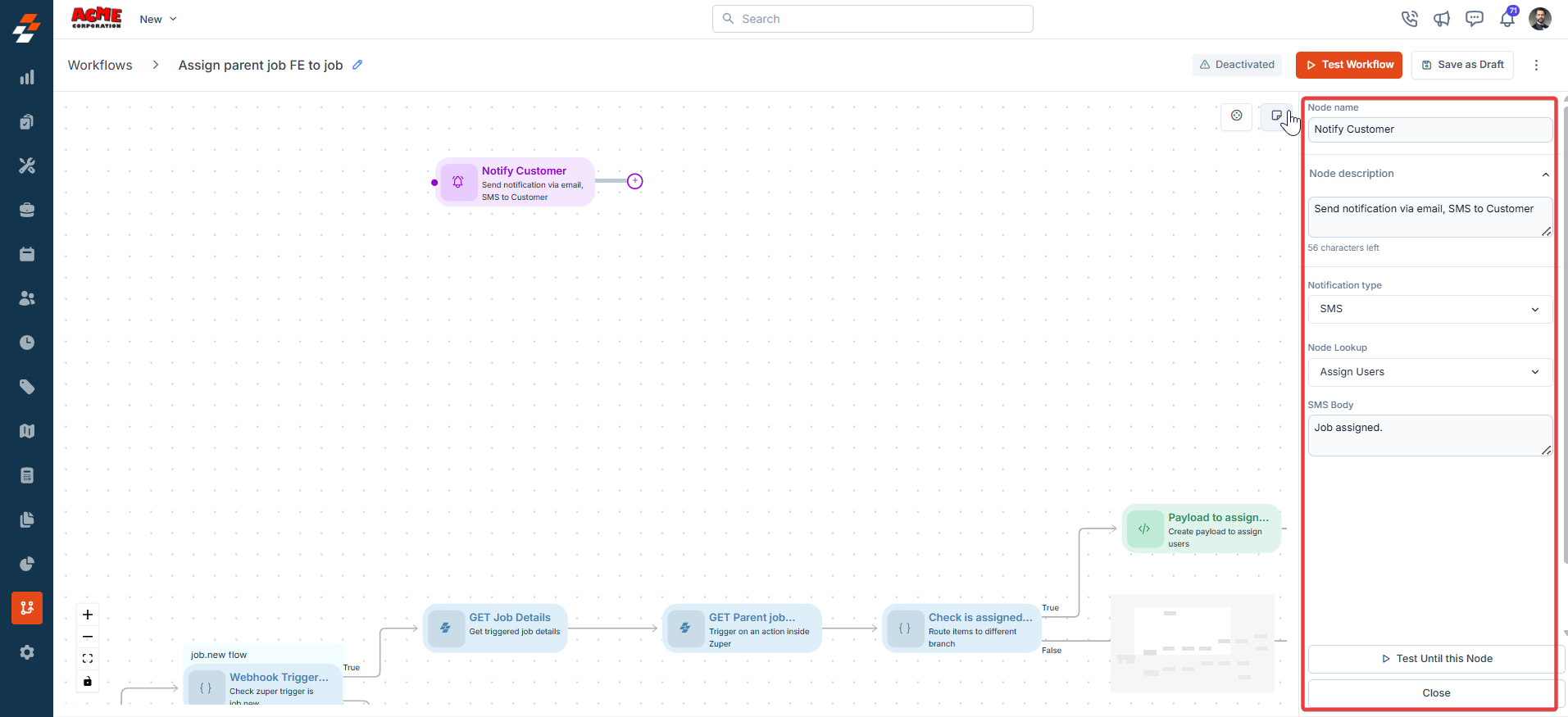
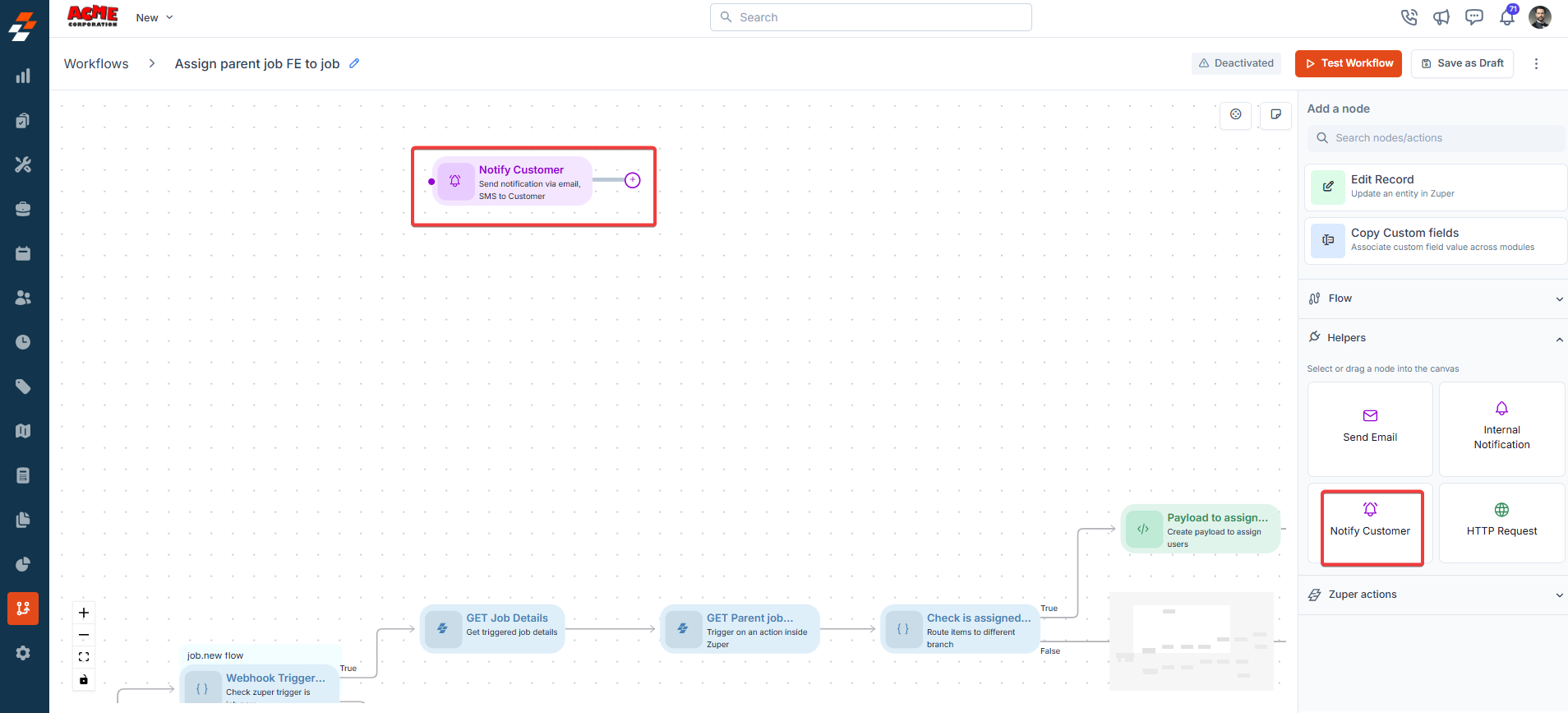
**Description**:\
The Customer Notification node sends notifications to customers.
**Input/Output Details**:
* **Input**: Customer recipients, content, delivery method, and optional template.
* **Output**: Confirmation of notification sent.
**Use Cases**:
* Inform customers about job status updates.
* Send appointment confirmation messages.
**Error Handling Behavior**:
* Fails if customer contact details are invalid.
* Logs errors like "**Invalid customer contact**."
**Example**:\
A workflow sends a job confirmation:
* **Input**: Recipient = Customer ID; Content = "**Your appointment is confirmed**"; Delivery = SMS.
* **Output**: SMS is sent to the customer.
### **3. Customer Notification**
**Description**:\
The Customer Notification node sends notifications to customers.
**Input/Output Details**:
* **Input**: Customer recipients, content, delivery method, and optional template.
* **Output**: Confirmation of notification sent.
**Use Cases**:
* Inform customers about job status updates.
* Send appointment confirmation messages.
**Error Handling Behavior**:
* Fails if customer contact details are invalid.
* Logs errors like "**Invalid customer contact**."
**Example**:\
A workflow sends a job confirmation:
* **Input**: Recipient = Customer ID; Content = "**Your appointment is confirmed**"; Delivery = SMS.
* **Output**: SMS is sent to the customer.
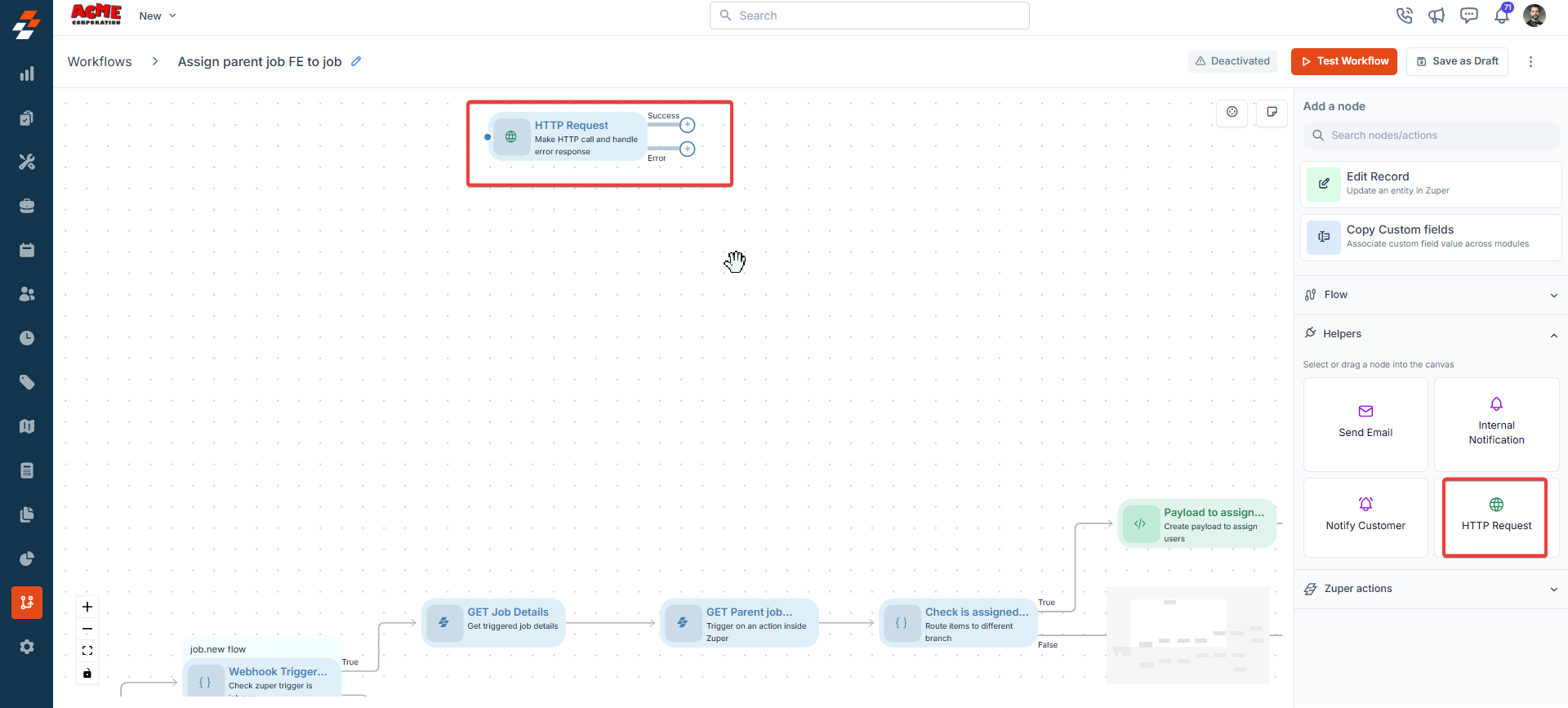
 ### **4. HTTP Request**
**Description**:\
The HTTP Request node makes external API calls, supporting GET, POST, PUT, DELETE, and PATCH methods.
**Input/Output Details**:
* **Input**:
* Endpoint URL (fixed or expression-based).
* HTTP method (GET, POST, PUT, DELETE, and PATCH).
* Authentication (Basic, Header, or None).
* Query parameters, headers, body (JSON, RAW, or Form data), SSL verification, and timeout.
* Advanced Settings: Error action (Stop or Continue), maximum retries, and retry interval, for controlling how the node responds to a failed call.
* **Output**: API response data, accessible to subsequent nodes. The node routes to a **Success** or **Error** path based on the call outcome.
**Use Cases**:
* Retrieve external data (e.g., weather data for job scheduling).
* Update an external CRM with job details.
* Retry a failed API call automatically before the workflow proceeds.
**Error Handling Behavior**:
* Fails if the endpoint is unreachable, authentication fails, or the response times out.
* Logs errors like "Connection timeout" or "Invalid credentials."
* When **Error action** is set to **Stop**, the workflow halts on failure.
* When **Error action** is set to **Continue**, the node retries the call up to the configured **Maximum Retries**, waiting the **Retry Interval** between attempts, then follows the **Error** path if all retries fail.
**Example**:
### **4. HTTP Request**
**Description**:\
The HTTP Request node makes external API calls, supporting GET, POST, PUT, DELETE, and PATCH methods.
**Input/Output Details**:
* **Input**:
* Endpoint URL (fixed or expression-based).
* HTTP method (GET, POST, PUT, DELETE, and PATCH).
* Authentication (Basic, Header, or None).
* Query parameters, headers, body (JSON, RAW, or Form data), SSL verification, and timeout.
* Advanced Settings: Error action (Stop or Continue), maximum retries, and retry interval, for controlling how the node responds to a failed call.
* **Output**: API response data, accessible to subsequent nodes. The node routes to a **Success** or **Error** path based on the call outcome.
**Use Cases**:
* Retrieve external data (e.g., weather data for job scheduling).
* Update an external CRM with job details.
* Retry a failed API call automatically before the workflow proceeds.
**Error Handling Behavior**:
* Fails if the endpoint is unreachable, authentication fails, or the response times out.
* Logs errors like "Connection timeout" or "Invalid credentials."
* When **Error action** is set to **Stop**, the workflow halts on failure.
* When **Error action** is set to **Continue**, the node retries the call up to the configured **Maximum Retries**, waiting the **Retry Interval** between attempts, then follows the **Error** path if all retries fail.
**Example**:
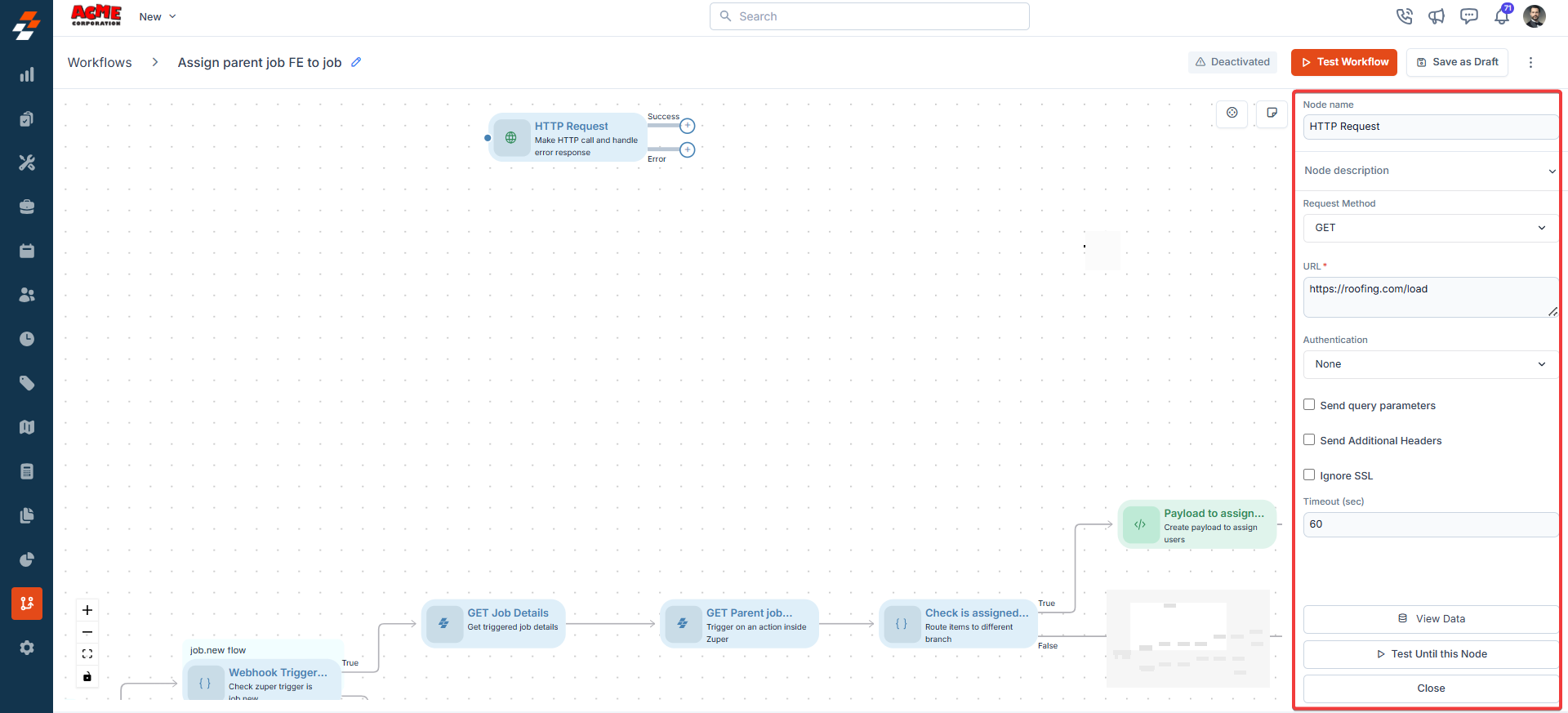
 **Node Name**
A unique identifier for the node in the workflow. Use a descriptive name to easily identify the node's purpose.
**Node Description**
A brief explanation of the node's function, helping users understand its role in the workflow.
**Request Method**
Select the HTTP method for the request: **GET**, **POST**, **PUT**, **DELETE**, or **PATCH**.
**URL**
Enter the API endpoint, for example, `https://staging.zuperpro.com/api/jobs`. This field is mandatory.
**Authentication**
Select the authentication method for the request: **Basic**, **Header**, or **None**.
**Send Query Parameters**
Enable this option to include query parameters with the request.
**Send Additional Headers**
Enable this option to include custom headers with the request.
**Ignore SSL**
Enable this option to skip SSL certificate verification for the request.
**Timeout (sec)**
Enter the number of seconds to wait for a response before the request times out. The default value is 60 seconds. Adjust this value to allow more time for slower endpoints.
**Advanced Settings**
* **Error action**: Choose **Stop** to halt the workflow on failure, or **Continue** to retry the call and follow the **Error** path if retries fail.
* **Maximum Retries**: Enter the number of retry attempts for a failed call.
* **Retry Interval (ms)**: Enter the wait time, in milliseconds, between retry attempts. The maximum value is 3,000 milliseconds.
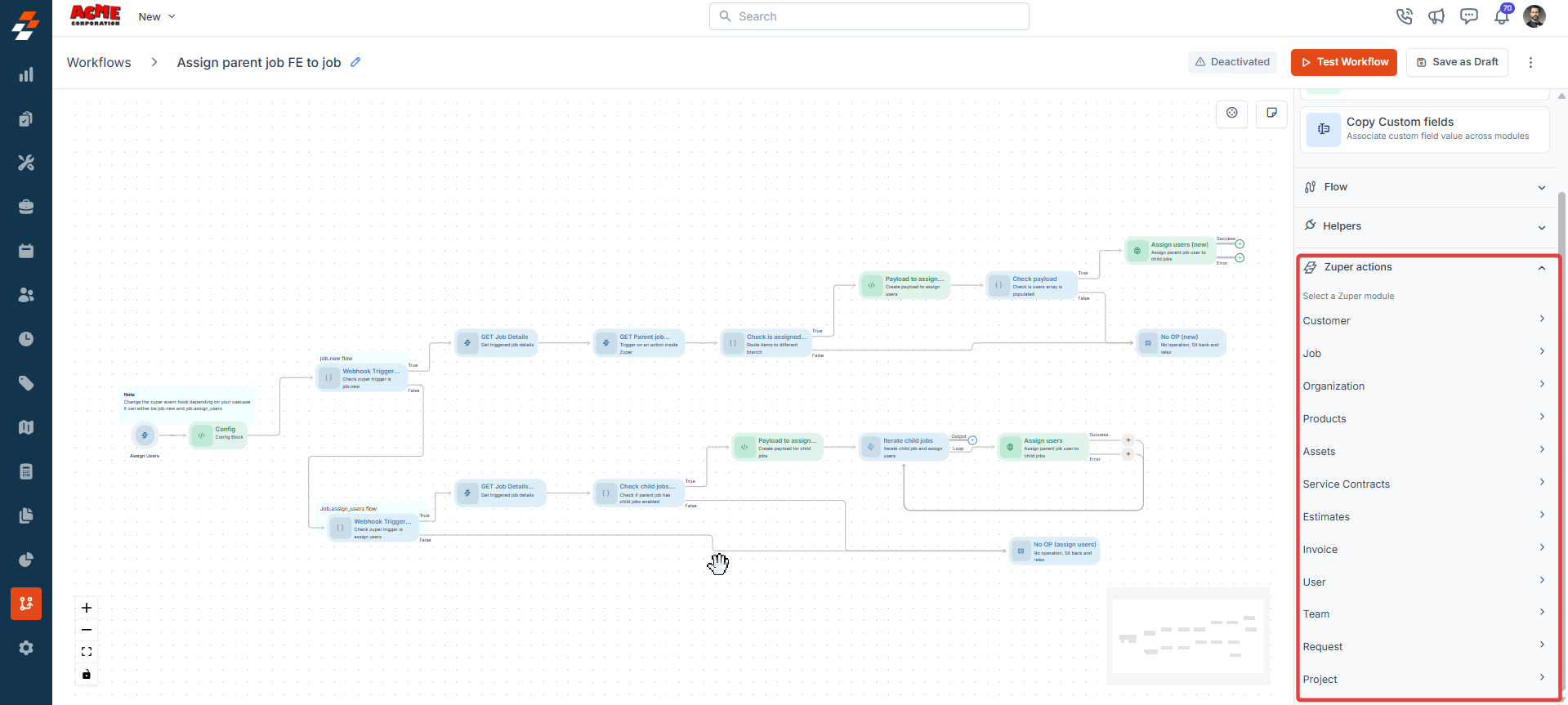
**Zuper Actions:**
You can "**Get**" the details of the various modules in Zuper.
* Customer
* Job
* Organization
* Products
* Assets
* Service Contracts
* Estimates
* Invoice
* User
* Team
* Request
* Project
**Node Name**
A unique identifier for the node in the workflow. Use a descriptive name to easily identify the node's purpose.
**Node Description**
A brief explanation of the node's function, helping users understand its role in the workflow.
**Request Method**
Select the HTTP method for the request: **GET**, **POST**, **PUT**, **DELETE**, or **PATCH**.
**URL**
Enter the API endpoint, for example, `https://staging.zuperpro.com/api/jobs`. This field is mandatory.
**Authentication**
Select the authentication method for the request: **Basic**, **Header**, or **None**.
**Send Query Parameters**
Enable this option to include query parameters with the request.
**Send Additional Headers**
Enable this option to include custom headers with the request.
**Ignore SSL**
Enable this option to skip SSL certificate verification for the request.
**Timeout (sec)**
Enter the number of seconds to wait for a response before the request times out. The default value is 60 seconds. Adjust this value to allow more time for slower endpoints.
**Advanced Settings**
* **Error action**: Choose **Stop** to halt the workflow on failure, or **Continue** to retry the call and follow the **Error** path if retries fail.
* **Maximum Retries**: Enter the number of retry attempts for a failed call.
* **Retry Interval (ms)**: Enter the wait time, in milliseconds, between retry attempts. The maximum value is 3,000 milliseconds.
**Zuper Actions:**
You can "**Get**" the details of the various modules in Zuper.
* Customer
* Job
* Organization
* Products
* Assets
* Service Contracts
* Estimates
* Invoice
* User
* Team
* Request
* Project
 This article provides a comprehensive guide to the Zuper Workflow Builder nodes, enabling users to build efficient and customized workflows.