> ## Documentation Index
> Fetch the complete documentation index at: https://docs.zuper.co/llms.txt
> Use this file to discover all available pages before exploring further.
# Sakari
The **Zuper–Sakari Link SMS integration** allows you to connect your Sakari account with Zuper to automatically send outbound text messages through your Sakari number.
Sakari is a popular SMS application primarily used in the USA. However, if you have an active Sakari Link plan, you can use this integration regardless of your location.
**Note**: To use this integration, you must have a Sakari Developer Account and be subscribed to any Sakari SMS pricing plan.
## A. Connecting Sakari with Zuper
Follow the steps below to integrate your Sakari account with Zuper.
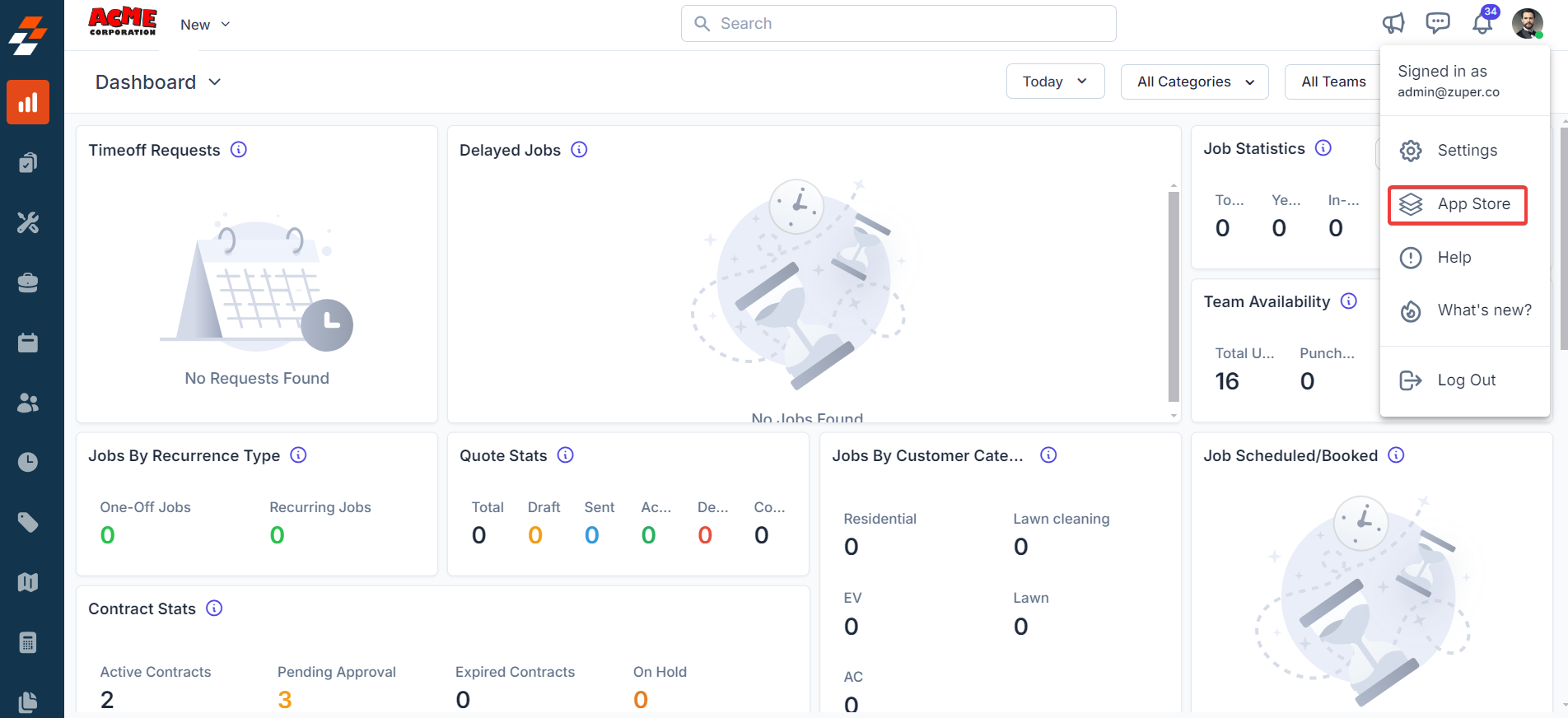
1. Log in to your **Zuper web app**. Click on your **Profile Picture** in the top-right corner. Select **App Store** from the dropdown menu.
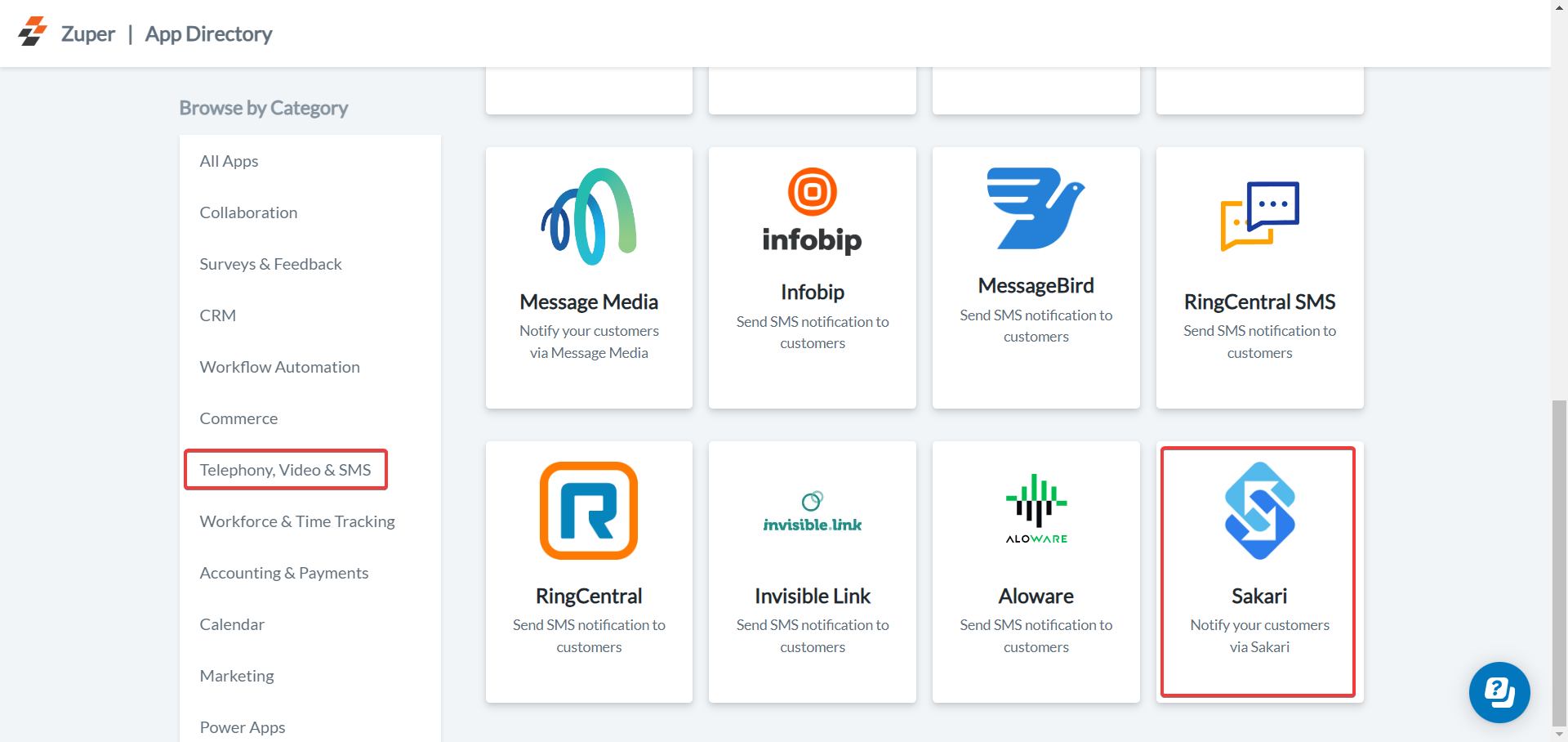
 2. Under **Browse by Category**, select **Telephony, Video & SMS**. Choose **Sakari** from the available apps.
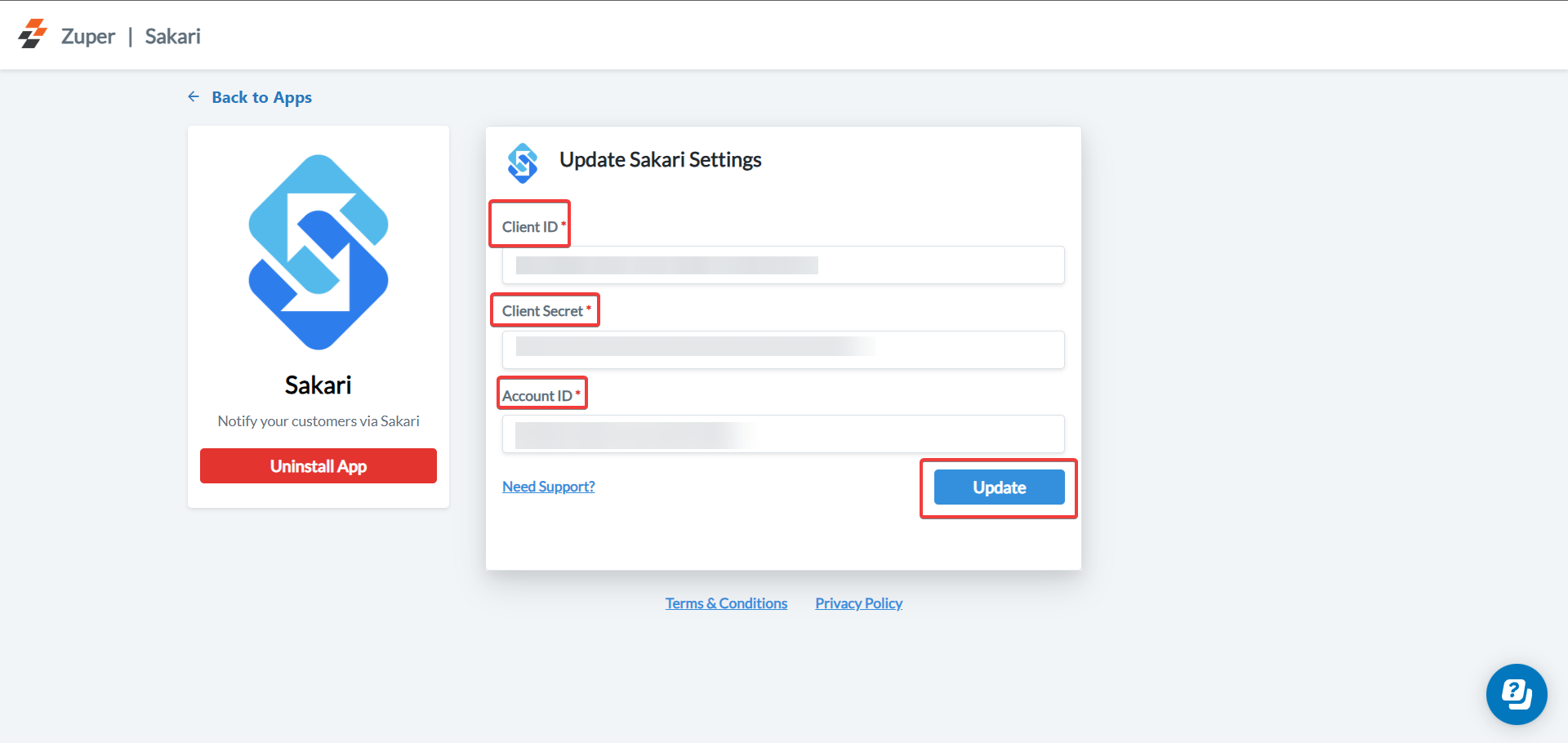
 3. Click the **Configure Settings** button to open the integration page.
Tip: Keep both Zuper and Sakari tabs open so you can easily switch between them during setup.
> **Important:**\
> Ensure that **Text Message/Text Notifications** are enabled for your end users.\
> **Navigation:** Contacts -> Contacts Listing page -> Edit (via three-dot icon)→ Notification Preferences.
Update the following fields in Zuper with the details from your Sakari account:
| Field Name | Description | Where to Find in Sakari |
| :-----------------------------: | :------------------------------: | :-------------------------------------------------------------: |
| **Client ID** *(Mandatory)* | Enter your Sakari Client ID. | Go to **Settings → Account Settings → API Key → Client ID** |
| **Client Secret** *(Mandatory)* | Enter your Sakari Client Secret. | Go to **Settings → Account Settings → API Key → Client Secret** |
| **Account ID** *(Mandatory)* | Enter your Sakari Account ID. | Go to **Settings → Account Settings → API Key → Account ID** |
Note: After copying the Client Secret, it will be hidden when you refresh the Sakari page.
Once all details are entered, click **Update** to complete the integration.
3. Click the **Configure Settings** button to open the integration page.
Tip: Keep both Zuper and Sakari tabs open so you can easily switch between them during setup.
> **Important:**\
> Ensure that **Text Message/Text Notifications** are enabled for your end users.\
> **Navigation:** Contacts -> Contacts Listing page -> Edit (via three-dot icon)→ Notification Preferences.
Update the following fields in Zuper with the details from your Sakari account:
| Field Name | Description | Where to Find in Sakari |
| :-----------------------------: | :------------------------------: | :-------------------------------------------------------------: |
| **Client ID** *(Mandatory)* | Enter your Sakari Client ID. | Go to **Settings → Account Settings → API Key → Client ID** |
| **Client Secret** *(Mandatory)* | Enter your Sakari Client Secret. | Go to **Settings → Account Settings → API Key → Client Secret** |
| **Account ID** *(Mandatory)* | Enter your Sakari Account ID. | Go to **Settings → Account Settings → API Key → Account ID** |
Note: After copying the Client Secret, it will be hidden when you refresh the Sakari page.
Once all details are entered, click **Update** to complete the integration.
 ## B. Using the Zuper–Sakari Integration
Once integrated, you can send SMS notifications directly from Zuper using your Sakari number.
1. Navigate to the **Contacts** module from the left navigation menu. Select a contact on the listing page to open its details.
## B. Using the Zuper–Sakari Integration
Once integrated, you can send SMS notifications directly from Zuper using your Sakari number.
1. Navigate to the **Contacts** module from the left navigation menu. Select a contact on the listing page to open its details.
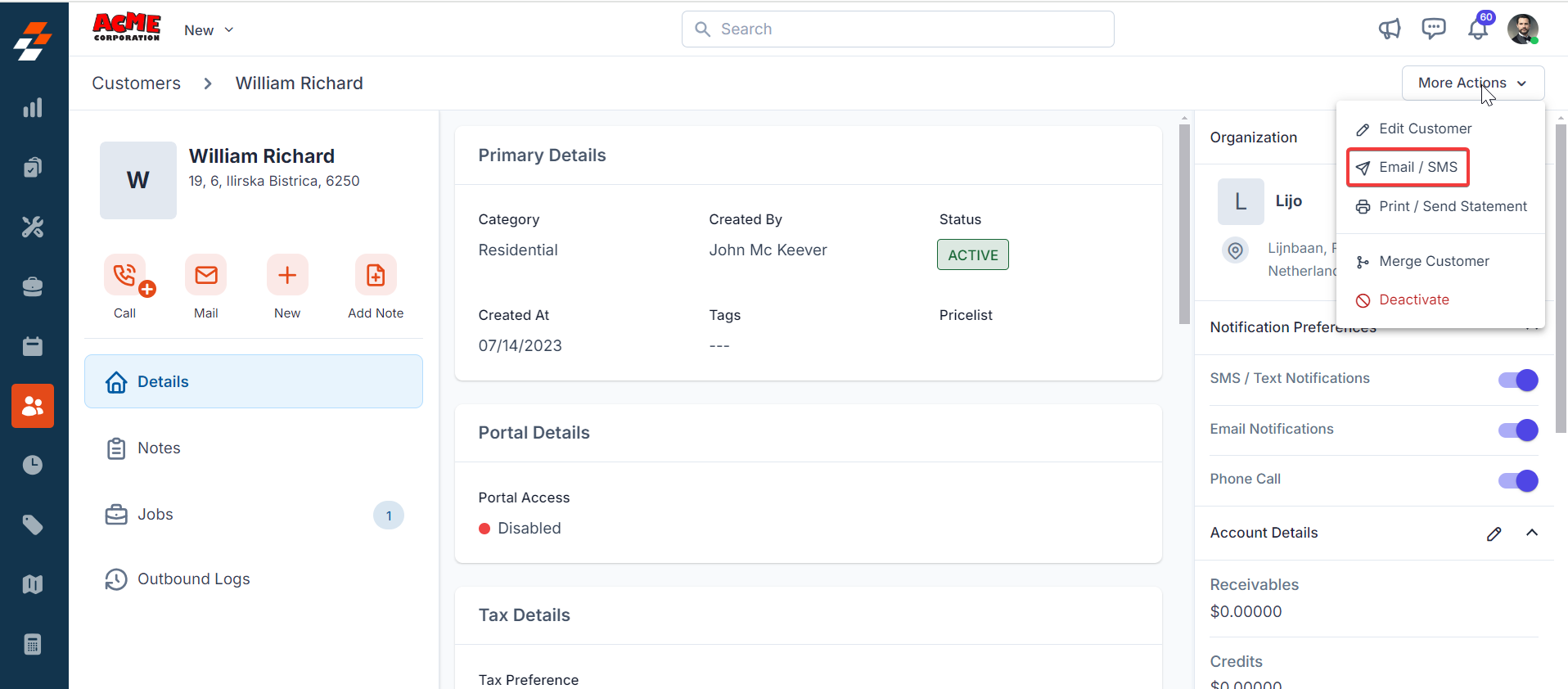
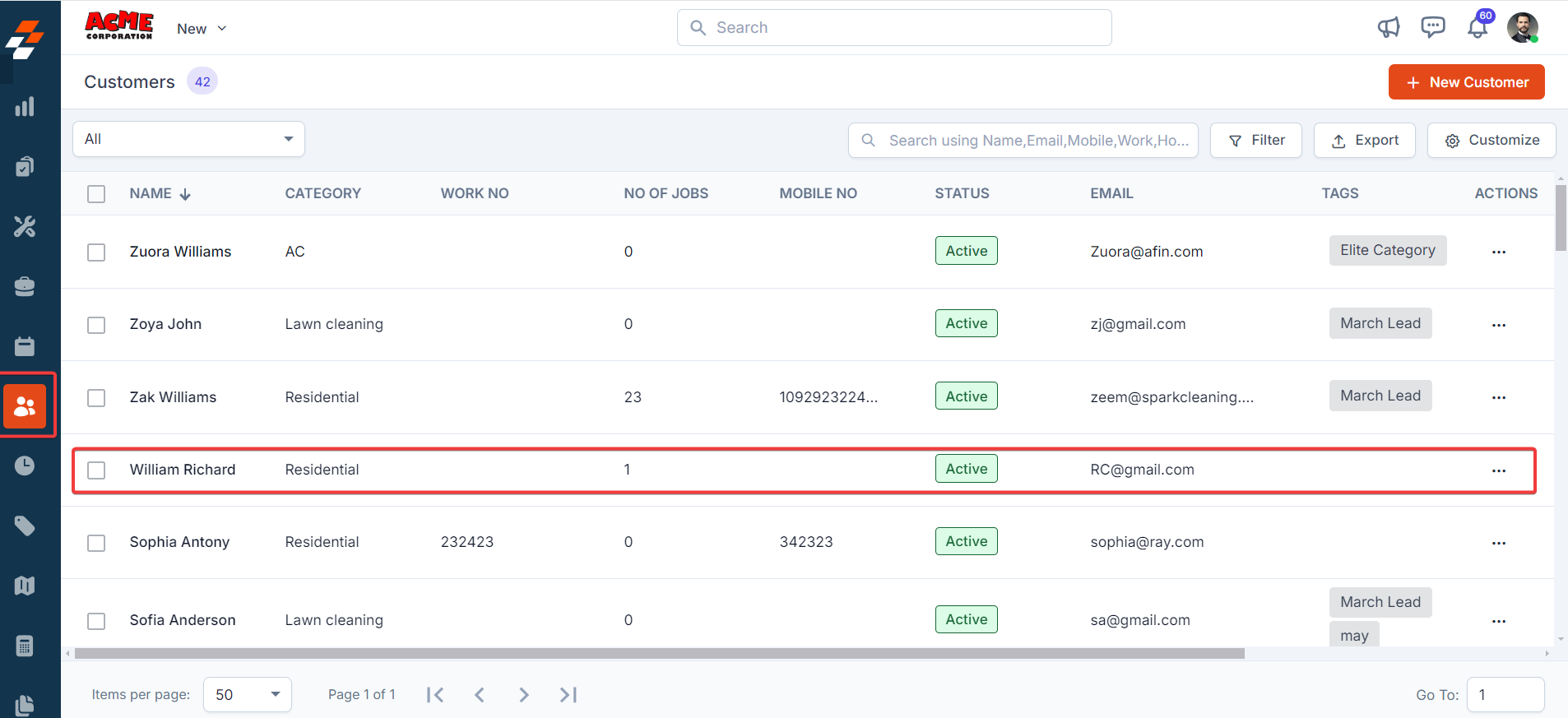 2. On the **Contact Details** page, click **More Actions → Email/Text Message**.
 3. Configure Email/Text Message Details to Send
Fill in the following fields:
| Field | Description |
| :---------------------------------: | :-----------------------------------: |
| **Contact Via** *(Mandatory)* | Select **SMS**. |
| **Contact Number** *(Mandatory)* | Choose the customer’s contact number. |
| **Text Message Body** *(Mandatory)* | Enter the message content. |
3. Configure Email/Text Message Details to Send
Fill in the following fields:
| Field | Description |
| :---------------------------------: | :-----------------------------------: |
| **Contact Via** *(Mandatory)* | Select **SMS**. |
| **Contact Number** *(Mandatory)* | Choose the customer’s contact number. |
| **Text Message Body** *(Mandatory)* | Enter the message content. |
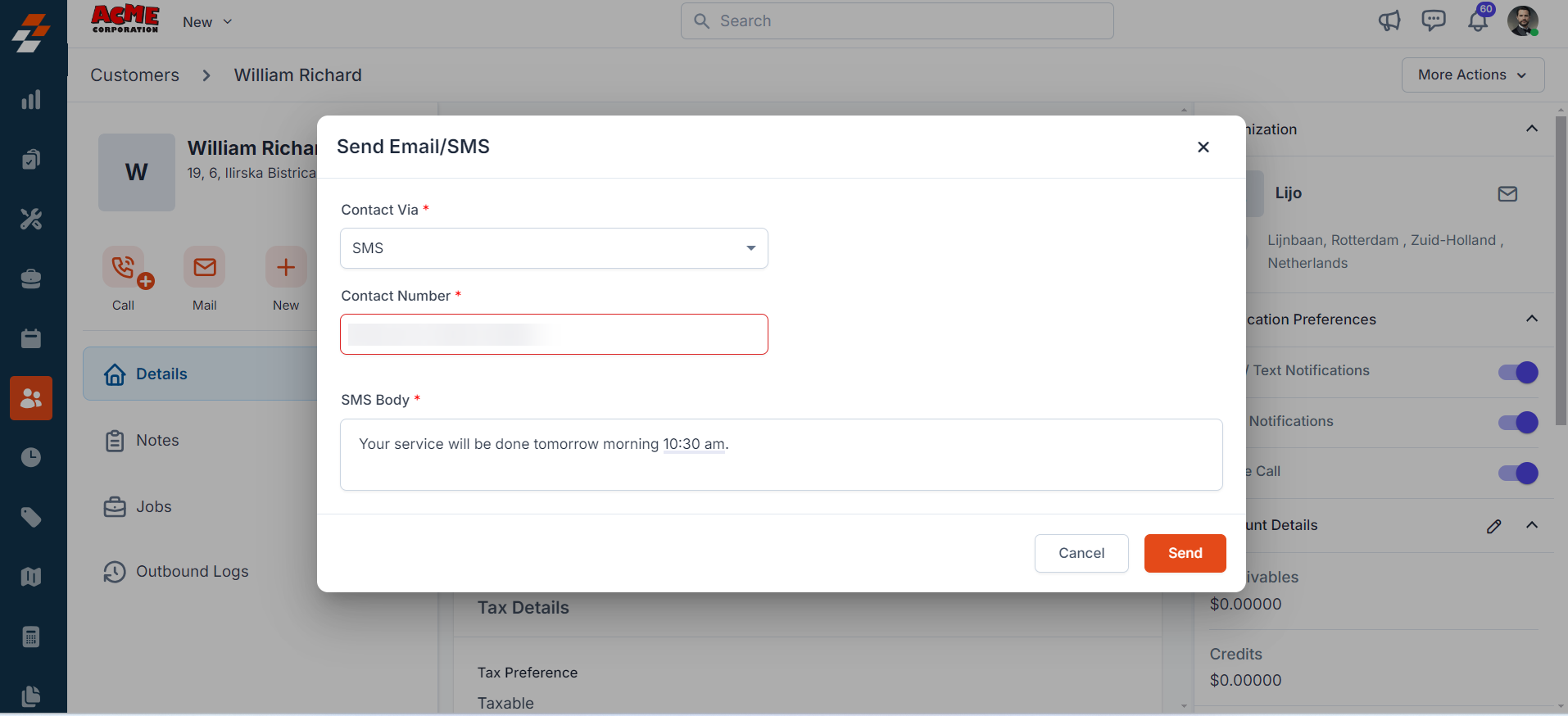 Click **Send** to deliver the message via Sakari.
> Once sent, the SMS is processed through Sakari and delivered to the customer.
## C. Uninstalling Sakari from Zuper
If you no longer need the integration, follow the steps below to uninstall the Sakari app.
1. Log in to your **Zuper web app**. Click your **Profile Picture** in the top-right corner. Select **App Store**.
2. Under **Browse by Category**, select **Telephony, Video & SMS**. Choose **Sakari**. You have the option to Uninstall **Sakari**.
3. The Sakari is uninstalled successfully.
Click **Send** to deliver the message via Sakari.
> Once sent, the SMS is processed through Sakari and delivered to the customer.
## C. Uninstalling Sakari from Zuper
If you no longer need the integration, follow the steps below to uninstall the Sakari app.
1. Log in to your **Zuper web app**. Click your **Profile Picture** in the top-right corner. Select **App Store**.
2. Under **Browse by Category**, select **Telephony, Video & SMS**. Choose **Sakari**. You have the option to Uninstall **Sakari**.
3. The Sakari is uninstalled successfully.
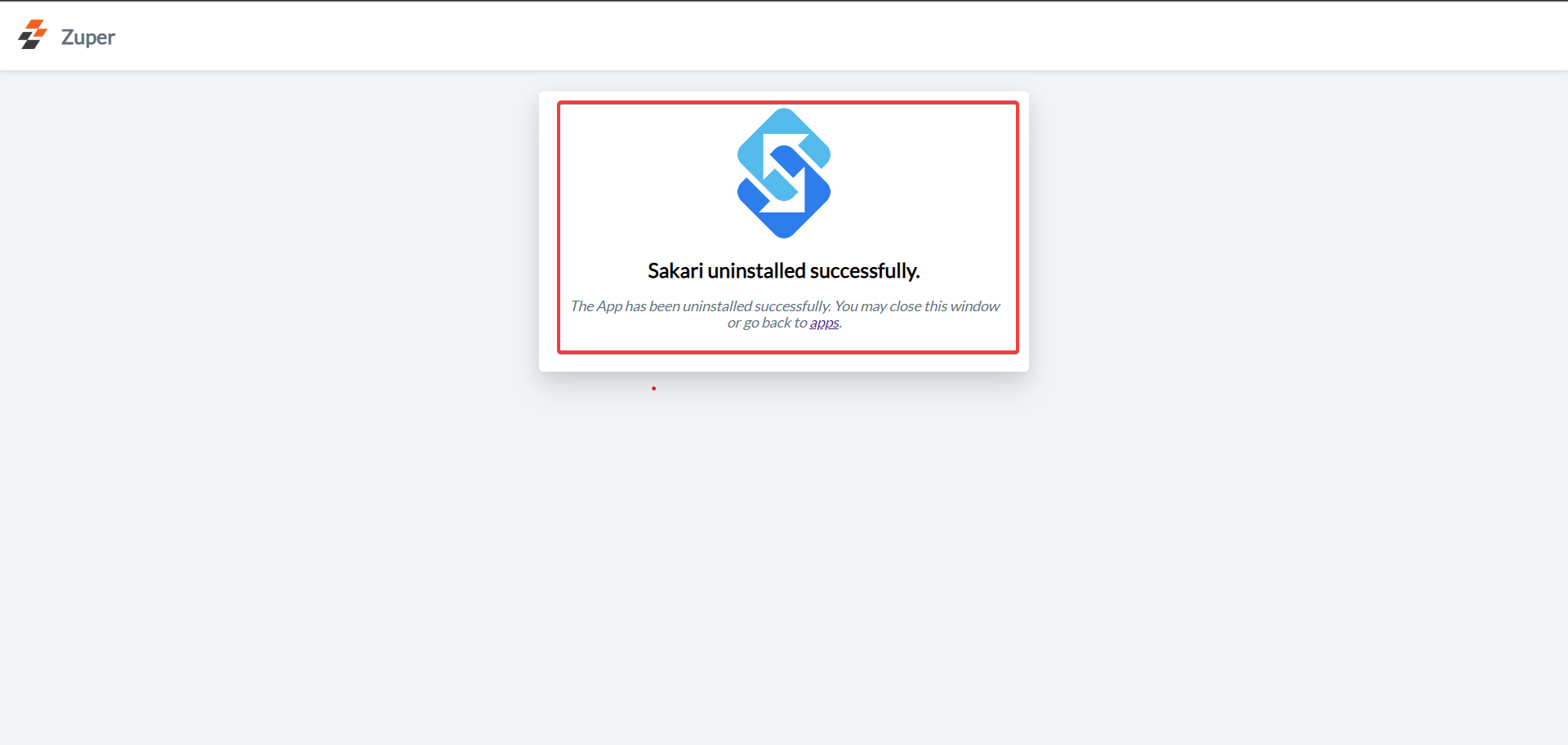 A confirmation message will appear once **Sakari** has been successfully uninstalled.
SMS notifications are an excellent way to keep customers informed about their latest job updates.\
This **one-way integration** allows data to flow from **Zuper to Sakari**, ensuring timely SMS delivery to customers.
A confirmation message will appear once **Sakari** has been successfully uninstalled.
SMS notifications are an excellent way to keep customers informed about their latest job updates.\
This **one-way integration** allows data to flow from **Zuper to Sakari**, ensuring timely SMS delivery to customers.